
Perkenalan
This manual provides detailed instructions for the installation, operation, and maintenance of your VTech VTCS6619 DECT 6.0 Expandable Speakerphone with Caller ID. Please read this manual thoroughly before using your new telephone system to ensure proper functionality and to take full advantage fitur-fiturnya.
Isi Paket
Verifikasi bahwa paket Anda berisi item berikut:
- Cordless Phone with Caller ID/Call Waiting
- Telephone Base Unit
- Adaptor Daya AC
- Kabel Saluran Telepon
- Baterai Isi Ulang untuk Ponsel
- Penutup Ponsel
Pengaturan
Follow these steps to set up your VTech VTCS6619 telephone system.
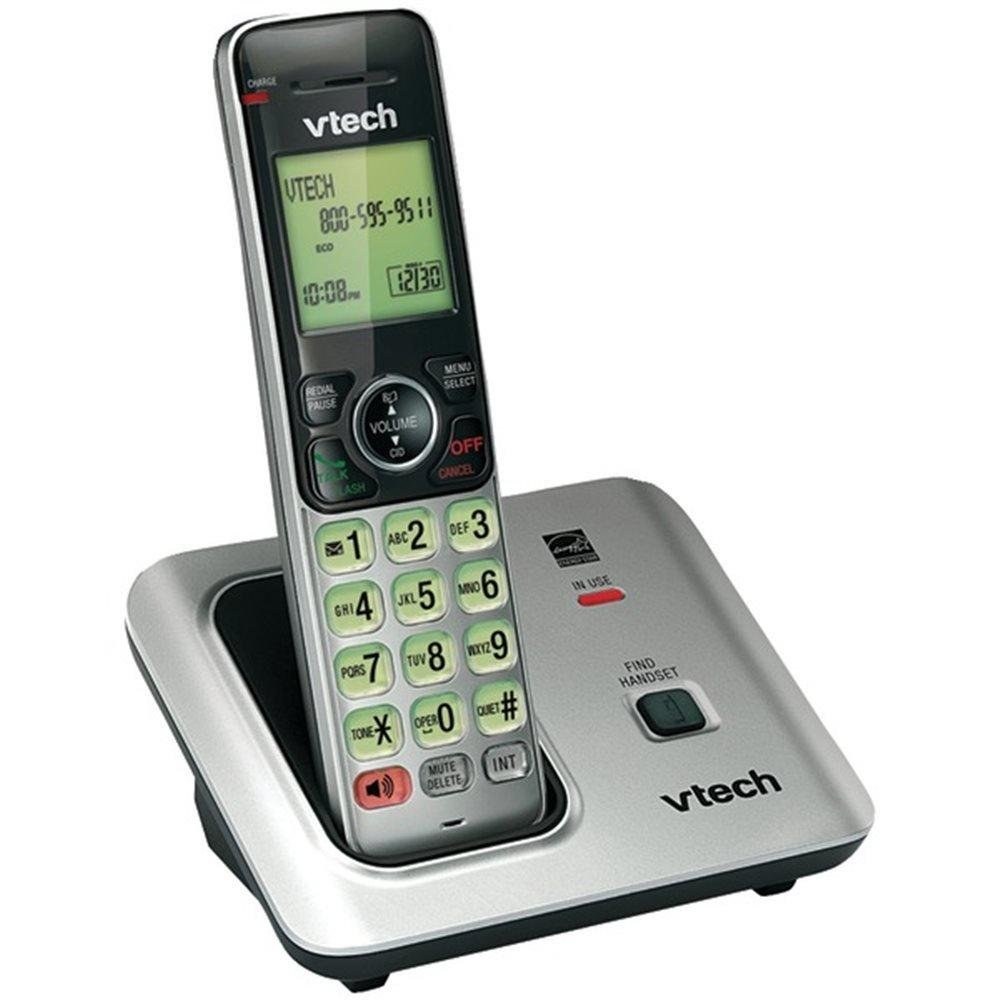
Image: The VTech VTCS6619 DECT 6.0 Cordless Speakerphone with Caller ID, showing the black handset and base unit.
1. Pemasangan Baterai
- Buka penutup kompartemen baterai di bagian belakang handset.
- Hubungkan steker baterai dengan aman ke soket di dalam kompartemen.
- Letakkan paket baterai dengan label menghadap ke ATAS dan selipkan kabel-kabelnya dengan rapi di dalam kompartemen.
- Tutup penutup ruang baterai.
2. Koneksi Unit Dasar
- Colokkan ujung kecil adaptor daya AC ke soket daya di bagian belakang dudukan telepon.
- Colokkan ujung adaptor daya AC yang lebih besar ke stopkontak dinding yang tidak dikendalikan oleh sakelar dinding.
- Colokkan salah satu ujung kabel telepon ke soket TEL LINE di bagian belakang unit dasar telepon.
- Colokkan ujung kabel telepon lainnya ke soket telepon dinding.
3. Pengisian Daya Ponsel
Once the battery is installed and the base unit is connected, place the handset on the telephone base. The CHARGE light on the handset will illuminate, indicating that the battery is charging. Allow the handset to charge for at least 10 hours before initial use.
Petunjuk Pengoperasian
This section details the basic functions and features of your VTech VTCS6619 phone.
Membuat dan Menerima Panggilan
- Untuk Menelepon: Tekan BICARA/FLASH or PEMBICARA, lalu tekan nomor telepon.
- Untuk Menjawab Panggilan: Saat telepon berdering, tekan BICARA/FLASH or PEMBICARA.
- Untuk Mengakhiri Panggilan: Tekan MATI/HAPUS or place the handset back on the telephone base.
Fungsi Speakerphone
Untuk mengaktifkan speakerphone selama panggilan, tekan tombol PEMBICARA tombol. Tekan lagi untuk beralih kembali ke lubang suara telepon genggam.
ID Penelepon dan Panggilan Tunggu
The phone displays the caller's name and number (if available) before you answer. If you subscribe to Call Waiting service, the phone will alert you to an incoming call while you are on another call. Press KILATAN untuk beralih di antara panggilan.
Panggilan Konferensi
The VTech VTCS6619 supports 3-way conference calls. While on a call, you can add a third party by pressing the KILATAN button, dialing the new number, and then pressing KILATAN sekali lagi untuk menghubungkan semua pihak.
Sistem Penjawab Digital
The integrated digital answering system records incoming messages when you are unavailable. Access messages by pressing the MAINKAN/BERHENTI button on the base or through the handset menu. Refer to the full user guide for detailed instructions on setting up your outgoing message and managing messages.
Pemeliharaan
Proper care ensures the longevity of your telephone system.
Pembersihan
Clean the telephone and base unit with a soft, damp cloth. Do not use cleaning sprays or liquid cleaners, as they may damage the finish or electrical components.
Perawatan Baterai
To maintain optimal battery performance, avoid exposing the handset to extreme temperatures. If the phone will not be used for an extended period, remove the battery to prevent leakage.
Penyelesaian Masalah
If you experience any issues with your phone, refer to the following common problems and solutions:
| Masalah | Larutan |
|---|---|
| Tidak ada nada sambung | Pastikan kabel telepon terpasang dengan aman ke unit dasar dan soket dinding. Periksa apakah adaptor daya AC terhubung dengan benar. |
| Kualitas suara buruk | Move the handset closer to the base unit. Check for interference from other electronic devices. Ensure the battery is fully charged. |
| Ponsel tidak mengisi daya | Verify the handset is correctly placed on the base unit. Clean the charging contacts on both the handset and base with a dry cloth. Check the power connection to the base unit. |
| ID penelepon tidak ditampilkan | Ensure you have subscribed to Caller ID service from your telephone service provider. The feature may not work if the caller has blocked their number. |
Spesifikasi
- Merek: VTech
- Model: VTCS6619
- Jenis Telepon: Tanpa kabel
- Warna: Hitam
- Jumlah Baterai: Diperlukan 1 baterai AAA (termasuk)
- Bahan: Plastik
- Sumber Daya: Bertenaga Baterai
- Jenis Pemanggil: Nada
- Dimensi Barang (P x L x T): 6.9x5.2x6.7 inci
- Tipe Sistem Penjawab: Digital
- Berat Barang: 1 pon
- Perangkat yang Kompatibel: VTech CS6619 handsets, basic answering machines
- Kemampuan Panggilan Konferensi: 3 arah
- Operasi Multiline: Operasi Jalur Tunggal
- Waktu Siaga Telepon: 7200 menit
- ID Penelepon: Ya
Garansi dan Dukungan
Your VTech VTCS6619 telephone system is covered by a Garansi Terbatas 1 Tahun from the date of purchase. This warranty covers defects in material and workmanship under normal use. For warranty service or technical support, please refer to the contact information provided in your product packaging or visit the official VTech websitus untuk rincian layanan pelanggan.
Harap simpan struk pembelian Anda sebagai bukti pembelian untuk klaim garansi.