
1. Pendahuluan
The Awei Y200 Wireless Bluetooth Speaker delivers high-fidelity stereo sound and rich bass in a portable design. This manual provides comprehensive instructions for setting up, operating, maintaining, and troubleshooting your speaker to ensure optimal performance and longevity.

Depan view of the Awei Y200 Wireless Bluetooth Speaker, showcasing its yellow top panel with touch controls and a yellow mesh grille.
2. Isi Paket
Harap verifikasi bahwa semua item ada dalam paket Anda:
- Awei Y200 Wireless Bluetooth Speaker
- Kabel Pengisian Daya USB
- Kabel Audio AUX
- Panduan Pengguna
3. Produk Lebihview
Familiarize yourself with the speaker's physical features:
- Antarmuka: Includes AUX input, Micro-SD card slot, and a Type-A (USB) port for versatile connectivity.
- Tombol: Intuitive touch controls located on the top panel for power, volume adjustment, track navigation, and call management.
- Basis: Equipped with a non-slip base to ensure stability on various surfaces.

A detailed diagram pointing out the speaker's interfaces (AUX, Micro-SD, Type-A), touch control buttons, and non-slip base.
4. Pengaturan
4.1 Mengisi Daya Speaker
- Hubungkan kabel pengisi daya USB yang tersedia ke port pengisian daya speaker.
- Colokkan ujung kabel USB lainnya ke sumber daya USB yang kompatibel (misalnya, adaptor dinding, port USB komputer).
- Lampu indikator pengisian daya akan menyala, menandakan bahwa speaker sedang mengisi daya.
4.2 Menghidupkan/Mematikan
- To power on, press and hold the power button on the top panel until you hear an audible prompt.
- To power off, press and hold the power button again until the speaker powers down.
5. Petunjuk Pengoperasian
5.1 Pemasangan Bluetooth
- Ensure the speaker is powered on. It will automatically enter Bluetooth pairing mode, indicated by a flashing light or audible prompt.
- On your mobile device (smartphone, tablet, laptop), enable Bluetooth in its settings.
- Pencarian untuk available Bluetooth devices and select "Awei Y200" from the list.
- A confirmation sound will indicate successful pairing. The speaker is now ready for audio playback.
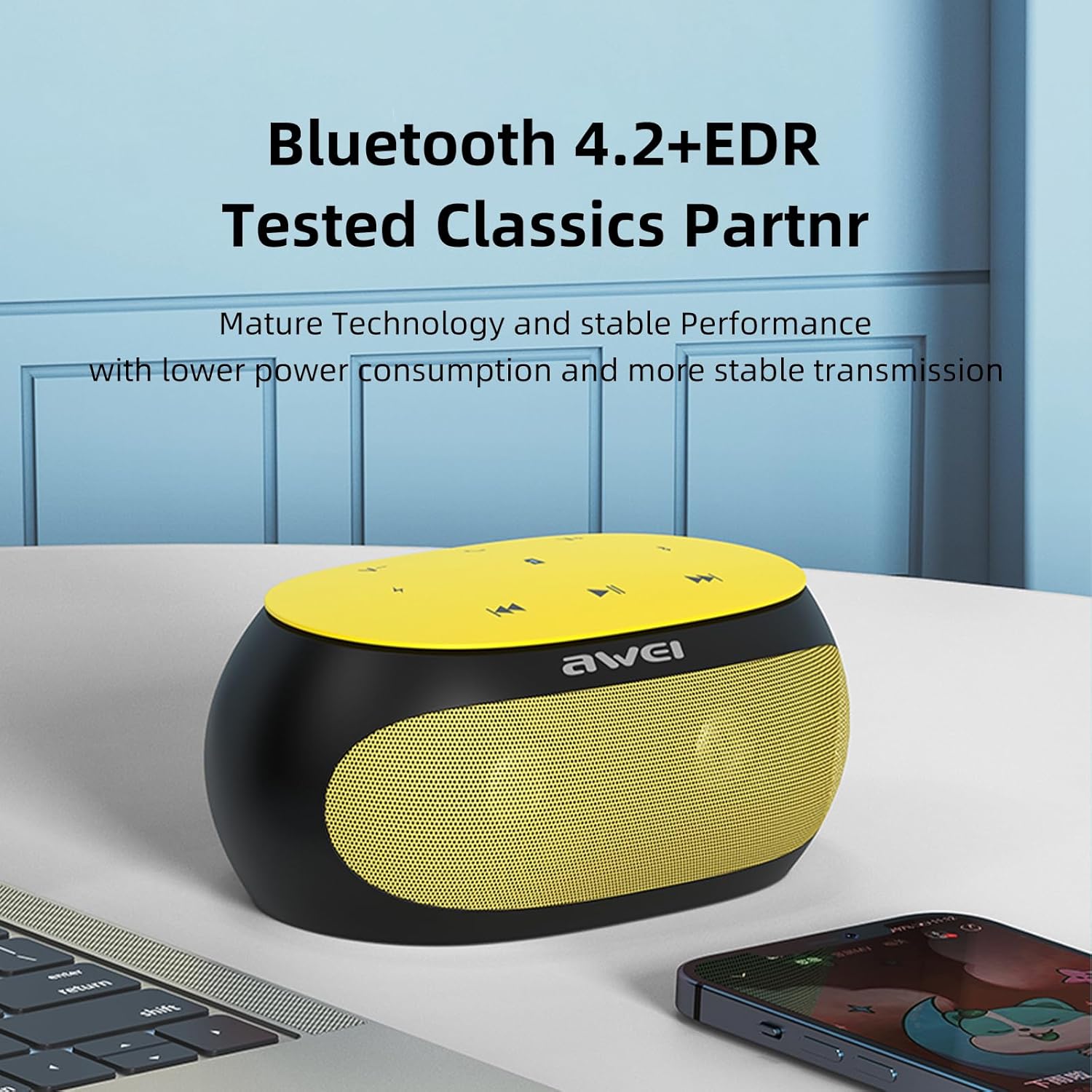
The Awei Y200 speaker, featuring Bluetooth 4.2+EDR for stable and low-power wireless connectivity.
5.2 Memutar Musik
- Mode Bluetooth: Once paired, play music from your connected device. Use the speaker's touch controls for play/pause, next/previous track, and volume adjustment.
- Mode Kartu TF: Insert a TF (Micro-SD) card containing audio fileMasukkan kartu TF ke dalam slot yang telah ditentukan. Speaker akan secara otomatis beralih ke mode kartu TF dan mulai memutar musik.
- Mode AUX: Connect an audio device using a 3.5mm AUX cable to the speaker's AUX port. The speaker will switch to AUX mode for wired audio input.
The Awei Y200 speaker positioned to emphasize its HiFi stereo sound capabilities, restoring original audio quality.
5.3 Panggilan Bebas Genggam
- When a call comes in while connected via Bluetooth, press the call button on the speaker to answer the incoming call.
- Tekan tombol panggilan sekali lagi untuk mengakhiri panggilan.
- The built-in dual microphones ensure clear communication during calls.

The Awei Y200 speaker next to a smartphone, illustrating its hands-free call function with built-in dual microphones.
5.4 Kontrol Sentuh di Atasview
- Tombol Daya: Tekan dan tahan untuk menghidupkan atau mematikan speaker.
- Tombol Putar/Jeda: Tap to play or pause audio playback.
- Volume Naik / Lagu Berikutnya: Tap to increase volume. Press and hold to skip to the next track.
- Volume Turun / Lagu Sebelumnya: Tap to decrease volume. Press and hold to go to the previous track.
- Tombol Panggilan: Tap to answer an incoming call or end an ongoing call.
6. Pemeliharaan
- Keep the speaker dry and away from moisture or liquids.
- Clean the speaker with a soft, dry cloth. Avoid using harsh chemicals, solvents, or abrasive cleaners.
- Jangan biarkan speaker terkena suhu ekstrem (panas atau dingin).
- Hindari menjatuhkan speaker atau membuatnya terkena benturan keras.
- Saat tidak digunakan dalam jangka waktu lama, simpan speaker di tempat yang sejuk dan kering.
7. Penyelesaian masalah
- Speaker tidak menyala:
- Ensure the battery is sufficiently charged. Connect the speaker to a power source using the USB charging cable. - Tidak dapat memasangkan melalui Bluetooth:
- Ensure the speaker is in Bluetooth pairing mode (indicated by a flashing light or audible prompt).
- Verify that Bluetooth is enabled on your device.
- Move the speaker closer to your device to ensure it is within range.
- Try clearing previous Bluetooth connections on your device and attempt pairing again. - Tidak ada suara:
- Check the volume levels on both the speaker and your connected device.
- Ensure the correct input mode (Bluetooth, TF Card, or AUX) is selected.
- If using AUX mode, verify that the audio cable is securely connected at both ends. - Kualitas suara buruk:
- Ensure the speaker is within the optimal Bluetooth range of your device.
- Periksa kemungkinan gangguan dari perangkat nirkabel lain.
- Try playing audio from a different source or using a different audio file untuk mengesampingkan masalah sumber.
8. Spesifikasi
| Fitur | Spesifikasi |
|---|---|
| Model | tahun 200 |
| Merek | Awei |
| Teknologi Konektivitas | Bahasa Indonesia: Bluetooth |
| Teknologi Komunikasi Nirkabel | Bahasa Indonesia: Bluetooth |
| Versi Bluetooth | 4.2 + EDR |
| Mode Keluaran Audio | Stereo |
| Daya Keluaran Speaker Maksimum | 10 Watt |
| Keluaran Wattage | 4.5 Watt |
| Pembicara AmpJenis liifikasi | Aktif |
| Impedansi | 4 Ohm |
| Metode Kontrol | Menyentuh |
| Sumber Daya | Bertenaga Baterai |
| Rata-rata Umur Baterai | 6 Jam |
| Waktu Pengisian Daya | 2 Jam |
| Dimensi Produk | 21D x 10L x 8.5T sentimeter |
| Berat Barang | 0.56 Kilogram |
| Jenis Bahan | Plastik |
| Jangkauan Maksimum | 33 Kaki |
| Komponen yang Termasuk | Pembicara |
| Perangkat yang Kompatibel | Laptop, Ponsel Pintar, Tablet, Televisi |
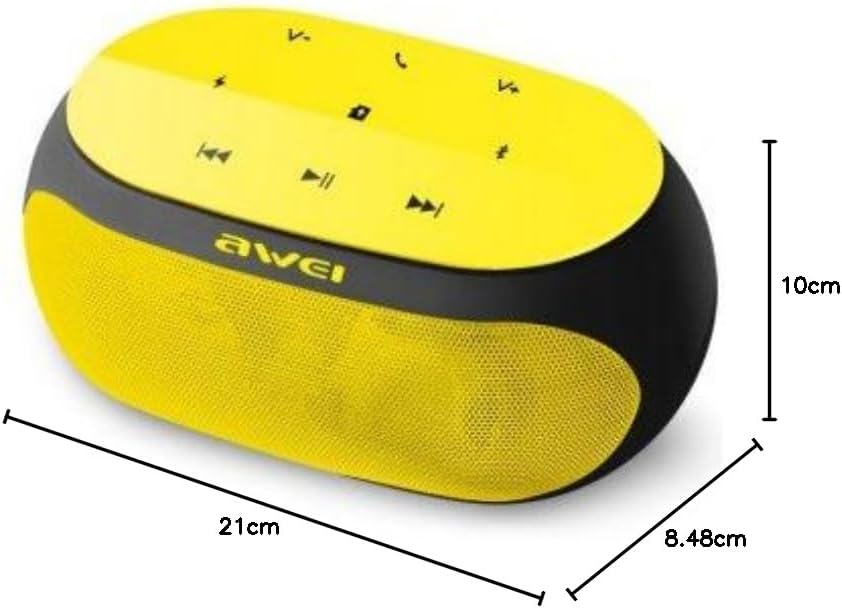
An image displaying the physical dimensions of the Awei Y200 speaker: 21cm length, 10cm width, and 8.48cm height.
9. Informasi Garansi
The Awei Y200 Wireless Bluetooth Speaker comes with a full warranty. For specific terms, conditions, and duration of your warranty, please refer to the documentation provided at the time of purchase or contact your retailer.
10. Dukungan
Should you require further assistance, encounter issues not covered in this manual, or have any questions regarding your Awei Y200 speaker, please contact Awei customer support or the retailer from whom you purchased the product. Please have your product model number (Y200) and purchase details ready when seeking support.