Perkenalan
This manual provides essential instructions for the safe and efficient operation of your Broncolor Siros 400 S WiFi/RFS 2 monolight. Please read this manual thoroughly before using the device to ensure proper setup, operation, and maintenance.
Produk Selesaiview
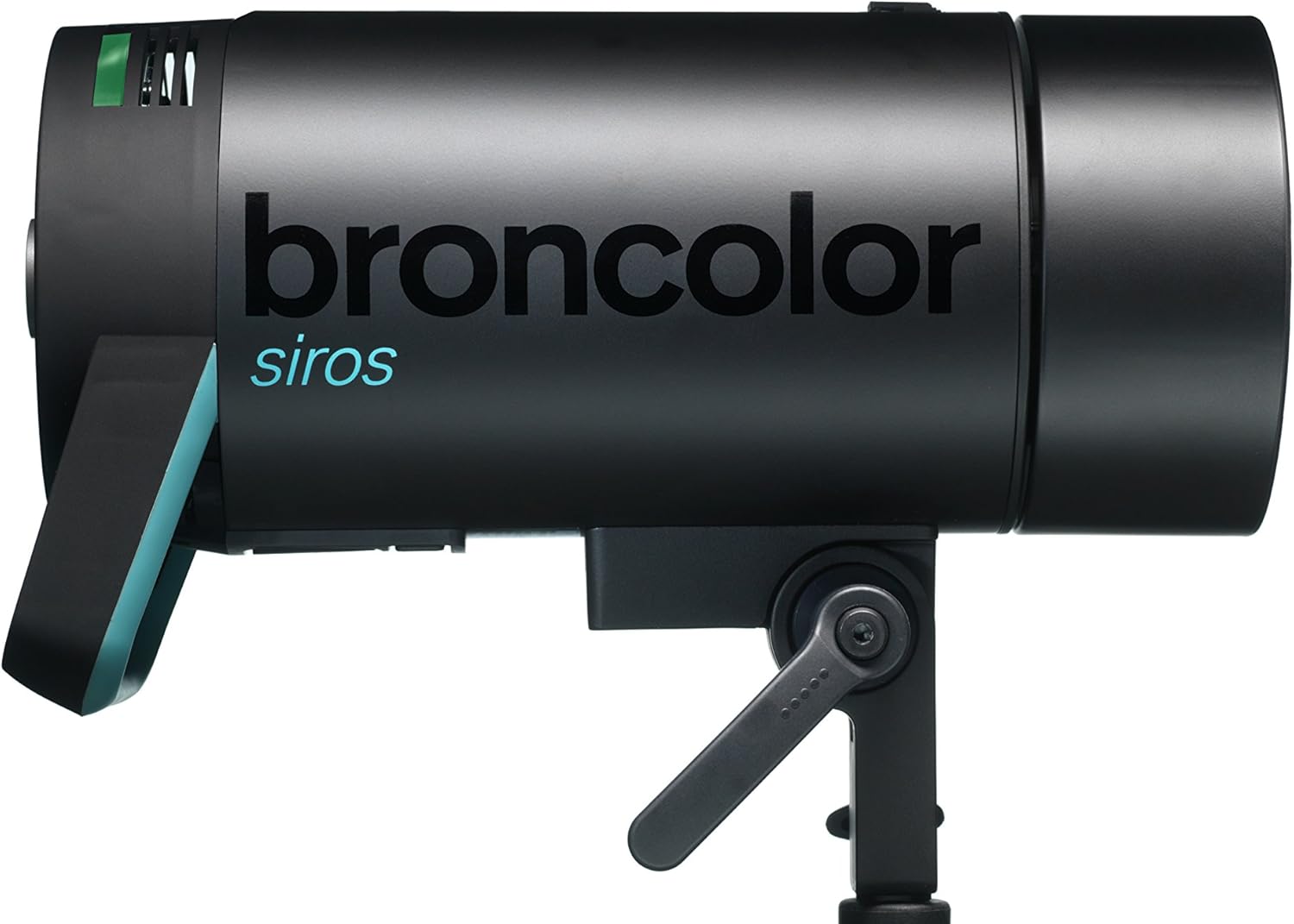
Gambar 1: Broncolor Siros 400 S WiFi/RFS 2 Monolight. An image showing the Broncolor Siros 400 S monolight from the side, highlighting its robust black casing, the 'broncolor siros' branding, and the integrated stand mount.
The Broncolor Siros 400 S is a high-performance studio monolight designed for professional photography. It features integrated WiFi and RFS 2 technology for remote control, a wide control range, and fast flash durations, ensuring precise lighting control for various photographic applications.
Pengaturan
- Membongkar dan Inspeksi: Carefully remove the monolight and all accessories from the packaging. Inspect for any signs of damage during transit. Retain original packaging for future transport or storage.
- Pemasangan Unit: Attach the Siros 400 S to a sturdy light stand using the integrated stand mount. Ensure the locking mechanism is securely tightened to prevent accidental movement.
- Sambungan Daya: Connect the power cable to the monolight's power input and then to a suitable AC power outlet. Verify that the power supply matches the unit's requirements (e.g., 120V for the modeling light).
- Reflector Attachment: To attach a reflector, such as the P70, align the reflector's mounting ring with the monolight's bayonet mount. Twist the reflector clockwise until it locks securely into place.
- Penyalaan Awal: Press the power button to turn on the monolight. The display will illuminate, indicating the unit is ready for operation.
Petunjuk Pengoperasian
Panel Kontrol Berakhirview
The Siros 400 S features an intuitive control panel, typically located on the rear of the unit. This panel includes a display, control knobs, and buttons for adjusting various settings. Refer to the on-screen interface for specific menu navigation.
Penyesuaian Daya
- The flash energy can be controlled over a 9 f-stop range.
- Adjustments can be made in either 1/10 or full f-stop steps for precise power output.
- Rotate the main control knob to increase or decrease the flash power.
Flash Duration Settings
The Siros 400 S offers extremely fast flash durations, crucial for freezing motion:
- t 0.1 (t 0.5) at minimum energy: 1/5500 s (1/11000 s)
- t 0.1 (t 0.5) at maximum energy: 1/700 s (1/2100 s)
- Consult the unit's menu for specific modes or settings related to flash duration optimization.
Modeling Light Operation
- The modeling light uses a Halogen bulb with a maximum of 300W/120V.
- The modeling light can be turned on/off and its intensity adjusted via the control panel.
- Use the modeling light to preview lighting effects before flashing.
Wireless Connectivity (WiFi/RFS 2)
- The Siros 400 S integrates WiFi and RFS 2 (Radio Frequency System 2) untuk kendali jarak jauh.
- Akses internet nirkabel: Connect the monolight to a WiFi network or directly to a smart device using the Broncolor app for comprehensive control.
- RFS 2: Use a compatible Broncolor RFS 2 transmitter on your camera to trigger the flash and adjust power settings wirelessly. Refer to the RFS 2 transmitter manual for pairing and operation details.
Sequencing Flashes
- The unit supports sequences of up to 50 kedipan.
- This feature is useful for capturing multiple frames in rapid succession. Consult the user interface for activating and configuring flash sequences.
Pemeliharaan
- Pembersihan: Ensure the unit is powered off and unplugged before cleaning. Use a soft, dry cloth to wipe the exterior. For stubborn dirt, a slightly damp Kain yang dibasahi deterjen ringan dapat digunakan, kemudian dilap dengan kain kering. Hindari pembersih abrasif atau pelarut.
- Penggantian Bohlam:
- Pemodelan Lamp: Allow the unit to cool completely. Carefully unscrew the old halogen bulb and replace it with a new one of the correct wattage (max 300W/120V). Avoid touching the new bulb directly with bare hands to prevent oil residue.
- Tabung Kilat: Flash tube replacement should ideally be performed by qualified service personnel. If you must replace it yourself, ensure the unit is unplugged and fully discharged. Follow the specific instructions provided with the replacement flash tube.
- Penyimpanan: When not in use, store the monolight in a dry, dust-free environment. Use the original packaging or a padded case for protection during transport or long-term storage.
Penyelesaian Masalah
If you encounter issues with your Siros 400 S, refer to the following common problems and solutions:
- Unit Tidak Menyala:
- Periksa apakah kabel daya terhubung dengan aman ke unit dan stopkontak.
- Pastikan stopkontak berfungsi.
- Ensure the power switch on the unit is in the 'On' position.
- No Flash Output:
- Confirm the unit is fully charged and ready to flash (indicated by a ready light/sound).
- Check the flash tube for damage or if it needs replacement.
- Ensure the trigger signal (RFS 2 or sync cable) is correctly connected and functioning.
- Verify that the flash power is not set to minimum or off.
- Masalah Konektivitas Nirkabel:
- For RFS 2, ensure the transmitter and receiver (monolight) are on the same channel and group.
- For WiFi, check that the monolight is connected to the correct network or directly to your device. Restarting the app and the monolight can often resolve connection issues.
- Ensure there are no significant obstructions between the transmitter/device and the monolight.
- Peringatan Terlalu Panas:
- If an overheating warning appears, stop using the unit immediately and allow it to cool down in a well-ventilated area.
- Ensure adequate airflow around the unit and that cooling vents are not obstructed.
If problems persist after attempting these troubleshooting steps, please contact Broncolor customer support for further assistance.
Spesifikasi
| Fitur | Detil |
|---|---|
| Nomor Model | 31.623.10 |
| Merek | warna perunggu |
| Dimensi Produk | 12.6x5.12x7.09 inci |
| Berat Barang | 7.06 pon |
| Jenis Lampu Kilat Kamera | Studio |
| Teknologi Konektivitas | Wireless (WiFi, RFS 2) |
| Kecepatan Sinkronisasi Flash | 1/8500 detik |
| f-stop (2m, 100 ISO, P70 Reflector) | 32 5/10 |
| Control Range (Flash Energy) | 9 f-stops (in 1/10 or full f-stop steps) |
| Flash Duration t 0.1 (Min. Energy) | 1/5500 dtk |
| Flash Duration t 0.5 (Min. Energy) | 1/11000 dtk |
| Flash Duration t 0.1 (Max. Energy) | 1/700 dtk |
| Flash Duration t 0.5 (Max. Energy) | 1/2100 dtk |
| Max. Flash Sequences | 50 kedipan |
| Cahaya Pemodelan | Halogen max. 300W/120V |
| Battery Life (General) | 2 years (Note: This refers to a general component lifespan, as the monolight is AC powered.) |