
1. Lebihview
The DualShock 4 Wireless Controller for PlayStation 4 is designed to provide an intuitive and precise gaming experience. This manual provides essential information for setting up, operating, maintaining, and troubleshooting your controller.

Gambar 1: Depan view of the Gold DualShock 4 Wireless Controller.
2. Fitur Produk
- Kontrol Presisi: Enhanced analog sticks and trigger buttons offer precise control for various game genres.
- Tombol Bagikan: Easily share gameplay videos and screenshots directly from your system.
- Innovative Touch Pad: Adds a new layer of interactivity to games.
- Lampu Sorot Terintegrasi: Provides visual cues and enhances immersion by changing colors based on in-game events.
- Speaker internal: Offers additional audio cues directly from the controller.
- Jack Audio 3.5mm: Allows for private audio and communication with teammates using a compatible headset.
- Pengisian Daya yang Efisien: Can be recharged by plugging into your PlayStation 4 system or any standard micro USB charger.

Figure 2: Key features of the DualShock 4 controller.
3. Pengaturan
3.1 Pasangan Awal
- Connect the DualShock 4 controller to your PlayStation 4 system using a micro USB cable.
- Press the PlayStation button (PS button) located in the center of the controller.
- The controller will automatically pair with your system. Once paired, you can disconnect the USB cable for wireless use.
3.2 Mengisi Daya Pengontrol
Untuk mengisi daya pengontrol:
- Connect the controller to your PlayStation 4 system using a micro USB cable. The controller can charge even when the system is in standby mode.
- Alternatively, connect the controller to any standard charger with a micro USB port.

Figure 3: Charging the DualShock 4 controller via micro USB.
4. Petunjuk Pengoperasian
4.1 Kontrol Dasar
Familiarize yourself with the controller's buttons and analog sticks for optimal gameplay. The layout is designed for intuitive use.
4.2 Using the Share Button
Tekan tombol MEMBAGIKAN button to access sharing options. You can upload gameplay videos and screenshots to social media or live stream your gameplay without interrupting your session.
4.3 Fitur Audio
The built-in speaker provides dynamic sound effects. For private listening or voice chat, connect a compatible headset to the 3.5mm audio jack on the controller.
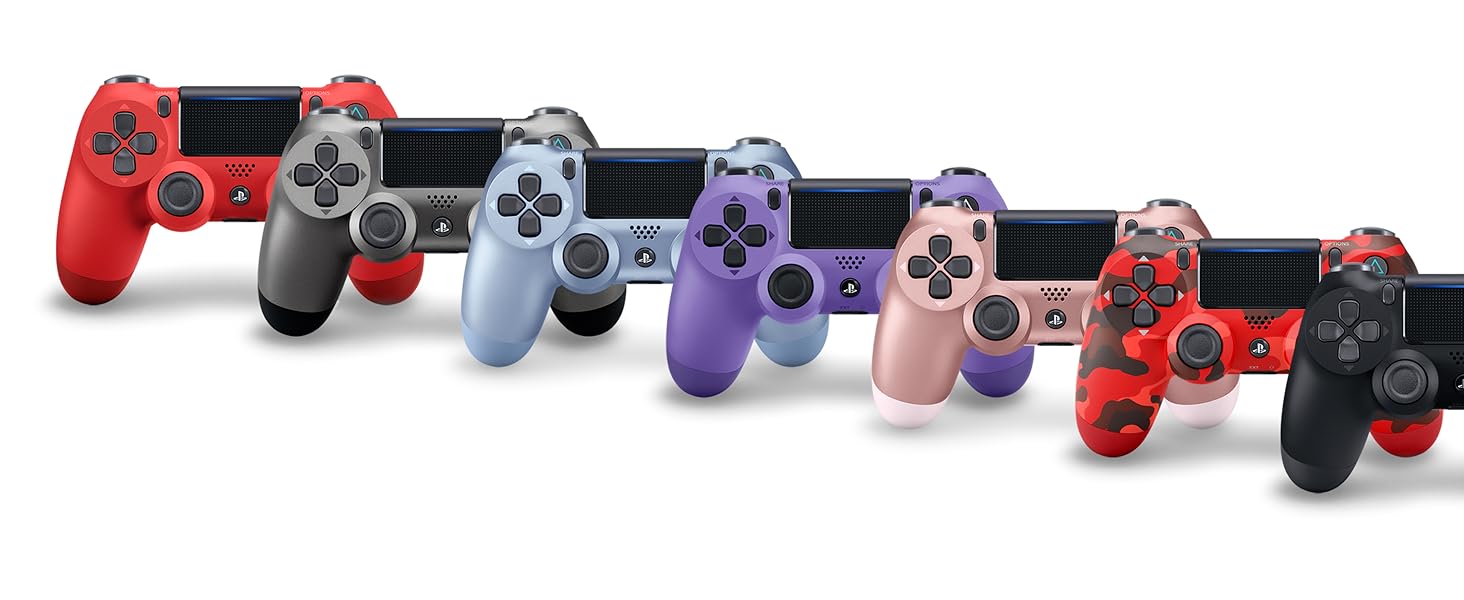
Figure 4: Connecting a headset to the controller.
5. Pemeliharaan
- Jaga kebersihan kontroler dengan menyekanya menggunakan kain lembut dan kering.
- Hindari memaparkan pengontrol ke suhu ekstrem, kelembapan, atau sinar matahari langsung.
- Do not attempt to disassemble or modify the controller, as this may void the warranty and cause damage.
6. Penyelesaian masalah
6.1 Pengontrol Tidak Terhubung
- Pastikan pengontrol terisi daya.
- Connect the controller to the PS4 system with a USB cable and press the PS button to re-establish connection.
- If issues persist, try resetting the controller by pressing the small button on the back of the controller with a thin object (like a paperclip).
6.2 Masalah Pengisian Daya
- Verify the micro USB cable is securely connected to both the controller and the charging source (PS4 or wall adapter).
- Try a different micro USB cable or charging port.
6.3 Button or Analog Stick Malfunction
- Ensure the controller is clean and free from debris around the buttons and sticks.
- If the issue is persistent, consult PlayStation support.
7. Spesifikasi
| Fitur | Detil |
|---|---|
| Nomor Model | 3001818 |
| Ukuran | 10x2x3 inci |
| Berat Barang | 12 ons |
| Konektivitas | Nirkabel (Bluetooth), Micro USB |
| Keluaran Audio | Built-in speaker, 3.5mm headset jack |
| Baterai | Rechargeable (2 AAA batteries required, included) - Note: Product description states "2 AAA batteries required. (included)", but DualShock 4 controllers typically have a built-in rechargeable Li-ion battery. Please verify actual battery type. |
| Pabrikan | Hiburan Komputer Sony |
| Tanggal Rilis | 1 Juni 2017 |
8. Garansi dan Dukungan
For detailed warranty information and technical support, please refer to the official PlayStation website or the user manual provided as a PDF in the product description section where you purchased the item. You can also visit the Toko PlayStation untuk sumber daya tambahan.