
1. Produk Lebihview
The SAMCOM FPCN10A is a professional-grade UHF two-way radio designed for reliable long-range communication. It features a durable build, a high-capacity battery, and multiple channels with privacy codes for clear and secure conversations.
Isi Paket
The SAMCOM FPCN10A radio kit includes the following items:
- SAMCOM FPCN10A Radios (2 units)
- Earpieces (2 units)
- Charger Bases with AC adapters (2 units)
- Klip Sabuk (2 unit)
- Batteries (2 units)
- Antennas (2 units)
- Panduan Pengguna

2. Pengaturan
2.1 Pemasangan dan Pengisian Baterai
The SAMCOM FPCN10A radios are powered by a 3000mAh Lithium Polymer battery. Ensure the battery is fully charged before first use.
- To install the battery, align the battery pack with the back of the radio and slide it upwards until it clicks into place.
- To remove the battery, press the two small tabs on the sides of the radio (near the top of the battery compartment) and slide the battery downwards.
- Place the radio (with battery installed) into the charger base. The charger base connects to a standard AC wall outlet.
- The charging indicator light on the charger base will show the charging status. A full charge typically takes 4-5 hours.


2.2 Pemasangan Antena
The radio comes with a detachable SMA female connector antenna. Carefully screw the antenna onto the connector at the top of the radio until it is finger-tight. Do not overtighten.
2.3 Memasang Klip Sabuk
The belt clip can be attached to the back of the radio for convenient carrying. Align the belt clip with the designated slots on the battery pack and secure it with the provided screws.

3. Petunjuk Pengoperasian
3.1 Daya Hidup/Mati dan Kontrol Volume
- To power on the radio, rotate the top-left knob clockwise. You will hear a power-on tone and the display will illuminate.
- Continue rotating the same knob to adjust the volume. Clockwise increases volume, counter-clockwise decreases it.
- Untuk mematikan daya, putar kenop berlawanan arah jarum jam hingga berbunyi klik.
3.2 Pemilihan Saluran
The SAMCOM FPCN10A features 20 channels. To select a channel:
- Rotate the top-right knob to cycle through the available channels. The selected channel number will be displayed on the LCD screen.
- The radio supports CTCSS/DCS codes to minimize interference and ensure private conversations within your group. These are typically pre-programmed.
3.3 Mengirim dan Menerima
- To transmit, press and hold the Push-to-Talk (PTT) button located on the side of the radio. Speak clearly into the microphone.
- Lepaskan tombol PTT untuk menghentikan transmisi dan kembali ke mode penerimaan.
- The radio also supports Voice-Activated Transmission (VOX) for hands-free operation. This feature can be enabled or disabled through programming.
3.4 Fungsi Panggilan Grup
The FPCN10A radios support a group call function, allowing you to communicate with multiple team members simultaneously across different channels. This feature enhances coordination for various operations.

3.5 Scanning Feature
The radio includes a scanning feature that allows it to automatically scan through programmed channels to detect active transmissions. This can be useful for monitoring multiple channels without manual switching.
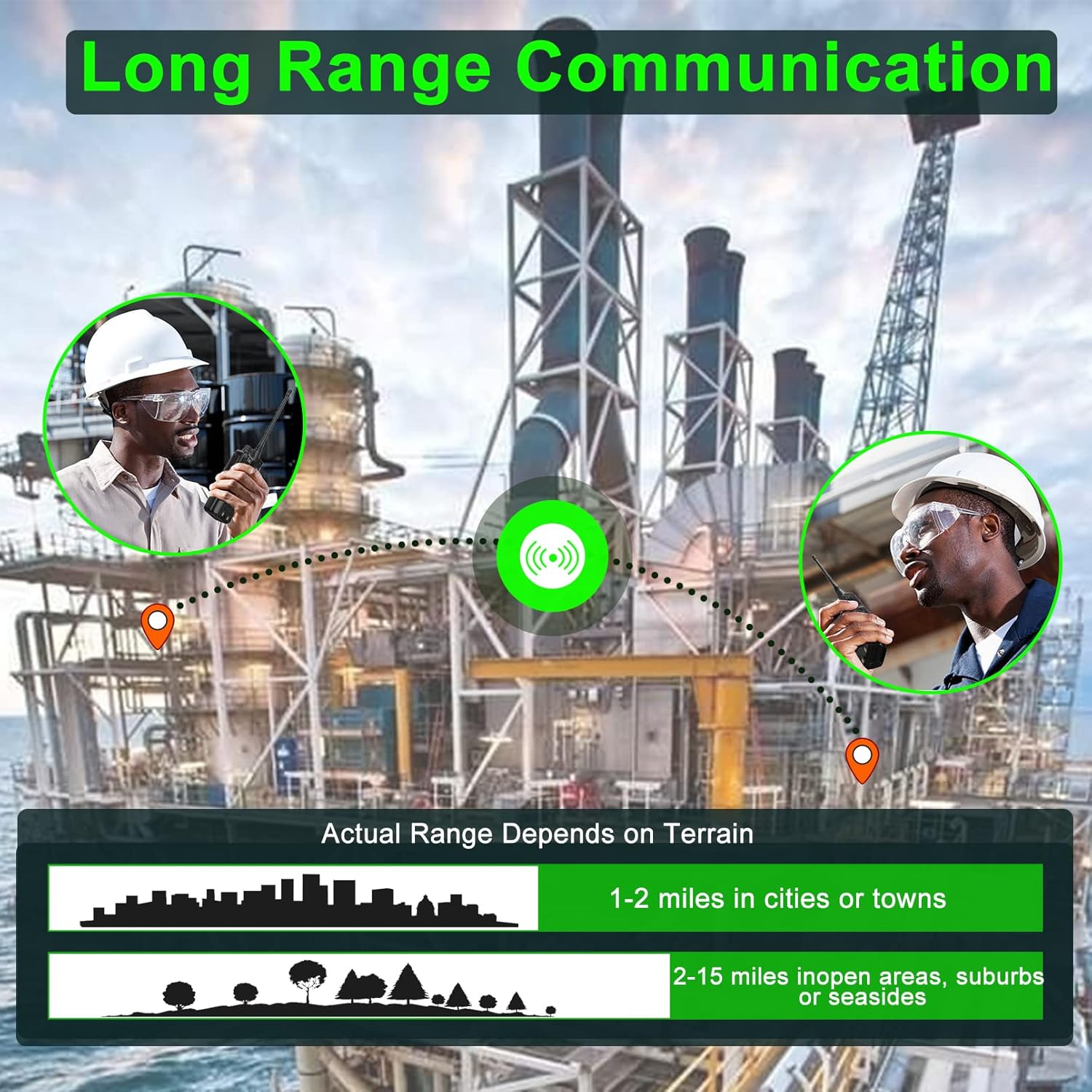
3.6 Jangkauan Komunikasi
The actual communication range of the FPCN10A radios varies depending on terrain and environmental conditions. Typical ranges are:
- 1-2 miles in cities or towns
- 2-15 miles in open areas, suburbs, or seasides
4. Pemeliharaan
4.1 Perawatan Baterai
The 3000mAh battery provides over 24 hours of talk time and up to 250 hours of standby time. To maximize battery life:
- Isi daya baterai hingga penuh sebelum penggunaan awal.
- Hindari mengisi daya secara berlebihan atau menguras baterai sepenuhnya.
- Simpan radio dan baterai di tempat yang sejuk dan kering saat tidak digunakan.

4.2 Pembersihan dan Ketahanan
The FPCN10A radios are designed to be rugged and durable, with resistance to dust, shock, and vibration, and a 2-meter drop rating. They are also water-resistant.
- Bersihkan bagian luar radio dengan kain lembut dan halus.amp kain. Jangan gunakan bahan kimia keras atau pembersih abrasif.
- Ensure the battery contacts are clean and dry.
- While water-resistant, avoid submerging the radio or exposing it to high-pressure water jets.
5. Penyelesaian masalah
5.1 Tidak Ada Daya
- Periksa apakah baterai terpasang dengan benar dan terisi penuh.
- Ensure the power/volume knob is rotated clockwise to the 'ON' position.
5.2 Tidak Dapat Mengirim atau Menerima
- Pastikan radio berada pada saluran yang benar.
- Pastikan antena terpasang dengan aman.
- Check that the battery has sufficient charge.
- Confirm that you are within the effective communication range.
- If using CTCSS/DCS codes, ensure they match the receiving radio.
5.3 Kualitas Audio Buruk
- Sesuaikan kenop volume.
- Pastikan mikrofon dan speaker tidak terhalang.
- Move to an area with less interference or closer to the other radio.
5.4 Programming Issues
The SAMCOM FPCN10A radios are programmable. If you encounter issues with channel settings or advanced features, specialized programming software and a programming cable are required. Refer to the SAMCOM support website for programming guides and software downloads.
6. Spesifikasi
| Fitur | Detil |
|---|---|
| Nomor Model | FPCN10A-2025 |
| Rentang Frekuensi | UHF 406.1MHz-470MHz |
| Jumlah Saluran | 20 |
| Jenis Baterai | Polimer Litium |
| Kapasitas Baterai | 3000 mAh |
| Daya Keluaran RF | Hingga 2 Watt |
| Jil.tage | 7.4 Volt |
| Berat Barang | 1.98 pon |
| Dimensi Produk | 1.81"Panjang x 5.63"Lebar x 1.81"T |
| Jenis Tampilan | Layar LCD |
| Tingkat Tahan Air | Tahan Air |
| ID FCC | 2AIOQ-FPCN10A |
7. Garansi dan Dukungan
7.1 Informasi Garansi
The SAMCOM FPCN10A radios come with a 3-year manufacturer's warranty. Please retain your proof of purchase for warranty claims. The warranty covers defects in materials and workmanship under normal use.
7.2 Dukungan Pelanggan
For technical assistance, troubleshooting, or warranty inquiries, please visit the official SAMCOM websitus web atau hubungi departemen layanan pelanggan mereka. Informasi kontak biasanya dapat ditemukan pada kemasan produk atau label produsen. weblokasi.