
Perkenalan
Thank you for choosing the MeeTion K9310 Gaming Keyboard. This manual provides detailed instructions for setting up, operating, and maintaining your new keyboard. The K9310 is designed for an enhanced gaming experience with features such as multicolor backlighting, anti-ghosting, and dedicated shortcut keys.
Isi Paket
- MeeTion K9310 Gaming Keyboard
- User Manual (dokumen ini)
Pengaturan
Follow these steps to connect your MeeTion K9310 Gaming Keyboard to your computer:
- Keluarkan keyboard dari kemasannya.
- Temukan port USB yang tersedia di komputer Anda.
- Colokkan konektor USB keyboard ke port USB.
- Your operating system (Windows XP/Vista/7/8/10) will automatically detect and install the necessary drivers. No additional software installation is typically required.
- The keyboard is ready for use once the drivers are installed.

Gambar: Atas view of the MeeTion K9310 Gaming Keyboard with its USB cable, ready for connection.
Petunjuk Pengoperasian
Fitur Utama
- Multicolor Key Backlit: The keyboard features vibrant multicolor backlighting for enhanced visibility and aesthetic appeal, especially in low-light conditions.
- Comfortable and Soft Keys: Designed with membrane keys offering tactile feedback, providing a comfortable typing and gaming experience.
- 19 Tombol Anti-Ghosting: This feature ensures that up to 19 keys can be pressed simultaneously without any input loss, crucial for complex gaming commands.
- Win Lock Function with LED Indication: Prevents accidental presses of the Windows key during gameplay, which can interrupt your game. An LED indicator shows when this function is active.
- 12 FN Shortcut Buttons: Access various multimedia and system functions quickly using the Function (FN) key in combination with the F1-F12 keys.
Kontrol lampu latar
The K9310 keyboard features a multicolor backlight. Specific key combinations may be used to adjust brightness or switch lighting modes. Refer to the keyboard's markings for dedicated backlight control keys, often indicated by a sun or light bulb icon, or through FN key combinations.
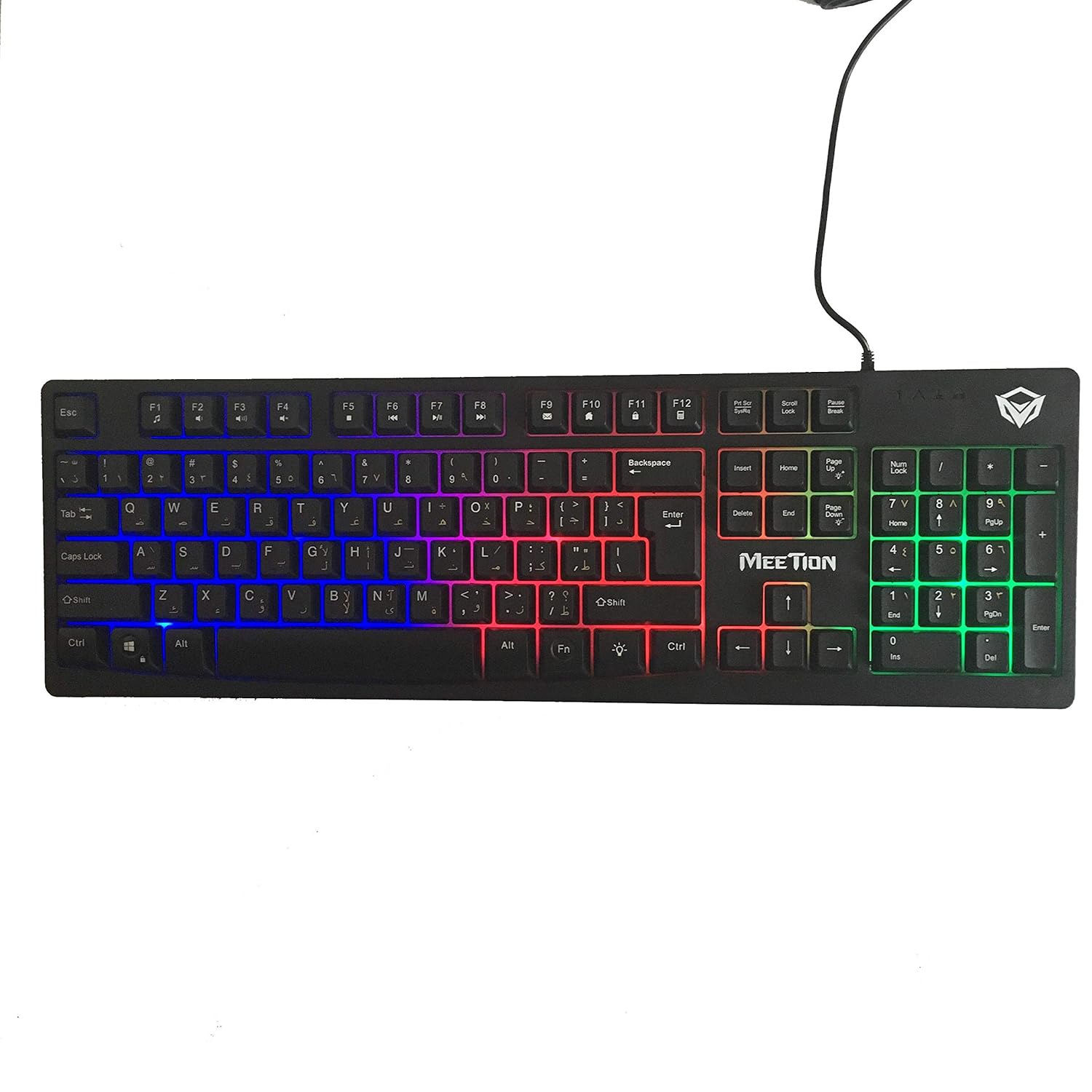
Gambar: Atas view of the MeeTion K9310 Gaming Keyboard with its multicolor backlighting illuminated.
FN Shortcut Functions
The keyboard includes 12 FN (Function) shortcut buttons. To activate these functions, press and hold the FN key, then press the desired F-key (F1-F12).
| Kombinasi Tombol | Fungsi |
|---|---|
| FN+F1 (Fungsi) | Pemutar Media |
| FN+F2 (Fungsi) | Volume Turun |
| FN+F3 (Fungsi) | Volume Naik |
| FN+F4 (Fungsi) | Bisu |
| FN+F5 (Fungsi) | Berhenti |
| FN+F6 (Fungsi) | Trek Sebelumnya |
| FN+F7 (Fungsi) | Putar/Jeda |
| FN+F8 (Fungsi) | Lagu Berikutnya |
| FN+F9 (Fungsi) | |
| FN+F10 (Fungsi) | Web Peramban |
| FN+F11 (Fungsi) | Komputer Saya |
| FN+F12 (Fungsi) | Kalkulator |
Fungsi Kunci Win
To activate or deactivate the Windows key lock function, press FN + Kunci Menang. When active, the Windows key will be disabled, preventing accidental presses during gaming. An LED indicator on the keyboard will typically illuminate to show the Win Lock status.
Pemeliharaan
Perawatan yang tepat memastikan umur panjang dan kinerja optimal keyboard Anda.
- Pembersihan: Gunakan kain lembut dan kering untuk menyeka permukaan keyboard. Untuk pembersihan yang lebih menyeluruh, gunakan kain yang sedikit kering.amp Kain yang dibasahi sabun lembut dapat digunakan, pastikan tidak ada cairan yang masuk ke sakelar tombol atau komponen internal.
- Penghilangan Debu: Gunakan udara bertekanan untuk menghilangkan debu dan kotoran dari sela-sela tuts.
- Hindari Cairan: Do not spill liquids on the keyboard. If a spill occurs, immediately disconnect the keyboard from the computer and allow it to dry completely before reconnecting.
- Penyimpanan: Simpan keyboard di tempat yang sejuk dan kering, jauh dari sinar matahari langsung dan suhu ekstrem saat tidak digunakan dalam jangka waktu lama.

Gambar: Bawah view of the MeeTion K9310 Gaming Keyboard, showing the product label and rubber feet.
Penyelesaian Masalah
If you encounter issues with your MeeTion K9310 Gaming Keyboard, refer to the following troubleshooting steps:
- Keyboard Tidak Merespons:
- Pastikan kabel USB terpasang dengan benar ke port USB yang berfungsi di komputer Anda.
- Coba colokkan keyboard ke port USB yang berbeda.
- Hidupkan ulang komputer Anda.
- Uji keyboard pada komputer lain untuk menentukan apakah masalahnya terletak pada keyboard atau komputer.
- Keys Not Working (e.g., 'W' key):
- Check for any debris or foreign objects lodged under the affected key. Use compressed air to clear it.
- If only specific keys are not responding, and the keyboard is otherwise functional, it might indicate a hardware issue.
- Lampu latar tidak berfungsi atau berkedip:
- Pastikan keyboard terhubung dengan benar.
- Check if the backlight brightness is set to minimum or turned off via FN key combinations.
- Jika masalah berlanjut, hal itu mungkin menunjukkan adanya kerusakan perangkat keras.
- Win Lock Function Not Working:
- Ensure you are using the correct key combination (FN + Win Key) to toggle the function.
- Check the LED indicator for Win Lock status.
Spesifikasi
| Fitur | Detil |
|---|---|
| Merek | RAPAT |
| Model | Bahasa Inggris: K9310 |
| Jenis Papan Ketik | Papan Ketik Permainan |
| Kontak Utama | Membrane with tactile feedback |
| Tata Letak | Cyrillic alphabet layout (Windows Keys) |
| Anti-Ghosting | 19 kunci |
| Lampu latar | Lampu latar tombol multiwarna |
| Fungsi Kunci Win | Ya, dengan indikasi LED |
| FN Shortcut Buttons | 12 |
| Error-Free Running Time | More than 10 million strokes |
| Kompatibilitas OS | Jendela XP/Vista/7/8/10 |
| Ukuran | 17.5 × 5.5 x 1.5 inches (approximate) |
| Berat | 1.2 pon (perkiraan) |
| Perangkat yang Kompatibel | Laptop (and Desktop PCs) |
Garansi dan Dukungan
For warranty information or technical support, please refer to the documentation provided at the time of purchase or visit the official MEETION websitus. Simpan bukti pembelian Anda untuk klaim garansi apa pun.