Perkenalan
The LASER X Two Player Laser Gaming Set provides a real-life laser gaming experience. This set includes two compact laser units with two arm receivers, allowing for exciting laser tag battles with a range of up to 100 feet. The blasters feature full-color lighting effects to track shots and hits, and an interactive voice coach provides tips and feedback during gameplay. For an immersive experience, you can plug in headphones to hear the Laser X Soundtrack and Sound Effects. This set is compatible with all other Laser X equipment, expanding your play possibilities.

Image: The product packaging for the LASER X Two Player Laser Gaming Set, featuring two individuals holding the micro blasters.
Apa yang Termasuk
Your LASER X Two Player Laser Gaming Set includes the following components:
- Two (2) LASER X Micro Blasters
- Two (2) Arm Receivers (one for each player)

Gambar: Close-up view of the two white LASER X Micro Blasters and their corresponding arm receivers.
Pengaturan
Instalasi Baterai
Each LASER X Micro Blaster requires three (3) AAA batteries. A total of six (6) AAA batteries are needed for the complete two-player set. Batteries are not included.
- Locate the battery compartment on the underside of each Micro Blaster.
- Dengan menggunakan obeng kepala Phillips, buka penutup kompartemen baterai.
- Insert three (3) AAA batteries into each blaster, ensuring correct polarity (+/-).
- Pasang kembali penutup kompartemen baterai dan kencangkan dengan sekrup.
- Repeat for the second Micro Blaster.
Wearing the Arm Receiver
The arm receiver is designed to be worn on your upper arm. It features an elastic band for a secure and comfortable fit. Ensure the receiver is positioned so that the target area is clearly visible to other players.
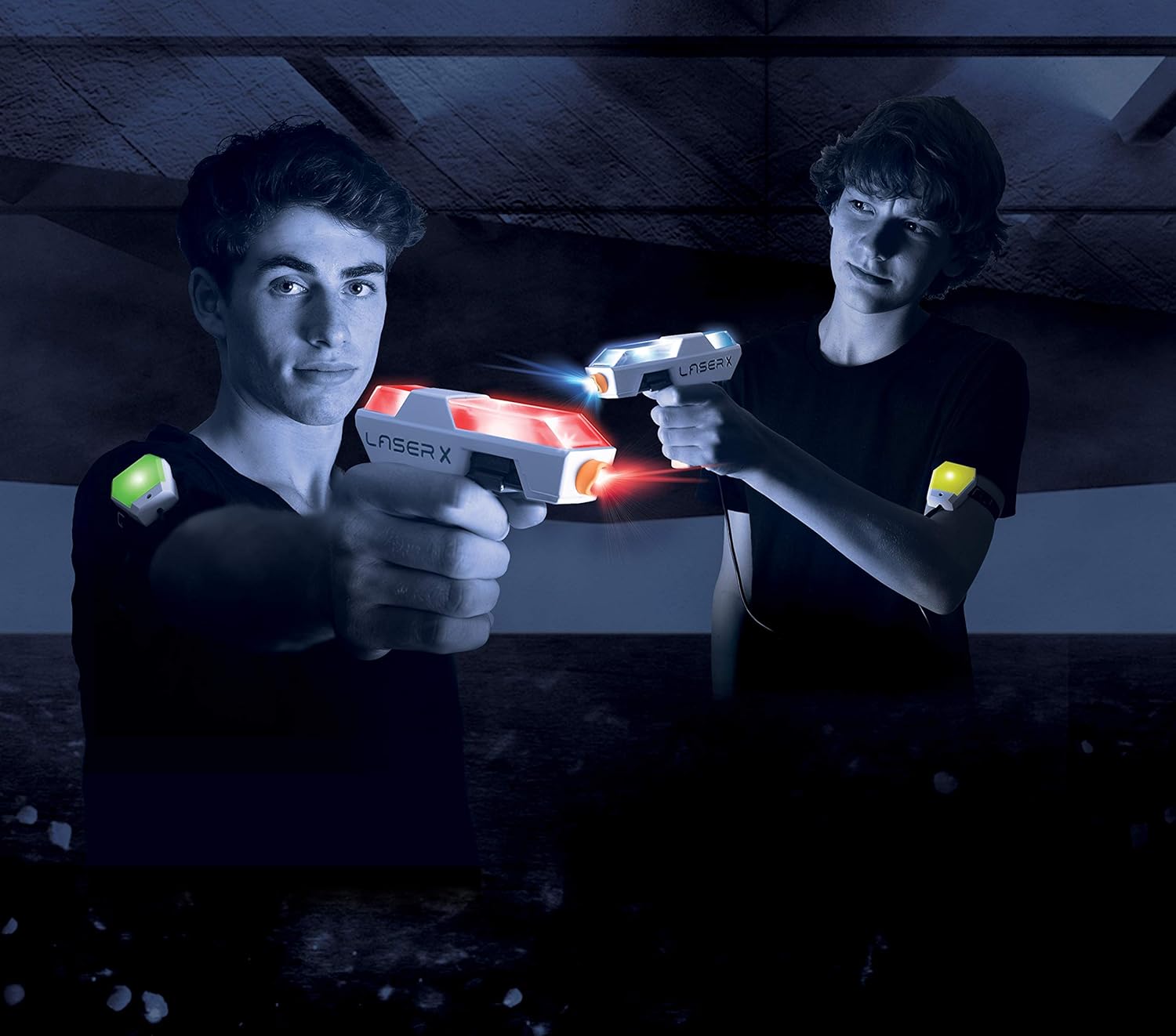
Image: Two players engaged in a laser tag game, demonstrating how the arm receivers are worn.
Petunjuk Pengoperasian
Powering On and Team Selection
Each arm receiver has a power switch and a team selection switch. To begin playing:
- Turn on the power switch on each arm receiver. The receiver will light up green, indicating it's ready.
- Select your team using the team selection switch:
- Red Team: Your blaster and receiver will glow red.
- Blue Team: Your blaster and receiver will glow blue.
- Free-for-All: Your blaster and receiver will blink between red and blue, indicating no teams.
Dasar-dasar Gameplay
The LASER X Micro Blasters allow you to blast opponents' receiver vests from up to 100 feet away. The blasters and receivers provide real-time feedback through lights and sounds.
- Penembakan: Aim your blaster at an opponent's arm receiver and press the trigger to fire.
- Hit Feedback: When hit, your arm receiver will change color from green to yellow, then to red, indicating your remaining "lives."
- Memuat ulang: To reload your blaster, simply press and hold the trigger. You will hear a sound indicating a successful reload.
- Out of Game: When your receiver turns solid red, you are out of the game. To rejoin, turn the receiver off and then back on.

Image: A close-up of the LASER X Micro Blasters showing their illuminated sections, indicating active play.
Pemeliharaan
Pembersihan
To clean your LASER X Micro Blasters and arm receivers, wipe them with a soft, dry cloth. Do not submerge the units in water or use harsh chemicals, as this may damage the electronics.
Perawatan Baterai
To prolong battery life and prevent leakage, always remove batteries from the blasters and receivers when not in use for extended periods.
Penyelesaian Masalah
- Blaster not firing or receiver not responding:
- Periksa apakah baterai terpasang dengan benar dan tidak habis. Ganti jika perlu.
- Ensure the power switch on both the blaster and receiver is in the "ON" position.
- Verify that there is a clear line of sight between the blaster and the receiver. Obstacles can block the infrared signal.
- Jangkauan terbatas:
- Ensure you are within the advertised 100-foot range.
- Bright sunlight can sometimes interfere with infrared signals. Try playing in shaded areas or indoors for optimal performance.
- Voice coach or sound effects not working:
- Periksa level baterai.
- If using headphones, ensure they are properly plugged in and functioning.
Spesifikasi
| Fitur | Detil |
|---|---|
| Dimensi Produk | 5.72x30.48x25.4 inci |
| Berat Barang | 12.8 ons |
| Nomor Model Barang | 88053 |
| Usia yang Direkomendasikan Produsen | 12 tahun ke atas |
| Baterai Diperlukan | 6 AAA batteries (3 per unit, not included) |
| Kisaran Maks | 100 kaki |

Image: A visual representation of the compact size of the LASER X Micro Blaster compared to a human hand.
Informasi Keselamatan Penting
PERINGATAN: BAHAYA TERSEDAK - Bagian Kecil.
Tidak cocok untuk anak di bawah usia 3 tahun karena terdapat bagian-bagian kecil yang dapat menyebabkan bahaya tersedak.
- Jangan arahkan ke mata atau wajah.
- Gunakan hanya sesuai petunjuk dalam manual ini.
- Pengawasan orang dewasa dianjurkan selama bermain.
Garansi dan Dukungan
For warranty information, technical support, or any questions regarding your LASER X product, please refer to the manufacturer's official webAnda dapat mengunjungi situs web mereka atau menghubungi departemen layanan pelanggan mereka. Detail kontak biasanya dapat ditemukan pada kemasan produk atau situs web produsen. weblokasi.
Manufacturer: Laser X