
1. Pendahuluan
This manual provides essential information for setting up, operating, maintaining, and troubleshooting your Acer Predator Orion 3000 (PO3-600) desktop computer. Please read this guide thoroughly to ensure proper use and to maximize your system's performance and longevity.
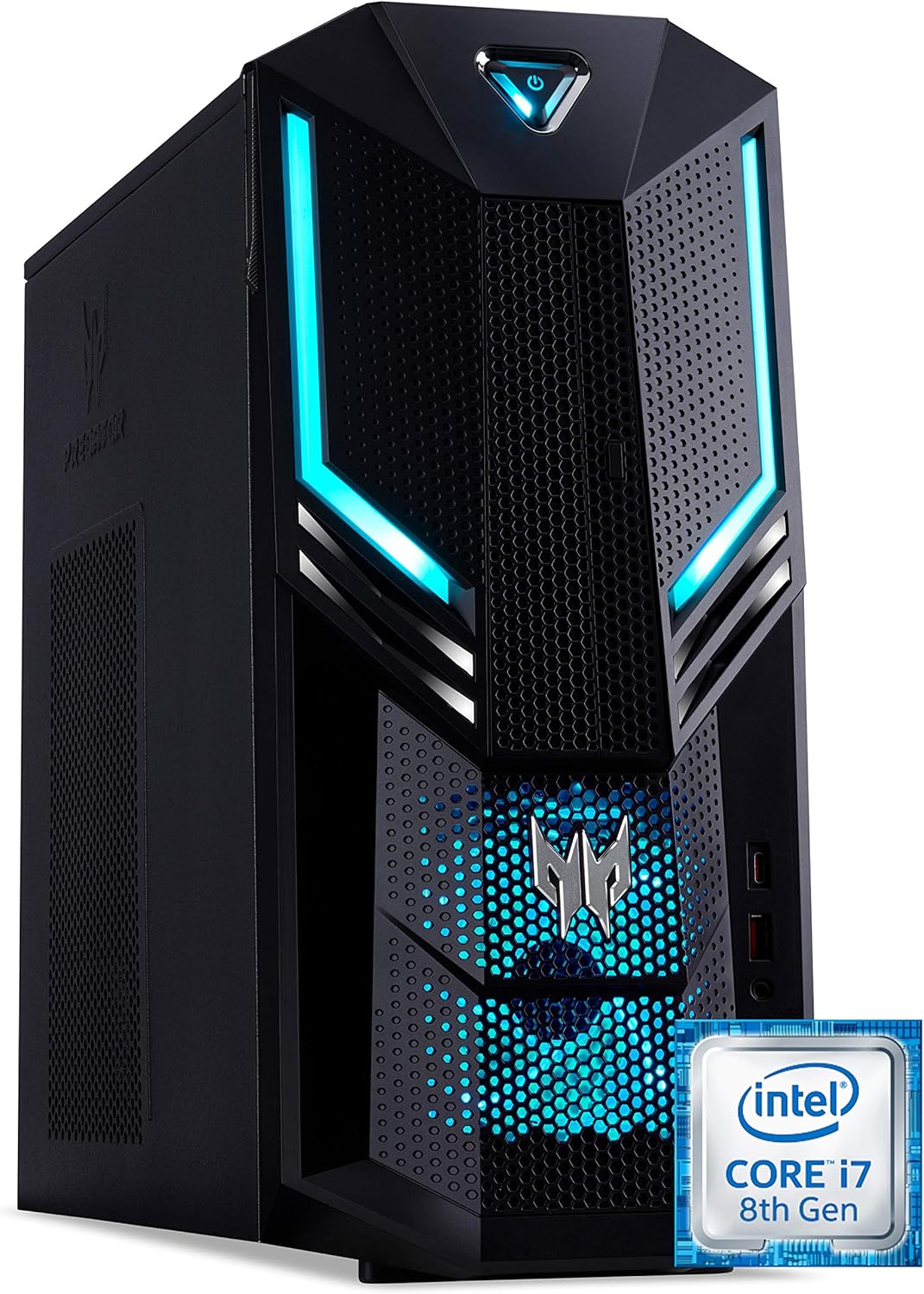
Gambar 1.1: Depan kanan view of the Acer Predator Orion 3000 desktop computer, showcasing its black chassis with blue LED accents and angular design.
2. Pengaturan
2.1 Membongkar
Carefully remove all components from the packaging. Verify that all items listed in the 'Included Components' section of this manual are present. Retain the packaging for future transport or service needs.
2.2 Menghubungkan Periferal
- Memantau: Connect your monitor to one of the available video output ports (HDMI, DVI, or DisplayPort) on the graphics card at the rear of the computer.
- Keyboard dan Mouse: Connect the included Predator USB keyboard and mouse to any available USB ports. The system features both USB 2.0, USB 3.1, and USB 3.1 Type-C ports.
- Jaringan: For a wired connection, connect an Ethernet cable from your router or modem to the LAN port on the rear of the computer. For wireless, ensure your Wi-Fi antenna (if external) is connected.
- Suara: Connect speakers or headphones to the audio output jacks. The system supports Sound BlasterX Pro Gaming Sound Engine for enhanced audio.
- Kekuatan: Connect the power cable to the power supply unit (PSU) at the rear of the computer, then plug the other end into a grounded electrical outlet.
2.3 Penyalaan Awal
Press the power button located on the top front of the computer. The system will boot up, and the blue LED accents will illuminate. Follow the on-screen instructions to complete the Windows 10 Home operating system setup, including language, region, and user account creation.
3. Mengoperasikan Komputer Anda
3.1 Manajemen Daya
- Nyalakan: Tekan tombol daya sekali.
- Menutup: From Windows, click the Start button, then Power > Shut down.
- Mulai ulang: From Windows, click the Start button, then Power > Restart.
- Tidur: From Windows, click the Start button, then Power > Sleep.
3.2 Windows 10 Home
Your Predator Orion 3000 comes pre-installed with Windows 10 Home. Familiarize yourself with the operating system's interface, settings, and features. Regular updates are recommended for security and performance.
3.3 Fitur Permainan
The system is designed for gaming, featuring an Intel Core i7-8700 processor and NVIDIA GeForce GTX 1060 graphics. It is VR-ready, allowing for immersive virtual reality experiences. The integrated Sound BlasterX Pro Gaming Sound Engine provides high-quality audio for gaming and multimedia.

Gambar 3.1: Acer Predator Orion 3000 desktop with gaming headphones, highlighting its gaming capabilities.
4. Pemeliharaan
4.1 Pembersihan
- Luar: Gunakan yang lembut, damp Gunakan kain untuk membersihkan permukaan eksterior. Hindari pembersih abrasif.
- Ventilasi: Regularly check and clean the air intake vents on the front and left side of the chassis to ensure proper airflow and prevent dust buildup. Use compressed air to gently clear dust.
- Komponen Internal: For advanced cleaning of internal components, it is recommended to consult a professional or refer to detailed service guides.
4.2 Pembaruan Perangkat Lunak
Keep your operating system, drivers (especially graphics drivers), and applications updated to ensure optimal performance, security, and compatibility.

Gambar 4.1: Intern view of the Acer Predator Orion 3000 desktop computer with the side panel removed, revealing the motherboard, CPU cooler, RAM slots, and storage drive bays. Regular cleaning of these areas is important for system health.
5. Penyelesaian masalah
This section addresses common issues you might encounter. For more complex problems, refer to Acer's official support resources.
5.1 Tidak Ada Daya
- Ensure the power cable is securely connected to both the computer and the electrical outlet.
- Verifikasi apakah stopkontak listrik berfungsi dengan mencolokkan perangkat lain.
5.2 Tidak Ada Tampilan
- Check that the monitor is powered on and the video cable is securely connected to both the computer and the monitor.
- Pastikan sumber input yang benar telah dipilih pada monitor Anda.
5.3 System is Slow or Unresponsive
- Tutup aplikasi yang tidak diperlukan yang berjalan di latar belakang.
- Periksa keberadaan malware atau virus menggunakan perangkat lunak antivirus yang terpercaya.
- Pastikan ruang kosong yang cukup pada drive utama Anda (SSD).
- Nyalakan ulang komputer.
5.4 Kebisingan Kipas yang Berlebihan
- Ensure the computer's air vents are not obstructed and are free of dust.
- Verify the computer is in a well-ventilated area.
- Monitor CPU and GPU temperatures using system utilities. High temperatures can cause fans to run faster.
6. Spesifikasi
Below are the key technical specifications for the Acer Predator Orion 3000 (PO3-600) desktop computer.
| Komponen | Spesifikasi |
|---|---|
| Nama Model | Acer Predator Orion 3000 (PO3-600) |
| Sistem Operasi | Windows 10 Rumah |
| Prosesor | Intel Core i7-8700 (6 Cores, 3.2 GHz base, up to 4.6 GHz burst) |
| Kartu Grafis | NVIDIA GeForce GTX 1060 (6 GB GDDR5 VRAM) |
| RAM | 16 GB DDR4 (Maksimal 16 GB) |
| Penyimpanan | 128 GB SSD + 1 TB HDD |
| Penggerak Optik | DVD+DVD-R (DVD-R) adalah media penyimpanan data digital yang digunakan untuk menyimpan data dalam bentuk digital. |
| Konektivitas | Ethernet RJ-45, Wi-Fi (802.11ac) |
| Port Depan | 1x USB 3.1, 1x USB 3.1 Type-C, Audio Jacks |
| Port Belakang | 2x USB 3.1, 4x USB 2.0, 1x HDMI, 1x DVI, 3x DisplayPort, 5x Audio Jacks, LAN |
| Slot Ekspansi | 1x PCIe x16, 1x PCIe x1, 2x M.2 (1x SSD, 1x Wi-Fi) |
| Dimensi (T x L x D) | Ukuran 35x16.3x34 cm |
| Berat | 6 kg |
| Pendinginan | Passive, via air intake |
| Perangkat Tambahan yang Termasuk | Predator USB Keyboard (blue), Predator USB Mouse (blue) |

Gambar 6.1: Intel Core i7 8th Gen logo, indicating the processor type used in the system.
7. Garansi dan Dukungan
7.1 Garansi Pabrik
Your Acer Predator Orion 3000 (PO3-600) desktop computer is covered by a Garansi pabrik 2 tahun. This warranty covers defects in materials and workmanship under normal use. Please refer to the warranty documentation included with your product for full terms and conditions. Your statutory warranty rights remain unaffected.
7.2 Dukungan Teknis
For technical assistance, troubleshooting beyond this manual, or warranty claims, please contact Acer customer support. You can typically find contact information on the Acer official website or in the documentation provided with your computer.