
EXMAX EX-100
EXMAX® EX-100 Wireless Tour Guide System User Manual
Comprehensive instructions for setup, operation, and maintenance of your EXMAX EX-100 Wireless Tour Guide System.
Perkenalan
The EXMAX® EX-100 Wireless Tour Guide System is designed for clear and efficient audio transmission in various group settings. This system facilitates one-way communication from a speaker (transmitter) to multiple listeners (receivers), making it ideal for tour guiding, simultaneous interpretation, silent lectures, factory visits, and more. This manual provides detailed instructions to help you set up, operate, and maintain your system effectively.
Panduan Pengaturan
1. Isi Paket
Before beginning, please verify that all components are present in your package:
- EXMAX® EX-100 Transmitter
- EXMAX® EX-100 Receivers (quantity as per purchased kit)
- Lapel Microphone for Transmitter
- Earphones for Receivers
- Kabel Pengisian USB
- Charging Base (16-port)
- Tali gantungan

Gambar: Lebih dariview of the EXMAX EX-100 Wireless Tour Guide System components.
2. Mengisi Daya Perangkat
Both the transmitter and receivers are equipped with built-in 900mAh lithium batteries. For optimal performance, fully charge all devices before first use.
- Connect the USB charging cables to the mini USB charge port on each device.
- Insert the other end of the USB cables into the 16-port charging base.
- Connect the charging base to a power outlet using the provided power adapter.
- A full charge typically takes approximately 4 hours and provides over 18 hours of working time.

Image: Multiple receivers connected to the 16-port charging base.
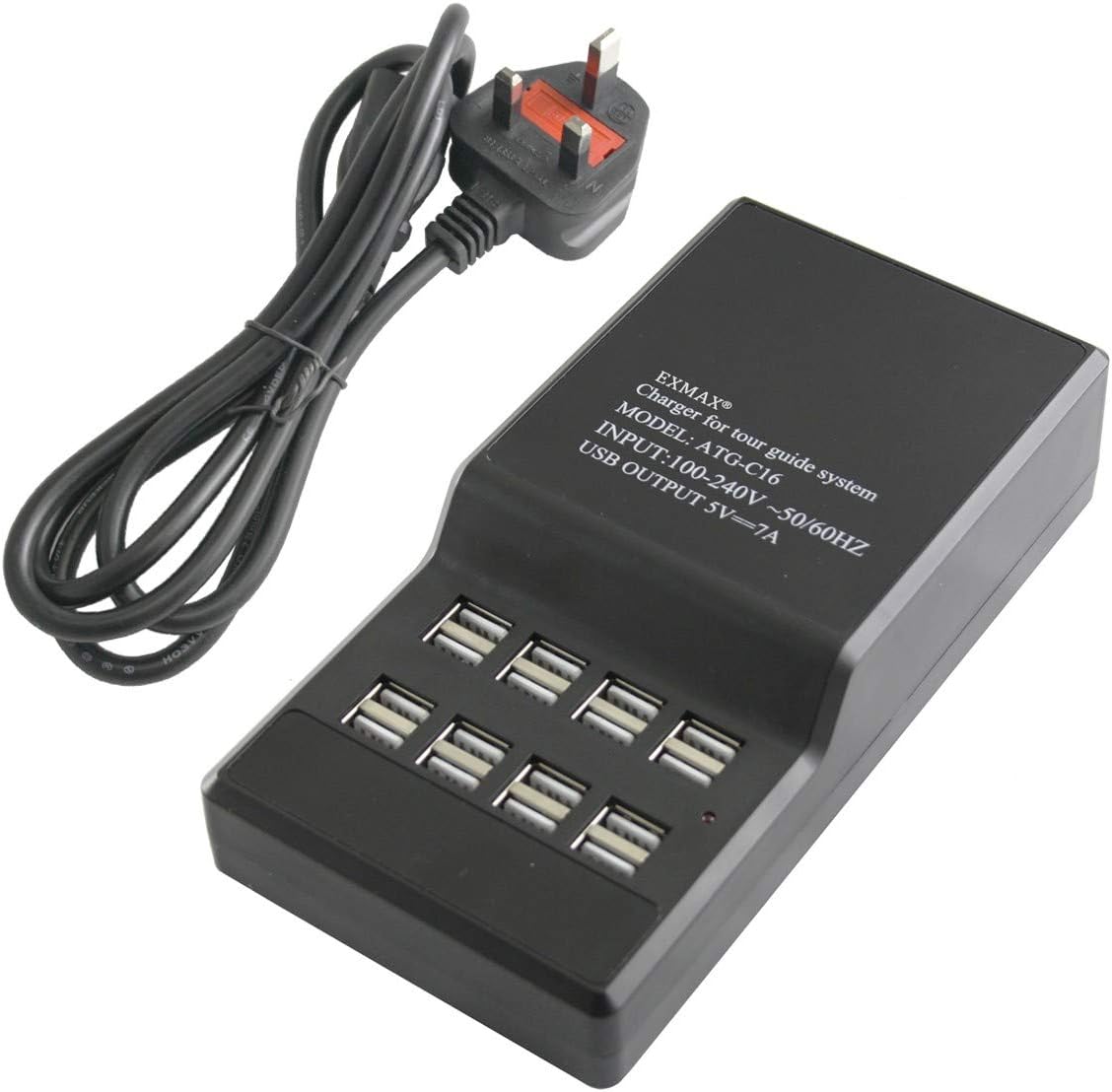
Image: Close-up of the 16-port USB charging base.
3. Connecting Microphone and Earphones
- For the transmitter, plug the lapel microphone into the 3.5mm microphone jack.
- For each receiver, plug the earphone into the 3.5mm earphone jack.
- Penting: The wire of the microphone and earphone acts as an antenna. Please unfold the wire completely to enhance voice signal transmission and reception.
4. Powering On and ID Setting (Pairing)
To ensure proper communication, the transmitter and all receivers in a group must be set to the same frequency Channel ID. The system supports 40 frequency channels, allowing at least 10 groups to work simultaneously without interference.
- Nyalakan/Matikan: Keep pressing the "Middle" button (play/pause button) on both the transmitter and receivers for 2 seconds to turn them on or off.
- Setting Channel ID for Transmitter:
- With the transmitter turned on, keep pressing the "Right" button (fast forward) and "M" button (mode) simultaneously for 2 seconds.
- When you see the "ID number" flashing on the screen, release the "M" button.
- Click the "Right" button or "Left" button (rewind) to change the ID number.
- After selecting the desired ID number, click the "M" button to confirm it. The transmitter will automatically enter the wireless transmitting status of ID matching (the antenna icon will be flashing, along with the ID number and battery icon).
- Setting Channel ID for Receivers:
- While the transmitter is in ID matching mode (antenna icon flashing), take a receiver.
- Keep pressing the "Left" button (rewind) and "Middle" button (play/pause) simultaneously for 2 seconds.
- When you see the "EXMAX" icon on the screen, just release the "Middle" button. You will then see "00" ID number.
- The receiver has now entered the wireless ID receiving mode and automatically matched the transmitter's ID. The antenna icon on the receiver will also be flashing.
- Repeat this process for all other receivers in the same group.
- Menyelesaikan Pengaturan: After all devices for a group are set to the same ID, turn off all of them by pressing the "Middle" button for 2 seconds. Then, turn them back on using the same method. They should now be paired and ready for use.

Image: Visual guide to button functions and display indicators for ID setting.
Video Tutorial: How to Use ATG-100T Wireless Tour Guide System
Video: A comprehensive guide demonstrating the setup and operation of the EXMAX ATG-100T Wireless Tour Guide System, including connecting components, powering on, and setting channel IDs.
Petunjuk Pengoperasian
1. Penyesuaian Volume
On the receiver, use the "Left" button (rewind) or "Right" button (fast forward) to adjust the volume up or down. Ensure the volume is at a comfortable listening level.
2. Wearing the Devices
Both the transmitter and receivers are lightweight and designed for comfortable wear.
- Attach the lanyard to the designated connector on the top of the device.
- Wear the transmitter around your neck with the lapel microphone clipped to your collar for clear voice pickup.
- Listeners wear the receivers around their necks, with the earphone comfortably placed in one ear.

Image: Receiver dimensions and wearing instructions.

Image: Transmitter dimensions and wearing instructions.
3. System Operation Principles
- The system operates on a frequency band of 72-76MHz.
- One transmitter can pair with countless receivers as long as they are on the same frequency Channel ID.
- Different groups should use different frequency Channel IDs to avoid interference when operating simultaneously. The 40 available channels allow for at least 10 simultaneous groups.
- The transmission distance is approximately 20-30 meters (65-100 feet).
- The system is designed to avoid interference automatically, ensuring clear audio without murmuring.

Image: Illustration of the system's one-way communication flow.
4. Skenario yang Berlaku
The EXMAX EX-100 system is versatile and suitable for a wide range of applications:
- Tour guiding (city tours, factory tours, museum tours, bus tours, walking tours)
- Simultaneous interpreting (church translation, international conferences, sermon interpretation)
- Silent lectures and meetings
- Exhibition live explanation
- Corporate hospitality and events
- Audio visual laboratories
- Assistive listening for elders
- Work-study programs
- Any group setting requiring clear one-way communication.

Gambar: Examples of suitable environments for the EXMAX Wireless Tour Guide System.
Pemeliharaan
Proper maintenance ensures the longevity and optimal performance of your EXMAX EX-100 system.
- Pembersihan: Use a soft, dry cloth to clean the exterior of the transmitter and receivers. Do not use liquid cleaners or solvents.
- Penyimpanan: Store the devices in a cool, dry place away from direct sunlight and extreme temperatures. When not in use for extended periods, ensure batteries are partially charged (around 50%) to preserve battery health.
- Perawatan Baterai: Avoid fully discharging the batteries frequently. Recharge them regularly, even if not in constant use, to maintain battery capacity.
- Manajemen Kabel: Handle all cables and connectors with care to prevent damage. Avoid sharp bends or excessive pulling.
Penyelesaian Masalah
If you encounter issues with your EXMAX EX-100 system, refer to the following common problems and solutions:
| Masalah | Kemungkinan Penyebab | Larutan |
|---|---|---|
| No sound from receiver. |
|
|
| Gangguan atau kualitas suara yang buruk. |
|
|
| Jangkauan transmisi pendek. |
|
|
Spesifikasi Teknis
| Fitur | Detil |
|---|---|
| Nomor Model | MANTAN-100 |
| Rentang Frekuensi | 72-76MHz |
| Jarak Transmisi | 20-30 meter (65-100 kaki) |
| Jumlah Saluran | 40 (allowing at least 10 simultaneous groups) |
| Jenis Baterai | Polimer Litium 900mAh bawaan |
| Waktu Kerja | Over 18 hours (Transmitter), 20 hours (Receiver) |
| Waktu Pengisian Daya | Sekitar 4 jam |
| Berat Pemancar | 56 gram |
| Berat Penerima | 46 gram |
| Dimensi Produk (Pemancar) | 99 mm (3.89 inci) x 55 mm (2.16 inci) x 15 mm (0.59 inci) |
| Dimensi Produk (Penerima) | 72 mm (2.83 inci) x 42 mm (1.65 inci) x 12 mm (0.47 inci) |
| Rasio S/N | ≥90dB |
| Catu Daya | 110-240V (Charging Base Input) |
| USB Output (Charging Base) | 5V⎓7A |

Image: Visual representation of key specifications and dimensions.
Garansi dan Dukungan
EXMAX stands behind the quality of its products.
- Jaminan: The EXMAX EX-100 Wireless Tour Guide System comes with a 2-year warranty. This includes a 24-month replacement warranty.
- Dukungan Pelanggan: For any questions or assistance with your wireless tour guide equipment, please contact EXMAX customer support. They provide 24/7 online services. You can typically find contact information by clicking "Sold by EXMAX" and "Ask a question" on the product's purchase page.
- Your feedback and suggestions are valuable for continuous improvement.
Ask a question about this manual
Ask about setup, troubleshooting, compatibility, parts, safety, or missing instructions. Manuals+ will review the question and use this page’s manual context to help answer it.