
Perkenalan
This manual provides essential information for the setup, operation, and maintenance of your Apple Watch Series 3 (GPS + Cellular, 42mm). Please read this guide thoroughly to ensure proper use and to maximize the features of your device.

The Apple Watch Series 3 features a Space Gray Aluminum Case and a Black Sport Band, offering advanced connectivity and health tracking capabilities.
Apa yang ada di dalam kotak
Verifikasi bahwa semua item ada dalam kemasan produk Anda:
- Apple Watch Series 3 (GPS + Cellular, 42mm)
- Black Sport Band (either S/M or M/L length)
- Kabel Pengisian Magnetik 1m
- USB Power Adapter

Included components: Apple Watch, Sport Band, Magnetic Charging Cable, and USB Power Adapter.
Pengaturan
- Isi Daya Apple Watch Anda: Connect the magnetic charging cable to the back of your Apple Watch and plug the USB power adapter into a power outlet. Allow the watch to charge until it powers on.
- Pasangkan dengan iPhone: Ensure your iPhone is updated to the latest iOS version and has Bluetooth enabled. Open the Apple Watch app on your iPhone and follow the on-screen instructions to pair your watch.
- Cellular Setup (GPS + Cellular models only): During the pairing process, you will be prompted to set up cellular service. This requires an active cellular plan with a compatible carrier. Follow the steps provided by your carrier through the Apple Watch app.
- Sesuaikan Pengaturan: After pairing, customize your watch face, notifications, and app preferences through the Apple Watch app on your iPhone.
Operating Your Apple Watch Series 3
Navigasi Dasar
- Mahkota Digital: Rotate to scroll, zoom, or adjust values. Press once to go to the watch face or app launcher. Double-press to switch between your last two apps. Press and hold for Siri.
- Tombol Samping: Press once to open the Dock (recent apps). Double-press for Apple Pay. Press and hold for Emergency SOS or to power off.
- Layar Sentuh: Tap to select, swipe to navigate, force touch for additional options.
Fitur Utama
- GPS + Cellular: Make calls, send messages, and stream music directly from your watch, even without your iPhone nearby. Requires a cellular plan.
- Pelacakan Aktivitas: Monitor your daily movement, exercise, and standing goals with the Activity rings.
- Pemantauan Denyut Jantung: The optical heart sensor continuously measures your heart rate throughout the day and during workouts.
- Swimproof: Designed for shallow water activities like swimming in pools or the ocean. Not recommended for scuba diving, waterskiing, or other high-velocity water activities.
- SOS darurat: Tekan dan tahan tombol samping untuk menghubungi layanan darurat dengan cepat.
- Music, Podcasts, and Audiobooks: Store and play media directly from your watch, or stream with a cellular connection.
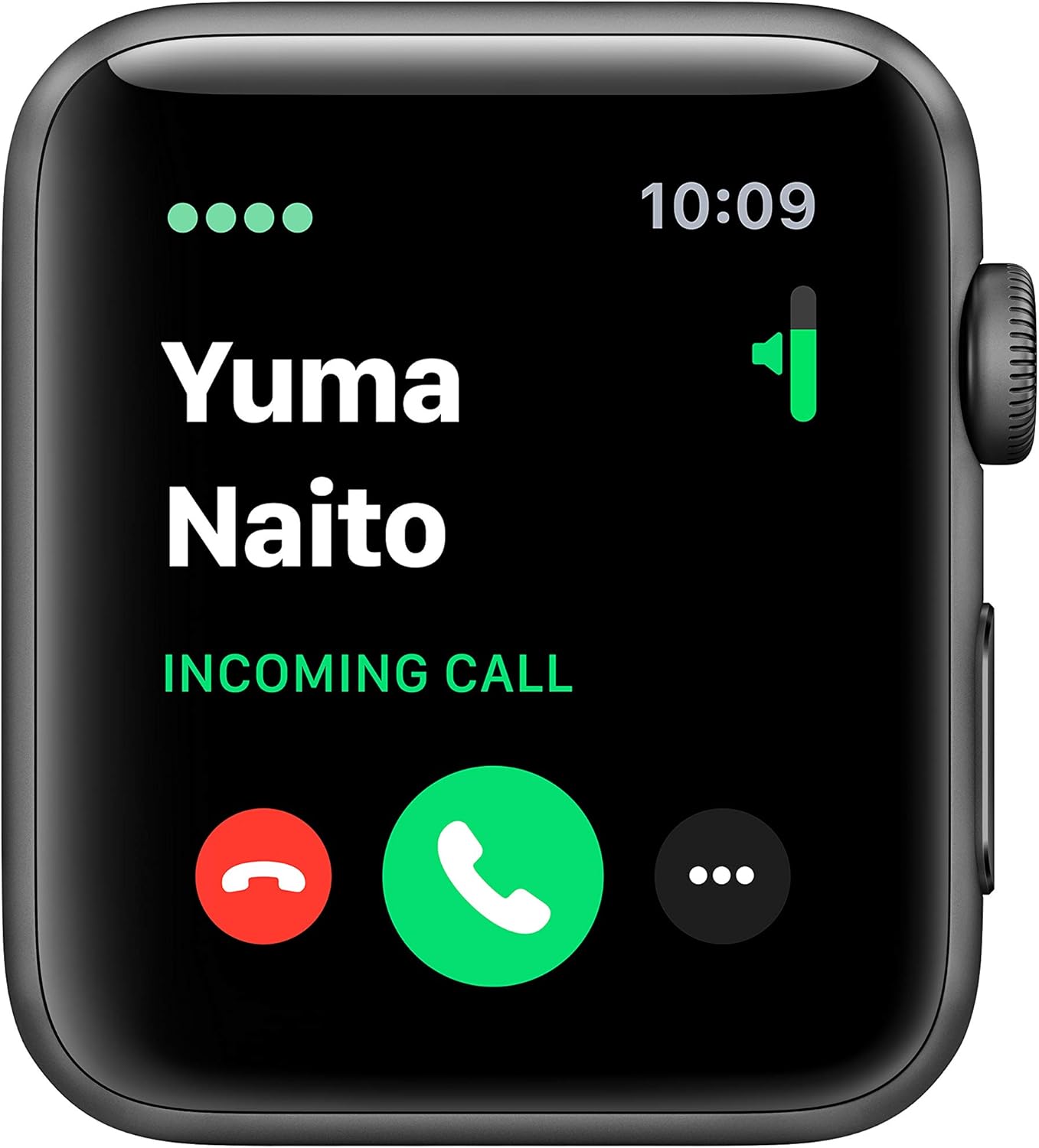
The cellular feature allows you to receive calls directly on your Apple Watch.

Track your fitness progress with detailed activity metrics displayed on the watch face.

Monitor your heart rate with the built-in optical heart sensor.
Pemeliharaan
To ensure the longevity and optimal performance of your Apple Watch Series 3, follow these maintenance guidelines:
- Pembersihan: Regularly clean your Apple Watch and band with a soft, lint-free cloth. If necessary, lightly dampBasuh kain dengan air bersih. Hindari penggunaan bahan kimia keras atau bahan abrasif.
- Tahan Air: The Apple Watch Series 3 is swimproof. After exposure to chlorinated or salt water, rinse the watch with fresh water and dry it thoroughly. Avoid exposing the watch to soaps, shampoos, conditioners, lotions, and perfumes, as these can negatively affect water seals and acoustic membranes.
- Perawatan Pita: Clean your band according to its material. Sport Bands can be wiped clean with a damp kain.
- Penyimpanan: Store your Apple Watch in a cool, dry place when not in use.
Penyelesaian Masalah
Masalah Umum dan Solusinya
- Jam Tangan Tidak Menyala: Ensure the watch is sufficiently charged. Connect it to the magnetic charging cable and a power adapter for at least 30 minutes.
- Masalah Penyandingan: Make sure your iPhone's Bluetooth is on and both devices are close to each other. Restart both your iPhone and Apple Watch. If issues persist, unpair the watch from your iPhone (if previously paired) and attempt to pair again.
- Cellular Connectivity Problems: Verify that your cellular plan is active and correctly provisioned for your Apple Watch. Ensure the watch is not in Airplane Mode. Contact your carrier if the issue persists after restarting both devices and checking settings in the Apple Watch app.
- Pembacaan Detak Jantung yang Tidak Akurat: Ensure the back of the watch is clean and making good contact with your wrist. Tighten the band slightly if it's too loose.
- Baterai Terkuras dengan Cepat: Review your notification settings and background app refresh in the Apple Watch app on your iPhone. Reduce screen brightness.
Spesifikasi
| Fitur | Detil |
|---|---|
| Nama Model | Seri 3 |
| Nomor Model Barang | MTGT2LL/A |
| Merek | Apel |
| Teknologi Konektivitas | Bluetooth, Cellular, GPS, Wi-Fi |
| Standar Komunikasi Nirkabel | Standar 802.11b dan 802.11g |
| Sistem Operasi | jam tangan |
| Ukuran Layar | 42 Milimeter |
| Ukuran Kasus | ukuran 42mm |
| Berat Kasus | 34.9 gram |
| Dimensi (Produk) | 12.95x2.93x2.26 inci |
| Berat Barang | 1.92 ons |
| Daya Tahan Baterai | Hingga 18 jam |
| Fitur Khusus | GPS, GLONASS, Galileo, QZSS, Barometric altimeter, Optical heart sensor, Accelerometer, Gyroscope, Ion-X strengthened glass, Ceramic and sapphire crystal back |
| Tahan Air | Tahan air (hingga 50 meter) |
| Tanggal Pertama Tersedia | 30 Oktober 2018 |
Garansi dan Dukungan
Your Apple Watch Series 3 is covered by a limited warranty. For detailed warranty information, please refer to the documentation included with your product or visit the official Apple support weblokasi.
For technical assistance, troubleshooting, or service, please contact Apple Support:
- Dukungan online: Mengunjungi support.apple.com/watch
- Dukungan Telepon: Refer to Apple's regional support numbers available on their weblokasi.
Always ensure you are consulting official Apple resources for the most accurate and up-to-date support information.