
1. Pendahuluan
Welcome to the user manual for your Genius Manticore Gaming Keyboard. This guide provides essential information for setting up, operating, maintaining, and troubleshooting your new gaming keyboard. Please read these instructions carefully to ensure optimal performance and longevity of your device.
2. Produk Lebihview
The Genius Manticore Gaming Keyboard is designed for an enhanced gaming experience, featuring a durable build and responsive keys. It connects via USB and is compatible with a wide range of devices. The keyboard includes 104 keys with a standard QWERTY layout, complemented by additional gaming-specific features.
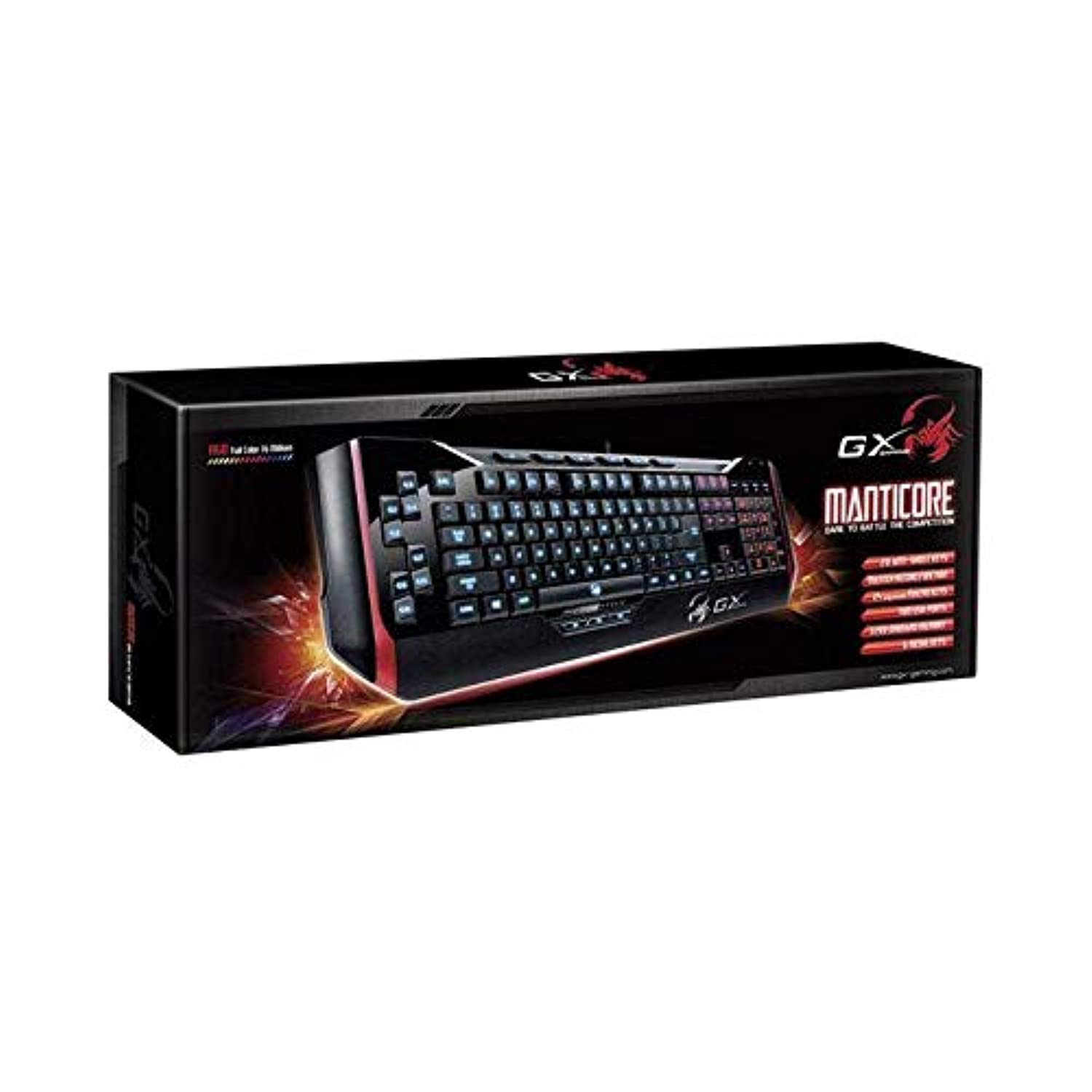
Gambar 1: Genius Manticore Gaming Keyboard. This image displays the Genius Manticore Gaming Keyboard, featuring a black body with red accents on the sides. The keys are illuminated, indicating its gaming functionality. The keyboard has a standard QWERTY layout with additional keys on the left side, likely for macros, and a numeric keypad on the right.
3. Pengaturan
- Bongkar Keyboardnya: Carefully remove the Genius Manticore Gaming Keyboard from its packaging. Ensure all components are present.
- Hubungkan ke Perangkat Anda: Locate an available USB port on your computer or compatible device. Insert the USB connector of the keyboard firmly into the USB port.
- Instalasi Driver (bila perlu): For most modern operating systems, the keyboard will be recognized automatically, and standard drivers will be installed. If prompted, follow the on-screen instructions to complete any driver installation.
- Uji Fungsionalitas: Open a text editor or a web browser and test the keys to ensure they are responding correctly.
4. Petunjuk Pengoperasian
The Genius Manticore Gaming Keyboard offers a standard QWERTY layout for general typing and dedicated features for gaming.
- Fungsi Tombol Standar: All standard alphanumeric, symbol, and function keys operate as expected on a typical QWERTY keyboard.
- Fitur Permainan: The keyboard is designed for gaming. Specific gaming features, such as customizable backlighting or programmable macro keys (if available on your model), can typically be configured through dedicated software provided by Genius or through specific key combinations. Refer to the Genius website for any available software downloads or advanced feature guides.
- Sumber Daya: The keyboard is powered directly via the USB connection to your device. No external power supply or batteries are required.
5. Pemeliharaan
Perawatan yang tepat memastikan umur panjang dan kinerja keyboard Anda.
- Pembersihan: Gunakan kain lembut dan kering untuk membersihkan permukaan keyboard. Untuk debu dan kotoran di antara tombol, gunakan udara bertekanan. Hindari penggunaan bahan kimia keras atau bahan abrasif.
- Paparan Cairan: Keyboard ini adalah tidak tahan air. Avoid spilling liquids on the keyboard, as this can cause permanent damage. If liquid exposure occurs, immediately disconnect the keyboard from your device and allow it to dry completely before attempting to use it again.
- Penyimpanan: Saat tidak digunakan, simpan keyboard di tempat yang bersih dan kering, jauhkan dari suhu ekstrem dan sinar matahari langsung.
6. Penyelesaian masalah
Jika Anda mengalami masalah dengan keyboard Anda, coba solusi berikut:
- Keyboard Tidak Merespons:
- Pastikan kabel USB tersambung dengan aman ke keyboard dan komputer.
- Coba sambungkan keyboard ke port USB lain di komputer Anda.
- Uji keyboard pada komputer lain untuk menentukan apakah masalahnya terletak pada keyboard atau komputer aslinya.
- Hidupkan ulang komputer Anda.
- Tombol Tertentu Tidak Berfungsi:
- Check for any physical obstructions under the non-functional keys.
- Bersihkan keyboard seperti yang dijelaskan di bagian Perawatan.
- Ensure no software conflicts are present (e.g., macro software interfering with standard key functions).
- Masalah Cahaya Latar:
- If your model features adjustable backlighting, ensure it is not turned off or set to the lowest brightness level. Consult the Genius website for specific key combinations to control backlighting.
If these steps do not resolve the issue, please contact Genius customer support for further assistance.
7. Spesifikasi
| Fitur | Detil |
|---|---|
| Nama Merek | Jenius |
| Nomor Model | GE31310058108 |
| Perangkat yang Kompatibel | Semua |
| Teknologi Konektivitas | USB |
| Deskripsi Papan Ketik | Permainan |
| Fitur Khusus | Permainan |
| Warna | Multi-color (Black and Red) |
| Gaya | Modern |
| Bahan | Berbagai Bahan |
| Tema | Pertandingan |
| Sumber Daya | Daya USB |
| Jumlah Kunci | 104 |
| Tata Letak Papan Ketik | Papan Ketik QWERTY |
| Orientasi Tangan | Sangat pandai |
| Jumlah Tombol | 104 |
| Tingkat Tahan Air | Tidak Tahan Air |
| Pabrikan | Jenius |
| ASIN | B07MQMXJS9 |
8. Garansi dan Dukungan
Your Genius Manticore Gaming Keyboard is covered by a standard manufacturer's warranty. For detailed information regarding warranty terms, registration, or to access technical support, please visit the official Genius websitus web atau hubungi layanan pelanggan mereka. Simpan struk pembelian Anda sebagai bukti pembelian.
Untuk bantuan lebih lanjut, Anda dapat mengunjungi Genius Official Weblokasi.