
1. Lebihview
The UBeesize 62" Phone Tripod & Selfie Stick is a versatile accessory designed for capturing stable photos and videos. It functions as both an extendable selfie stick and a stable tripod stand, suitable for various devices including smartphones, digital cameras, DSLRs, action cameras, and webcams. Its compact and lightweight design makes it ideal for travel and on-the-go use.

Image: The UBeesize tripod in its compact form, attached to a backpack, highlighting its portability and lightweight design for easy transport during travel or outdoor activities.
2. Apa yang ada di dalam kotak
- Tripod 62 inci
- Dudukan Telepon
- Remote Nirkabel
3. Petunjuk Penyiapan
3.1 Membuka Kaki Tripod
- Gently pull the three legs outwards from the base of the tripod until they are fully extended and stable.
- Ensure the legs are locked into position to provide a secure base.
3.2 Menyesuaikan Ketinggian
- Locate the height adjustment locks on the central column of the tripod.
- Flip open the locks to release the sections.
- Extend the central column to your desired height, up to 62 inches.
- Securely close all height adjustment locks to prevent the column from sliding down.
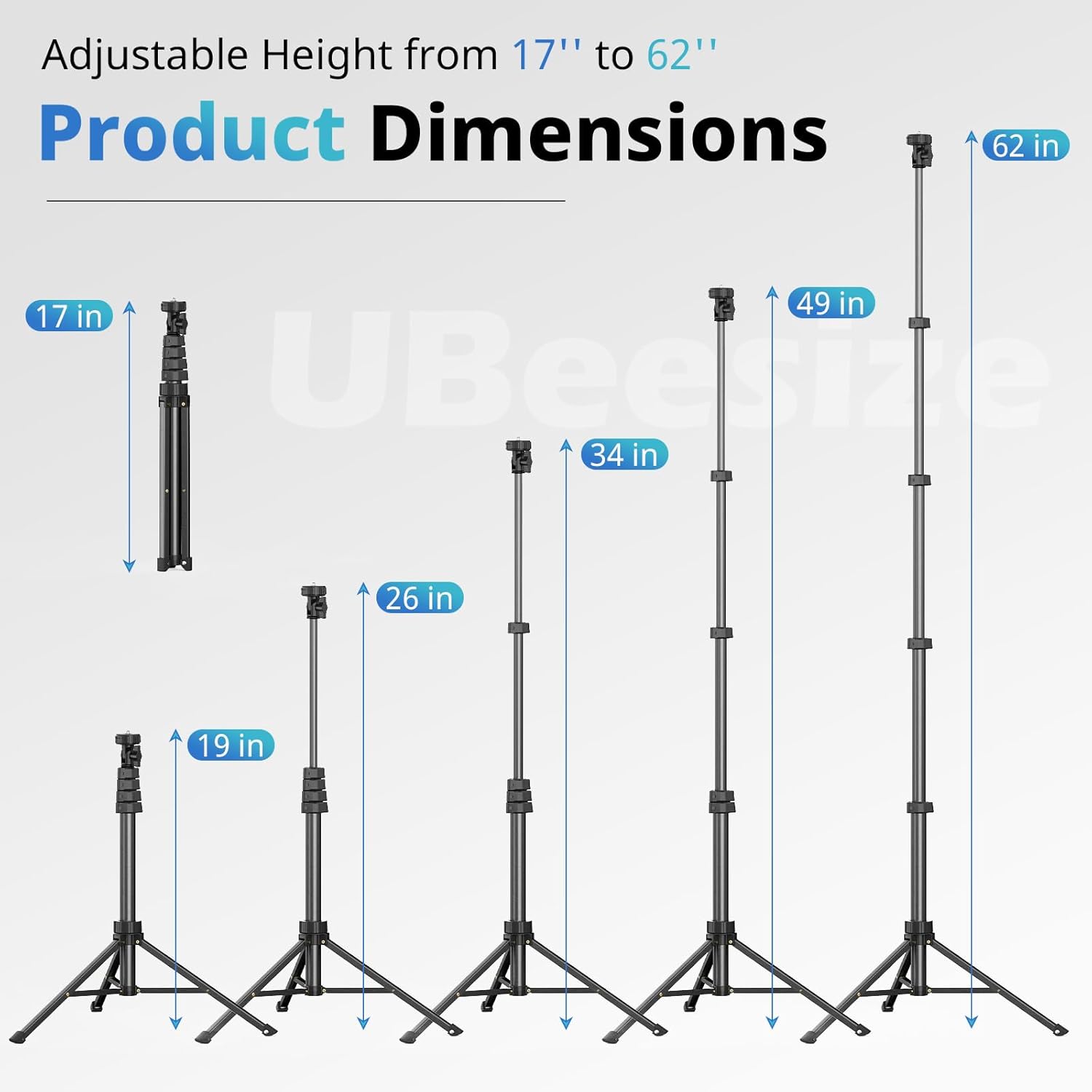
Image: A visual guide illustrating the adjustable height range of the UBeesize tripod, from its compact 17-inch form to its maximum extension of 62 inches, with intermediate heights of 19, 26, 34, and 49 inches also shown.
3.3 Attaching Phone Holder or Camera
- The tripod features a universal 1/4 inch screw mount at the top.
- To attach the phone holder, screw it onto the 1/4 inch thread until secure.
- For cameras (DSLR, SLR, Action Camera, GoPro, Webcam), directly screw them onto the 1/4 inch mount.
- The phone holder is extendable to accommodate most smartphones with or without a case. Gently pull the top part of the phone holder upwards to insert your phone.

Gambar: Detail view of the phone clip, demonstrating its adjustable mechanism to securely hold smartphones of different sizes, including iPhone Mini, iPhone 15 Pro Max, and S23 Ultra.
4. Petunjuk Pengoperasian
4.1 Using the Wireless Remote Shutter
- Ensure the wireless remote is charged and powered on.
- Aktifkan Bluetooth di telepon pintar Anda.
- Pencarian untuk and pair with the remote (usually named 'UBeesize Remote' or similar).
- Once paired, open your phone's camera app.
- Press the button on the remote to capture photos or start/stop video recording from a distance of up to 30 feet. No additional app download is required.

Image: The wireless remote shutter in use, demonstrating effortless control for precise shots. The remote connects via Bluetooth to both iOS and Android devices, allowing users to capture images remotely.
4.2 Adjusting Phone/Camera Angle
- The phone holder features 180° neck rotation and 360° head rotation.
- Loosen the pan/tilt knob to adjust the angle of your device.
- Tighten the knob once the desired angle is achieved to secure the device in place.
- This allows for both horizontal and vertical shooting orientations.

Image: The phone tripod stand showcasing its flexible shooting options, allowing users to capture content in both vertical and horizontal modes with ease.
4.3 Penggunaan sebagai Tongkat Selfie
- Collapse the tripod legs fully so they form a handle.
- Extend the central column to your desired length.
- Hold the collapsed legs as a grip and use the wireless remote to take selfies or group photos.
4.4 Compatibility with Accessories
The phone holder includes a cold shoe mount for attaching additional accessories like fill lights or microphones, expanding your creative possibilities.
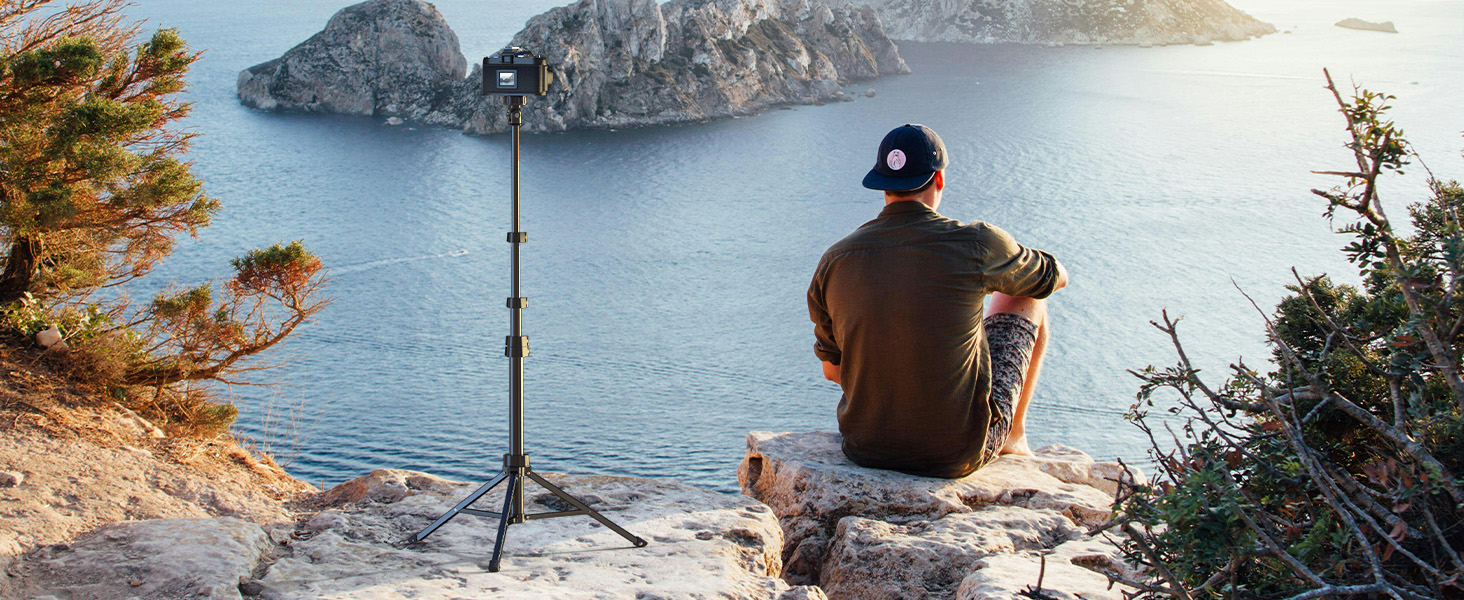
Image: The UBeesize tripod supporting a digital camera, illustrating its universal 1/4 inch screw for compatibility with various cameras, including DSLRs, SLRs, and webkamera.
4.5 Demonstrasi Video
Video: A user demonstrating the adjustable features of the UBeesize tripod, including the flexible phone holder, extendable height, and stable leg design. This video provides a practical overview tentang fungsionalitas produk.
5. Pemeliharaan
5.1 Pembersihan
- Wipe the tripod and phone holder with a soft, dry cloth to remove dust and dirt.
- Untuk noda membandel, gunakan sedikitamp Basuh dengan kain yang dibasahi sabun lembut, lalu segera lap hingga kering.
- Hindari penggunaan bahan kimia keras atau pembersih abrasif, karena dapat merusak lapisan akhir.
5.2 Penyimpanan
- Collapse the tripod fully and store it in a cool, dry place away from direct sunlight.
- Ensure all locks are disengaged before collapsing to prevent damage.
- Keep the wireless remote in a safe place to avoid loss or damage.
6. Penyelesaian masalah
6.1 Remote Not Connecting
- Ensure the remote has power (check battery).
- Make sure Bluetooth is enabled on your phone and the remote is discoverable.
- Cobalah untuk melepaskan dan memasangkan kembali remote di pengaturan Bluetooth ponsel Anda.
- Pastikan tidak ada perangkat Bluetooth lain yang mengganggu koneksi.
6.2 Ketidakstabilan Tripod
- Verify that all tripod legs are fully extended and locked into position.
- Ensure all height adjustment locks on the central column are securely fastened.
- Letakkan tripod di atas permukaan yang datar dan stabil.
- Avoid overloading the tripod beyond its weight limit (5 kg).
6.3 Phone Holder Issues
- If the phone holder feels loose, ensure it is securely screwed onto the 1/4 inch mount.
- Check that the pan/tilt knob is tightened after adjusting the angle.
7. Spesifikasi
| Fitur | Detil |
|---|---|
| Dimensi Produk | 17 x 17 x 62 inci (saat terbentang penuh) |
| Berat Barang | 1.32 pon (600 Gram) |
| Nomor Model | TZ621BK (UB-TZ500BK-01) |
| Baterai | Membutuhkan 1 baterai Lithium Metal (termasuk untuk remote) |
| Pabrikan | Ukuran UBeesize |
| Warna | Hitam |
| Perangkat yang Kompatibel | Android, Camera, GoPro, iPhone |
| Fitur Khusus | Dapat diperpanjang |
| Bahan | Aluminium |
| Batas berat | 5 Kilogram |
| Tinggi Maksimum | 62 inci |
| Tipe Kepala Tripod | Kepala Bola |
8. Garansi & Dukungan
For warranty information and customer support, please refer to the packaging or contact UBeesize directly through their official webSitus web atau pengecer tempat produk tersebut dibeli. Simpan bukti pembelian Anda untuk klaim garansi apa pun.