
1. Pendahuluan
The SanJie DA03S-8 Door and Window Alarm Sensor is designed to enhance the security of your home or property. This wireless, easy-to-install device provides an audible alert when a protected door or window is opened, offering peace of mind for various applications including child safety, home security, and monitoring access points.
2. Fitur Produk
- Ketenangan Pikiran: Guards your home's security and helps ensure the safety of children and the elderly.
- Penggunaan Luas: Magnetic sensor triggers an alarm or chime when separated. Suitable for pools, homes, apartments, stores, offices, garages, RVs, warehouses, hotels, and can be installed on sliding doors/windows, cabinets, drawers, etc.
- Mudah dipasang: Features 3M double-sided tape for quick, tool-free installation on doors or windows.
- Kontrol Volume: Offers 3 modes: 125dB Alarm (loud), 100dB Alarm, and 100dB Chime (ding-dong 2 times). The alarm sounds continuously for 30 seconds and stops when the door/window is closed.
- Daya Tahan Baterai yang Lama: Powered by 3 LR44 button batteries (included), providing up to 12 months of normal operation. A low battery indicator light will flash to alert you when replacement is needed.
3. Isi Paket
- SanJie Door and Window Alarm Unit (x8)
- Magnetic Strip (x8)
- LR44 Button Batteries (3 per unit, pre-installed)
- Double-sided Adhesive Tape (pre-applied)
4. Komponen Lebihview

- Main Alarm Unit: Contains the speaker, ON/OFF switch, setup key, and low battery indicator.
- Pita Magnetik: The smaller component that triggers the alarm when separated from the main unit.
- Saklar ON/OFF: Located on the side of the main unit to power the device.
- Setup Key: A small button on the front of the main unit to cycle through alarm modes.
- Indikator Baterai Lemah: An LED light that flashes to indicate low battery.
- Kompartemen Baterai: Located at the bottom of the main unit for LR44 battery access.
5. Pengaturan & Instalasi
5.1 Pemasangan Baterai
The alarm units come with 3 LR44 button batteries pre-installed. Before first use, ensure any protective tabs are removed from the battery compartment if present. The low battery indicator will flash 5 times when batteries need replacement.
5.2 Memasang Alarm
- Bersihkan Permukaan: Ensure the surface where you plan to install the alarm and magnetic strip is clean, dry, and smooth.
- Siapkan Perekat: The units come with double-sided adhesive tape pre-applied. Peel off the protective backing from both the main alarm unit and the magnetic strip.
- Posisikan Unit Utama: Attach the main alarm unit to the fixed part of your door or window frame.
- Position the Magnetic Strip: Attach the magnetic strip to the moving part of the door or window. Ensure the magnetic strip is aligned with the main alarm unit's marked triangle and the gap between them is no more than 0.4 inches (approximately 1 cm) when the door/window is closed.
- Instalasi Uji: Open and close the door/window to verify the alarm triggers and stops correctly.

Video 1: Demonstration of easy installation for door and window alarms.
6. Petunjuk Pengoperasian
6.1 Daya Hidup/Mati
Locate the ON/OFF switch on the side of the main alarm unit. Slide the switch to the 'ON' position to activate the alarm, and to the 'OFF' position to deactivate it.
6.2 Pemilihan Mode
The alarm offers three distinct modes. To cycle through these modes, press the 'Setup key' button located on the front of the main alarm unit.
- Mode 1 (125dB Alarm): Provides a very loud alarm sound. Ideal for deterring intruders or alerting to critical access.
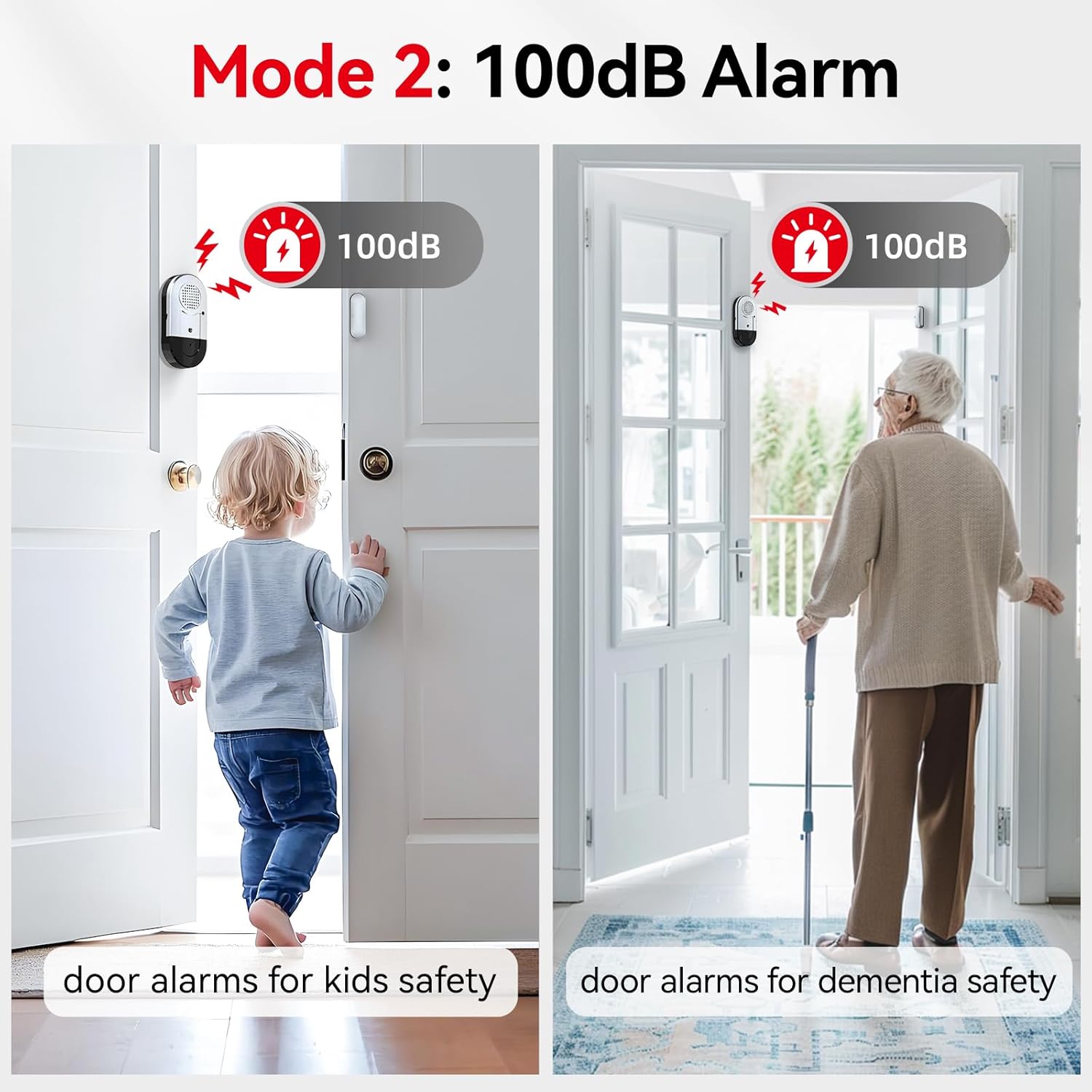
- Mode 2 (100dB Alarm): A loud alarm sound, suitable for general security and alerting to children or the elderly opening doors.
- Mode 3 (100dB Chime): A 'ding-dong' sound (2 times), perfect for notification when someone enters or exits, such as in a shop or for monitoring children without a startling alarm.


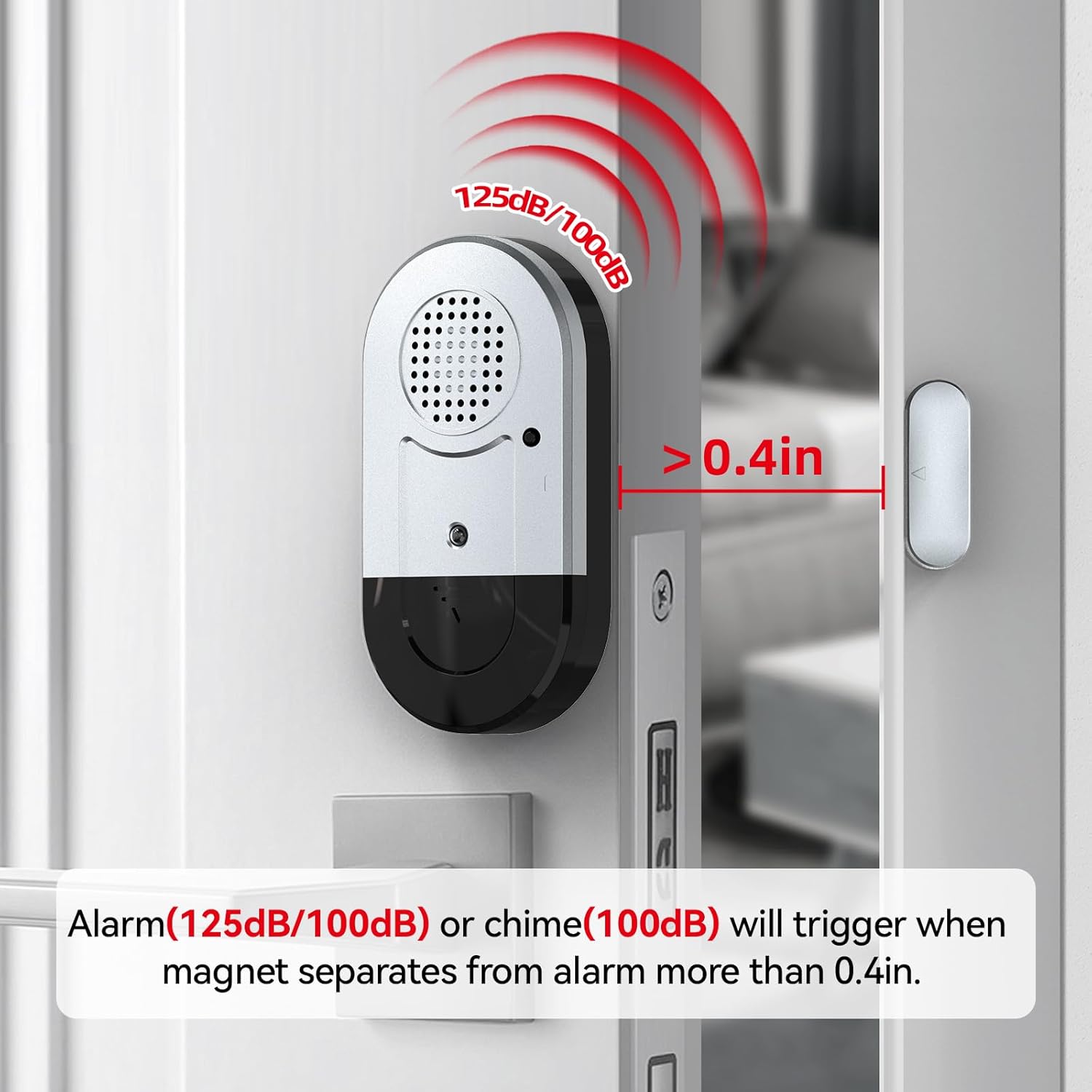
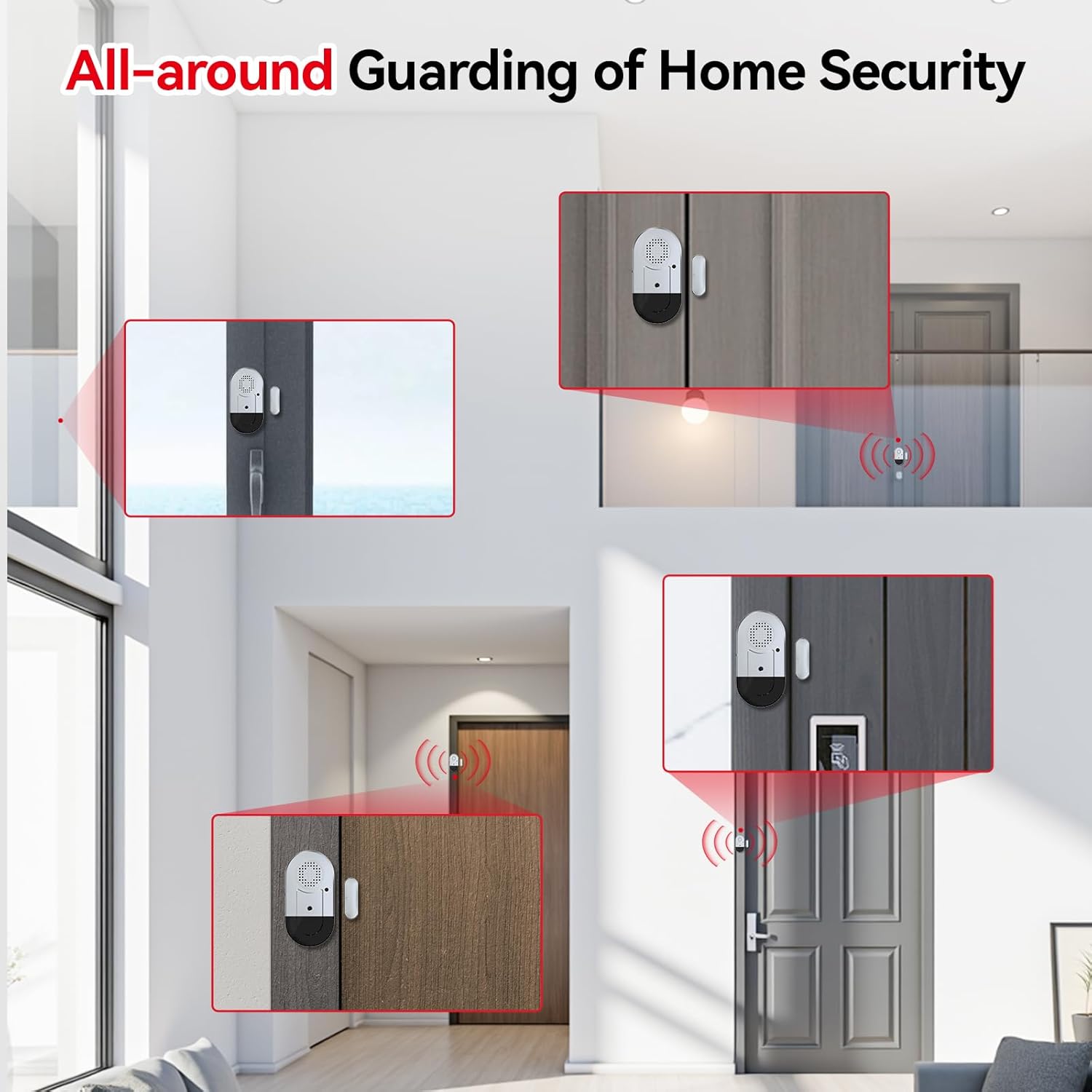
Video 2: Selesaiview of alarm modes and their applications for safety and security.
7. Pemeliharaan
7.1 Penggantian Baterai
When the low battery indicator flashes 5 times, it's time to replace the batteries. Open the battery compartment at the bottom of the main unit, remove the old LR44 batteries, and insert 3 new LR44 batteries, ensuring correct polarity. Close the compartment securely.
7.2 Pembersihan
Wipe the alarm units with a dry, soft cloth. Do not use liquid cleaners or abrasive materials, as this may damage the device.
8. Penyelesaian masalah
- Alarm tidak berbunyi:
- Pastikan sakelar ON/OFF berada pada posisi 'ON'.
- Periksa apakah baterai terpasang dengan benar dan tidak habis. Ganti jika perlu.
- Verify that the main unit and magnetic strip are aligned correctly and the gap is less than 0.4 inches when the door/window is closed.
- Alarm sounds continuously:
- Ensure the door or window is fully closed and the magnetic strip is within 0.4 inches of the main unit.
- If the issue persists, try repositioning the units slightly.
- Volume too low or mode incorrect:
- Press the 'Setup key' button to cycle through the 3 available modes (125dB Alarm, 100dB Alarm, 100dB Chime) until the desired setting is reached.
9. Spesifikasi
| Nomor Model | DA03S-8 |
| Sumber Daya | 3 x LR44 Button Batteries |
| Daya Tahan Baterai | Hingga 12 bulan (penggunaan biasa) |
| Tingkat Kebisingan | 100dB - 125dB (depending on mode) |
| Activation Gap | Separation greater than 0.4 inches (1 cm) |
| Metode Instalasi | Perekat Diri |
| Bahan | Plastik |
| Warna | Putih |
| Dimensi Produk (Unit Utama) | 2.9"L x 1.5"H x 0.4"W (approx.) |
10. Garansi & Dukungan
This SanJie product comes with a lifelong warranty, ensuring long-term reliability and customer satisfaction. For any questions, troubleshooting assistance, or warranty claims, please contact SanJie customer support through the retailer's platform or the official SanJie weblokasi.
Harap simpan struk pembelian Anda sebagai bukti pembelian untuk keperluan garansi.