
1. Pendahuluan
This manual provides detailed instructions for the installation, operation, and maintenance of your Time2 Oscar 2 Twin Pack Outdoor Security Cameras. The Oscar 2 cameras are designed for outdoor surveillance, offering 1080p Full HD video, night vision, motion and sound detection, and two-way audio communication. Please read this manual thoroughly before using the product to ensure proper setup and functionality.
2. Apa yang ada di dalam kotak
Saat membongkar kemasan, harap verifikasi bahwa semua item berikut telah disertakan:
- 2 x Time2 Oscar WiFi Camera
- 2 x Adaptor Daya
- 2 x Wall Mounting Kit (screws and wall plugs)
- 1 x Panduan Memulai Cepat

Image: The Time2 Oscar 2 camera shown with its retail packaging, indicating the contents of the box.
3. Fitur Produk
The Time2 Oscar 2 cameras are equipped with advanced features for comprehensive outdoor security:
- Video HD Penuh 1080p: Menangkap makanan dengan jelas dan detailtagsiang dan malam.
- Penglihatan Malam yang Unggul: Automatic infrared night vision with IR cut for clear images in low light or darkness.
- Bidang 100° View: Provides a wide coverage area for monitoring your property.
- Deteksi Gerakan dan Suara: Advanced sensors detect unusual movement or sounds, sending instant alerts.
- Audio Dua Arah: Mikrofon dan speaker internal memungkinkan komunikasi secara real-time.
- Penyimpanan Lokal & Cloud: Supports local storage via MicroSD card (up to 128GB, not included) and optional cloud storage via CLAN CLOUD subscription.
- Desain Tahan Cuaca: IP65 rated for outdoor use, resistant to rain and dust.
- Bertenaga Listrik: Ensures continuous operation without battery recharging.
- Zona Aktivitas: Sesuaikan area deteksi untuk mengurangi peringatan palsu.
- Integrasi Alexa: Compatible with Amazon Alexa for voice control.
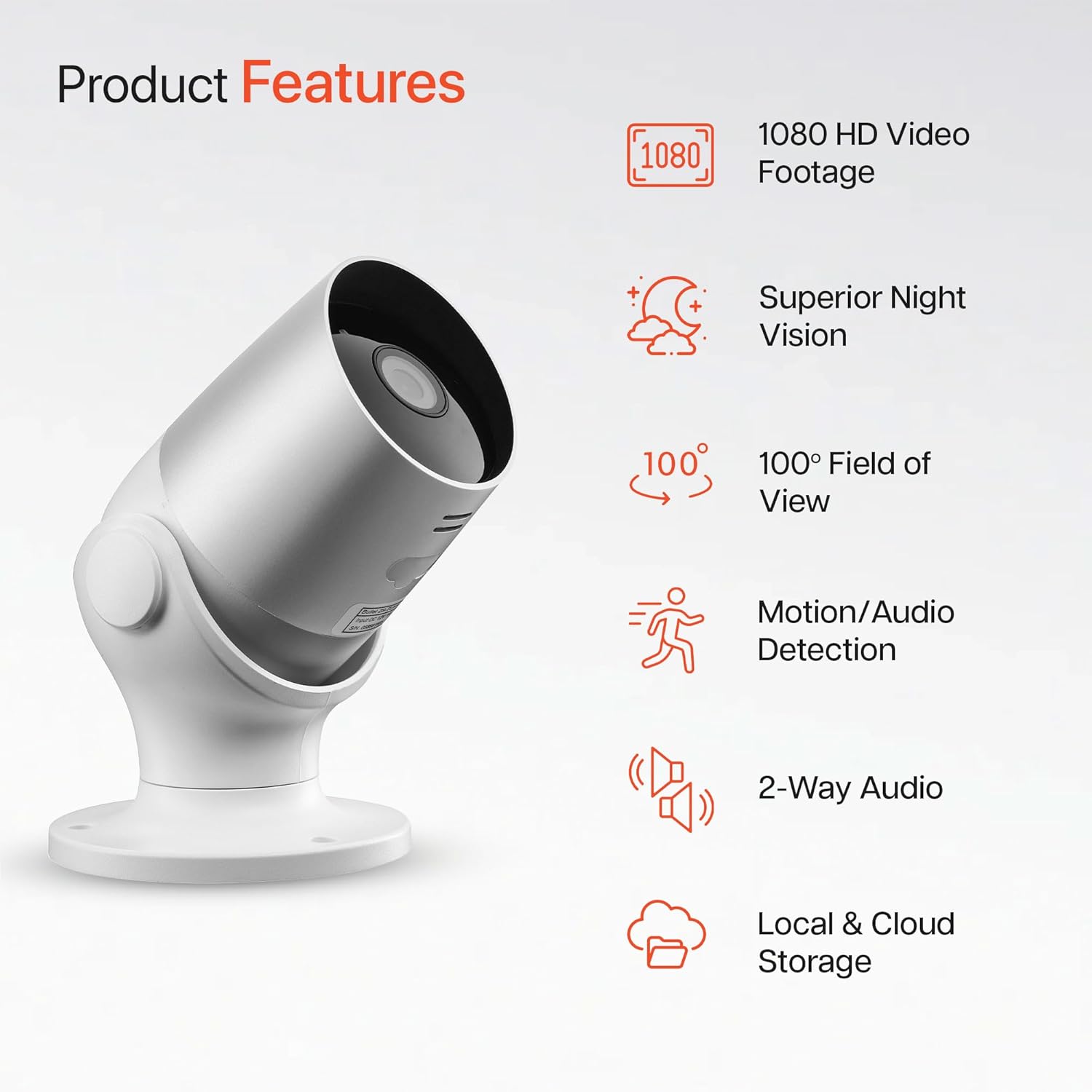
Image: An illustration highlighting the main features of the Oscar 2 camera, including 1080p HD video, night vision, 100° field of view, motion/audio detection, two-way audio, and storage options.
4. Pengaturan
4.1 Unduh Aplikasi dan Pembuatan Akun
- Download the "CLAN" app from your smartphone's app store (iOS or Android).
- Buka aplikasi dan ikuti petunjuk di layar untuk membuat akun baru atau masuk jika Anda sudah memilikinya.
4.2 Instalasi Kartu MicroSD (Opsional)
For local video storage, you can install a MicroSD card (up to 128GB, not included) into the camera.
- Locate the MicroSD card slot on the camera (refer to the Quick Start Guide for exact location).
- Masukkan kartu MicroSD dengan hati-hati ke dalam slot hingga berbunyi klik dan terpasang dengan benar.
- Ensure the camera is powered off before inserting or removing the MicroSD card.
4.3 Camera Installation and Power Connection
The Oscar 2 cameras are designed for wall mounting and require a mains power connection.
- Pilih Lokasi: Pilih lokasi luar ruangan yang menyediakan suasana yang diinginkan viewing angle and is within reach of a power outlet. Consider the 100° field of view.
- Pasang Kamera: Use the provided wall mounting kit (screws and wall plugs) to securely attach the camera to a wall or suitable surface. The camera housing allows for rotation to adjust the lens angle.
- Hubungkan Daya: Plug the power adapter into the camera and then into a mains power outlet. The camera will power on automatically.
4.4 Pairing with the CLAN App
- Pastikan ponsel cerdas Anda terhubung ke jaringan Wi-Fi 2.4 GHz (jaringan 5 GHz tidak didukung).
- Open the CLAN app and tap the "+" icon to add a new device.
- Select "Oscar 2" from the list of devices.
- Follow the in-app instructions, which typically involve scanning a QR code displayed on your phone with the camera lens or listening for a sound prompt.
- Once paired, you can name your camera and begin configuring settings.
5. Operating Your Oscar 2 Camera
5.1 Langsung View dan Pemantauan
From the CLAN app home screen, tap on your camera's name to access the live video feed. You can view multiple cameras simultaneously if you have more than one Oscar 2 device.

Image: A smartphone displaying the CLAN app interface, showing a live view from the Oscar 2 camera and various control options.
5.2 Deteksi Gerakan dan Suara
The Oscar 2 camera can detect movement and sound, sending instant alerts to your smartphone or tablet.
- Aktifkan Peringatan: Navigate to the camera settings in the CLAN app and enable motion and sound detection alerts.
- Sesuaikan Sensitivitas: You can adjust the sensitivity level of both motion and sound detection to minimize false alarms.
- Tetapkan Zona Aktivitas: Tentukan area spesifik di dalam bidang pandang kamera. view where you want motion detection to be active. This helps focus on critical areas and ignore irrelevant movements.
5.3 Audio Dua Arah
Manfaatkan mikrofon dan speaker internal untuk komunikasi dua arah.
- Saat siaran langsung viewKetuk ikon mikrofon di aplikasi untuk berbicara melalui speaker kamera.
- Ketuk ikon speaker untuk mendengarkan audio dari mikrofon kamera.
- This feature is useful for interacting with visitors or deterring intruders.
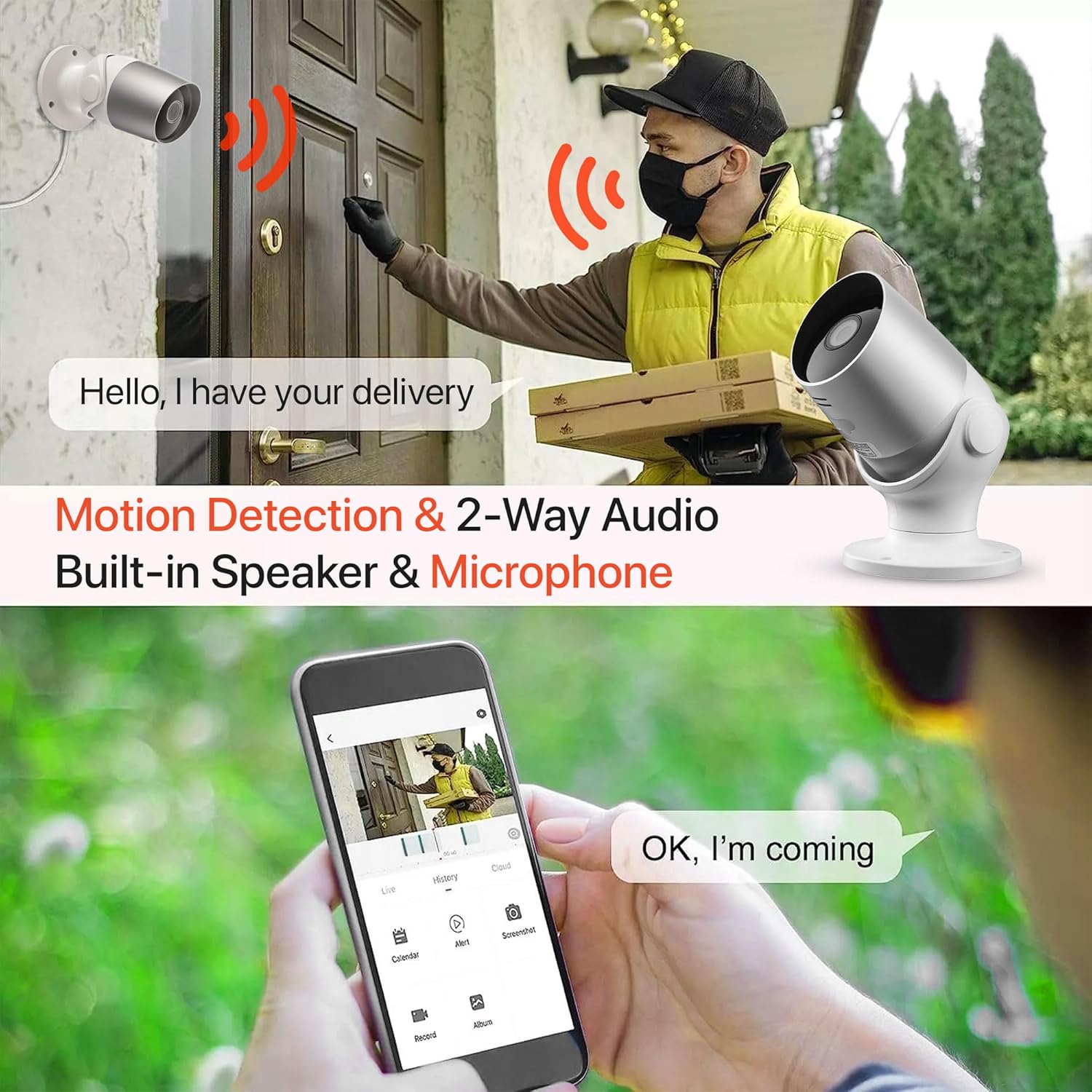
Image: An illustration demonstrating the two-way audio feature, showing a user communicating with a delivery person via the Oscar 2 camera and smartphone app.
5.4 Perekaman dan Pemutaran
The Oscar 2 cameras offer flexible recording options:
- Perekaman Berkelanjutan: If a MicroSD card is installed, the camera can record continuously for up to 21 days (with a 128GB card).
- Perekaman yang Diaktifkan oleh Gerakan: The camera can be set to record only when motion or sound is detected. Recordings include 5 seconds of pre-event footage.
- Local Storage (MicroSD): Akses rekaman footage directly from the MicroSD card via the CLAN app.
- Cloud Storage (CLAN CLOUD): Subscribe to CLAN CLOUD for secure off-site storage of your recordings, accessible from anywhere.
- Pemutaran ulang: Use the playback feature in the CLAN app to review Peristiwa yang tercatat.
5.5 Penglihatan Malam
The camera automatically switches to infrared night vision in low-light conditions, providing clear black and white images. The integrated IR cut filter ensures accurate color representation during the day.

Image: A visual representation of the camera's 24/7 monitoring capability, showing how the view changes from morning (color) to afternoon (color) to night (infrared night vision).
5.6 Integrasi Alexa
The Oscar 2 cameras are compatible with Amazon Alexa. To enable this feature, link your CLAN account within the Alexa app. You can then use voice commands to view your camera feed on compatible Alexa-enabled devices.
6. Pemeliharaan
- Pembersihan: Bersihkan lensa kamera secara berkala dengan kain lembut.amp cloth to ensure optimal image clarity. Do not use harsh chemicals or abrasive materials.
- Pembaruan Firmware: Ensure your camera's firmware is up to date. The CLAN app will typically notify you of available updates. Follow the in-app instructions to perform updates, which can improve performance and add new features.
- Siklus Daya: If the camera experiences issues, try power cycling it by unplugging it from the power source for a few seconds and then plugging it back in.
7. Penyelesaian masalah
- Kamera Tidak Terhubung ke Wi-Fi:
- Pastikan jaringan Wi-Fi Anda menggunakan frekuensi 2.4 GHz. Kamera ini tidak mendukung jaringan 5 GHz.
- Pastikan kamera berada dalam jangkauan router Wi-Fi Anda.
- Pastikan kata sandi Wi-Fi Anda telah dimasukkan dengan benar di aplikasi.
- Mulai ulang router dan kamera Anda.
- Frequent Motion Detection Alerts:
- Adjust the motion detection sensitivity settings in the CLAN app to a lower level.
- Define specific activity zones to exclude areas with frequent irrelevant movement (e.g., trees swaying, busy roads).
- Environmental factors like heavy rain or snow can sometimes trigger alerts; consider adjusting sensitivity during adverse weather.
- Kualitas Gambar Buruk:
- Bersihkan lensa kamera untuk menghilangkan kotoran atau noda.
- Pastikan tidak ada penghalang di bidang pandang kamera view.
- Check your internet connection speed; a slow connection can affect live stream quality.
- Masalah Audio Dua Arah:
- Ensure your phone's volume is up and the app has microphone permissions.
- Check the camera's speaker and microphone settings in the app.
- Minimize background noise for clearer communication.
- Recordings Not Saving:
- If using a MicroSD card, ensure it is correctly inserted and formatted within the app. Check if the card is full.
- If using cloud storage, verify your CLAN CLOUD subscription is active.
8. Spesifikasi
| Fitur | Detil |
|---|---|
| Nama Model | Oscar 2 |
| Dimensi Produk | Ukuran 8.9x17.8x19.1 cm |
| Berat | 720 gram |
| Pabrikan | Waktu2 |
| Teknologi Konektivitas | Nirkabel (Wi-Fi) |
| Fitur Khusus | Motion and Sound Alerts |
| Penggunaan Dalam/Luar Ruangan | Luar ruangan |
| Perangkat yang Kompatibel | Komputer, Smartphone, Tablet |
| Sumber Daya | Electric Cable (Mains Powered) |
| Tipe Pengendali | Kontak Amazon.com |
| Jenis Pemasangan | Dudukan Dinding |
| Warna | Putih |
| Faktor Bentuk | Peluru |
| Tingkat Tahan Air | Tahan air (IP65) |
| Jil.tage | 12 Volt |
| Apatage | 5 Watt |
| Format Pengambilan Video | MP4 |
| Resolusi Video yang Efektif | 1080 Pixels (1080p) |
| Viewsudut ing | 100 Derajat |
| Jumlah Barang | 2 (Twin Pack) |
| UPC | 045912296356 |
9. Garansi dan Dukungan
9.1 Informasi Garansi
Your Time2 Oscar 2 cameras come with a manufacturer's warranty. Please refer to the warranty card included in your product packaging or visit the official Time2 websitus untuk mengetahui syarat dan ketentuan garansi secara terperinci.
9.2 Dukungan Pelanggan
If you encounter any issues or have questions not covered in this manual, please contact Time2 customer support. Contact details can typically be found on the Time2 websitus atau di Panduan Memulai Cepat yang disertakan dengan produk Anda.
For the latest information, FAQs, and support resources, please visit the official Time2 weblokasi.