
Produk Selesaiview
The BLACK+DECKER furbuster AdvancedClean+ Cordless Handheld Vacuum is designed for efficient cleaning, especially for pet owners. This portable and rechargeable vacuum offers powerful suction with its 20V MAX* lithium-ion battery and features like POWERBOOST mode for enhanced cleaning. It includes an XL extendable crevice tool and is part of the BLACK+DECKER dustbuster family.

Image: The BLACK+DECKER dustbuster AdvancedClean+ Cordless Handheld Vacuum, showcasing its compact design and integrated pet brush.
Komponen yang Termasuk
Your BLACK+DECKER dustbuster AdvancedClean+ comes with the following components:
- HHVK515JP07 Hand Vacuum Unit
- Pengisi Daya Colokan Jack
- Motorized Pet Brush
- Washable Pre-filter + Filter (HHVKF10)
- XL Extendable Crevice Tool

Image: A visual representation of all components included with the vacuum: the main unit, motorized pet brush, washable filter and pre-filter, XL extendable crevice tool, and jack plug charger.
Pengaturan
Pengisian Awal
Before first use, fully charge the vacuum. The charging time is approximately 240 minutes (4 hours). Ensure the charger is correctly plugged into a working electrical outlet and the charger cord is not damaged.
Memasang Aksesoris
To attach the Motorized Pet Brush or XL Extendable Crevice Tool, align the accessory with the vacuum's nozzle and push firmly until it clicks into place. Ensure the unit is turned off when attaching or removing accessories.

Image: A diagram highlighting key features such as the POWERBOOST button, washable bowl, pre-filter + filter, XL dustbin, XL extendable crevice tool, and motorized pet brush.
Petunjuk Pengoperasian
Menyalakan dan Mematikan
Press the power button once for standard suction. Press it again to activate POWERBOOST mode for increased suction power. Press a third time to turn the unit off. The vacuum has 2 speeds.
Using the XL Extendable Crevice Tool
To extend the crevice tool, pull it out from the vacuum nozzle until it clicks in place. To collapse it, push it into the vacuum nozzle until it clicks in place. This tool is ideal for reaching tight spaces in your home or car.

Image: A man demonstrating the use of the XL extendable crevice tool to clean hard-to-reach areas inside a car, highlighting its utility for automotive cleaning.
Using the Motorized Pet Brush
The motorized pet brush features rubber bristles designed to effectively lift stubborn debris and pet hair from carpets, furniture, and other surfaces. Attach the brush to the vacuum nozzle before use. Do not use directly on pets.
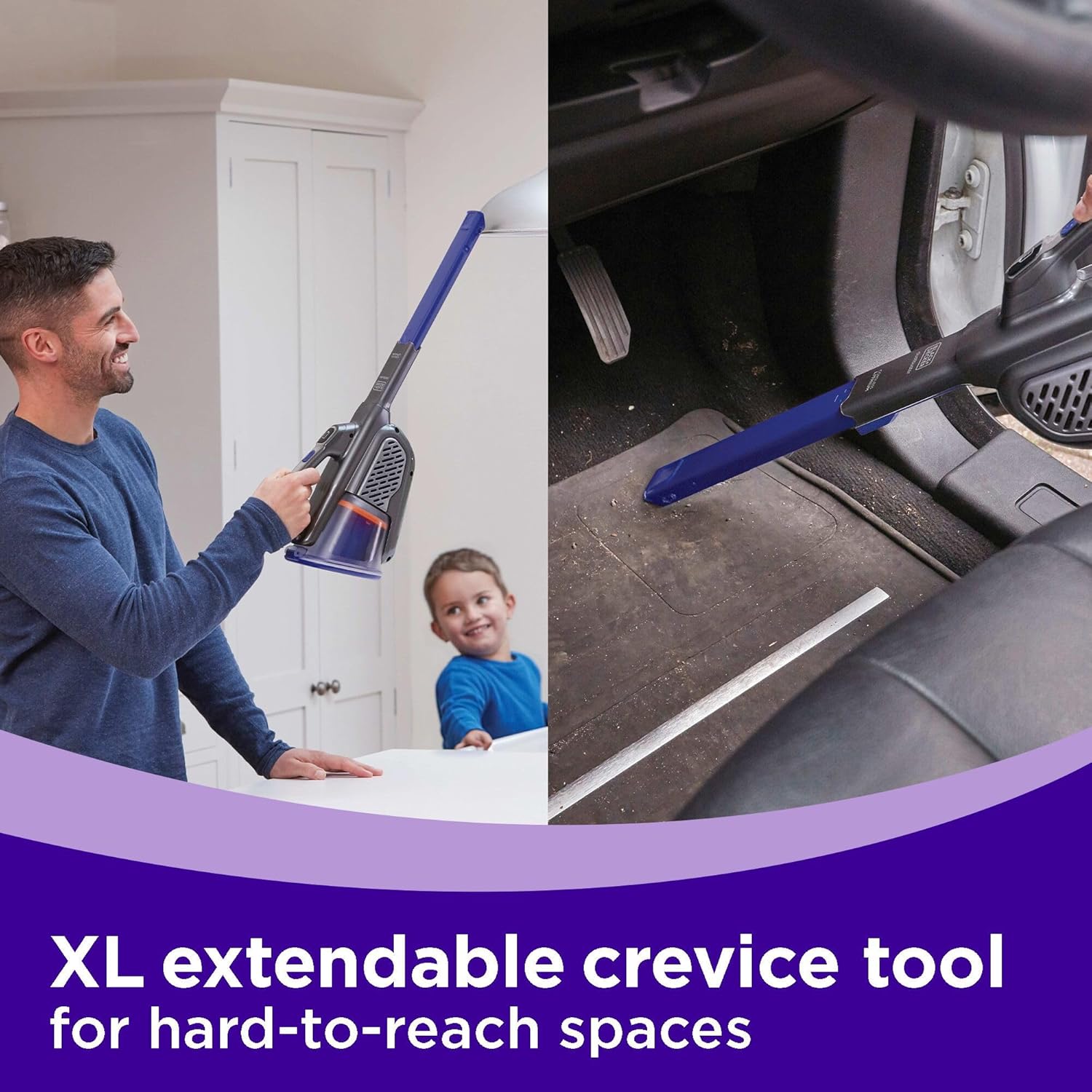
Image: A woman using the motorized pet brush attachment to clean a pet bed, demonstrating its effectiveness in removing pet hair from fabric surfaces.
Penggunaan yang Direkomendasikan
This handheld vacuum is recommended for use on carpets, furniture, and general home cleaning. Its portable and lightweight design also makes it suitable for car interiors.

Image: A man cleaning a small rug with the BLACK+DECKER dustbuster, with a golden retriever dog observing nearby, illustrating its use for quick clean-ups.
Pemeliharaan
Mengosongkan dan Membersihkan Produk
For optimal performance, the filters must be cleaned regularly. The dust bowl features a one-touch easy empty mechanism, allowing you to empty debris without touching it.
- Hold the dust bowl over a trash can and press the dust bowl release button to release the dust bowl access door.
- While holding the dust bowl over a trash can, lightly shake it to empty the dust bowl.
- Lift the pre-filter out of the dust bowl.
- Lift the filter out of the dust bowl.
- While holding the dust bowl over a trash can, empty the dust bowl.
- Install the filter into the dust bowl, then install the pre-filter.
- Close the dust bowl access door until it clicks firmly into place.
PERINGATAN: Jangan sekali-kali menggunakan alat ini tanpa filter. Pengumpulan debu yang optimal hanya dapat dicapai dengan filter yang bersih.
Removing Motorized Brush for Cleaning
Unit perlu dimatikan saat sikat bermotor dipasang atau dilepas.
- Pull the plastic retaining tabs outward, away from the recesses.
- Pull the vacuum nozzle from the motorized brush.

Image: A section from the product manual detailing instructions for removing the motorized brush and emptying/cleaning the dust bowl and filter.
Penyelesaian Masalah
Jika produk tidak berfungsi, periksa hal berikut:
- The charger was correctly plugged in for recharge. (It may feel slightly warm to the touch.)
- Kabel pengisi daya tidak rusak dan terpasang dengan benar.
- Pengisi daya dicolokkan ke stopkontak listrik yang berfungsi.
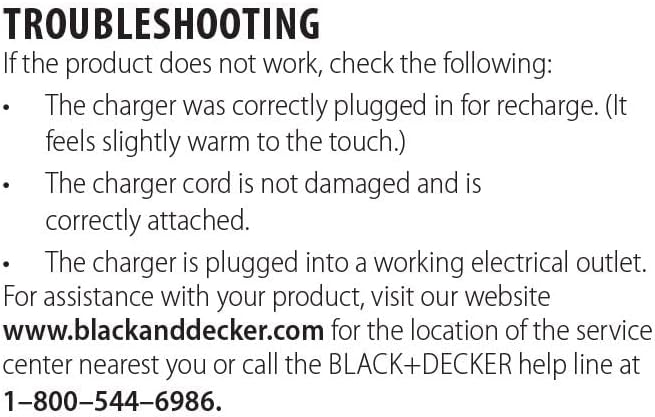
Image: A section from the product manual outlining common troubleshooting steps for the vacuum not operating.
Spesifikasi
| Nama Model | HHVK515JP07 |
| Merek | BLACK+DECKER |
| Faktor Bentuk | Genggam |
| Teknologi Konektivitas | Tanpa kabel |
| Jenis Baterai | Lithium-Ion (20V MAX*) |
| Waktu Pengisian Daya | 240 menit |
| Daya Tahan Baterai | Sekitar 20 menit |
| Kapasitas | 0.18 Galon |
| Tingkat Kebisingan | 78dB |
| Berat Barang | 2.6 pon |
| Dimensi Produk | 6.3"P x 3.15"L x 2.56"T |
| Jenis Filter | Replaceable, Reusable |
| Jumlah Kecepatan | 2 |
Informasi Garansi
This BLACK+DECKER dustbuster AdvancedClean+ Handheld Vacuum (HHVK515JP07) is covered by a Garansi terbatas 2 tahunHarap simpan bukti pembelian Anda untuk klaim garansi.
Mendukung
For assistance with your product, including service center locations or further inquiries, please visit the official BLACK+DECKER webkunjungi situs web atau hubungi dukungan pelanggan:
- Weblokasi: www.blackanddecker.com
- Pelayanan pelanggan: Nomor telepon 1-800-544-6986