
Perkenalan
This manual provides essential information for the proper use and care of your Sony E 70-350mm f/4.5-6.3 G OSS Super-Telephoto APS-C Lens. This high-resolution G lens features an optimized optical and mechanical design, delivering excellent image quality across its 70-350mm focal length range. Its compact and lightweight design, combined with built-in optical image stabilization, makes it a versatile choice for various photographic needs.

Figure 1: Sony E 70-350mm f/4.5-6.3 G OSS Lens, front view.
Pengaturan
1. Attaching the Lens to the Camera
- Lepaskan tutup lensa belakang dan tutup badan kamera.
- Sejajarkan tanda indeks putih pada laras lensa dengan tanda indeks putih pada bodi kamera.
- Mount the lens by turning it clockwise until it clicks into place. Do not press the lens release button while attaching the lens.

Gambar 2: Belakang view of the lens, highlighting the E-mount for attachment to compatible Sony cameras.
2. Memasang Tudung Lensa
- Align the red dot on the lens hood with the red dot on the lens.
- Insert the lens hood onto the lens and rotate it clockwise until it clicks into place.
- The lens hood helps to reduce flare and ghosting caused by extraneous light.
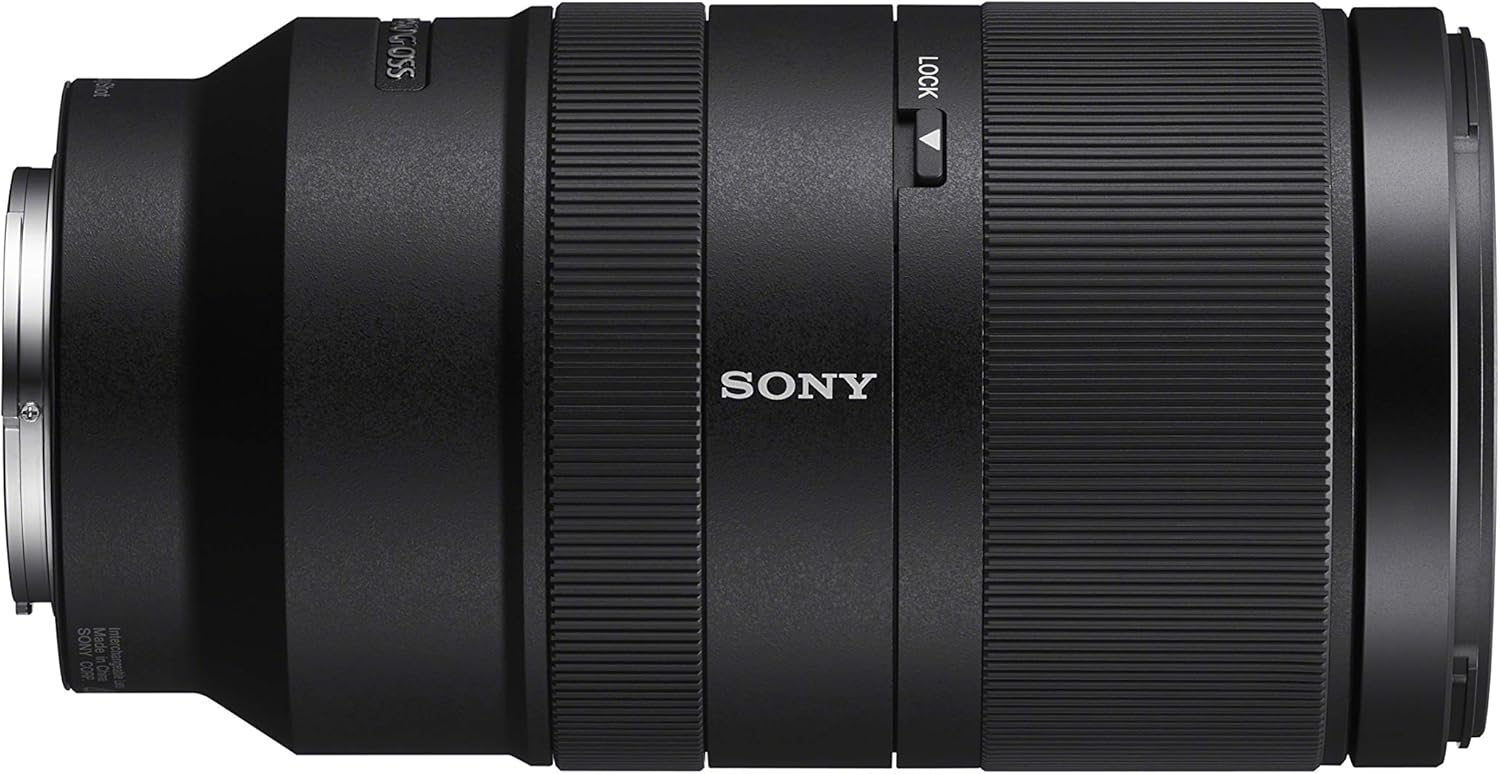
Figure 3: The lens with its dedicated lens hood attached, ready for use.
Mengoperasikan Lensa
1. Sakelar Mode Fokus (AF/MF)
This switch allows you to select between autofocus (AF) and manual focus (MF). Slide the switch to the desired mode. In AF mode, the camera automatically focuses on the subject. In MF mode, you manually adjust the focus ring.
2. Optical SteadyShot (OSS) Switch
The Optical SteadyShot (OSS) switch activates or deactivates the built-in image stabilization. Turn OSS ON to compensate for camera shake, especially useful when shooting handheld or in low light. Turn OSS MATI when using a tripod to prevent potential stabilization conflicts.
3. Focus Hold Button
Pressing this button locks the focus at the current distance. This is useful for recomposing your shot without losing focus on your subject. The function of this button can often be customized via your camera's menu settings.
4. Cincin Zoom
Rotate the zoom ring to adjust the focal length from 70mm to 350mm. This allows you to quickly change your field of view and magnify distant subjects.
5. Cincin Fokus
When in Manual Focus (MF) mode, rotate the focus ring to achieve sharp focus on your subject.
6. Sakelar Kunci Zoom
This switch locks the zoom ring at the 70mm position to prevent the lens from extending under its own weight during transport or when pointed downwards.

Figure 4: Key controls on the lens barrel, including focus mode, image stabilization, focus hold, and zoom lock switches.
Produk Selesaiview Video
Video 1: Gambaran singkat produkview demonstrating the physical features and controls of the Sony E 70-350mm f/4.5-6.3 G OSS Lens.
Pemeliharaan
1. Membersihkan Lensa
- Gunakan sikat peniup untuk menghilangkan debu dari permukaan lensa.
- For smudges or fingerprints, use a soft, clean microfiber cloth specifically designed for optics. Lightly wipe the lens surface in a circular motion.
- Avoid using harsh chemicals or abrasive materials, as these can damage the lens coatings.
2. Storing the Lens
- Always attach the front and rear lens caps when the lens is not in use to protect the glass elements.
- Simpan lensa di tempat yang sejuk dan kering, jauhkan dari sinar matahari langsung dan suhu ekstrem.
- If storing for an extended period, consider using a dehumidifying cabinet or silica gel packets to prevent mold growth.
Penyelesaian Masalah
- Lensa tidak terpasang pada kamera: Ensure the white index marks are aligned and rotate clockwise until a click is heard. Do not force the lens.
- Fokus otomatis tidak berfungsi: Check that the AF/MF switch on the lens is set to AF. Also, ensure your camera's focus mode is set to autofocus.
- Gambar buram: Verify that the Optical SteadyShot (OSS) is turned ON if shooting handheld. If on a tripod, turn OSS OFF. Check your camera's shutter speed and ISO settings.
- Zoom ring stuck: Ensure the Zoom Lock switch is not engaged.
- Debu atau noda pada gambar: Clean the front and rear lens elements as described in the Maintenance section. Also, check your camera's sensor for dust.
Spesifikasi
| Fitur | Detil |
|---|---|
| Merek | Sony |
| Nama Model | SEL70350G |
| Panjang Fokus | Ukuran 70-350mm |
| Jenis Lensa | Zoom Telefoto |
| Pemasangan yang Kompatibel | Sony E-mount (APS-C) |
| Bukaan Maksimum | f/4.5-6.3 |
| Bukaan Minimum | f/22-32 |
| Jumlah Pisau Diafragma | 7 (Circular) |
| Stabilisasi Gambar | Optical SteadyShot (OSS) |
| Tipe Fokus | Auto Focus (XD Linear Motor) |
| Ukuran Filter | ukuran 67mm |
| Berat Barang | 22.1 ons (sekitar 626g) |
| Media Terintegrasi | Lens hood, front cap, rear cap |
| Tingkat Tahan Air | Tahan Air |
Informasi Garansi
This Sony lens comes with a Garansi pabrik 1 tahun. Please retain your proof of purchase for warranty claims. For detailed terms and conditions, refer to the warranty card included with your product or visit the official Sony support weblokasi.
Paket perlindungan tambahan mungkin tersedia untuk dibeli secara terpisah. Misalnya,ample, a 3-Year Protection Plan is available for $119.99, and a Complete Protect monthly plan for $16.99.
Mendukung
For further assistance, technical support, or service inquiries, please contact Sony Customer Support through their official websitus web atau informasi kontak yang tertera pada kemasan produk Anda. Anda juga dapat mengunjungi Toko Sony di Amazon untuk informasi produk dan sumber daya tambahan.