
1. Pendahuluan
This manual provides comprehensive instructions for the Microsoft Surface Laptop 3, Model VGY-00001. Designed for productivity and portability, this device features a 13.5-inch touchscreen, Intel Core i5 processor, 8GB RAM, and a 128GB Solid State Drive. Please read this manual thoroughly to ensure proper setup, operation, and maintenance of your device.
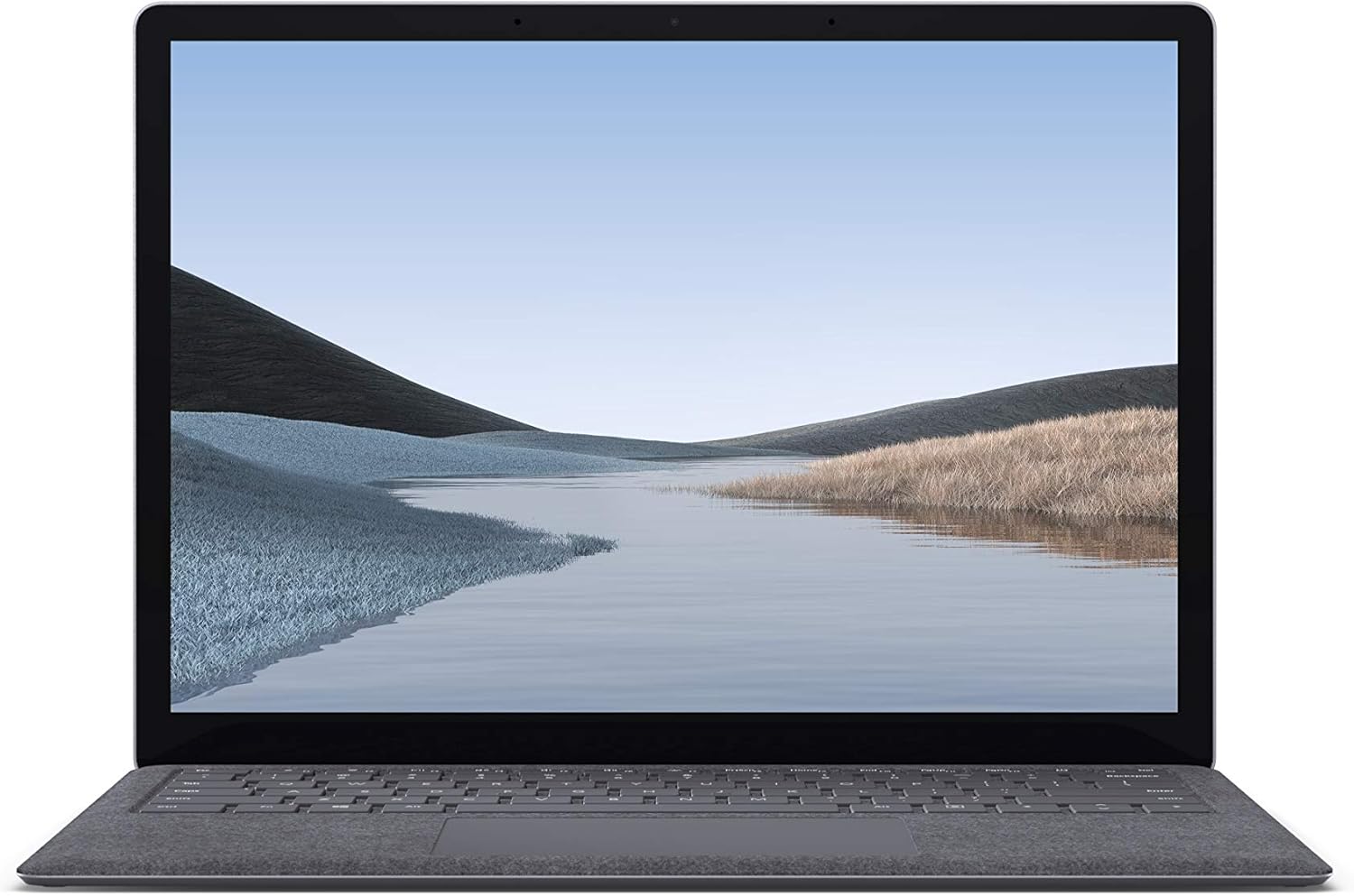
Gambar 1.1: Depan view of the Microsoft Surface Laptop 3 with its display active.
The Surface Laptop 3 offers a clean, elegant design, weighing approximately 2.79 pounds, making it easy to carry. It features improved speed and performance with its 10th Gen Intel Core processors, offering up to two times faster performance than previous models. Connectivity options include USB-C and USB-A ports for connecting to displays, docking stations, and accessories. The device provides up to 11.5 hours of battery life and supports fast charging, reaching up to 80% in about one hour.
2. Apa yang ada di dalam kotak
Upon unboxing your Microsoft Surface Laptop 3, verify that all the following items are present:
- Microsoft Surface Laptop 3 (Model VGY-00001)
- Panduan Memulai Cepat (QSG)
- Power Supply (AC adapter)
3. Pengaturan
3.1 Penyalaan Awal
- Hubungkan Daya: Plug the power supply into a wall outlet and connect the magnetic Surface Connect port to your laptop. The LED indicator on the connector will light up when properly connected.
- Nyalakan: Open the laptop lid or press the power button located on the keyboard.
- Pengaturan Windows: Ikuti petunjuk di layar untuk menyelesaikan pengaturan Windows 10 Home. Ini termasuk memilih wilayah Anda, terhubung ke jaringan Wi-Fi, dan membuat akun pengguna.
- Windows Halo: Configure Windows Hello for secure and fast login using facial recognition.
3.2 Menghubungkan Periferal
Your Surface Laptop 3 includes various ports for connecting external devices:
- Port USB-C: For data transfer, video output, and charging compatible devices.
- Port USB-A: For connecting traditional USB devices like mice, keyboards, and external storage.
- Jack headphone 3.5 mm: Untuk output audio ke headphone atau speaker eksternal.
- Port Sambungan Permukaan: For the power supply and compatible Surface docking stations.

Gambar 3.1: Samping view illustrating the available ports on the Surface Laptop 3.
4. Operating Your Surface Laptop 3
4.1 Layar dan Layar Sentuh
The 13.5-inch PixelSense touchscreen display offers a resolution of 2256 x 1504 pixels. It supports multi-touch gestures and is compatible with the Surface Pen (sold separately) for writing and drawing directly on the screen.
4.2 Papan Ketik dan Touchpad
The full-size ergonomic keyboard features backlighting for comfortable typing in various lighting conditions. The large precision touchpad supports multi-finger gestures for navigation and control.
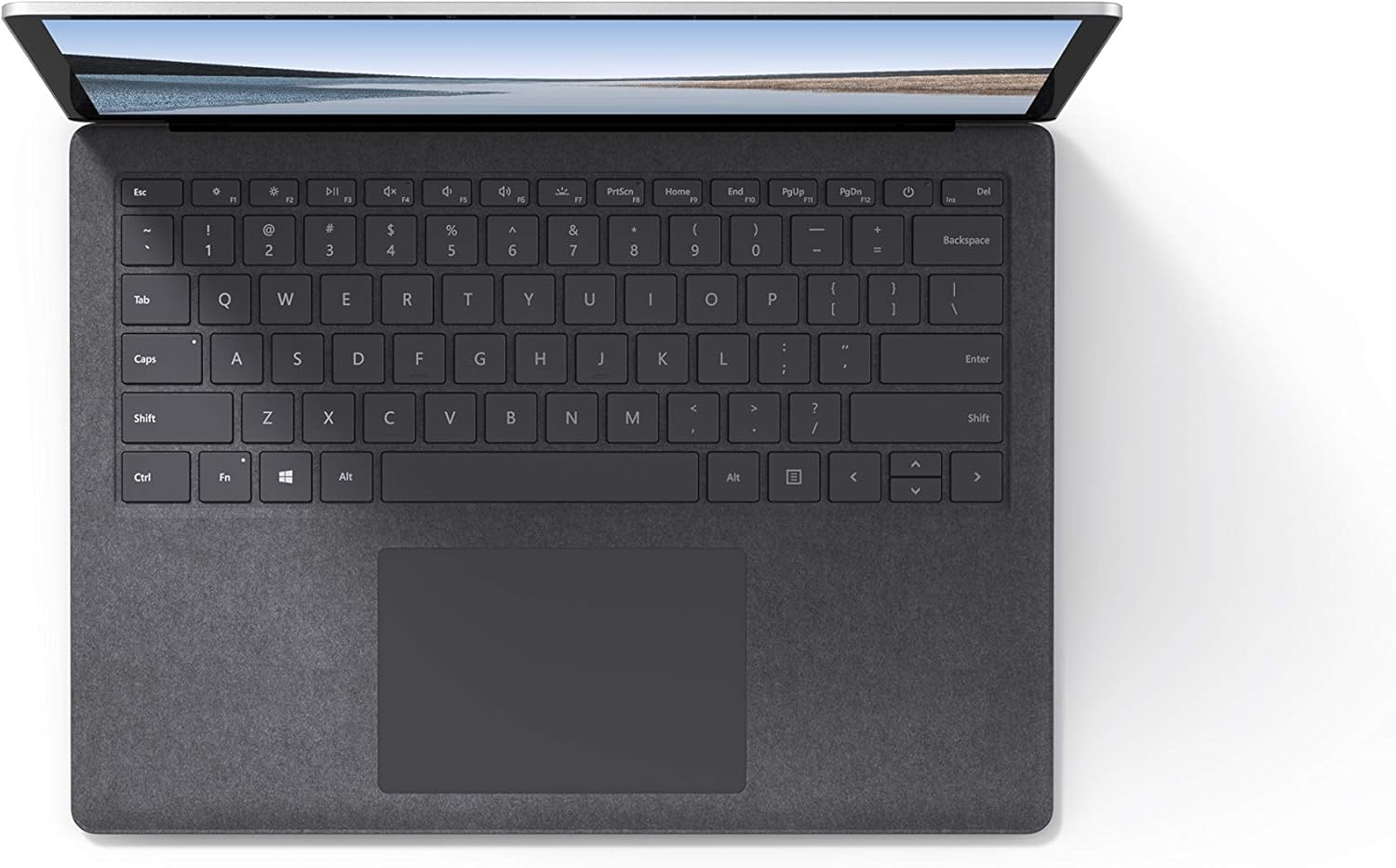
Gambar 4.1: Atas-bawah view of the keyboard and touchpad area.
4.3 Audio dan Kamera
The laptop is equipped with Omnisonic Speakers with Dolby Audio Premium for clear sound. Dual far-field Studio Mics enhance voice clarity for calls and recordings. A front-facing 720p HD camera supports video conferencing and Windows Hello facial authentication.
4.4 Konektivitas Nirkabel
The Surface Laptop 3 supports Wi-Fi 6 (802.11ax) for fast and reliable internet access, and Bluetooth 5.0 for connecting wireless accessories.
Video 4.1: Official Microsoft video showcasing the Surface Laptop 3's features and design.
5. Pemeliharaan
5.1 Membersihkan Perangkat Anda
- Gunakan kain yang lembut dan tidak berbulu dampened with water or an approved screen cleaner to clean the display.
- Untuk keyboard dan sasis, gunakan kain lembut dan kering. Hindari bahan kimia keras atau bahan abrasif.
- Jaga pelabuhan bebas dari debu dan kotoran.
5.2 Pembaruan Perangkat Lunak
Periksa dan instal pembaruan Windows secara berkala untuk memastikan kinerja, keamanan, dan akses ke fitur-fitur terbaru yang optimal. Buka Pengaturan > Pembaruan & Keamanan > Pembaruan Windows.
5.3 Perawatan Baterai
- Hindari suhu ekstrem.
- For optimal battery longevity, avoid consistently discharging the battery to 0% or keeping it at 100% for extended periods.
- Gunakan hanya catu daya yang disediakan.
6. Penyelesaian masalah
6.1 Masalah Daya
- Perangkat tidak menyala: Ensure the power supply is securely connected and the outlet is functional. Try a forced shutdown by holding the power button for 30 seconds, then release and press again briefly to restart.
- Baterai tidak mengisi daya: Verify the Surface Connect cable is properly attached. Check for any damage to the cable or port.
6.2 Masalah Kinerja
- Kinerja lambat: Close unnecessary applications. Check Task Manager for resource-intensive processes. Ensure Windows is up to date.
- Terlalu panas: Ensure ventilation vents are not blocked. Avoid using the laptop on soft surfaces that can obstruct airflow.
6.3 Masalah Konektivitas
- Wi-Fi tidak terhubung: Restart your router and the laptop. Check Wi-Fi settings and ensure the correct network is selected and password entered.
- Perangkat Bluetooth tidak dapat dipasangkan: Ensure the Bluetooth device is in pairing mode and within range. Check Bluetooth settings on your laptop.
7. Spesifikasi
| Fitur | Detil |
|---|---|
| Merek | Microsoft |
| Nama Model | Laptop Permukaan 3 |
| Nomor Model | VGY-00001 |
| Ukuran Layar | 13.5 inci |
| Resolusi | 2256 x 1504 Piksel |
| Model CPU | Intel Core i5 (10th Generation) |
| Kecepatan Prosesor | 1.2 GHz (up to 3.7 GHz with Turbo Boost) |
| Ukuran Memori RAM Terpasang | 8 GB LPDDR4 |
| Ukuran Hard Disk | SSD berkapasitas 128GB |
| Sistem Operasi | Windows 10 Home (Free Upgrade to Windows 11 when available) |
| Koprosesor Grafis | Intel Iris Plus |
| Teknologi Konektivitas | 1 x USB-C, 1 x USB-A, 3.5 mm headphone jack, 1 x Surface Connect port |
| Teknologi Nirkabel | Wi-Fi 6 (802.11ax), Bluetooth 5.0 |
| Daya Tahan Baterai | Hingga 11.5 Jam |
| Berat Barang | 2.79 pon |
| Dimensions (L x W x Thickness) | 8.8"P x 12.1"L x 0.57"T |
| Kamera | Front-facing 720p HD camera with Windows Hello face authentication |
| Suara | Omnisonic Speakers with Dolby Audio Premium, Dual far-field Studio Mics |
8. Garansi dan Dukungan
8.1 Garansi Produk
The Microsoft Surface Laptop 3 (Model VGY-00001) comes with a Garansi terbatas produsen selama 1 tahun. This warranty covers defects in materials and workmanship under normal use. For specific terms and conditions, please refer to the warranty documentation included with your product or visit the official Microsoft support weblokasi.
8.2 Dukungan Pelanggan
For technical assistance, troubleshooting, or warranty claims, please contact Microsoft Support. You can find contact information and additional resources on the official Microsoft Surface support websitus. Siapkan bukti pembelian dan nomor seri produk Anda saat menghubungi dukungan pelanggan.
Dukungan online: Mengunjungi support.microsoft.com/surface untuk FAQ, driver, dan unduhan perangkat lunak.