
1. Petunjuk Penyiapan
1.1 Isi Paket
- Srihome SH004 USB Webkamera
- Kabel USB (terintegrasi)
1.2 Menghubungkan Webkamera
The Srihome SH004 webcam is designed for plug-and-play operation, requiring no additional driver installation on most compatible systems.
- Hubungkan ke Port USB: Masukkan webcam's USB cable into an available USB 2.0 or USB 3.0 port on your computer (PC, laptop, or desktop).
- Pengenalan Sistem: Your operating system (Windows 7/8/10, LINUX, Mac OS, Android TV) should automatically detect and configure the webcam. A notification may appear indicating successful device installation.
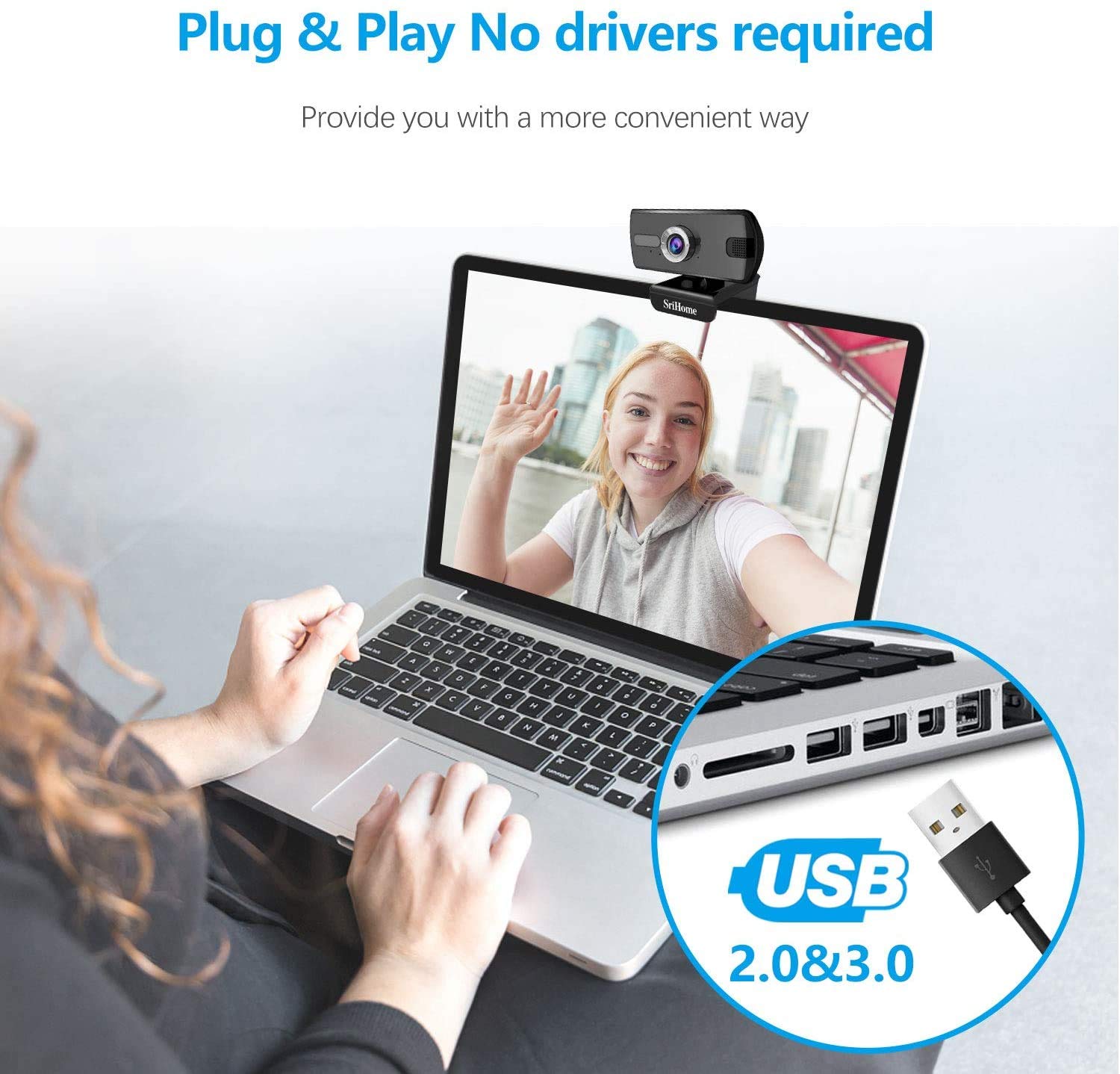
Gambar 1: Menghubungkan webcam to a USB port. The device is plug-and-play, requiring no driver installation.
1.3 Pemasangan Webkamera
Itu webcam features a versatile clip that allows it to be securely mounted on various devices, such as laptop screens, desktop monitors, or placed on a flat surface.
- Sesuaikan Klip: Open the clip to fit over the top edge of your monitor or laptop screen.
- Posisikan Webkamera: Pastikan webcam is centered and stable.
- Rotate for Optimal Angle: Itu webcam's bracket allows for 360-degree rotation, enabling you to adjust the camera angle as needed.

Gambar 2: webcam features a 360-degree rotatable bracket for flexible positioning.
1.4 Penyesuaian Fokus
For optimal image clarity, the webcam features a manual focus adjustment. If the image appears blurred, gently rotate the silver-colored ring around the lens until the picture becomes sharp.
2. Petunjuk Pengoperasian
2.1 Video Calls and Conferencing
The Srihome SH004 webcam is suitable for various communication platforms and applications.
- Kompatibilitas Aplikasi: Use with popular applications such as Skype, Yahoo, FaceTime, Hangouts, YouTube, Zoom, and other video conferencing software.
- Memilih Webkamera: In your chosen application's settings, ensure "Srihome SH004" is selected as the primary video and audio input device.

Figure 3: Key features of the Srihome SH004 webcam, including HD video, 3MP resolution, wide-angle lens, built-in microphone, and plug-and-play functionality.
2.2 Image and Audio Quality
- Video Definisi Tinggi: Itu webcam provides a maximum resolution of 3 Megapixels (2048x1536) with H.264 video compression, ensuring clear and detailed images.
- Bidang Luas View: A 110° wide-angle lens captures a broad perspective, ideal for group calls or presentations.
- Mikrofon internal: The integrated stereo microphone features noise cancellation, designed to capture your voice clearly even in moderately noisy environments.

Figure 4: The 110-degree wide-angle field of view provides extensive coverage.

Figure 5: The built-in microphone with noise cancellation enhances audio clarity.
3. Pemeliharaan
To ensure the longevity and optimal performance of your Srihome SH004 webcam, ikuti panduan perawatan sederhana ini:
- Membersihkan Lensa: Gently wipe the camera lens with a soft, lint-free cloth. Avoid using harsh chemicals or abrasive materials that could scratch the lens.
- Membersihkan Tubuh: Gunakan yang kering atau sedikit keringamp soft cloth to clean the webcam's body. Do not immerse the device in water or any other liquid.
- Penyimpanan: Saat tidak digunakan, simpan webSimpan di tempat yang bersih dan kering, terhindar dari sinar matahari langsung dan suhu ekstrem.
- Perawatan Kabel: Hindari menekuk atau memutar kabel USB secara berlebihan untuk mencegah kerusakan internal.
4. Penyelesaian masalah
If you encounter issues with your Srihome SH004 webcam, lihat masalah umum dan solusi berikut:
- Problem: The system does not detect the webkaca.
Larutan:
- Putuskan dan sambungkan kembali kabel USB.
- Cobalah menghubungkannya webcolokkan kamera ke port USB lain di komputer Anda.
- Restart the application you are trying to use with the webcam (e.g., Skype, Zoom).
- Hidupkan ulang komputer Anda.
- Pastikan sistem operasi Anda sudah diperbarui.
- Problem: The image appears blurred or out of focus.
Larutan:
- Gently rotate the silver-colored ring around the webcam lens to manually adjust the focus until the image is clear.
- Pastikan lensa bersih dan bebas dari noda atau debu.
- Masalah: webcam frequently disconnects during use.
Larutan:
- Pastikan kabel USB terhubung dengan aman ke kedua webkamera dan komputer.
- Try a different USB port, preferably a USB 3.0 port if available, to ensure sufficient power and stable connection.
- Avoid using long USB extension cables, which can sometimes cause connectivity issues.
- Problem: The built-in microphone is not working or audio quality is poor.
Larutan:
- Check your computer's sound settings to ensure the "Srihome SH004" is selected as the default recording device.
- Verify microphone settings within your video conferencing application (e.g., Zoom, Skype).
- Ensure there are no physical obstructions blocking the microphone on the webkaca.
- Test the microphone in a quieter environment to rule out excessive background noise.
5. Spesifikasi Produk
| Fitur | Detil |
|---|---|
| Merek | Srihome |
| Nama Model | SH004 |
| Resolusi Diam Efektif | 3 MP |
| Resolusi Pengambilan Video | 2048x1536 (3MP), also supports 1080p, 720p, 480p |
| Kecepatan Pengambilan Gambar | 30 detik |
| Teknologi Sensor Foto | Bahasa Indonesia: CMOS |
| Jenis Lensa | Sudut Lebar (3.6mm) |
| Bidang View | 110° |
| Tipe Fokus | Fokus Manual |
| Teknologi Konektivitas | Kabel USB 2.0/3.0 |
| Mikrofon Terintegrasi | Yes, with Noise Cancellation |
| Perangkat yang Kompatibel | PC, Laptop, Desktop, Android TV |
| Sistem Operasi | Windows 7 / Win8 / Win10 / LINUX / Mac OS / Android TV |
| Fitur Khusus | Penglihatan Malam |
| Warna | Hitam |
| Berat Barang | 250 gram |
6. Garansi dan Dukungan
6.1 Informasi Garansi
The Srihome SH004 webcam comes with a standard manufacturer's warranty. Please refer to the warranty card included with your purchase or contact your retailer for specific terms and conditions regarding warranty coverage and duration.
6.2 Dukungan Pelanggan
For technical assistance, product inquiries, or support, please contact Srihome customer service through their official website or the contact information provided in your product packaging. When contacting support, please have your product model (SH004) and purchase details ready.