
1. Pendahuluan
Thank you for choosing the TEZO TT06B Wireless Earbuds. These earbuds are designed to provide a high-quality audio experience with convenience and durability. Featuring Bluetooth 5.0 for stable connectivity, IPX8 waterproofing for active lifestyles, intuitive touch controls, and a portable charging case with Type-C quick charge, the TT06B earbuds are suitable for various activities, from sports to daily commutes.
2. Isi Paket
Pastikan semua item ada dalam paket Anda:
- TEZO TT06B Wireless Earbuds (Left and Right)
- Kotak Pengisian Portabel
- Kabel Pengisi Daya USB Type-C
- Ujung Earphone Silikon (Kecil, Sedang, Besar)
- Panduan Pengguna
3. Produk Lebihview
Familiarize yourself with the components of your TEZO TT06B Wireless Earbuds.
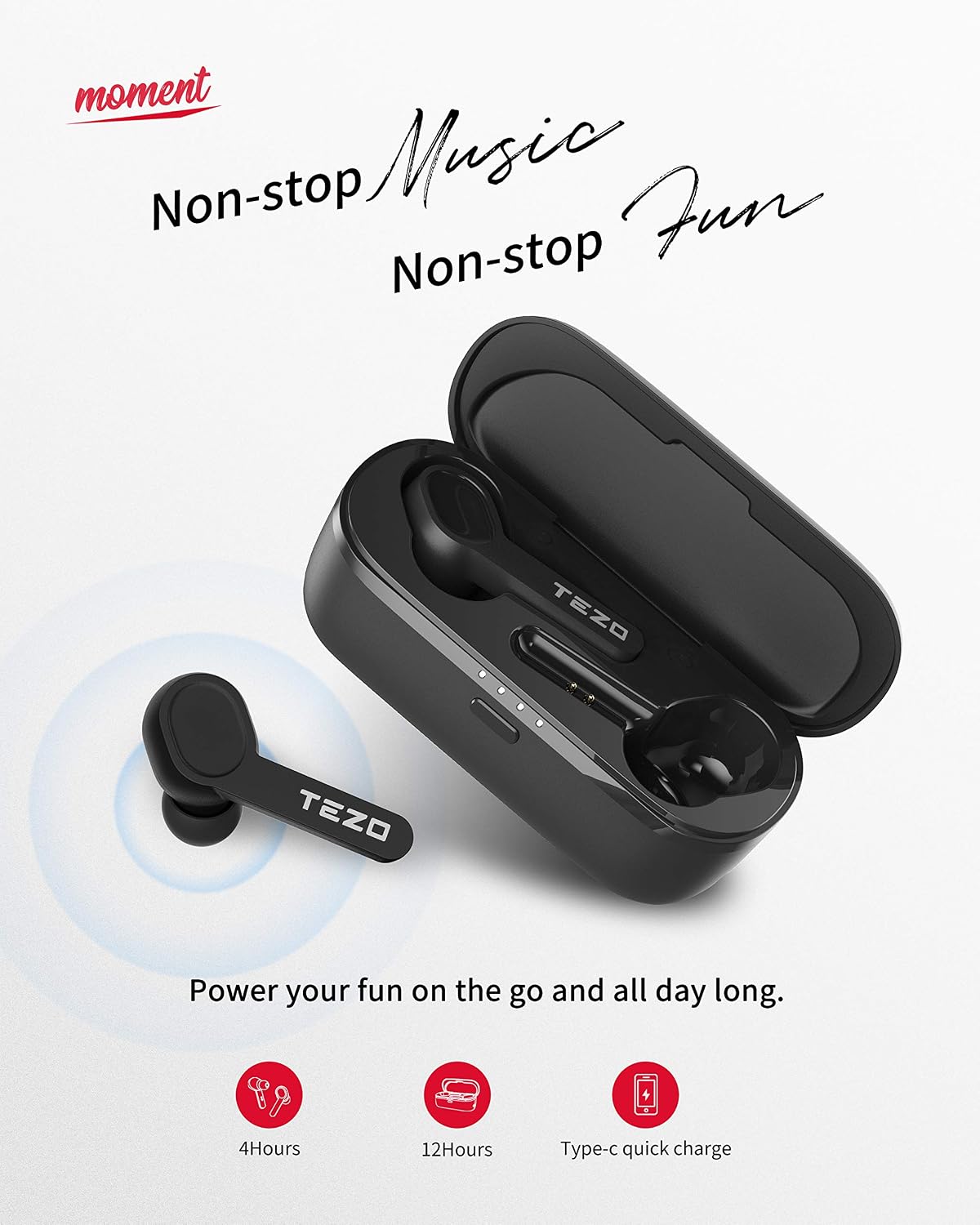
Gambar: TEZO TT06B Wireless Earbuds and Charging Case
The image above displays the TEZO TT06B wireless earbuds nestled within their charging case. The earbuds feature a sleek, in-ear design, and the charging case is compact, indicating portability. The case also shows LED indicators, likely for battery status.
4. Pengaturan
4.1 Mengisi Daya Earbud dan Casing
Sebelum penggunaan pertama, isi daya earbud dan casing pengisi daya hingga penuh.
- Mengisi Daya Casing: Connect the provided USB Type-C cable to the charging port on the case and to a USB power adapter (not included). The LED indicators on the case will show charging status. A full charge for the case takes a short time, providing approximately 12 extra hours of playtime for the earbuds.
- Mengisi Daya Earbud: Place the earbuds into the charging case. They will automatically begin charging. The earbuds can last for over 4 hours of playtime on a single charge.
4.2 Memasangkan dengan Perangkat Anda
The TEZO TT06B earbuds feature one-step auto-pairing for convenience.
- Pastikan wadah pengisi daya memiliki daya yang cukup.
- Buka wadah pengisi daya dan keluarkan kedua earbud. Earbud akan otomatis menyala dan terhubung satu sama lain.
- Pada perangkat Anda (ponsel pintar, tablet, dll.), aktifkan Bluetooth dan cari perangkat yang tersedia.
- Select "TEZO TT06B" from the list of found devices to pair. Once connected, you will hear a confirmation tone.

Gambar: Pairing the TEZO TT06B Earbuds with a Device
This image illustrates the process of pairing the TEZO TT06B earbuds with a mobile device. The earbuds are shown outside their charging case, and a smartphone screen displays the Bluetooth settings, highlighting the 'TEZO' device ready for connection. This visual confirms the simple pairing steps.

Gambar: Automatic Pairing of Left and Right Earbuds
The image shows the left and right TEZO TT06B earbuds, indicating their individual 'L' and 'R' markings. A subtle graphic suggests an automatic connection between the two earbuds, emphasizing the auto-pairing feature once they are removed from the case.
4.3 Mengenakan Earbud
For optimal sound quality and comfort, choose the ear tips that best fit your ears. The TEZO TT06B comes with three different sizes of non-slip ergonomic earplugs. Insert the earbuds gently into your ear canal and rotate them slightly to find a secure and comfortable fit.
5. Petunjuk Pengoperasian
5.1 Kontrol Sentuh
The TEZO TT06B earbuds feature high-precision touch sensors for easy control of music and calls.

Gambar: TEZO TT06B Earbud Touch Control Functions
This image provides a visual guide to the touch control functions on the TEZO TT06B earbuds. It depicts an earbud with various icons around it, representing actions such as skipping tracks (forward/backward), playing/pausing music, answering/ending calls, and activating a voice assistant. The fingerprint graphic on the earbud indicates the touch-sensitive area.
- Putar/Jeda: Ketuk satu kali pada salah satu earbud.
- Lagu Berikutnya: Ketuk dua kali earbud kanan.
- Lagu Sebelumnya: Ketuk dua kali earbud kiri.
- Menjawab/Mengakhiri Panggilan: Ketuk satu kali pada salah satu earbud saat ada panggilan masuk.
- Tolak Panggilan: Tekan dan tahan salah satu earbud selama 2 detik selama panggilan masuk.
- Aktifkan Voice Assistant: Ketuk tiga kali pada salah satu earbud.
5.2 Daya Hidup/Mati
- Nyalakan: The earbuds automatically power on when removed from the charging case. To manually power on, press and hold the touch area on both earbuds for 3 seconds.
- Matikan: The earbuds automatically power off when placed back into the charging case. To manually power off, press and hold the touch area on both earbuds for 5 seconds.
5.3 Melakukan Panggilan
The built-in microphone with noise reduction allows for clear hands-free calls. Use the touch controls as described above to manage calls.
6. Pemeliharaan
6.1 Pembersihan
Pembersihan teratur membantu menjaga kinerja dan kebersihan yang optimal.
- Bersihkan earbud dan casing pengisi daya secara perlahan menggunakan kain yang lembut, kering, dan tidak berbulu.
- Untuk ujung telinga, lepaskan dari earbud dan bersihkan dengan larutan sabun lembut jika perlu, lalu bilas hingga bersih dan keringkan sepenuhnya sebelum dipasang kembali.
- Jangan gunakan pembersih abrasif, alkohol, atau pelarut kimia.
6.2 Tahan Air (IPX8)
The TEZO TT06B earbuds are IPX8 waterproof, meaning they are protected against continuous immersion in water under specific conditions. This makes them suitable for strenuous workouts, rain, and splashes.

Gambar: TEZO TT06B Earbuds IPX8 Water Resistance
This image depicts a person enjoying water activities while wearing the TEZO TT06B earbuds, visually confirming their IPX8 waterproof rating. The text on the image highlights resistance to sweat, water, and rain, reinforcing the product's durability for active use.
Penting: While IPX8 rated, it is not recommended to use the earbuds for swimming or diving. Ensure the earbuds are dry before placing them back into the charging case to prevent damage.
6.3 Penyimpanan
Saat tidak digunakan, simpan earbud di dalam wadah pengisi dayanya untuk melindungi dan menjaga dayanya tetap terisi. Simpan di tempat yang sejuk dan kering, jauhkan dari suhu ekstrem.
7. Penyelesaian masalah
Jika Anda mengalami masalah dengan earbud Anda, cobalah solusi berikut:
- Earbud tidak dapat dipasangkan satu sama lain: Place both earbuds back into the charging case, close the lid, wait a few seconds, then remove them again. They should automatically connect.
- Earbud tidak terhubung ke perangkat: Ensure Bluetooth is enabled on your device and the earbuds are in pairing mode. Forget "TEZO TT06B" from your device's Bluetooth list and try pairing again.
- Tidak ada suara dari satu earbud: Ensure both earbuds are charged. Try placing them back in the case and removing them. If the issue persists, try resetting the earbuds.
- Masalah pengisian daya: Periksa kabel Type-C dan adaptor daya. Pastikan kontak pengisian daya pada earbud dan di dalam wadah bersih dan bebas dari kotoran.
- Mengatur Ulang Earbud: If issues persist, place both earbuds in the charging case. With the lid open, press and hold the button on the charging case (if available, or refer to specific product diagram for reset button location) for 10 seconds until the indicator lights flash, then release. This will reset the earbuds to factory settings.
8. Spesifikasi
| Fitur | Spesifikasi |
|---|---|
| Merek | TEZO |
| Nomor Model | TT06B |
| Teknologi Konektivitas | Nirkabel (Bluetooth) |
| Versi Bluetooth | 5.0 |
| Jangkauan Bluetooth | Hingga 35 kaki |
| Tahan Air | Tingkat IPX8 |
| Metode Kontrol | Menyentuh |
| Waktu Bermain Earbud | Over 4 hours (single charge) |
| Charging Case Additional Playtime | 12 jam |
| Port Pengisian Daya | USB Tipe-C |
| Mikropon | Built-in with Denoise |
| Penempatan Telinga | Di Telinga |
| Komponen yang Termasuk | Casing Pengisian Daya Nirkabel |
9. Garansi dan Dukungan
TEZO products are manufactured to high standards and undergo rigorous quality checks. For information regarding warranty coverage, technical support, or customer service, please refer to the warranty card included in your package or visit the official TEZO websitus. Harap simpan bukti pembelian Anda untuk klaim garansi.