
1. Produk Lebihview
The Nitecore Pocket 10000 (NB10000) is an ultra-lightweight and compact power bank designed for portable charging. It features a 10,000mAh capacity, fast charging capabilities, dual USB-C ports, and a built-in Type-C charging cable for convenience. Constructed with lightweight carbon fiber, it is suitable for various uses, including travel and outdoor activities.
Fitur Utama:
- Sangat Ringkas & Ringan: Weighing approximately 160g (5.64oz) and with a thickness of 12.5mm (0.49"), it is designed for portability.
- Kapasitas Tinggi: 10,000mAh 3.85V (38.5Wh) Li-ion battery, capable of charging a modern smartphone multiple times.
- Pengisian Cepat: Supports up to 22.5W max output via USB-C port and 20W max output via built-in USB-C cable.
- Dua Port USB-C: Includes one integrated two-way fast charging USB-C cable and one USB-C port for versatile charging.
- Kabel USB-C bawaan: Eliminates the need to carry an extra charging cable.
- Peringkat IP65: Memberikan perlindungan terhadap debu dan cipratan air.
- Power Level Display: Four blue indicator lights show the charging status and remaining power.
- Disetujui Maskapai Penerbangan: Complies with UN38.3 standard for safe air travel.
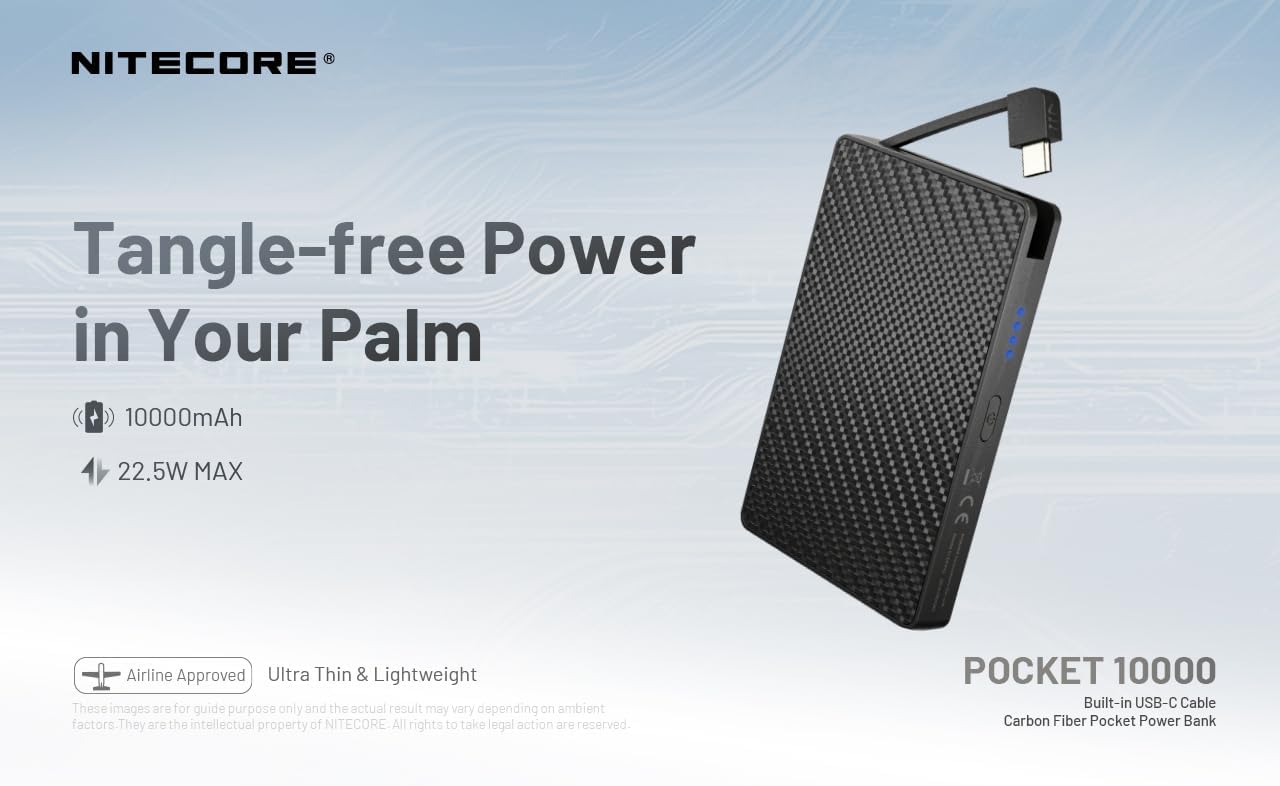
Figure 1: Nitecore Pocket 10000 Power Bank highlighting its compact design and built-in USB-C cable.
2. Pengaturan Awal
2.1 Isi Paket
Before use, please ensure all items are present in the package:
- Nitecore Pocket 10000 Power Bank (NB10000)
- Kabel pengisi daya USB-C ke USB-A (untuk mengisi ulang power bank)
- Manual Instruksi
2.2 Pengisian Awal Power Bank
It is recommended to fully charge the Nitecore Pocket 10000 before its first use.
- Connect the provided USB-C to USB-A charging cable to the USB-C input/output port on the power bank.
- Hubungkan ujung USB-A kabel ke adaptor daya USB yang kompatibel (tidak termasuk) atau port USB komputer.
- The blue indicator lights on the power bank will illuminate and flash to indicate charging progress. All four lights will be solid when fully charged.
The power bank charges quickly. Ensure adequate ventilation during charging, as it may generate some heat.
3. Operasi
3.1 Memeriksa Level Baterai
Press the power button once to activate the power level display. The four blue indicator lights will show the remaining battery capacity:
- 4 lights: 75% - 100%
- 3 lights: 50% - 75%
- 2 lights: 25% - 50%
- 1 light: 0% - 25% (Recharge recommended)
3.2 Mengisi Daya Perangkat Eksternal
The Nitecore Pocket 10000 can charge various electronic devices, including smartphones, smartwatches, and other USB-powered gadgets.
- Menggunakan Kabel USB-C Bawaan: Extend the integrated USB-C cable and plug it directly into your device's USB-C port.
- Menggunakan Port USB-C: Connect your device's charging cable (USB-C to USB-C or USB-A to USB-C) to the power bank's USB-C output port.
- The power bank will automatically begin charging your device. The indicator lights will show the power bank's remaining charge.
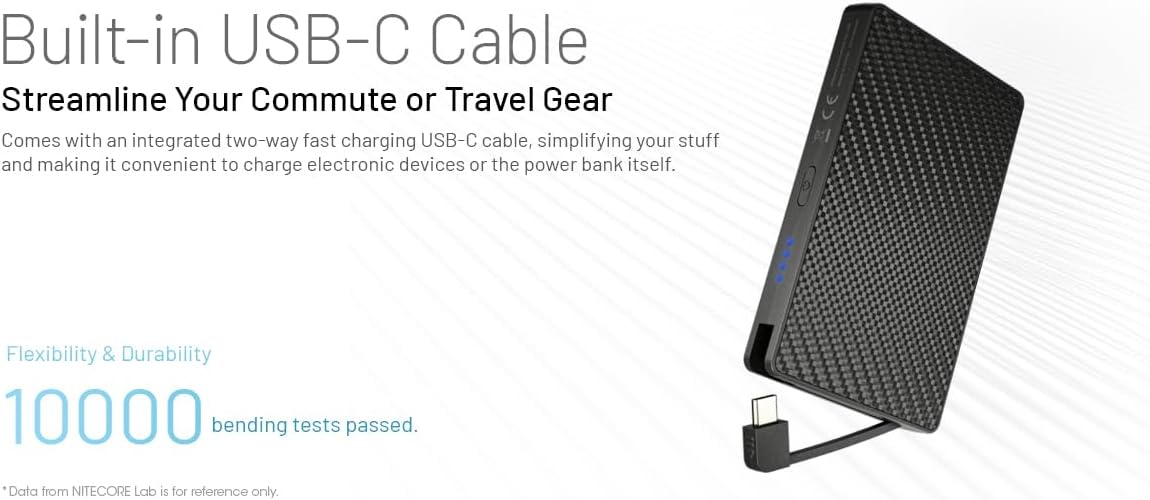
Figure 2: Charging a smartphone using the integrated USB-C cable.

Figure 3: Charging a smartphone using the dedicated USB-C port.
3.3 Mengisi Daya Beberapa Perangkat (Pengisian Daya Langsung)
The power bank supports charging itself while simultaneously charging an external device. This is known as pass-through charging.
- Connect the power bank to a power source for recharging (as described in Section 2.2).
- Connect your external device to the power bank using either the built-in USB-C cable or the USB-C port.
- Baik power bank maupun perangkat Anda akan terisi daya secara bersamaan.
3.4 Automatic Low Current Mode
For charging low-current devices such as wireless earphones or smartwatches, the power bank automatically enters a low current mode to prevent overcharging and ensure optimal battery health for these devices.

Figure 4: The power bank automatically adjusts output for low-current devices like wireless earbuds.
4. Pemeliharaan
- Pembersihan: Gunakan kain lembut dan kering untuk membersihkan permukaan power bank. Hindari penggunaan bahan kimia keras atau bahan abrasif.
- Penyimpanan: Simpan bank daya di tempat yang sejuk dan kering, jauhkan dari sinar matahari langsung dan suhu ekstrem.
- Praktek Pengisian: To prolong battery life, avoid completely draining the power bank frequently. Recharge it when the battery level is low.
- Manajemen Panas: During fast charging or heavy use, the power bank may become warm. This is normal. Ensure it is placed in an open area with good ventilation to dissipate heat.
- Tahan Air: The power bank is IP65 rated, meaning it is protected against dust and low-pressure water jets. Do not submerge it in water or expose it to heavy rain.
5. Penyelesaian masalah
| Masalah | Kemungkinan Penyebab | Larutan |
|---|---|---|
| Bank daya tidak mengisi daya | Charging cable not properly connected; faulty cable or adapter; power bank battery fully discharged. | Ensure cable is securely connected. Try a different cable or power adapter. Allow the power bank to charge for an extended period if deeply discharged. |
| Perangkat tidak mengisi daya dari bank daya | Device cable not properly connected; power bank battery is empty; device is not compatible; power bank is in low current mode for a high-current device. | Check cable connections. Recharge the power bank. Verify device compatibility. Ensure the power bank is not stuck in low current mode (though it's automatic, a restart might help). |
| Power bank menjadi panas saat pengisian/pengosongan daya. | Normal operation during fast charging or high load; poor ventilation. | This is generally normal. Ensure the power bank is in a well-ventilated area. If it becomes excessively hot or emits smoke/odor, discontinue use immediately. |
| Lampu indikator tidak berfungsi | Power bank mati; terjadi kerusakan internal. | Press the power button to activate the display. If still unresponsive, contact customer support. |
6. Spesifikasi
| Fitur | Detil |
|---|---|
| Nomor Model | POCKET 10000 (NB10000) |
| Jenis Sel Baterai | Li-ion |
| Kapasitas | 10,000mAh 3.85V (38.5Wh) |
| Energi Terukur | 6,200mAh 5V (TYP 3A) |
| Input (USB-C Cable) | 5V-3A / 9V-2A / 12V-1.5A (maks 18W) |
| Input (USB-C Port) | 5V-3A / 9V-2A / 12V-1.5A (maks 18W) |
| Output (Built-in USB-C Cable) | 5V-3A / 9V-2.22A / 12V-1.67A (maks 20W) |
| Output (USB-C Port) | 5V-3A / 9V-2.22A / 12V-1.67A / 10V-2.25A (22.5W MAX) |
| Jumlah Keluaran | 5V-3A (MAKS) |
| Peringkat IP | Tingkat IP65 |
| Dimensi (P x L x T) | 105.0mm x 70.0mm x 12.5mm / 4.13" x 2.76" x 0.49" |
| Berat | 160g ± 5g / 5.64 oz ± 0.1 oz |
| Perangkat yang Kompatibel | Smartphone, Smartwatch, etc. |
7. Garansi dan Dukungan
Information regarding the product warranty and customer support details was not available in the provided product data. Please refer to the official Nitecore website or contact your retailer for specific warranty terms and support options.


