
1. Produk Lebihview
The Weewooday 60 Minute Visual Kitchen Timer is a mechanical countdown device designed for various timing needs, including cooking, homework, exercise, and other daily activities. This timer operates without batteries, featuring a clear visual dial and a distinct audible bell upon completion of the set time. Its compact and lightweight design ensures portability and ease of use.

Image: Two Weewooday 60 Minute Visual Kitchen Timers, showcasing their compact, square design with a white body and a clear 0-60 minute dial.

Image: A collage demonstrating the versatility of the Weewooday timer in different settings, such as cooking, studying, yoga, and office work, highlighting its utility for time management.
2. Pengaturan
The Weewooday 60 Minute Visual Kitchen Timer requires no batteries or complex assembly. It is ready for use directly out of the packaging.
Fitur Utama:
- Operasi Mekanis: No batteries are needed, ensuring reliability and environmental friendliness.
- 60-Minute Countdown: Provides timing for up to one hour.
- Visual Dial: Allows for easy monitoring of remaining time.
- Peringatan Terdengar: A clear bell rings when the set time expires.
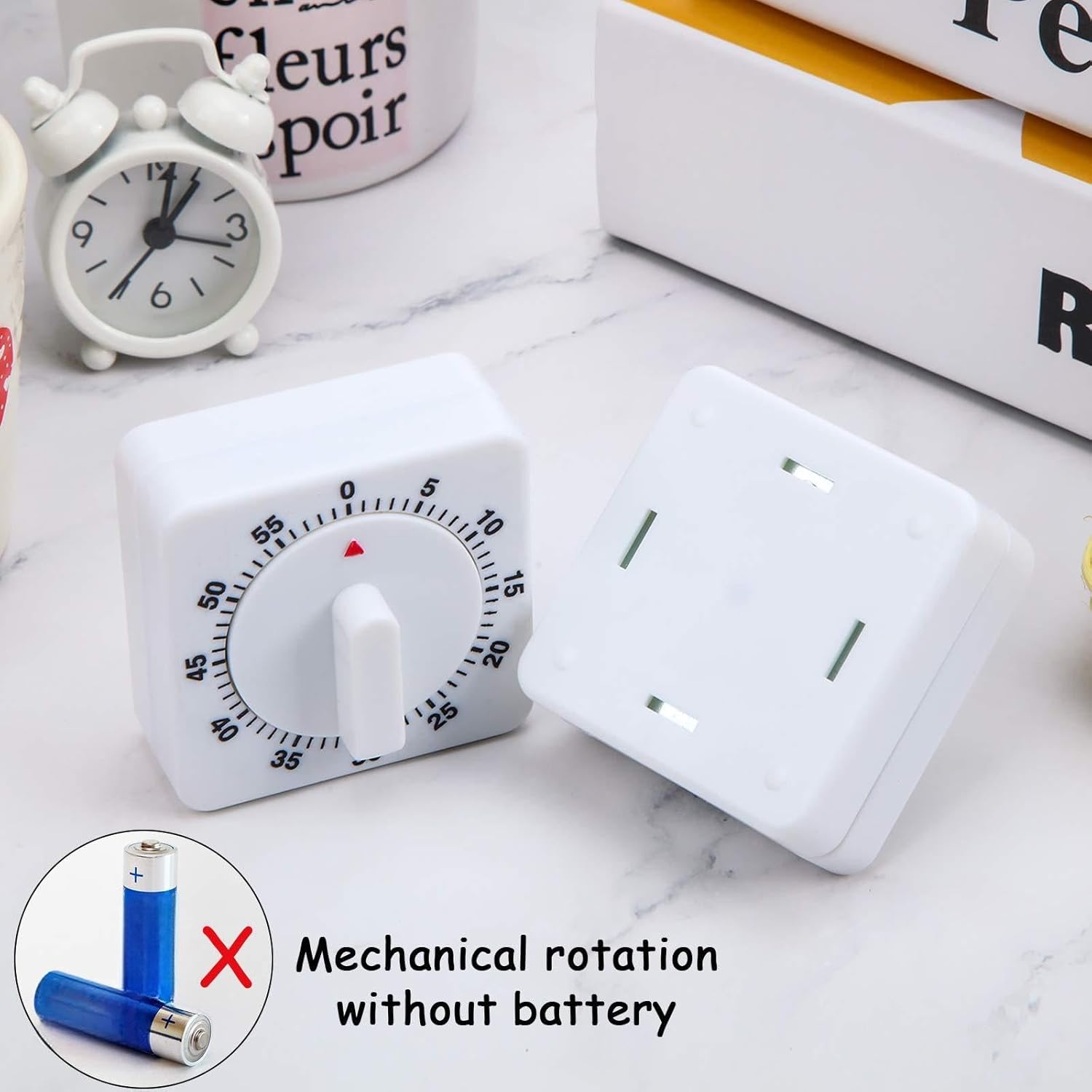
Image: A Weewooday timer next to an illustration of crossed-out batteries, emphasizing that the device operates mechanically and does not require any power source.
3. Petunjuk Pengoperasian
To ensure proper function and accurate timing, follow these steps:
- Wind the Timer Fully: Before each use, turn the dial clockwise all the way to the "0" mark (or 60-minute mark). This action winds the internal spring mechanism, which is essential for the timer to function correctly and ring the bell.
- Atur Waktu yang Diinginkan: After winding, rotate the dial counter-clockwise to the specific time duration you wish to set (e.g., 10 minutes, 30 minutes). The red indicator on the dial will move to show the remaining time.
- Countdown and Alert: The timer will begin its countdown. Once the set time has elapsed, a distinct bell will ring to alert you.
Catatan: For optimal performance and to ensure the bell rings, always wind the timer fully to the "0" mark before setting your desired countdown time.

Image: A visual representation of the timer operation, showing the steps: 1. Find "0", turn clockwise to a circle. 2. Rotate counterclockwise to the time you want to use. 3. Countdown finished, the bell rings.

Image: A hand turning the dial of the Weewooday timer, illustrating the counter-clockwise motion to set the desired countdown duration.
4. Pemeliharaan
To ensure the longevity and proper functioning of your Weewooday timer, please observe the following maintenance guidelines:
- Pembersihan: Wipe the timer with a soft, dry cloth. Avoid using abrasive cleaners or solvents, as these can damage the surface and internal mechanisms.
- Penyimpanan: Store the timer in a dry place, away from extreme temperatures and direct sunlight.
- Penanganan: Handle the timer with care. Avoid dropping it or subjecting it to strong impacts, which can affect its mechanical accuracy.
- Paparan Air: This timer is not waterproof. Keep it away from water and high humidity to prevent damage to the internal components.
5. Penyelesaian masalah
If you encounter any issues with your Weewooday timer, please refer to the following common troubleshooting tips:
- Timer Does Not Ring or Rings Weakly:
- Ensure you have fully wound the timer by turning the dial clockwise to the "0" mark before setting your desired time. Insufficient winding can result in a weak or absent bell sound.
- Verify that the timer is not obstructed or placed on a soft surface that might muffle the sound.
- Timer Stops Before Time Expires or is Inaccurate:
- Confirm that the timer was fully wound to the "0" mark before setting.
- Mechanical timers can have slight variations in accuracy. For precise timing, consider using a digital timer.
- Avoid dropping or impacting the timer, as this can affect its internal mechanism and accuracy.
- Loud Ticking Sound:
- While designed for quiet operation, some mechanical timers may produce a subtle ticking sound. If the ticking is excessively loud or unusual, it may indicate an internal issue.
Jika langkah-langkah ini tidak menyelesaikan masalah, hubungi dukungan pelanggan untuk bantuan lebih lanjut.
6. Spesifikasi
| Atribut | Detil |
|---|---|
| Merek | hari minggu |
| Nomor Model | Weewooday-933 |
| Bahan | Logam, Plastik |
| Dimensi Produk | 0.98"P x 2.28"L x 2.28"T (2.5 cm P x 5.8 cm L x 5.8 cm T) |
| Berat Barang | 5.3 ons |
| Maximum Timing Duration | 60 menit |
| Sumber Daya | Mechanical (No batteries required) |
7. Garansi dan Dukungan
Specific warranty information for the Weewooday 60 Minute Visual Kitchen Timer is not included in this manual. For details regarding warranty coverage, returns, or technical support, please refer to the product packaging or contact the manufacturer directly through their official websitus atau saluran layanan pelanggan.