
Perkenalan
Thank you for choosing the FLYLINKTECH CF700 Multi-functional Jump Starter and Tire Inflator. This device is designed to provide reliable assistance for vehicle emergencies, including jump-starting dead batteries, inflating tires, and serving as a portable power bank. Please read this manual thoroughly before use to ensure safe and optimal operation.
Petunjuk Keselamatan Penting
Failure to follow these instructions may result in electric shock, fire, and/or serious injury. Save these instructions for future reference.
- Always wear safety glasses and protective gloves when operating the jump starter.
- Jangan melompat mulai baterai beku.
- Pastikan kendaraan dalam posisi parkir (P) atau netral (N) dan rem parkir diaktifkan.
- Jauhkan anak-anak dan orang yang tidak berkepentingan dari area kerja.
- Jangan hubungkan kutub positif (+) dan negatif (-)ampbersama-sama.
- Jangan biarkan perangkat terkena hujan atau kondisi basah.
- Jangan membongkar unit. Serahkan semua servis kepada teknisi yang berkualifikasi.
- Store the device in a cool, dry place away from direct sunlight and heat.
- The device contains a lithium-ion battery. Dispose of it according to local regulations.
Isi Paket
Verifikasi bahwa semua item ada dalam paket Anda:
- FLYLINKTECH CF700 Jump Starter and Tire Inflator
- Cerdas Clamps with 8 Protections
- Kabel USB ke Tipe-C
- Adaptor DC
- 3 x Valve Adapters (for various inflatables)
- User Manual (dokumen ini)
- Tas Penyimpanan

Produk Selesaiview
Familiarize yourself with the different parts and functions of your FLYLINKTECH CF700 device.

- DC 12V-16V/10A Output Port: Untuk memberi daya pada aksesori mobil 12V.
- USB Output Ports (QC3.0 & 2.4A): For charging mobile phones, tablets, and other USB-powered devices.
- Port Masukan Tipe C: For recharging the CF700 unit.
- Port Output EC5: For connecting the smart jump starter clamps.
- Tombol Daya: To turn the unit on/off and cycle through LED light modes.
- Indikator Daya LCD: Menampilkan sisa daya baterai.
- LCD Air Pressure Display: Shows current and target tire pressure.
- ON/OFF Button (for Air Compressor): Activates and deactivates the tire inflator.
- Lampu Darurat LED: Provides illumination with Stable, SOS, and Strobe modes.
Spesifikasi
| Fitur | Spesifikasi |
|---|---|
| Model | CF700 |
| Arus Puncak | 2500A |
| Kapasitas Baterai | 24000 mAh |
| Jenis Layanan Kendaraan | Car, Motorcycle, SUV, Scooter, Truck, Tractor |
| Kompatibilitas Mesin | Up to All Gasoline Engines, Up to 8.0L Diesel Engines |
| Tekanan Pompa Ban | Max 150 PSI (0.3~10.3 BAR) |
| Keluaran USB 1 (QC3.0) | 5V/3A, 9V/2A, 12V/1.5A |
| Keluaran USB 2 | Tegangan 5V/2.4A |
| Output DC | 12V-16V / 10A |
| Daya Lampu LED | 5W |
| Suhu Operasional | -20°C hingga 60°C (-4°F hingga 140°F) |
| Dimensi (P x L x T) | Kira-kira 22 x 17 x 9 cm (8.7 x 6.7 x 3.5 inci) |
| Berat | Sekitar 1.5 kg (3.3 lbs) |
Mengisi Daya Perangkat
Before first use, fully charge the FLYLINKTECH CF700. It takes approximately 5 hours to fully charge using a fast charger.
- Connect the USB to Type-C cable to the Type-C input port on the CF700.
- Connect the other end of the USB cable to a USB wall adapter (not included) or a car charger.
- The LCD power indicator will show the charging progress. The device is fully charged when the indicator shows 100%.
It is recommended to recharge the unit every 3-6 months to maintain battery health, even if not in use.
Langsung Memulai Kendaraan
The CF700 can jump start 12V vehicles with up to all gasoline engines and 8.0L diesel engines.

- Ensure the CF700 is sufficiently charged (at least 50% recommended).
- Turn off the vehicle's ignition and all accessories (lights, radio, etc.).
- Masukkan smart clamp cable into the EC5 output port of the CF700. The indicator light on the smart clamp will flash green and red.
- Hubungkan MERAH positif (+) clamp ke terminal positif (+) baterai kendaraan.
- Hubungkan HITAM negatif (-) clamp to the vehicle's negative (-) battery terminal or a solid metal part of the engine block (unpainted).
- Suatu ketika clamps are correctly connected, the indicator light on the smart clamp will turn solid green. If it flashes red, check the connections.
- Nyalakan mesin kendaraan.
- Setelah mesin menyala, segera lepaskan smart lock.amps from the vehicle battery, first the negative (-) clamp, lalu tanda positif (+) clamp.
- Putuskan sambungan smart lockamp cable from the CF700.
Catatan: If the vehicle does not start after 3 attempts, stop and check for other potential issues with the vehicle.

Using the Tire Inflator
The integrated air compressor can inflate tires up to 150 PSI and features an automatic shut-off function.
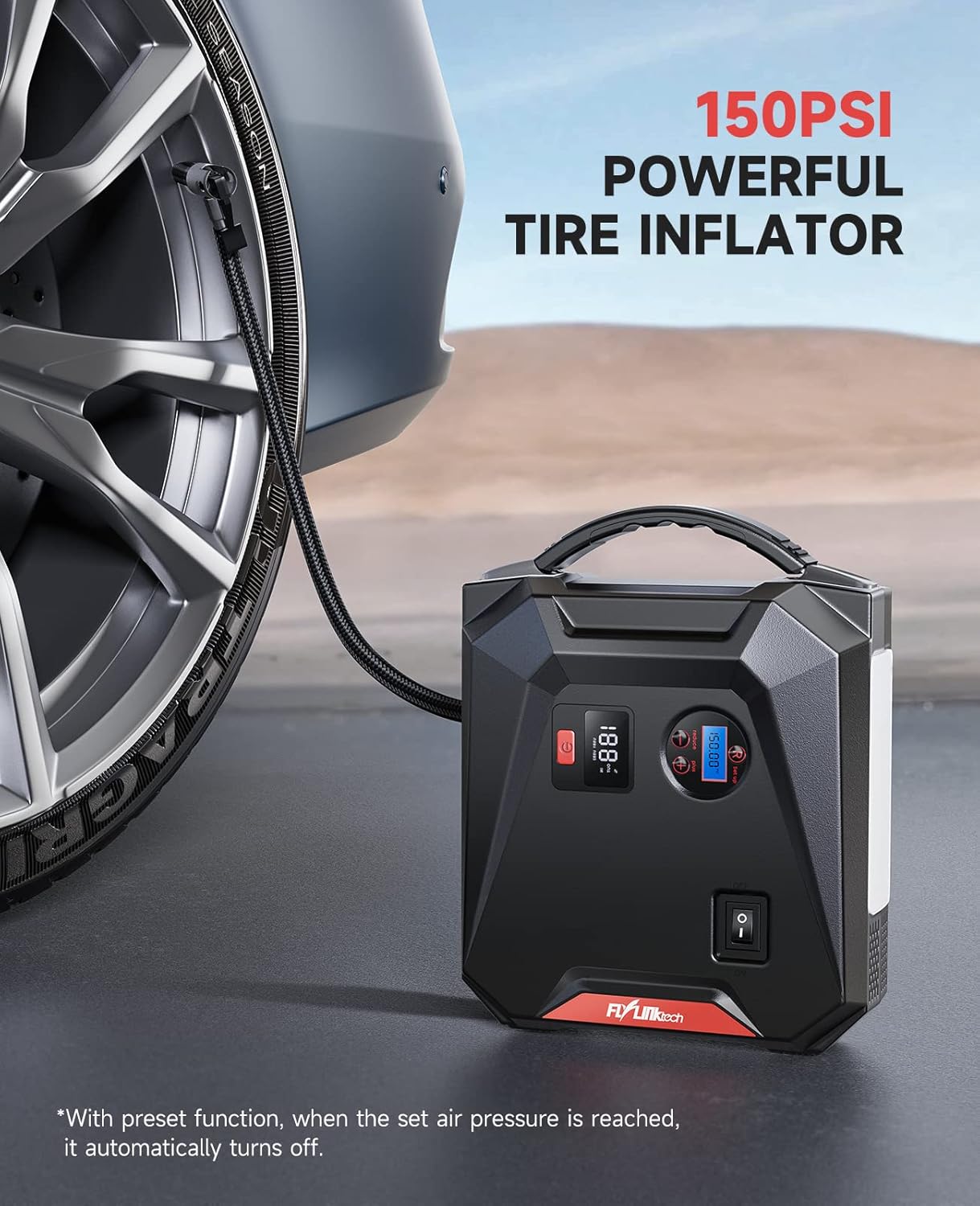
- Connect the air hose to the tire valve stem. Ensure it is securely tightened to prevent air leakage.
- Press the power button on the CF700 to turn on the unit. The LCD air pressure display will show the current tire pressure.
- Use the '+' and '-' buttons to set the desired target pressure. The unit supports PSI, BAR, KPA, and KG/CM².
- Press the ON/OFF button for the air compressor to start inflation.
- Kompresor akan berhenti secara otomatis setelah tekanan yang telah ditentukan tercapai.
- Lepaskan selang udara dari katup ban.
Use the included valve adapters for inflating bicycles, balls, and other inflatables.
Menggunakan sebagai Power Bank
The 24000mAh capacity allows you to charge various electronic devices.

- Pengisian Daya USB: Connect your device's USB charging cable to either of the USB output ports (USB 1 QC3.0 or USB 2 2.4A) on the CF700. The device will begin charging automatically.
- Output DC: For 12V car accessories, connect the accessory to the DC 12V-16V/10A output port. Ensure the accessory's power requirements do not exceed 10A.
Menggunakan Lampu Darurat LED
The 5W LED light provides illumination for various situations.

- Press and hold the power button for approximately 3 seconds to turn on the LED light in Stable mode.
- Press the power button again to cycle through the light modes: Stable → SOS → Strobe → Off.
- To turn off the light directly from any mode, press and hold the power button for 3 seconds.
Penyelesaian Masalah
| Masalah | Kemungkinan Penyebab | Larutan |
|---|---|---|
| Perangkat tidak menyala. | Baterai sudah benar-benar habis. | Isi daya perangkat hingga penuh. |
| Kendaraan tidak dapat dihidupkan dengan cara melompat. | Kl salahamp connection; Device battery too low; Vehicle battery severely damaged. | Cek klamp connections (solid green light on smart clamp); Recharge CF700; Consult a mechanic. |
| Teman pintaramp indikator berkedip merah. | Reverse polarity connection; Short circuit; Over-temperature. | Putuskan klamps and reconnect correctly; Check for short circuits; Allow device to cool down. |
| Tire inflator does not start or stops prematurely. | Air hose not securely connected; Target pressure already reached; Device battery too low. | Ensure hose is tight; Check current pressure; Recharge CF700. |
| Perangkat USB tidak mengisi daya. | Device battery too low; Cable issue; Device not compatible. | Recharge CF700; Try a different USB cable; Check device compatibility. |
Pemeliharaan dan Penyimpanan
- Bersihkan perangkat dengan kain kering dan lembut. Jangan gunakan bahan kimia keras atau bahan abrasif.
- Store the CF700 in its storage bag in a cool, dry place between -20°C and 60°C (-4°F and 140°F).
- Avoid storing the device in direct sunlight or near heat sources.
- For optimal battery life, recharge the unit every 3-6 months, even if not used.
Garansi dan Dukungan
FLYLINKTECH products are designed and manufactured to the highest quality standards. For warranty information or technical support, please refer to the contact details provided on the product packaging or the official FLYLINKTECH website. Please have your model number (CF700) and purchase date available when contacting support.