
Perkenalan
This manual provides instructions for the operation and maintenance of your WIITHINK Portable CD Boombox, model WTB771. This device features multiple audio playback options including CD, FM radio, Bluetooth, USB, and AUX input, designed for versatile use.

Gambar: Depan view of the WIITHINK Portable CD Boombox WTB771, black color, showing the display, control buttons, speakers, and handle.
Isi Paket
- 1 x WIITHINK Portable CD Radio Boombox (WTB771)
- 1 x Kabel Daya
- 1 x Garis AUX
- 1 x Panduan Pengguna
- 1x Kontrol Jarak Jauh
Pengaturan
Catu Daya
The boombox can be powered by AC power or batteries.
- Daya AC: Connect the provided power cable to the AC port on the back of the unit and plug it into a standard wall outlet (AC voltage: 220V / 50Hz, 110V / 60Hz).
- Daya Baterai: For portable use, insert 4 C-sized batteries (not included) into the battery compartment located on the bottom of the unit. Ensure correct polarity.
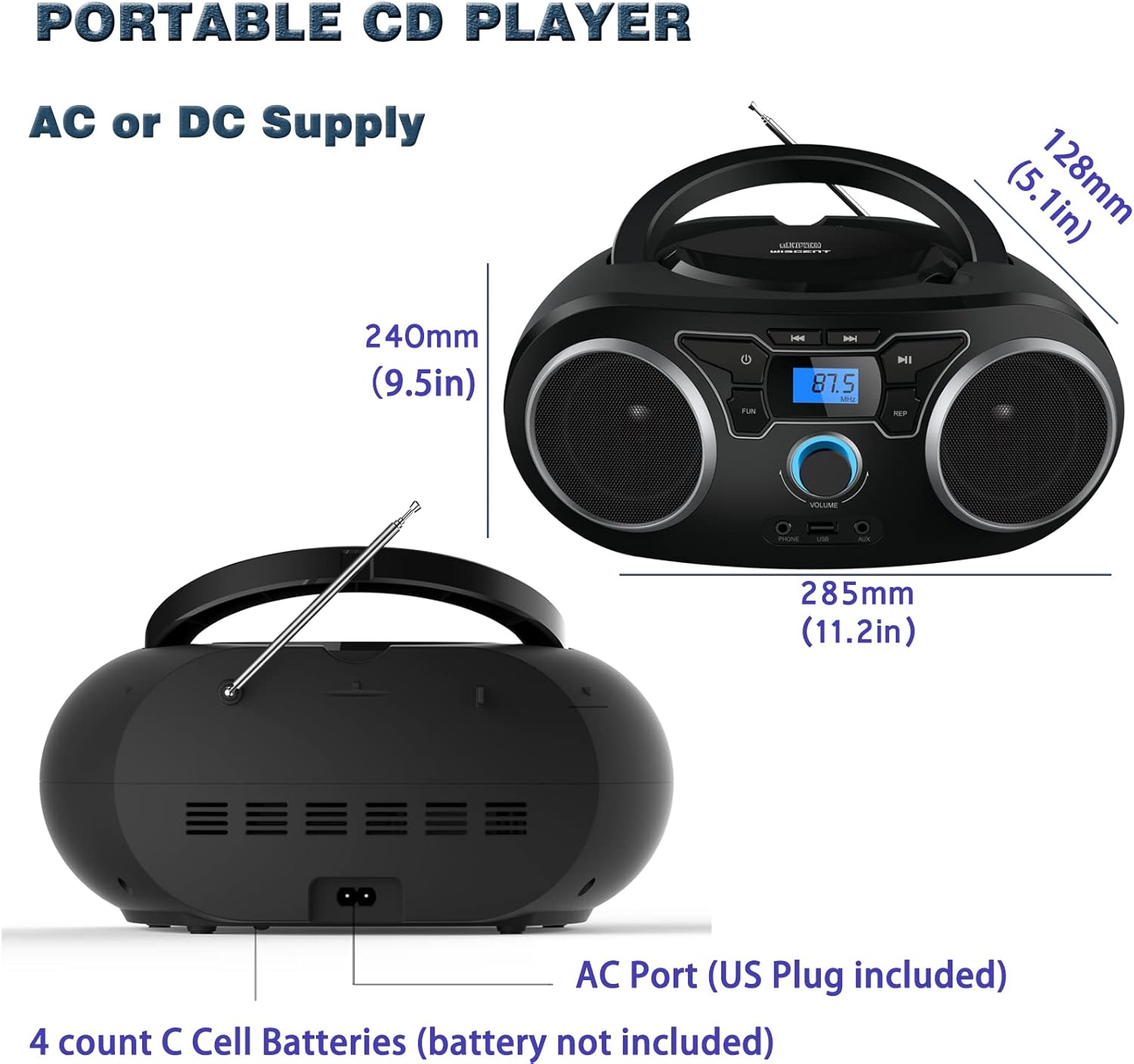
Gambar: Belakang view of the boombox, highlighting the AC power port and the battery compartment for 4 C-sized batteries.
Petunjuk Pengoperasian
Kontrol Umum
The unit features a digital LCD screen and various control buttons and knobs. The main volume control is a rotary knob on the front. A remote control is also included for convenient operation.

Gambar: Atas-bawah view of the boombox, showing the CD compartment, control buttons, and volume knob.
1. Pemutaran CD
- Open the CD compartment lid located on the top of the unit.
- Place a CD (CD, CD-R, CD-RW, MP3-CD) onto the spindle with the label side facing up.
- Tutup penutup kompartemen CD.
- Tekan tombol MODE tombol untuk memilih mode CD.
- Tekan tombol PUTAR/JEDA tombol untuk memulai pemutaran.
- Gunakan LEWATI / CARI tombol untuk bernavigasi antar trek.
- Itu MENGULANG button allows for repeating a single track or all tracks.
- Itu PROGRAM function allows you to create a custom playback order for tracks.
The boombox supports MP3 and WMA audio formats on compatible discs.
2. Pengoperasian Radio FM
- Rentangkan antena teleskopik untuk penerimaan optimal.
- Tekan tombol MODE tombol untuk memilih mode Radio FM.
- Untuk memindai dan menyimpan stasiun secara otomatis, tekan dan tahan tombol PEMINDAIAN button. The unit will automatically search for and store up to 30 FM stations.
- Untuk menyetel secara manual, gunakan PENYETELAN kenop atau LEWATI / CARI buttons to find desired frequencies.
- Gunakan SETELAN TERLEBIH DAHULU tombol untuk menavigasi melalui stasiun yang disimpan.
Video: A user demonstrating the FM radio tuning function on the WIITHINK Portable CD Boombox WTB771, showing the digital display changing frequencies.
3. Konektivitas Bluetooth
- Tekan tombol MODE button to select Bluetooth mode. The display will indicate "BT" and the unit will enter pairing mode.
- On your Bluetooth-enabled device (e.g., smartphone, tablet), search for available devices and select "WTB771".
- Setelah terhubung, Anda dapat mengalirkan audio secara nirkabel dari perangkat Anda ke boombox.
Video: Sebuah Pra-Persiapan Singkatview demonstrating Bluetooth connectivity, showing a smartphone wirelessly connected to the boombox.
4. Pemutaran USB
- Masukkan USB flash drive yang berisi MP3 files ke port USB di bagian depan unit.
- Tekan tombol MODE tombol untuk memilih mode USB.
- Perangkat akan secara otomatis mendeteksi dan mulai memutar MP3. filedari drive USB.
- Use the playback controls (PLAY/PAUSE, SKIP/SEARCH) to manage your music.
5. Masukan AUX
- Connect an external audio device (e.g., MP3 player, laptop) to the AUX input jack on the front of the unit using the provided 3.5mm AUX cable.
- Tekan tombol MODE tombol untuk memilih mode AUX.
- Audio from the connected device will now play through the boombox speakers. Control playback from your external device.
Controls and Ports Overview
| Fitur | Keterangan |
|---|---|
| Tombol Daya | Menghidupkan/mematikan unit. |
| Tombol MODE | Beralih antara mode CD, FM, Bluetooth, USB, dan AUX. |
| Kenop Volume | Adjusts the audio output level (up to 32 levels). |
| Tombol MAINKAN/JEDA | Starts or pauses playback in CD, USB, and Bluetooth modes. |
| Tombol LEWATI/CARI | Navigates tracks in CD/USB mode; tunes frequencies in FM mode. |
| Tombol ULANGI | Repeats current track or all tracks in CD/USB mode. |
| Tombol PROGRAM | Sets a custom playback order for CD/USB tracks. |
| Antena FM | Antena teleskopik untuk penerimaan radio FM. |
| Port USB | Connects USB flash drives for MP3 playback. |
| Jack Masukan AUX | Input 3.5 mm untuk menghubungkan perangkat audio eksternal. |
| Soket Headphone | Output 3.5mm untuk mendengarkan secara pribadi. |
| Kontrol Jarak Jauh | Provides wireless control over all functions. |

Image: Close-up of the front panel, showing the USB port, AUX input, and headphone jack.
Pemeliharaan
- Bersihkan unit dengan kain lembut dan kering. Jangan gunakan pembersih abrasif atau pelarut.
- Jaga agar kompartemen CD tetap bersih dan bebas debu.
- Hindari memaparkan unit ke suhu ekstrem, kelembapan, atau sinar matahari langsung.
- When not in use for extended periods, remove batteries and unplug the AC power cable.
Penyelesaian Masalah
| Masalah | Larutan |
|---|---|
| Tidak Ada Daya |
|
| Tidak Ada Suara |
|
| CD melompati/tidak memutar |
|
| Penerimaan FM Buruk |
|
| Masalah Pemasangan Bluetooth |
|
Spesifikasi
- Model: WTB771
- Dimensi Produk: 7 x 10 x 4.8 inci (17.8 x 25.4 x 12.2 cm)
- Berat Barang: 2.64 pon (1.2 kg)
- Daya Keluaran: 2x2W RMS
- Konektivitas: Tambahan, Bluetooth, USB
- Tipe Pembicara: Terintegrasi
- Catu Daya: AC (220V/50Hz, 110V/60Hz) or 4 x C batteries (not included)
- Jenis Disk yang Didukung: CD, CD-R, CD-RW, MP3-CD
- Format Audio yang Didukung: MP3, WMA
- Pengaturan Radio FM: Hingga 30 stasiun
Garansi dan Dukungan
WIITHINK offers an 18-month after-sales service for this product. For any inquiries or technical support, please contact WIITHINK customer service through your purchase platform. Lifetime technical support is provided.
For further assistance, you may refer to the "Your Orders" section on Amazon, locate your order, and contact "WIITHINK Direct".
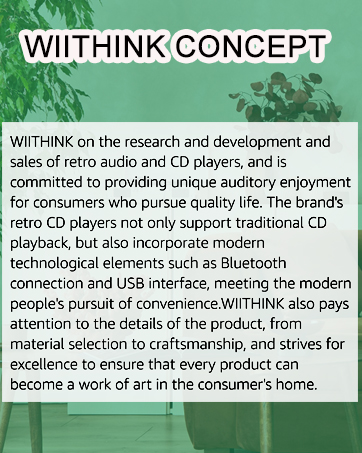
Image: Graphic illustrating WIITHINK's customer support, including 18-month replacement and lifetime technical support.