
1. Pendahuluan
This manual provides comprehensive instructions for the safe and effective use of your Weewooday BT-168 PRO Digital LCD Universal Battery Tester. This device is designed to quickly and accurately assess the charge level of various household batteries. Please read this manual thoroughly before operation and retain it for future reference.

Figure 1: Two Weewooday BT-168 PRO Digital LCD Universal Battery Testers. These compact, black devices feature an LCD screen and a red sliding contact for battery testing.
2. Informasi Keselamatan
- Do not attempt to test batteries that are visibly damaged, leaking, or corroded.
- Ensure correct polarity when inserting batteries into the tester. Incorrect polarity may not damage the tester but will result in an inaccurate reading.
- This device is for testing purposes only. Do not use it as a charger or for any other function.
- Jauhkan perangkat dari air, suhu ekstrem, dan sinar matahari langsung.
- Do not disassemble or modify the tester.
- Jauhkan dari jangkauan anak-anak.
3. Produk Lebihview
The Weewooday BT-168 PRO is a compact, digital battery tester designed for ease of use. It features an LCD display for clear voltage readings and adjustable contacts to accommodate various battery sizes.
Fitur Utama:
- Layar LCD Digital: Memberikan vol yang tepattage bacaan.
- Kompatibilitas Universal: Tests AA, AAA, C, D, 9V, 1.5V button cells, and various 3.7V rechargeable batteries (e.g., 18650, 16340, 14500, 10440, 21700).
- Didukung sendiri: Operates without its own battery, drawing power from the battery being tested.
- Desain Portabel: Small and lightweight for convenient storage and transport.

Figure 2: Dimensions of the BT-168 PRO battery tester, showing its compact size: approximately 4.36 inches long, 1.62 inches wide, and 1 inch thick.
4. Pengaturan
The Weewooday BT-168 PRO requires no initial setup or batteries. It is ready for use directly out of the packaging.
5. Petunjuk Pengoperasian
Follow these steps to test various battery types:
5.1. Testing Standard Cylindrical Batteries (AA, AAA, C, D, 18650, etc.)
- Locate the adjustable red slider on the side of the tester.
- Place the negative end of the battery against the fixed negative contact point (usually on the left side of the tester).
- Slide the red adjustable contact to firmly touch the positive end of the battery. Ensure good contact.
- Baca vol.tage ditampilkan di layar LCD.

Figure 3: The BT-168 PRO tester demonstrating its compatibility with various battery types, including AAA, AA, C, D, 18650, 16340, 14500, 10440, 21700, CR2032, LR44, L736, and 9V batteries.
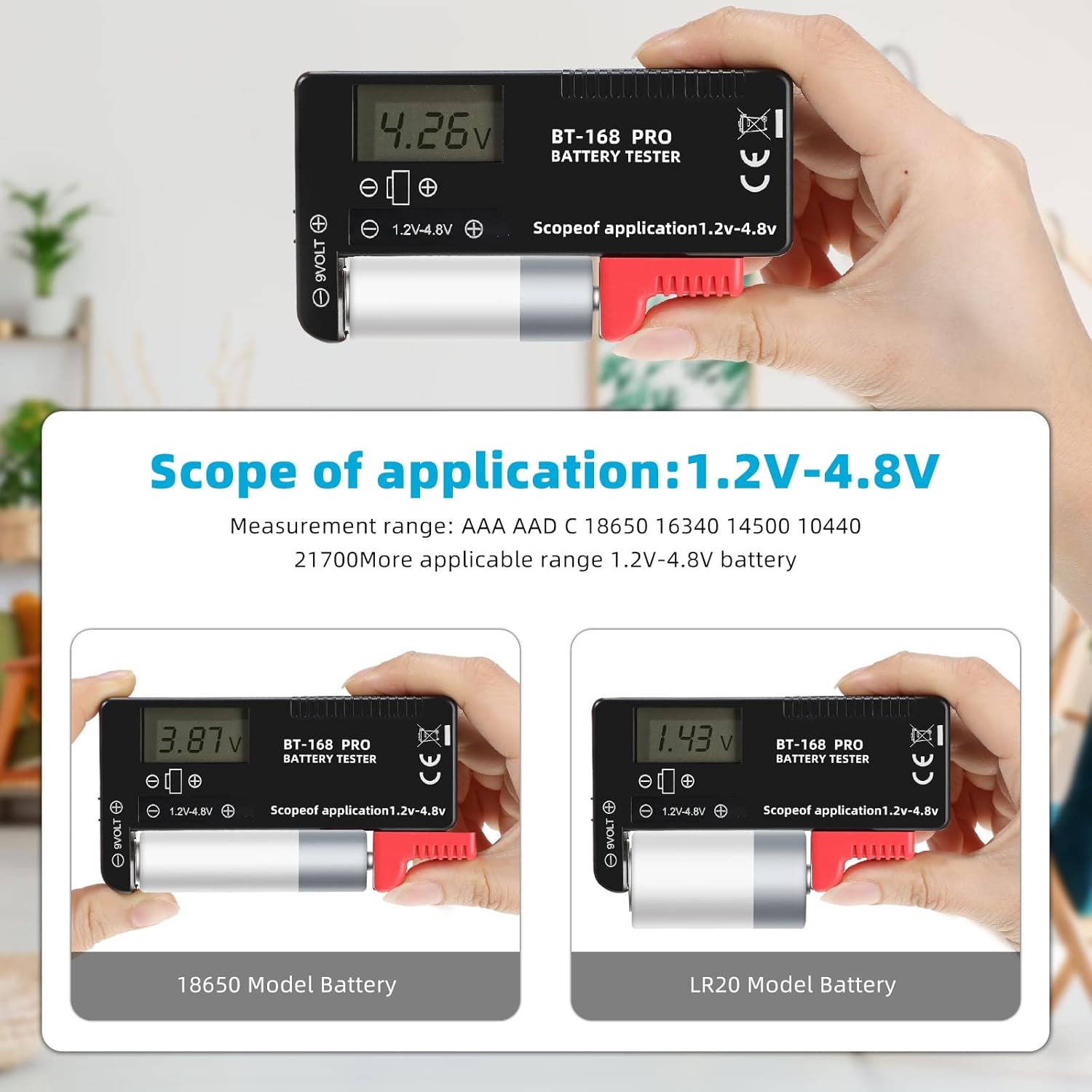
Figure 4: The tester displaying voltage readings for an 18650 battery (top) and an LR20 battery (bottom), illustrating the adjustable contact mechanism.
5.2. Testing 9V Batteries
- Locate the two small holes labeled "9VOLT" on the top left side of the tester.
- Align the positive and negative terminals of the 9V battery with the corresponding holes on the tester.
- Gently press the 9V battery onto the contacts.
- Baca vol.tage ditampilkan di layar LCD.

Figure 5: A 9V battery being tested by connecting its terminals to the dedicated 9V contacts on the BT-168 PRO tester, with the voltage ditampilkan di layar.
5.3. Testing Button Cell Batteries (CR2032, LR44, L736, etc.)
- Place the negative side of the button cell against the fixed negative contact.
- Use the red adjustable slider to make contact with the positive side of the button cell.
- Baca vol.tage ditampilkan di layar LCD.

Figure 6: The BT-168 PRO tester displaying a voltage reading while testing a button cell battery, using the adjustable slider.
Interpretasi Bacaan:
The LCD display shows the current voltage of the battery. Compare this reading to the nominal voltage of the battery type being tested to determine its charge level. For exampsaya:
- 1.5V Batteries (AA, AAA, C, D): A reading near 1.5V indicates a full charge. Readings below 1.2V typically indicate a depleted battery.
- Baterai 9V: A reading near 9V indicates a full charge. Readings below 7.5V typically indicate a depleted battery.
- 3.7V Rechargeable Batteries (18650, etc.): A reading near 4.2V (fully charged) down to 3.0V (depleted).
6. Pemeliharaan
- Pembersihan: Bersihkan alat penguji dengan kain lembut dan kering. Jangan gunakan pembersih abrasif atau pelarut.
- Penyimpanan: Simpan perangkat di tempat yang sejuk dan kering, jauh dari sinar matahari langsung dan kelembapan.
- Hindari Dampak: Protect the tester from drops and impacts to prevent damage to the internal components and LCD screen.
7. Penyelesaian masalah
| Masalah | Kemungkinan Penyebab | Larutan |
|---|---|---|
| No display or inaccurate reading | Kontak yang buruk dengan terminal baterai. | Ensure the battery is firmly pressed against both contacts and the slider is making good connection. |
| No display or inaccurate reading | Battery is completely dead. | The tester draws power from the battery being tested. If the battery is completely depleted, the tester may not power on. Try testing a known good battery. |
| Display shows "0.00V" for a new battery | Incorrect battery type for the tester's range or faulty unit. | Verify the battery type is within the tester's supported range (1.2V-4.8V for cylindrical, 9V for 9V batteries). If issues persist with multiple known good batteries, the unit may be defective. |
8. Spesifikasi
- Model: BT-168 PRO
- Merek: hari minggu
- Menampilkan: LCD digital
- Sumber Daya: Battery under test (no internal battery required)
- Jenis Baterai yang Kompatibel:
- 1.5V: AAA, AA, C, D, Button Cells (e.g., LR44, L736)
- 9V: 9V Block Batteries (e.g., 6F22)
- 3.7V: Rechargeable Lithium Batteries (e.g., 18650, 16340, 14500, 10440, 21700)
- Ukuran: Sekitar 4.36 x 1.62 x 1 inci (11.07 x 4.11 x 2.54 cm)
- Berat: Sekitar 3.52 ons (100 gram)
- Warna: Hitam, Merah
9. Garansi dan Dukungan
For warranty information or technical support, please refer to the retailer's return policy or contact Weewooday customer service through their official channels. Please retain your proof of purchase for any warranty claims.