
1. Pendahuluan
Terima kasih sudah membeliasing the REMAX RP-W16 Wireless Fast Charger. This device is designed to provide convenient and efficient wireless charging for compatible mobile phones. Please read this manual carefully before use to ensure proper operation and to maximize the lifespan of your product.
2. Informasi Keselamatan Penting
- Jangan biarkan pengisi daya terkena air, kelembapan, atau suhu ekstrem.
- Hindari menjatuhkan atau membiarkan pengisi daya terkena benturan keras.
- Do not disassemble, modify, or attempt to repair the device yourself. This will void the warranty and may cause damage or injury.
- Keep the charger away from medical implants (e.g., pacemakers) to prevent potential interference.
- Use only certified power adapters (not included) that meet the input voltage requirements (e.g., 9V) to ensure safe and efficient charging.
- Do not place metal objects, credit cards, or other foreign materials between the charging pad and your device, as this may interfere with charging or cause overheating.
- Ensure the charging pad is placed on a stable, flat surface.
3. Isi Paket
Silakan periksa paket untuk item berikut:
- REMAX RP-W16 Wireless Fast Charger
- USB Charging Cable (Type-C or Micro-USB, depending on model variant)
- User Manual (dokumen ini)
Note: A power adapter is not included and must be purchased separately. For fast charging, a Quick Charge (QC) 2.0/3.0 or Power Delivery (PD) compatible adapter is recommended.
4. Produk Lebihview
The REMAX RP-W16 is a compact and stylish wireless charging pad designed for convenience and fast charging. Its features include:
- Output Daya Tinggi 10W: Provides efficient and fast wireless charging.
- Upgraded Pure Copper Coil: Enhances charging speed by up to 50% for quicker power delivery.
- Optimal Charging Distance: Supports wireless charging through cases with a sensing distance of 3-8mm.
- Desain Tahan Lama dan Bergaya: Features an aluminum base with a fabric surface, offering a simple yet elegant aesthetic.
- Kompak dan Portabel: Palm-sized design makes it easy to carry.
- Anti-Skid Foot Pads: Four non-slip pads on the base prevent the charger from sliding, even during phone vibrations.
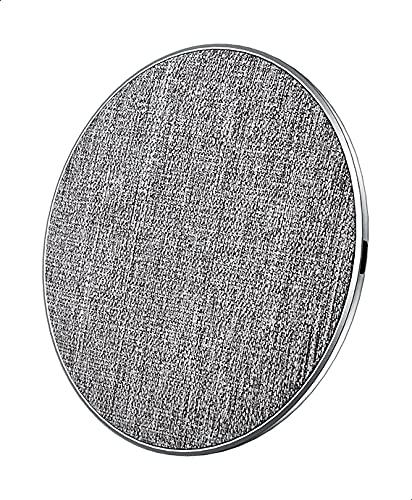
Gambar 1: REMAX RP-W16 Wireless Fast Charger in use. The image displays the circular charging pad with a fabric top, an aluminum base, and a smartphone placed on it, indicating active charging. The charger's compact size and anti-skid pads are visible.
5. Petunjuk Penyiapan
- Hubungkan Kabel Daya: Insert one end of the provided USB charging cable into the charging port on the REMAX RP-W16 wireless charger.
- Hubungkan ke Adaptor Daya: Insert the other end of the USB cable into a compatible USB power adapter (e.g., a Quick Charge 2.0/3.0 or Power Delivery adapter for fast charging).
- Colokkan ke Stopkontak: Plug the power adapter into a wall outlet. The charger's indicator light (if present) may illuminate briefly to confirm it is powered on.
- Penempatan: Place the wireless charger on a flat, stable surface, ensuring there are no metal objects or foreign materials nearby.
6. Petunjuk Pengoperasian
- Verifikasi Kompatibilitas: Ensure your mobile phone supports Qi wireless charging.
- Letakkan Perangkat pada Pengisi Daya: Carefully place your Qi-compatible mobile phone directly onto the center of the REMAX RP-W16 wireless charging pad.
- Konfirmasi Pengisian Daya: Your phone should display a charging indicator (e.g., a battery icon with a lightning bolt or a charging animation). The charger's indicator light (if present) may also change color or blink to indicate active charging.
- Penempatan Optimal: If charging does not begin immediately, slightly adjust the position of your phone on the pad until the charging indicator appears.
- Charging with Case: The charger supports charging through most non-metallic phone cases up to 8mm thick. Remove cases containing metal or magnetic attachments, as these can interfere with wireless charging.
- Pengisian Selesai: Once your device is fully charged, it will stop drawing power from the wireless charger. You can remove your phone at any time.
7. Pemeliharaan dan Perawatan
- Pembersihan: Lepaskan pengisi daya dari sumber listrik sebelum membersihkan. Gunakan kain lembut dan kering untuk menyeka permukaan. Jangan gunakan bahan kimia keras, pelarut pembersih, atau deterjen kuat.
- Penyimpanan: Jika tidak digunakan, simpan pengisi daya di tempat sejuk dan kering, jauh dari sinar matahari langsung dan suhu ekstrem.
- Penanganan: Handle the charger with care. Avoid dropping it or placing heavy objects on it.
8. Penyelesaian masalah
| Masalah | Kemungkinan Penyebab | Larutan |
|---|---|---|
| Perangkat tidak mengisi daya secara nirkabel. |
|
|
| Pengisian lambat. |
|
|
| Charger indicator light blinking or off. |
|
|
9. Spesifikasi
| Model | RP-W16 |
| Merek | REMAX |
| Masukan Voltage | 9V (Requires compatible power adapter) |
| Daya Keluaran | 10W |
| Port Pengisian Daya | 1 (Wireless) |
| Jarak Transmisi | 3-8 mm |
| Perangkat yang Kompatibel | Telepon Seluler (Kompatibel dengan Qi) |
| Fitur Khusus | Pengisian Cepat |
| Standar yang Patuh | CE |
| Jenis Pemasangan | Desktop / Surface Placement |
| Bahan | Aluminum base, Fabric surface |
| Asal | Dibuat di Tiongkok |
10. Garansi dan Dukungan Pelanggan
REMAX products are designed and manufactured to the highest quality standards. For information regarding warranty coverage, please refer to the warranty card included with your purchase or visit the official REMAX weblokasi.
If you encounter any issues or have questions about your REMAX RP-W16 Wireless Fast Charger, please contact REMAX customer support through their official channels. Please have your product model number (RP-W16) and proof of purchase ready when contacting support.


