
1. Pendahuluan dan Selesaiview
The Hbada W203 Gaming Chair is designed to provide ergonomic support and comfort for extended periods of sitting, whether for gaming or office work. It features a robust construction, adjustable components, and a design focused on user well-being.
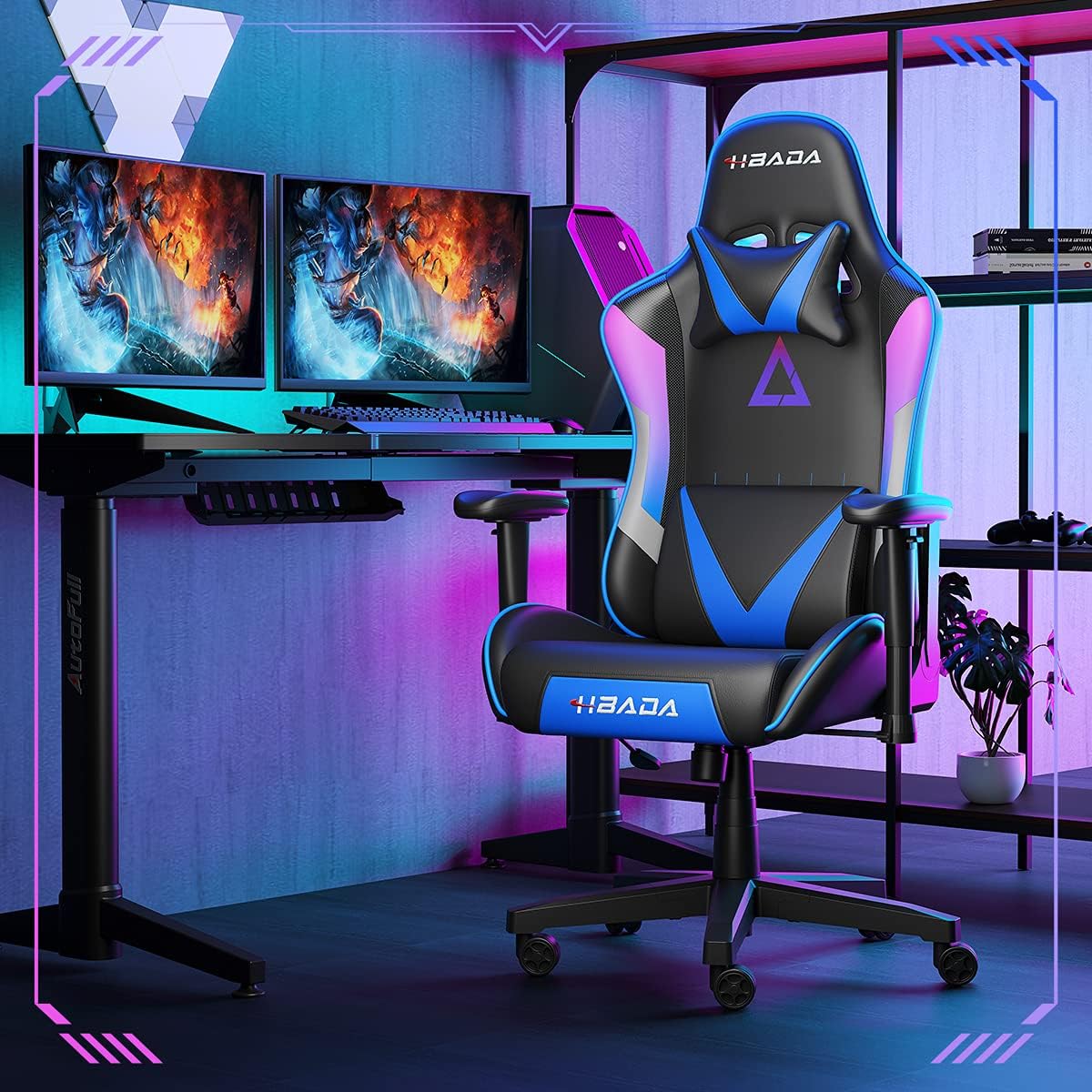
Image 1.1: The Hbada W203 Gaming Chair in a typical gaming environment, showcasing its design and presence.
2. Informasi Keselamatan
- Jangan melebihi kapasitas berat maksimum 150 kg (330.7 lbs).
- Pastikan semua baut dan sekrup dikencangkan dengan aman sebelum digunakan dan periksa secara berkala apakah ada yang kendur.
- Hindari berdiri di kursi atau menggunakannya sebagai pijakan.
- Jauhkan tangan dan jari dari bagian yang bergerak selama penyesuaian.
- Gunakan kursi di permukaan yang datar dan stabil untuk mencegahnya terbalik.
3. Isi Paket
Pastikan semua komponen tersedia sebelum memulai perakitan. Jika ada komponen yang hilang atau rusak, hubungi layanan pelanggan.
- Sandaran
- Bantal Duduk
- Sandaran tangan (2)
- Basis Bintang
- Kastor (5)
- Silinder Pengangkat Gas
- Penutup Angkat Gas
- Plat Mekanisme
- Bantal Sandaran Kepala
- Bantal Penopang Pinggang
- Paket Perangkat Keras (sekrup, ring, kunci Allen)
- Manual Instruksi
4. Petunjuk Perakitan
Assembly typically requires two people due to the weight of some components. Follow these steps carefully.
- Pasangkan Roda ke Basis: Insert each of the five casters into the holes at the end of each leg of the star base until they click into place.
- Masukkan Gas Lift: Tempatkan silinder pengangkat gas ke dalam lubang tengah alas berbentuk bintang. Tutup dengan penutup pengangkat gas.
- Pasang Pelat Mekanisme ke Dudukan: Align the mechanism plate with the screw holes on the underside of the seat cushion. Secure it with the provided screws and Allen wrench. Ensure the front of the mechanism faces the front of the seat.
- Pasangkan Sandaran Tangan ke Kursi: Secure the armrests to the sides of the seat cushion using the designated screws. Do not overtighten initially to allow for minor adjustments.
- Pasangkan Sandaran ke Kursi: Align the backrest with the mounting brackets on the seat cushion. Secure it with screws.
- Hubungkan Rakitan Kursi ke Alas: Carefully place the assembled seat onto the gas lift cylinder, ensuring it is centered. Apply downward pressure to secure it.
- Attach Headrest and Lumbar Support: Position the headrest pillow and lumbar support pillow as desired. They are typically secured with straps.
- Pengencangan Akhir: Once fully assembled, go back and tighten all screws firmly.

Gambar 4.1: Selesaiview of chair features, including lift function, height-adjustable armrests, 155-degree recline, silent casters, 360-degree rotation, and durable base.
5. Petunjuk Pengoperasian
5.1. Penyesuaian Tinggi Kursi
To adjust the chair height, locate the lever on the right side, beneath the seat. While seated, pull the lever up to lower the chair. To raise the chair, stand up slightly and pull the lever up. Release the lever at the desired height.
5.2. Fungsi Berbaring
The chair offers a recline angle of up to 155 degrees with a 17-degree locking feature. To recline, pull the recline lever (typically on the left side) upwards and lean back. Release the lever to lock the backrest in position. To return to an upright position, pull the lever and lean forward.

Image 5.1: The chair's backrest can recline up to 155 degrees, allowing for various comfortable positions.
5.3. Penyesuaian Sandaran Lengan
The armrests can be lifted to adjust their height. Locate the button or lever on the side of each armrest. Press or lift it and move the armrest up or down to your preferred height. Release the button/lever to lock it.
5.4. Penopang Pinggang dan Sandaran Kepala
The chair includes removable and adjustable headrest and lumbar support pillows. Adjust their position by sliding them along the backrest straps to provide optimal support for your head, neck, and lower back.
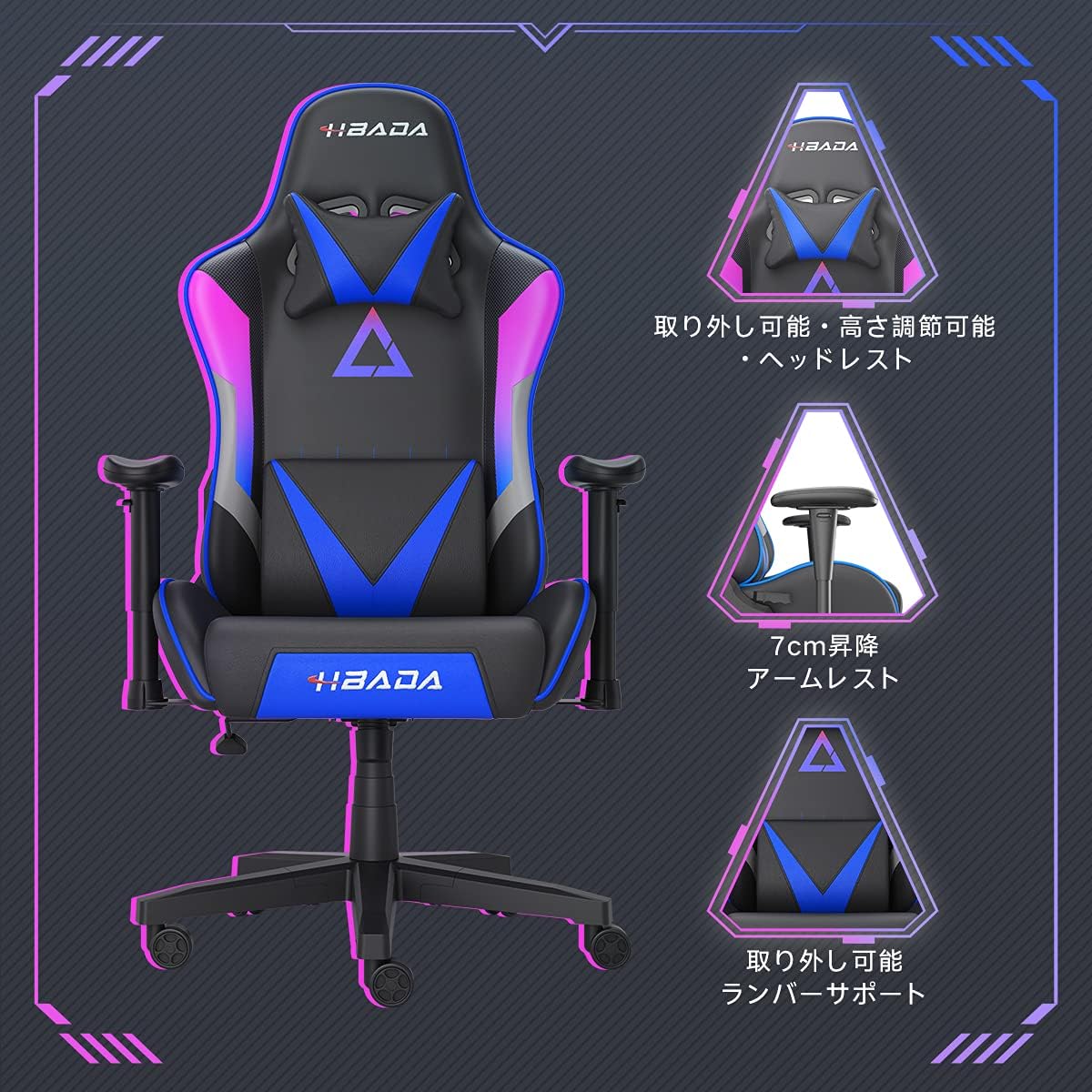
Gambar 5.2: Detail view of the adjustable headrest, lifting armrests, and removable lumbar support.
5.5. Fungsi Putar
Kursi ini memiliki fungsi putar 360 derajat, memungkinkan rotasi dengan mudah tanpa perlu memindahkan alasnya.
6. Pemeliharaan
- Pembersihan: The chair's synthetic leather (PU) material can be wiped clean with a damp kain. Hindari bahan kimia keras atau pembersih abrasif.
- Pengencang: Periodically check all screws and bolts to ensure they remain tight. Retighten as necessary to maintain stability and prevent squeaking.
- Kastor: Jaga agar roda kastor bebas dari rambut dan kotoran untuk memastikan pergerakan yang lancar.
7. Penyelesaian masalah
- Kursi Berderit: Check and tighten all assembly screws. Applying a small amount of lubricant to moving metal parts (like the mechanism plate) may help.
- Pengaturan Ketinggian Tidak Berfungsi: Ensure the gas lift lever is fully engaged. If the issue persists, the gas lift cylinder may need replacement. Contact customer service.
- Kursi Terasa Tidak Stabil: Verify that the star base is correctly assembled and all casters are fully inserted. Ensure all screws are tightened.
- Roda Tidak Bergulir dengan Lancar: Clean any debris (hair, dust) from the caster wheels.
For issues not listed here or persistent problems, please contact Hbada customer service.
8. Spesifikasi

Image 8.1: Key dimensions of the Hbada W203 Gaming Chair.
| Fitur | Detil |
|---|---|
| Nama Model | Hbada W203 |
| Dimensi Produk (P x L x T) | 70 x 70 x 128 cm (27.6 x 27.6 x 50.4 inci) |
| Ketinggian Kursi yang Dapat Disesuaikan | 40 - 48 cm (15.7 - 18.9 inci) |
| Berat Barang | 22.5 kg (49.6 pon) |
| Kapasitas Beban Maksimum | 150 kg (330.7 pon) |
| Bahan | Synthetic leather (PU upholstery), Metal (frame), Reinforced Nylon Resin (base), High-density Urethane Foam (cushion), Silent PU Nylon Casters |
| Sudut Rebah | Up to 155 degrees with 17-degree locking |
| Penyesuaian sandaran tangan | Lifting (approx. 7 cm range) |
| Fitur Khusus | Adjustable Lumbar Support, Ergonomic Design |

Image 8.2: Internal construction details, showing high-density foam and a robust metal frame.
9. Garansi dan Dukungan
The Hbada W203 Gaming Chair comes with a layanan garansi 1 tahun. This warranty covers initial defects and manufacturing faults.
If you encounter any initial defects, malfunctions, or have any concerns regarding your product, please contact our customer service center. Our support team aims to respond within 24 hours and will assist with free exchanges or repairs as applicable.
For customer service inquiries, please refer to the contact information provided on your purchase receipt or the official Hbada weblokasi.