
1. Pendahuluan dan Selesaiview
This manual provides essential information for the safe and effective use of your STAHLWERK ST-900 XTC Automatic Welding Helmet. This helmet is designed to protect your eyes and face from sparks, spatter, and harmful radiation under normal welding conditions. It features an auto-darkening filter (ADF) with an optical class of 1/1/1/1 and an extra-large viewing field for enhanced visibility.

Depan view of the STAHLWERK ST-900 XTC automatic welding helmet with clear protective lens.
2. Petunjuk Keselamatan
Always adhere to general welding safety practices in addition to the following helmet-specific guidelines:
- This welding helmet is intended for arc welding processes such as MMA, MIG/MAG, TIG, and plasma cutting. It is not suitable for laser welding or oxyacetylene welding/cutting.
- Never expose the auto-darkening filter to direct sunlight or other strong UV radiation when not in use.
- Do not use the helmet if the filter or any part of the helmet is damaged. Replace damaged parts immediately.
- Ensure the protective lenses are clean and free from scratches or damage before each use.
- Always wear appropriate clothing and additional personal protective equipment (PPE) for welding.
- The helmet provides protection against UV/IR radiation even in the light state. However, always ensure the auto-darkening function is operating correctly before welding.
- This product complies with EN379, ANSI Z87.1-2010, and CSA Z94.3 standards.
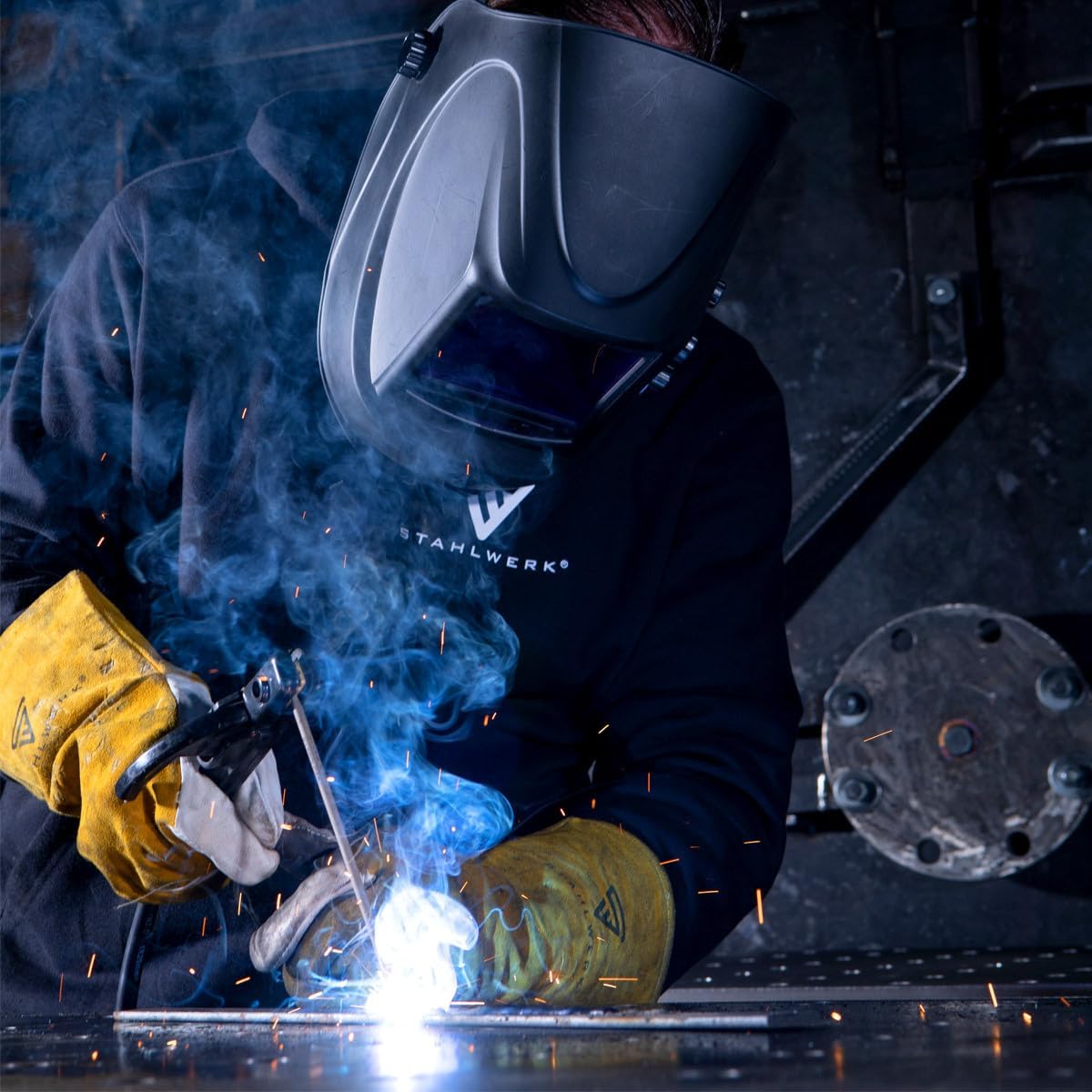
A welder wearing the STAHLWERK ST-900 XTC automatic welding helmet during active welding, with sparks visible.
3. Komponen
The STAHLWERK ST-900 XTC welding helmet consists of the following main components:
- Cangkang Helm: The main protective housing.
- Filter Peredup Otomatis (ADF): The electronic filter that automatically darkens upon arc ignition.
- Outer Protective Lens: Protects the ADF from spatter and scratches.
- Inner Protective Lens: Protects the ADF from dust and internal damage.
- Penutup kepala: Adjustable system for securing the helmet to your head.
- Kenop Kontrol: External adjustments for shade, sensitivity, and delay.
- Sel surya: Powers the ADF and charges the internal battery.
- Baterai: CR2032 lithium battery for backup power.

Terperinci view of the adjustable headgear system for the STAHLWERK ST-900 XTC welding helmet, showing various pivot and tension points for a comfortable fit.
4. Pengaturan
4.1 Headgear Assembly and Adjustment
The headgear may require assembly or adjustment for optimal comfort and fit. Follow these steps:
- Attach the headgear to the helmet shell using the provided pins and fasteners. Ensure all connections are secure.
- Place the helmet on your head. Adjust the top strap to position the helmet correctly on your head.
- Use the ratchet knob at the back of the headgear to tighten or loosen the headband for a snug, comfortable fit.
- Adjust the angle and distance of the helmet from your face using the side pivot points. The helmet should be close enough for a clear view but allow sufficient space for breathing and any additional respiratory protection.
4.2 Protective Lens Installation
Ensure both the outer and inner protective lenses are correctly installed and free from damage. These lenses protect the auto-darkening filter.
4.3 Pemeriksaan Baterai
The helmet is powered by a combination of solar cells and a CR2032 lithium battery. The battery is typically pre-installed. The solar cells extend battery life. Ensure the battery is correctly seated. The helmet is usually auto-on when exposed to light.
5. Petunjuk Pengoperasian
The STAHLWERK ST-900 XTC helmet features external controls for easy adjustment.

External control panel with adjustment knobs.
5.1 Shade Level Adjustment
Use the central SHADE knob to select the desired darkness level (DIN). The helmet offers a variable shade range from DIN 4 (light state) to DIN 9-13 (dark state). Refer to welding standards for appropriate shade levels for your specific application.
5.2 Penyesuaian Sensitivitas
The SENSITIVITY knob adjusts how sensitive the sensors are to the welding arc. Turn it to 'MIN' for high-amperage welding or bright ambient light, and to 'MAX' for low-amperage TIG welding or dim ambient light. Adjust until the helmet darkens reliably without false triggering.
5.3 Delay Adjustment
The DELAY knob controls the time it takes for the filter to return from the dark state to the light state after the arc extinguishes. A short delay is suitable for tack welding, while a longer delay helps protect against afterglow and reduces eye fatigue during high-ampera pengelasan.
5.4 Grind Mode
Switch the helmet to 'GRIND' mode when performing grinding operations. In this mode, the auto-darkening function is deactivated, and the filter remains in its light state (DIN 4), providing eye and face protection from grinding debris without darkening. Remember to switch back to 'WELD' mode before welding.
5.5 Tombol Tes
Press the 'TEST' button (if available on your model) to verify the auto-darkening function. The filter should momentarily darken and then return to the light state, confirming proper operation.

Comparison of the helmet's real color view versus a traditional green view.
6. Pemeliharaan
6.1 Pembersihan
- Clean the helmet shell with a mild soap and water solution. Avoid harsh solvents.
- Clean the outer and inner protective lenses with a soft, clean cloth and a suitable lens cleaning solution. Do not use abrasive materials.
- Gently wipe the auto-darkening filter with a soft, dry cloth. Do not immerse the ADF in water or cleaning solutions.
6.2 Protective Lens Replacement
Replace the outer and inner protective lenses regularly, especially if they become scratched, pitted, or otherwise damaged, to maintain optimal visibility and protection.

Five clear replacement protective lenses.
6.3 Penggantian Baterai
If the helmet's auto-darkening function becomes unreliable or the low battery indicator (if present) illuminates, replace the CR2032 lithium battery. Refer to the battery compartment location, typically accessible without tools.
6.4 Penyimpanan
Store the helmet in a clean, dry place, away from direct sunlight and extreme temperatures. Use the provided storage bag to protect it from dust and scratches.
7. Penyelesaian masalah
If you encounter issues with your welding helmet, consult the following table:
| Masalah | Kemungkinan Penyebab | Larutan |
|---|---|---|
| Helmet does not darken or darkens inconsistently. | Low battery; dirty or obstructed sensors; incorrect sensitivity setting; damaged ADF. | Replace battery; clean sensors; adjust sensitivity; replace ADF if damaged. |
| Poor visibility through the filter. | Scratched or dirty protective lenses; incorrect shade setting. | Clean or replace protective lenses; adjust shade level. |
| Helmet darkens without an arc (false triggering). | High sensitivity setting; strong ambient light; interference from other welders. | Reduce sensitivity; shield from strong ambient light; increase distance from other arcs. |
| Helmet remains dark after arc extinguishes. | Long delay setting; low battery. | Reduce delay setting; replace battery. |
If problems persist after attempting these solutions, contact STAHLWERK customer support.
8. Spesifikasi
- Model: ST-900 XTC
- Nomor Model: 5605
- Kelas Optik: 1/1/1/1
- Light State Shade: DIN4
- Dark State Shade: Variable DIN 9-13
- Waktu Peralihan: < 1/25,000 s
- Waktu Tunda: Adjustable (Short to Long)
- Kepekaan: Dapat disesuaikan
- Catu Daya: Solar cell with replaceable CR2032 lithium battery
- Dimensi (P x L x T): Sekitar 32.5x21x12.5 cm
- Berat: Sekitar 400 gram
- Standar: EN379, ANSI Z87.1-2010, CSA Z94.3

Diagram illustrating the physical dimensions of the welding helmet.
9. Garansi dan Dukungan
The STAHLWERK ST-900 XTC Automatic Welding Helmet comes with a 7-year warranty on the auto-darkening filter, ensuring long-term performance and reliability.
For technical support, warranty claims, or inquiries regarding replacement parts, please contact STAHLWERK customer service through their official website or the retailer where the product was purchased. Please have your model number (5605) and purchase information ready when contacting support.