
1. Pendahuluan
This manual provides essential information for the safe and efficient use of your HP Envy x360 13.3-inch 2-in-1 laptop. Please read this manual thoroughly before operating your device to ensure optimal performance and longevity. This device combines the functionality of a traditional laptop with the versatility of a tablet, featuring a responsive touchscreen and a 360-degree hinge.
2. Fitur Produk
- 13.3-inch Full HD IPS Touch-Screen Display: Experience vibrant visuals and intuitive interaction with the responsive touch display.
- 11th Generation Intel Core i5-1135G7 Processor: Delivers efficient performance for multitasking, productivity, and entertainment.
- RAM DDR4 8GB: Provides substantial memory for smooth operation of multiple applications.
- 256GB PCIe NVMe SSD: Offers fast boot-up times and quick data access with solid-state storage.
- Keyboard dengan lampu latar: Enables comfortable typing in various lighting conditions.
- Pembaca sidik jari: Enhances security and provides quick, convenient login.
- Windows 10 Home Operating System: Pre-installed for a familiar and productive user experience.
- Engsel 360 derajat: Allows the device to transform between laptop, tent, stand, and tablet modes.
- Grafis Intel Iris Xe: Integrated graphics for clear visuals and light creative tasks.
- Bang & Olufsen Audio with Three Speakers: Delivers rich and immersive sound.
- HP Wide Vision HD Camera with Camera Shutter: For video calls and privacy.
3. Fisik Lebih dariview
Familiarize yourself with the various components and ports of your HP Envy x360 laptop.

Gambar 3.1: Sudut view of the HP Envy x360 laptop in traditional laptop mode, displaying the keyboard and screen.
Port dan Konektor:
- Port USB 3.0 Tipe-A (x2): For connecting external devices such as USB drives, mice, or keyboards.
- Port HDMI (x1): Untuk menghubungkan ke layar atau proyektor eksternal.
- Micro SD Card Reader (x1): For reading and writing data to Micro SD cards.
- Headphone/Microphone Combo Jack (x1): For connecting headphones or an external microphone.
- USB-C Port (x1): For data transfer, charging, and display output (Thunderbolt compatible).
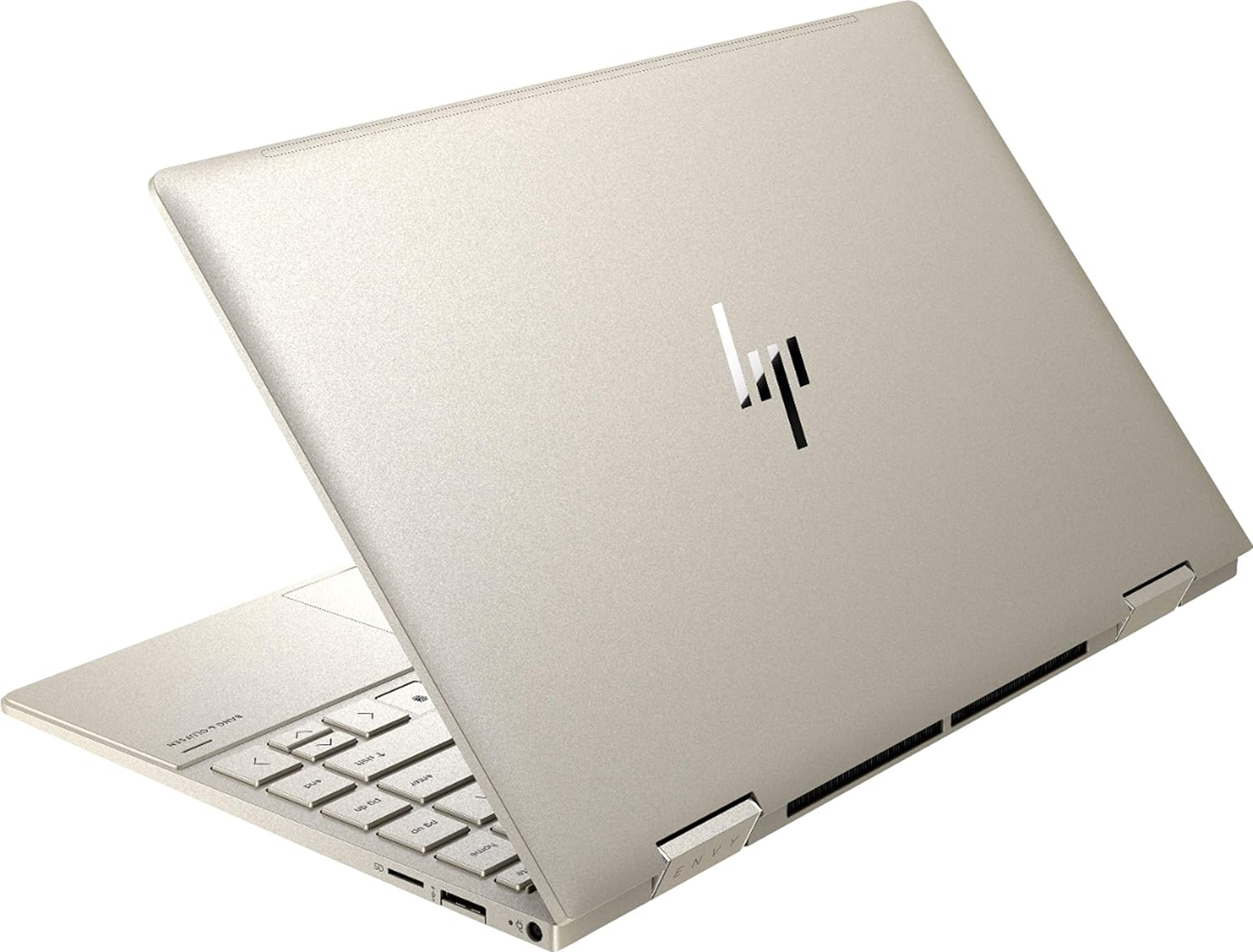
Gambar 3.2: Belakang view of the HP Envy x360 laptop, highlighting the sleek design and port placement on the sides.
4. Pengaturan
4.1 Penyalaan Awal
- Unpack your HP Envy x360 laptop and included accessories.
- Hubungkan adaptor daya ke port pengisian daya laptop, lalu ke stopkontak.
- Press the power button, typically located on the side or keyboard deck, to turn on the laptop.
- Ikuti petunjuk di layar untuk menyelesaikan pengaturan Windows 10 Home, termasuk pemilihan bahasa, koneksi jaringan, dan pembuatan akun pengguna.
4.2 Menghubungkan Periferal
Connect your mouse, external display, or other USB devices to the available ports as described in Section 3. For wireless devices, enable Bluetooth in Windows settings and pair your devices.
5. Petunjuk Pengoperasian
5.1 Using the 2-in-1 Modes
Your HP Envy x360 features a versatile 360-degree hinge, allowing for multiple usage modes:
- Mode Laptop: Traditional laptop orientation for typing and productivity.
- Mode Tenda: Lipat layar ke belakang hingga membentuk bentuk 'V' terbalik, ideal untuk menonton video atau presentasi di ruang terbatas.
- Mode Berdiri: Fold the screen back further, resting the keyboard face down, to use the display for media consumption or touch-based applications.
- Modus Tablet: Fold the screen completely back against the base, transforming the device into a tablet for touch interaction.

Figure 5.1: The HP Envy x360 laptop configured in tent mode, suitable for media viewing.

Figure 5.2: The HP Envy x360 laptop fully folded into tablet mode, ready for touch input.
5.2 Touchscreen and Keyboard Usage
- Layar sentuh: Use gestures similar to a smartphone or tablet for navigation, zooming, and interaction with applications.
- Keyboard dengan lampu latar: Press the function key (Fn) and the appropriate F-key (usually F5 or F4, check keyboard icons) to toggle the keyboard backlight on/off or adjust brightness.
- Pembaca sidik jari: Enroll your fingerprint through Windows Hello settings for secure and fast login.
6. Pemeliharaan
Regular maintenance helps prolong the life of your laptop.
- Pembersihan: Use a soft, lint-free cloth to clean the screen and chassis. For stubborn smudges, dampBasahi kain dengan air atau cairan pembersih yang aman untuk layar. Hindari bahan kimia keras.
- Pembaruan Perangkat Lunak: Regularly update Windows and HP drivers to ensure optimal performance and security.
- Perawatan Baterai: Hindari mengosongkan daya baterai sepenuhnya secara sering. Untuk penyimpanan jangka panjang, isi daya baterai hingga sekitar 50-70%.
- Ventilasi: Ensure the laptop's vents are not obstructed to prevent overheating. Use on a hard, flat surface when possible.
7. Penyelesaian masalah
Bagian ini membahas masalah umum yang mungkin Anda temui.
7.1 Masalah Daya
- Laptop tidak menyala: Ensure the power adapter is securely connected and the outlet is functional. Try a different outlet or power adapter if available.
- Baterai tidak mengisi daya: Verify the power adapter connection. Check for any damage to the cable or port.
7.2 Masalah Tampilan
- Layarnya kosong: Hubungkan monitor eksternal untuk memeriksa apakah masalahnya ada pada layar laptop. Coba restart laptop.
- Layar sentuh tidak responsif: Restart the laptop. Ensure all drivers are up to date via Windows Update or HP Support Assistant.
7.3 Masalah Kinerja
- Kinerja lambat: Tutup aplikasi yang tidak perlu. Periksa Task Manager untuk proses yang memakan banyak sumber daya. Pastikan ruang kosong yang cukup pada SSD.
- Terlalu panas: Clean vents. Ensure proper airflow. Reduce workload if consistently hot.
8. Spesifikasi
| Fitur | Detil |
|---|---|
| Merek | HP |
| Nama Model | HP Envy x360 |
| Ukuran Layar | 13.3 inci |
| Resolusi Tampilan | 1920x1080 (HD Penuh) |
| Jenis Tampilan | LED IPS Touch Screen |
| Prosesor | 11th Generation Intel Core i5-1135G7 (2.4 GHz, up to 4.2 GHz with Turbo Boost) |
| Memori RAM | Memori DDR8 4 GB |
| Penyimpanan | SSD berkapasitas 256GB |
| Sistem Operasi | Windows 10 Rumah |
| Grafik | Grafis Intel Iris Xe (Terintegrasi) |
| Fitur Khusus | Keyboard dengan lampu latar, Pembaca sidik jari |
| Suara | Bang & Olufsen Audio with Three speakers |
| Konektivitas | Wireless-AX, Bluetooth, USB, HDMI |
| Pelabuhan | 2x USB 3.0 Type-A, 1x HDMI, 1x Micro SD Card Reader, 1x Headphone/Microphone Combo, 1x USB-C |
| Dimensi (P x L x T) | 12.07" x 7.66" x 0.65" |
| Berat | 2.92 pon |
| Warna | Emas Pucat |
9. Apa yang ada di dalam kotak
The following items are included with your HP Envy x360 laptop:
- HP Envy x360 13.3-inch 2-in-1 Laptop
- Adaptor Daya
- Alas Mouse

Figure 9.1: The HP Envy x360 laptop shown alongside the included mouse pad.
10. Garansi dan Dukungan
Your HP Envy x360 laptop comes with a standard manufacturer's warranty. For detailed warranty information, please refer to the warranty card included in your product packaging or visit the official HP support website. For technical assistance, driver downloads, or service requests, please contact HP Customer Support.
Dukungan HP Weblokasi: support.hp.com