
VR-robot V9 Pro
VR-robot V9 Pro Motorcycle Helmet Intercom Communication System User Manual
Model: V9 Pro
Perkenalan
This manual provides comprehensive instructions for the VR-robot V9 Pro Motorcycle Helmet Intercom Communication System. It covers setup, operation, maintenance, and troubleshooting to ensure optimal performance and user safety. The V9 Pro is designed to provide clear communication, stereo music, and FM radio functionality for motorcycle riders.

Image: The VR-robot V9 Pro main unit with attached speakers and microphone, illustrating the complete system components.
Isi Paket
Verifikasi bahwa semua item yang tercantum di bawah ini disertakan dalam paket Anda:

Image: A visual representation of all components included in the VR-robot V9 Pro package, numbered for easy identification.
- perekat
- Lem 3M
- Fixed Velcro
- Fixed Velcro (additional)
- Microphone Protective Cover
- klip earphone
- Panduan Pengguna
- Bantalan Pembicara
- Kabel Pengisian Daya
- Kabel Ekstensi Mikrofon
- Mikrofon tersembunyi
- V9 Pro Main Unit
- Mikrofon Tiang
- Perangkat Pembicara
Pengaturan dan Instalasi
The V9 Pro offers two installation methods: Velcro and metal earphone clip. Choose the method best suited for your helmet type.
1. Mengisi Daya Perangkat
Before first use, fully charge the V9 Pro. Connect the provided charging cable to the device and a USB power source. A full charge takes approximately 2.5 hours.

Image: Illustration showing the 850mAh battery capacity and charging time of 2.5 hours, with a standby time of up to 200 hours.
2. Pemasangan pada Helm
The V9 Pro is compatible with both open helmets and full-face helmets. No additional screws are needed, preserving the helmet's appearance.

Image: Various types of motorcycle helmets, demonstrating the versatility of the V9 Pro's installation across different helmet designs.
Using the Earphone Clip:
- Attach the earphone clip to the side of your helmet.
- Slide the V9 Pro main unit onto the clip until it securely locks into place.
- Insert the speakers into the helmet's ear pockets, ensuring they are positioned directly over your ears for optimal sound.
- Attach the microphone (soft or rod-type) to a suitable position inside the helmet, near your mouth, using the microphone extension cable if needed.
Menggunakan Velcro:
- Clean the desired installation area on your helmet.
- Apply the fixed Velcro strips to the helmet surface.
- Attach the V9 Pro main unit to the Velcro.
- Proceed with speaker and microphone installation as described above.
Image: A step-by-step visual guide demonstrating how to install the V9 Pro unit onto a motorcycle helmet using the provided clip and connecting the speakers and microphone.
Petunjuk Pengoperasian
The V9 Pro features multi-function buttons designed for easy operation, even while wearing gloves.

Image: A comparison illustrating the ease of operating the V9 Pro's large buttons with both bare hands and gloved hands.
1. Daya Hidup/Mati
- Nyalakan: Tekan dan tahan tombol Daya selama 3 detik.
- Matikan: Tekan dan tahan tombol Daya selama 3 detik.
2. Pemasangan Bluetooth
The V9 Pro uses Bluetooth 3.0 for connectivity.
- Pastikan perangkat mati.
- Press and hold the Multi-function button until the indicator light flashes red and blue, indicating pairing mode.
- On your mobile device, search for "V9 Pro" in the Bluetooth settings and select to pair.
- Once paired, the indicator light will turn blue.
3. Komunikasi Interkom
The V9 Pro supports intercom communication between two riders up to 800 meters (2625 feet).

Image: Two motorcyclists communicating, with an overlay indicating an intercom distance of up to 800 meters.
- To initiate intercom, ensure both V9 Pro units are powered on and within range.
- Press the Intercom button on one unit to connect.
- To end intercom, press the Intercom button again.
4. Panggilan Telepon
The V9 Pro supports hands-free calling with automatic answer functionality.

Image: A motorcyclist riding, with an overlay of a smartphone screen showing an incoming call, illustrating the automatic call answering feature.
- Menjawab Panggilan: Incoming calls are automatically answered after a few rings. You can also short press the Multi-function button to answer.
- Akhiri Panggilan: Tekan sebentar tombol multifungsi.
- Tolak Panggilan: Tekan dan tahan tombol Multifungsi selama 2 detik.
- Panggil Ulang Nomor Terakhir: Tekan tombol multifungsi dua kali.
5. Pemutaran Musik
Enjoy stereo music with DSP noise reduction technology for clear audio.
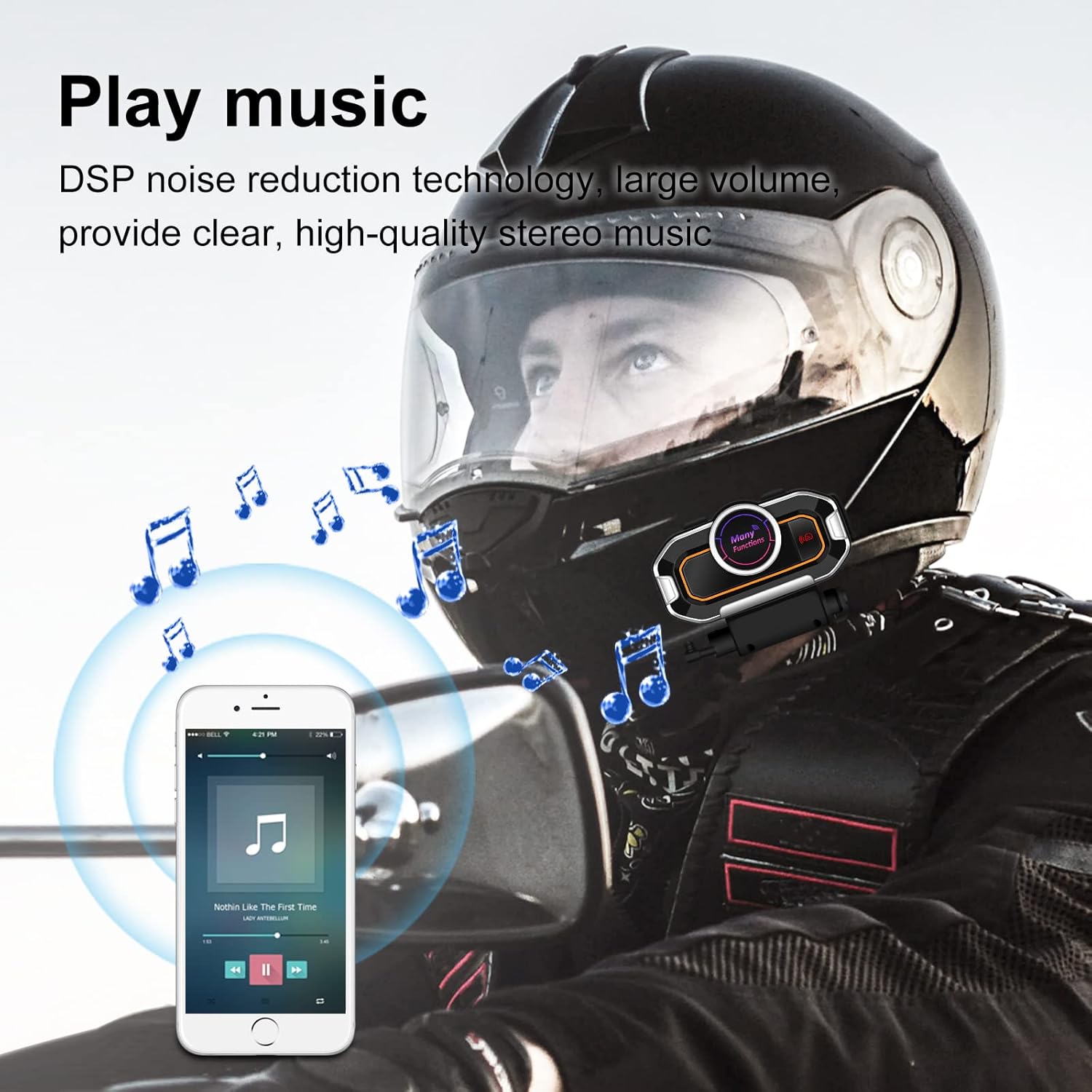
Image: A motorcyclist wearing a helmet, with musical notes floating around, indicating the stereo music playback capability of the V9 Pro.
- Putar/Jeda: Tekan sebentar tombol multifungsi.
- Lagu Berikutnya: Tekan sebentar tombol Volume Naik.
- Lagu Sebelumnya: Tekan sebentar tombol Volume Turun.
- Volume Naik: Tekan lama tombol Volume Naik.
- Volume Turun: Tekan lama tombol Volume Turun.
6. Radio FM
Tune into FM radio for real-time road conditions and entertainment.

Image: A motorcyclist riding, with a transparent map overlay showing radio waves, symbolizing the FM radio function for real-time information.
- Nyalakan/Matikan Radio FM: Tekan tombol FM.
- Pindai Saluran: Tekan dan tahan tombol FM untuk memindai dan menyimpan stasiun yang tersedia secara otomatis.
- Stasiun selanjutnya: Tekan sebentar tombol Volume Naik.
- Stasiun Sebelumnya: Tekan sebentar tombol Volume Turun.
7. Voice Prompts and GPS
The V9 Pro provides voice prompts for device status and can relay GPS voice instructions from your paired smartphone.
Pemeliharaan
Proper maintenance ensures the longevity and optimal performance of your V9 Pro system.
- Pembersihan: Gunakan yang lembut, damp cloth to clean the main unit and speakers. Avoid using harsh chemicals or abrasive cleaners.
- Tahan Air: The V9 Pro has a daily-use waterproof design, allowing normal operation in bad weather. However, avoid submerging the device in water.
- Penyimpanan: When not in use for extended periods, store the device in a cool, dry place. Ensure it is fully charged before storage to preserve battery health.
- Perawatan Baterai: Recharge the battery regularly, even if not frequently used, to maintain its capacity.

Image: The V9 Pro unit with water droplets on its surface, demonstrating its waterproof capabilities against rain.
Penyelesaian Masalah
If you encounter issues with your V9 Pro, refer to the following common problems and solutions:
| Masalah | Kemungkinan Penyebab | Larutan |
|---|---|---|
| Perangkat tidak menyala. | Baterai lemah. | Isi daya perangkat setidaknya selama 2.5 jam. |
| Tidak dapat dipasangkan dengan telepon. | Device not in pairing mode; Bluetooth off on phone; device already paired with another device. | Ensure V9 Pro is in pairing mode (flashing red/blue). Turn on phone's Bluetooth. Disconnect from other devices. |
| Interkom tidak tersambung. | Units out of range; units not properly paired for intercom. | Ensure units are within 800m. Re-initiate intercom connection. |
| Kualitas audio buruk/bising. | Microphone/speakers improperly positioned; external interference. | Adjust microphone closer to mouth. Ensure speakers are centered over ears. Move away from strong electromagnetic fields. |
| Tombol tidak responsif. | Perangkat macet; baterai lemah. | Try restarting the device. Charge the device. |
If the problem persists, please contact VR-robot customer support.
Spesifikasi
| Fitur | Detil |
|---|---|
| Nama Model | V9 profesional |
| Teknologi Konektivitas | Nirkabel (Bluetooth) |
| Versi Bluetooth | 3.0 |
| Jangkauan Interkom | Hingga 800 meter (2625 kaki) untuk 2 pengendara |
| Kapasitas Baterai | Baterai Litium 850mAh |
| Waktu Pengisian Daya | 2.5 Jam |
| Waktu Kerja Berkelanjutan | 10 hours (Play time: 12 hours) |
| Waktu Siaga | Hingga 200 Jam |
| Kontrol Kebisingan | Pembatalan Kebisingan Aktif (DSP) |
| Tingkat Tahan Air | Waterproof (Daily-use) |
| Opsi Mikrofon | Soft microphone, Rod-type hard microphone |
| Jenis Kontrol | Call Control, Noise Control, Voice Control, Volume Control (Multi-function buttons) |
| Ukuran | 3.26x1.73x1.02 inci |
| Berat Barang | 1.94 Ons |
Garansi dan Dukungan
VR-robot is committed to providing satisfactory solutions. If you have any questions or require assistance with your V9 Pro, please contact customer support.
Hubungi Dukungan:
- Refer to the contact information provided in your product packaging or on the official VR-robot weblokasi.
- For Amazon purchases, you can typically click "VR robot" on the product page and then "ASK A QUESTION" for support.

Image: An image depicting customer service representatives, symbolizing the availability of support for VR-robot products.
Ask a question about this manual
Ask about setup, troubleshooting, compatibility, parts, safety, or missing instructions. Manuals+ will review the question and use this page’s manual context to help answer it.