
Voluas VL001
Voluas Automatic Pet Feeder Instruction Manual
Model: VL001
Perkenalan
Thank you for choosing the Voluas Automatic Pet Feeder. This device is designed to provide convenient and reliable feeding for your cats and dogs, ensuring they receive their meals on schedule with precise portion control. Please read this manual thoroughly before use to ensure proper operation and maintenance.
Informasi Keselamatan
- Selalu gunakan adaptor daya yang disediakan.
- Simpan wadah pakan di dalam ruangan dan jauhkan dari sinar matahari langsung atau kelembapan.
- Do not immerse the base unit in water. Only removable parts are washable.
- Pastikan tempat pakan diletakkan di permukaan yang stabil dan rata.
- Keep out of reach of small children and pets when not in use or during cleaning.
- Use only dry pet food with kibble sizes between 2-10mm to prevent clogging. Do not use wet food or kibble larger than 10mm.

Isi Paket
- Voluas Automatic Pet Feeder Main Unit
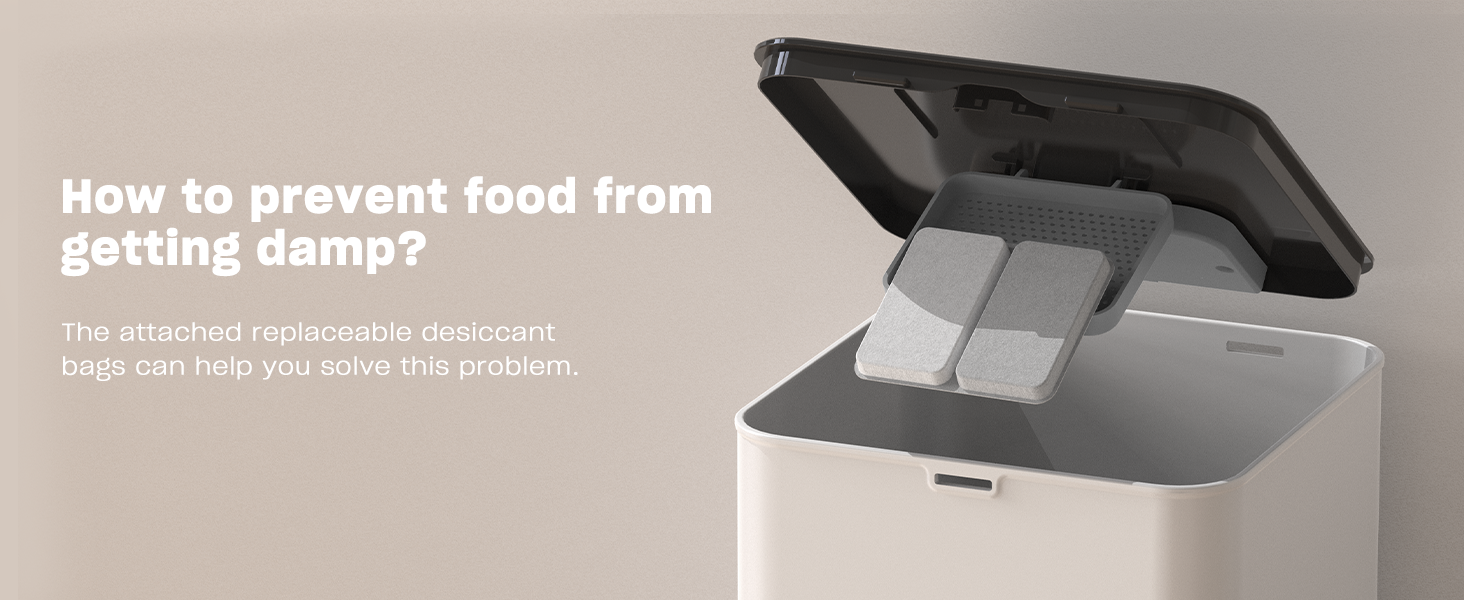
- Mangkuk Makanan Baja Tahan Karat
- Adaptor Daya
- Kabel USB
- Desiccant Bag (pre-installed or separate)
- User Manual (dokumen ini)
Produk Selesaiview
Familiarize yourself with the components of your Voluas Automatic Pet Feeder:


Pengaturan
1. Catu Daya
The Voluas Automatic Pet Feeder offers dual power options:
- Koneksi Kabel: Connect the USB cable to the feeder and the power adapter, then plug it into a wall outlet.
- Daya Baterai: Untuk portabilitas atau sebagai cadangan saat listrik padamtages, insert 3 D-cell batteries (not included) into the battery compartment at the bottom of the unit.


2. Perakitan
- Tempatkan unit utama pada permukaan yang datar dan stabil.
- Insert the stainless steel bowl into the designated slot at the front of the feeder.
- Fill the food tank with dry pet food. Ensure the kibble size is between 2-10mm.
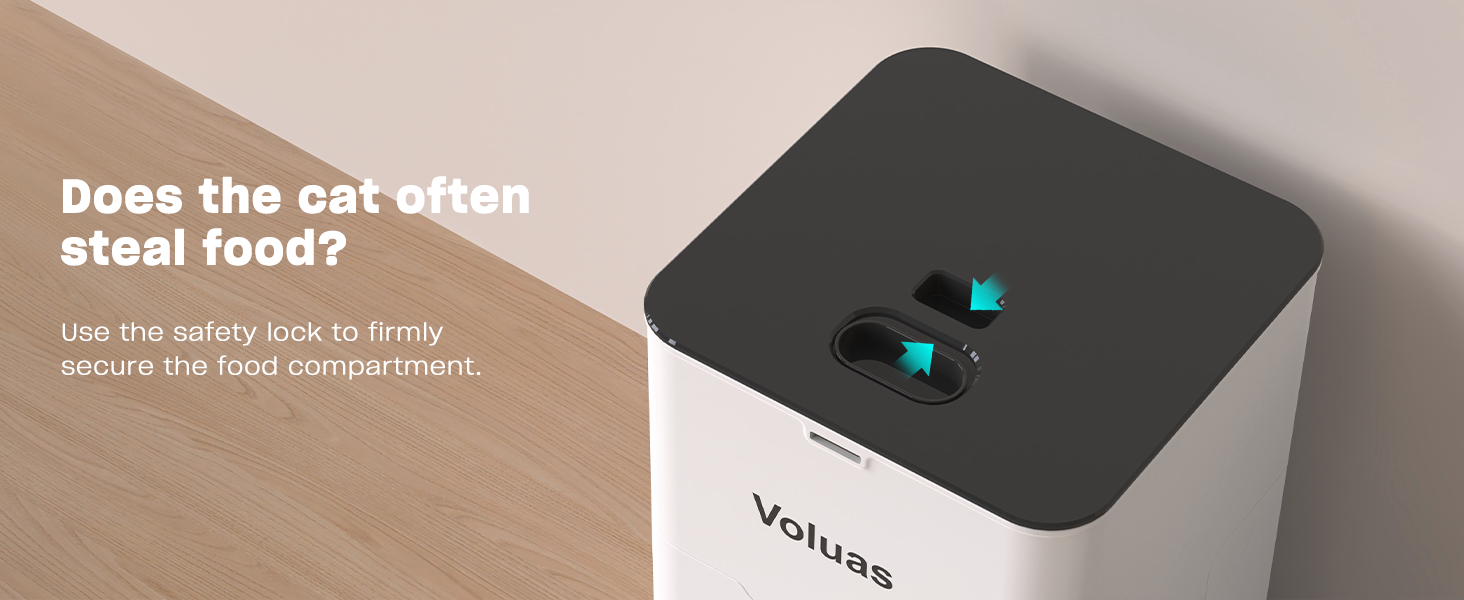
- Close the lid securely, ensuring the safety lock engages.
Petunjuk Pengoperasian
1. Mengatur Waktu Saat Ini
Press and hold the 'SET' button until the clock icon flashes. Use the up/down arrows to adjust the hour, then press 'SET' to confirm and move to minutes. Repeat to set minutes. Press 'SET' again to save.
2. Pemrograman Waktu dan Porsi Makan
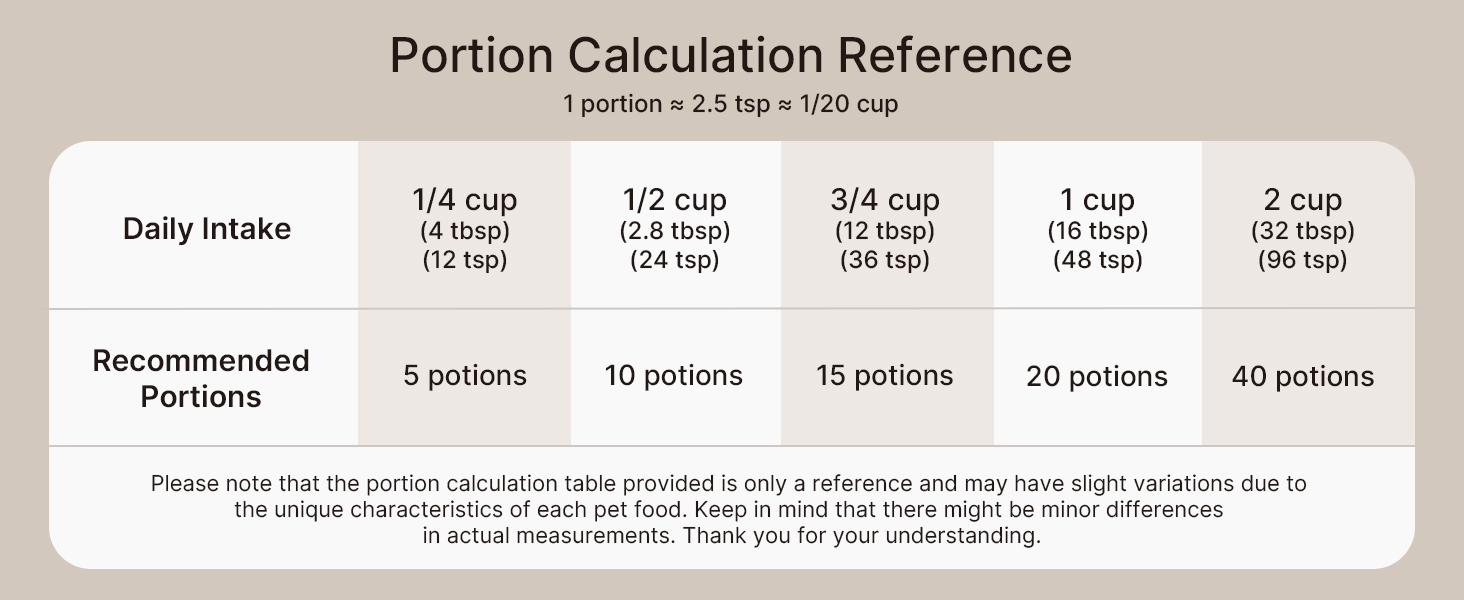
The feeder allows for up to 4 daily meals with 0-40 portion choices per meal.


- Press 'SET' once to enter meal programming mode. The 'MEAL 1' indicator will flash.
- Use the up/down arrows to set the desired feeding time for Meal 1. Press 'SET' to confirm the time.
- The 'PORTION' indicator will flash. Use the up/down arrows to set the number of portions for Meal 1 (0-40). Press 'SET' to confirm.
- Repeat steps 2 and 3 for Meal 2, Meal 3, and Meal 4 as needed. If you do not wish to set a meal, set its portion to 0.
- After setting all desired meals, press and hold 'SET' to exit programming mode.
3. Rekaman Suara
The feeder allows you to record a 10-second voice message to call your pet at meal times.


- Press and hold the 'REC' button until you hear a beep.
- Sampaikan pesan Anda dengan jelas ke mikrofon selama maksimal 10 detik.
- Lepaskan tombol 'REC' untuk menyimpan rekaman.
- Untuk memutar rekaman, tekan tombol 'PUTAR'.
4. Pemberian Makanan Secara Manual
To dispense food manually, simply press the 'MANUAL' button. Each press will dispense one portion of food.
Pemeliharaan
1. Pembersihan
Regular cleaning ensures hygiene and extends the life of your feeder. Only the food tank, lid, and stainless steel bowl are washable. The base unit containing electronics should never be immersed in water.


- Cabut steker alat pemberi makan otomatis dan buang sisa makanan yang masih ada.
- Remove the lid and the food tank.
- Detach the stainless steel bowl.
- Wash the lid, food tank, and stainless steel bowl with mild soap and water. Rinse thoroughly.
- Biarkan semua bagian mengering sepenuhnya sebelum dipasang kembali.
- Bersihkan unit dasar dengan iklanamp cloth if needed, but do not submerge.
2. Penggantian Pengering
The feeder includes a replaceable desiccant bag to keep food fresh and extend its shelf life.

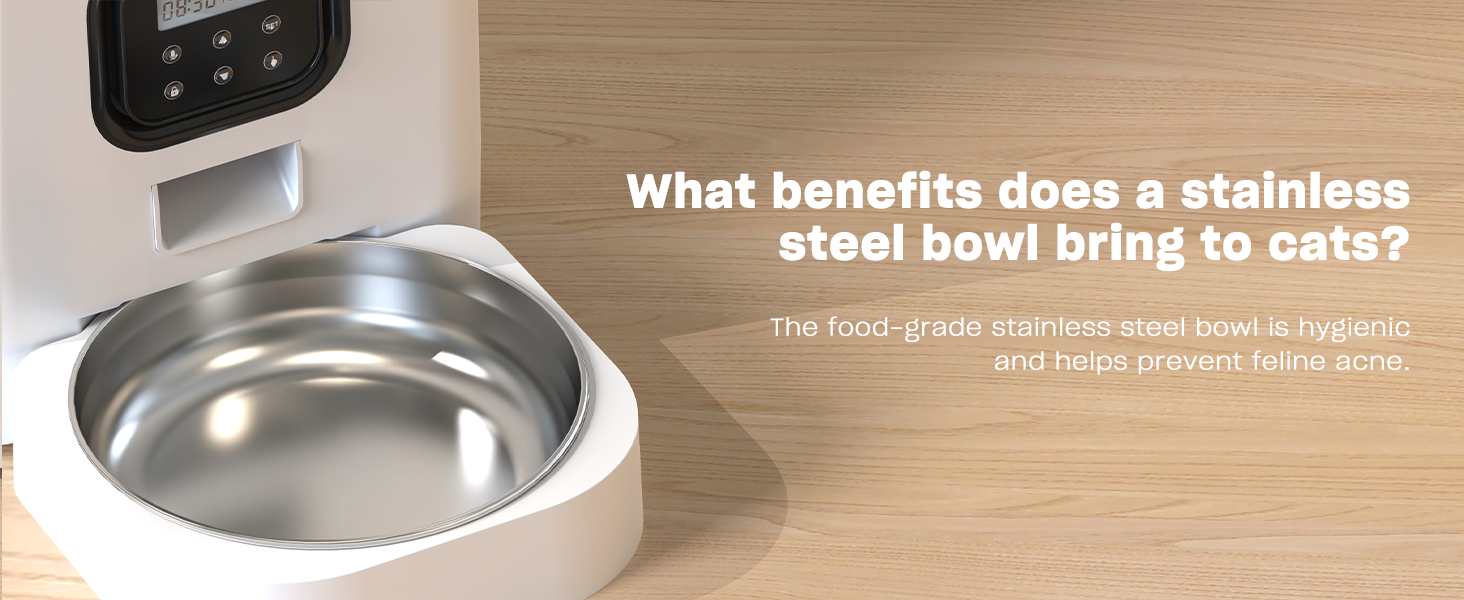
Replace the desiccant bag every 1-3 months, depending on humidity levels, to ensure optimal food freshness.
Penyelesaian Masalah
| Masalah | Kemungkinan Penyebab | Larutan |
|---|---|---|
| Pengumpan tidak mengeluarkan makanan. | No power; Food tank empty; Food clogged; Incorrect settings. | Check power connection/batteries; Refill food tank; Clear any food blockages; Verify programmed meal times and portions. |
| Food dispensing inconsistently. | Kibble size too large/small; Food tank not properly seated. | Ensure kibble is 2-10mm; Re-seat food tank securely. |
| Rekaman suara tidak diputar. | No recording saved; Low battery. | Re-record message; Replace batteries. |
| Tampilan tidak berfungsi. | No power; Batteries drained. | Check power connection; Replace batteries. |
Spesifikasi
- Nama Model: VL001
- Kapasitas: 4L / 16.9 Cups
- Dimensi (P x L x T): 7x7x11 inci
- Berat Barang: 3.65 pon (1.66 Kilogram)
- Bahan: White Opaque (Plastic) with Stainless Steel Bowl
- Catu Daya: 5V USB Power Adapter (Included) or 3 x D-cell Batteries (Not Included)
- Ukuran Kibble yang Direkomendasikan: Ukuran 2-10mm
- Jumlah Makanan Per Hari: Nomor telepon 1-4
- Porsi per Sajian: Nomor telepon 0-40
- Rekaman suara: Hingga 10 detik
- Spesies Sasaran: Kucing, Anjing, Hewan Kecil
- Petunjuk Perawatan: Tetap di Dalam Ruangan
Garansi dan Dukungan
Voluas provides a standard warranty for this product. For detailed warranty information, product support, or to purchase replacement parts, please visit the official Voluas store on Amazon or contact customer service through your purchase platform. Keep your purchase receipt for warranty claims.
Thank you for choosing Voluas. We are committed to providing quality products for your beloved pets.