
ABASK J05
Abask Dashcam J05 User Manual
Comprehensive instructions for your Abask Dual 1080P Dashcam
Perkenalan
Thank you for choosing the Abask Dashcam J05. This manual provides detailed instructions on how to set up, operate, and maintain your dashcam to ensure optimal performance and safety. Please read this manual thoroughly before using the device.
Isi Paket
Saat membuka paket, harap verifikasi bahwa semua item yang tercantum di bawah ini ada dan dalam kondisi baik:
- Abask Dashcam J05 Unit
- Windshield Suction Mount
- Pengisi Daya Mobil (Adaptor Pemantik Rokok)
- Kartu Micro SD 32GB
- Panduan Pengguna (Dokumen ini)

Image: The Abask Dashcam J05 unit, including the main camera, suction cup mount, and a 32GB Micro SD card.
Produk Selesaiview
The Abask Dashcam J05 features dual cameras for simultaneous front and interior recording, a compact design, and essential safety features.
Komponen Utama:
- Lensa Depan: Merekam jalan di depan (sudut pandang lebar 170°).
- Lensa Interior: Records the vehicle cabin (140° wide angle) with IR night vision.
- Tampilan Layar: Layar 1.5 inci untuk siaran langsung view dan navigasi menu.
- Tombol Kontrol: Power, Menu, OK, Up/Down navigation.
- Mikropon: Records audio inside the cabin.
- Pembicara: For playback audio and alerts.
- Slot Kartu Micro SD: Supports up to 64GB (32GB card included).
- Port USB Kecil: Untuk catu daya.
Petunjuk Pengaturan
- Masukkan Kartu Micro SD: Gently insert the provided 32GB Micro SD card into the card slot until it clicks into place. Ensure the card is inserted correctly to avoid damage.
- Pasang Dudukan Hisap: Secure the suction mount to the dashcam unit. Choose a location on your windshield that does not obstruct your view of the road. Press the suction cup firmly against the glass and flip the lever to lock it in place.
- Hubungkan Daya: Plug the car charger into your vehicle's cigarette lighter socket. Connect the Mini USB cable from the charger to the dashcam's Mini USB port. The dashcam will automatically power on and begin recording when the vehicle's ignition is turned on.
- Sesuaikan Sudut Kamera: Adjust the front and interior lenses to ensure they cover the desired viewing areas. The front lens should capture the road ahead, and the interior lens should cover the cabin.

Image: Illustration of the dashcam mounted on the windshield and the power cable routed neatly along the car's interior.
Catatan Penting: The dashcam requires continuous power from the car's cigarette lighter to function correctly during driving. The built-in 200mAh battery is for emergency power only (1-2 minutes) and not for continuous operation.
Petunjuk Pengoperasian
Operasi Dasar:
- Daya Hidup/Mati: The dashcam powers on automatically with vehicle ignition and powers off when the ignition is turned off. You can manually power on/off by pressing and holding the Power button.
- Rekaman: Once powered on, the dashcam automatically starts recording. A red indicator light or icon on the screen typically confirms recording is active.
- Navigasi Menu: Tekan tombol MENU button to access settings. Use the ATAS/BAWAH tombol untuk bernavigasi dan OK untuk mengkonfirmasi pilihan.
- Pemutaran ulang: Dalam mode siaga, tekan tombol MENU button to enter playback mode. Select the desired video file dan tekan OK untuk bermain.
Perekaman Kamera Ganda:
The Abask J05 records simultaneously from both the front and interior cameras, providing a comprehensive view of your journey and cabin activity.

Image: A visual representation of the dual 1080p HD video recording capability, capturing both the road ahead and the vehicle's interior.
Penjelasan Fitur Utama
Penglihatan Malam Super:
Equipped with 1080p recording and HDR technology, the dashcam ensures clear and accurate video quality even in low-light conditions. The interior camera features 4 discreet infrared (IR) lights to capture clear video inside the cabin during darkness, making it suitable for night driving.

Image: Depiction of the dashcam's Super Night Vision feature, showing clear video capture in a dark environment with IR LED lights, dual 1080p, and HDR icons.
310° Wide-Angle Field of View:
The front lens offers a 170-degree wide-angle view, covering both sides of the front of the car without blind spots. The interior lens provides a 140-degree view, sufficient to capture the entire cabin and its occupants.

Image: A diagram illustrating the 310° total wide-angle field of view, composed of a 170° front camera view and a 140° interior camera view.
Perekaman Berulang & Sensor G:
- Rekaman Loop: The dashcam continuously records video. When the Micro SD card is full, it automatically overwrites the oldest unlocked video files untuk memberi ruang bagi rekaman baru.
- Sensor G: The built-in G-sensor detects sudden impacts or collisions. In such an event, it automatically locks the current video segment, preventing it from being overwritten by loop recording. These locked files serve as crucial evidence.

Image: A visual explanation of G-Sensor and Loop Recording, showing how video files are overwritten, and important files are locked during an impact.
24-Hour Parking Monitoring & Motion Detection:
With parking monitoring activated, the dashcam can record when your car is parked and detects an impact or motion. This feature helps protect your vehicle from vandalism or hit-and-runs while unattended.
Catatan: To utilize the 24-hour parking monitoring feature, a separate "Dash Cam Hardwire Kit Mini USB" is required (not included) to provide continuous power to the dashcam when the vehicle is off.
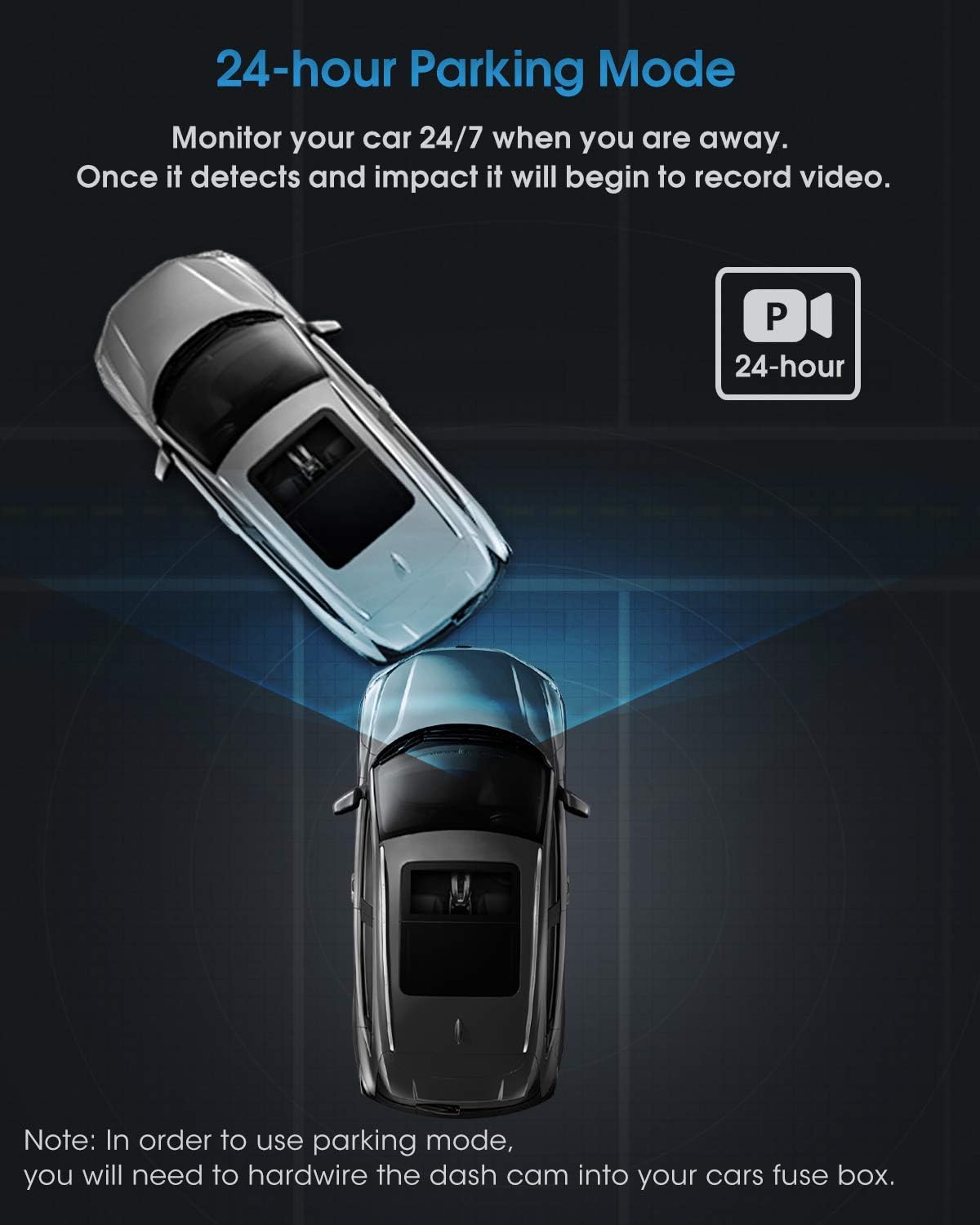
Gambar: Sebuah overhead view illustrating the 24-hour parking mode, showing the dashcam monitoring the vehicle for impacts.
Pemeliharaan
- Lensa Bersih: Bersihkan lensa kamera secara teratur dengan kain lembut dan bebas serat untuk memastikan kualitas video yang jernih. Hindari penggunaan bahan abrasif.
- Kartu Micro SD: Format the Micro SD card periodically (e.g., once a month) through the dashcam's menu to maintain optimal recording performance and prevent data corruption. Back up any important files sebelum memformat.
- Suhu: Hindari memaparkan dashcam pada suhu ekstrem dalam waktu lama, karena hal ini dapat memengaruhi masa pakai baterai dan kinerja perangkat.
- Pembaruan Firmware: Check the official Abask webKunjungi situs ini untuk melihat pembaruan firmware yang tersedia guna meningkatkan kinerja dan menambahkan fitur baru.
Penyelesaian Masalah
| Masalah | Kemungkinan Penyebab / Solusi |
|---|---|
| Kamera dasbor tidak menyala. |
|
| Perekaman berhenti atau macet. |
|
| Kualitas video buruk atau buram. |
|
| Parking Monitor does not work. |
|
Spesifikasi
| Merek | ABASK |
| Nomor Model | J05 |
| Warna | Hitam |
| Ukuran Layar | 1.5 inci |
| Resolusi Video | Dual 1080p (Front & Interior) |
| Front Lens Field of View | 170 derajat |
| Interior Lens Field of View | 140 derajat |
| Fitur Khusus | G-Sensor, Night Vision (IR), Loop Recording, Parking Monitor, Motion Detection |
| Penyimpanan | Supports Micro SD card up to 64GB (32GB included) |
| Baterai | Built-in 200mAh Lithium-ion (for emergency power) |
| Jenis Pemasangan | Windshield Suction Mount |
Informasi Keselamatan
- Do not operate the dashcam or adjust settings while driving. Always pull over safely before making any adjustments.
- Ensure the dashcam is installed in a location that does not obstruct your view di jalan atau mengganggu pengaktifan airbag.
- Use only the original car charger provided or a compatible Mini USB hardwire kit for power. Using incompatible chargers may damage the device.
- Keep the device away from water, moisture, and direct sunlight for prolonged periods.
- Do not attempt to disassemble or repair the dashcam yourself. Contact customer support for assistance.
Garansi dan Dukungan
Abask products come with a standard manufacturer's warranty. For specific warranty details, technical support, or service inquiries, please refer to the warranty card included in your package or visit the official Abask websitus. Harap siapkan nomor model Anda (J05) dan informasi pembelian saat menghubungi dukungan.
Pabrikan: ABASK
ASIN: B09PBS7DSP