
1. Pendahuluan
Thank you for choosing the JISULIFE FA26 Rechargeable 180° Foldable Portable Desk Fan. This manual provides essential information for the safe and efficient operation, maintenance, and troubleshooting of your device. Please read it thoroughly before use and retain it for future reference.
The JISULIFE FA26 is designed for versatility and convenience, featuring a 180-degree foldable structure, four adjustable airflow speeds, and a long-lasting 4500mAh rechargeable battery. Its compact and lightweight design makes it suitable for various environments, including home, office, travel, and outdoor activities, while operating with minimal noise.
2. Produk Lebihview
The JISULIFE FA26 fan is engineered for portability and efficient cooling. Below are key components and features:
- bilah kipas: Five blades designed for optimal airflow.
- Kisi-kisi Pelindung: Front and rear grilles ensure safety during operation.
- Tombol Kontrol: Single button for power on/off and speed adjustment.
- 180° Foldable Stand: Integrated stand allows for desk placement or hanging.
- Port Pengisian Daya: USB Type-C port for recharging the internal battery.
- Indikator Baterai: Small LED light to show charging status and battery level.
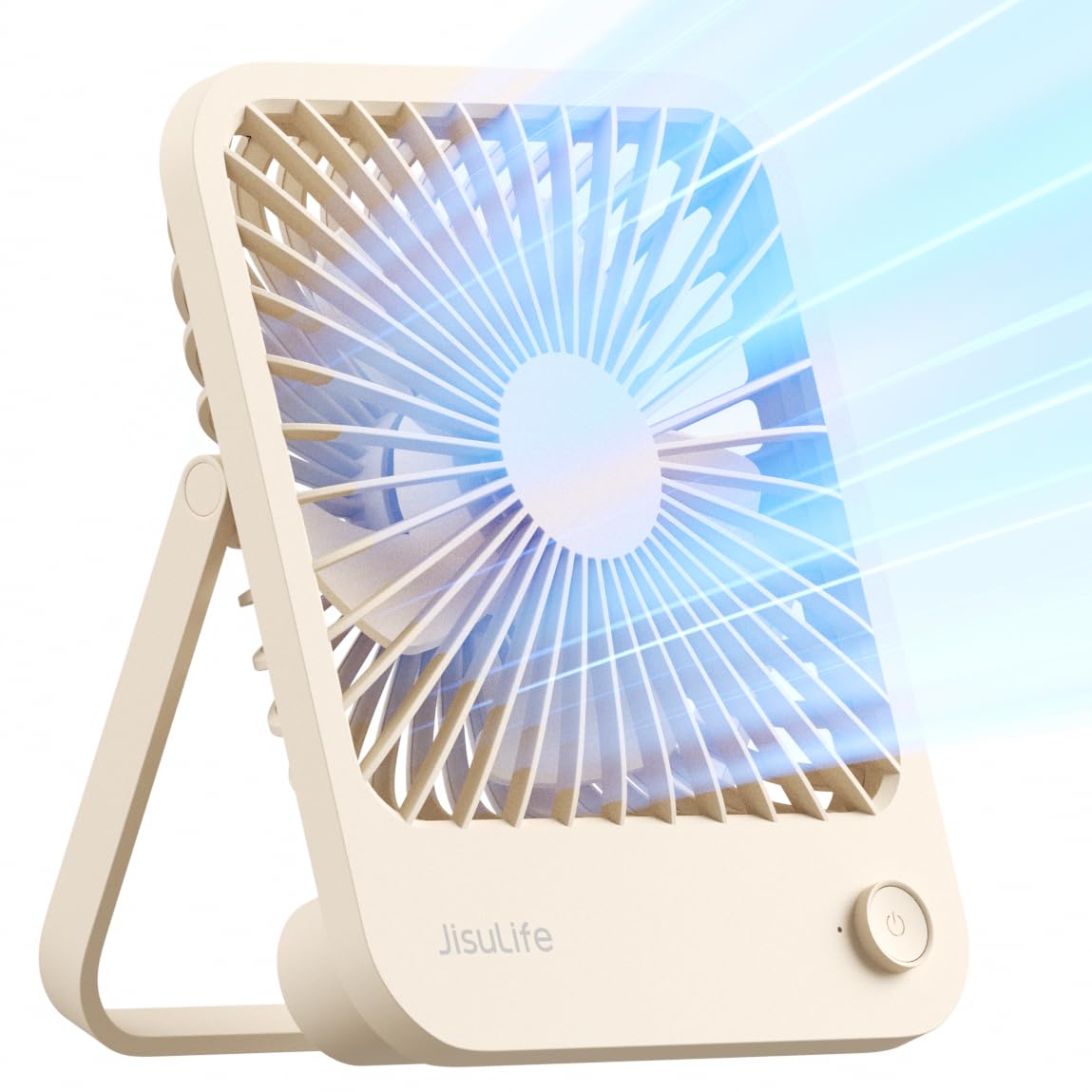
Figure 2.1: JISULIFE FA26 Portable Desk Fan (Brown).

Figure 2.2: The fan's versatile design allows for use in various settings, including camping.

Figure 2.3: The fan is ideal for desktop use, providing personal cooling.
3. Pengaturan
Before first use, ensure the fan is fully charged. The fan is designed for immediate use out of the box.
3.1 Pengisian Awal
- Hubungkan kabel pengisi daya USB Type-C yang tersedia ke port pengisian daya kipas.
- Plug the other end of the cable into a compatible USB power source (e.g., computer, wall adapter, power bank).
- Lampu indikator akan menyala selama pengisian daya dan berubah warna atau mati saat terisi penuh. Pengisian daya penuh biasanya memakan waktu sekitar 5.5 jam.
3.2 Positioning the Fan
The 180° foldable stand allows for flexible positioning:
- Penggunaan Desktop: Fold out the stand to position the fan upright on any flat surface.
- Penggunaan Gantung: The stand can also be used as a hook to hang the fan in various locations.

Figure 3.1: The fan's 180° foldable design for versatile placement.
4. Petunjuk Pengoperasian
The fan features a simple one-button control for ease of use.
4.1 Menghidupkan/Mematikan Daya dan Pengaturan Kecepatan
- Untuk menghidupkan: Press the control button once. The fan will start at Speed 1 (gentle breeze).
- Untuk Mengatur Kecepatan: Press the control button repeatedly to cycle through the 4 available speeds:
- Speed 1: Gentle breeze
- Speed 2: Medium wind
- Speed 3: Strong wind
- Speed 4: Natural wind mode (variable speed for a more natural feel)
- Untuk mematikan: After cycling through all 4 speeds, pressing the button one more time will turn the fan off.

Figure 4.1: The fan offers four speeds for customized comfort.
5. Charging the Fan
The JISULIFE FA26 is equipped with a 4500mAh rechargeable battery, providing extended operation time.
- Daya Tahan Baterai: The fan can run for up to 13 hours on a single charge, depending on the speed setting.
- Waktu Pengisian: Pengisian penuh memerlukan waktu sekitar 5.5 jam.
- Port Pengisian Daya: Use the provided USB Type-C cable to charge the fan. Note: Some older models or review videos may show a Micro-USB port, but the current model uses USB Type-C as per specifications.
- Indikator Pengisian Daya: A small LED light indicates the charging status. Refer to the specific product packaging or quick start guide for exact light behavior (e.g., red for charging, blue for full).

Figure 5.1: The fan features a built-in rechargeable battery for cordless operation.
6. Pemeliharaan
Perawatan rutin memastikan kinerja optimal dan umur panjang kipas Anda.
- Pembersihan: Gunakan kain lembut dan kering untuk menyeka bagian luar kipas. Jangan gunakan pembersih abrasif atau merendam kipas dalam air.
- Pembersihan Kisi-kisi: Periodically, use a soft brush or compressed air to gently clean dust from the fan grilles and blades. Ensure the fan is turned off before cleaning.
- Penyimpanan: Saat tidak digunakan dalam jangka waktu lama, simpan kipas angin di tempat yang sejuk dan kering, jauh dari sinar matahari langsung dan suhu ekstrem.
7. Penyelesaian masalah
If you encounter any issues with your JISULIFE FA26 fan, refer to the following troubleshooting guide:
| Masalah | Kemungkinan Penyebab | Larutan |
|---|---|---|
| Kipas angin tidak menyala | Baterai lemah atau tidak terisi daya | Isi daya kipas menggunakan kabel USB Type-C yang disertakan. |
| Aliran udara lemah | Low battery or fan speed setting is too low | Charge the fan or increase the fan speed by pressing the control button. |
| Kipas mengeluarkan suara yang tidak biasa | Obstruction in fan blades or internal issue | Turn off the fan and check for any obstructions. If the issue persists, contact customer support. |
| Kipas tidak mengisi daya | Faulty cable, adapter, or charging port | Try a different USB Type-C cable or power adapter. Ensure the charging port is clean and free of debris. |
8. Spesifikasi
| Fitur | Spesifikasi |
|---|---|
| Merek | KEHIDUPAN JISU |
| Nama Model | Bahasa Inggris: FA26 |
| Sumber Daya | Bertenaga Baterai |
| Kapasitas Baterai | Baterai Lithium Ion 4500mAh (termasuk) |
| Jumlah Tingkat Daya | 4 |
| Tingkat Kebisingan | 40 Desibel |
| Dimensi Produk | 1.38"Panjang x 5.31"Lebar x 6.46"T |
| Berat Barang | 0.48 Pound (7.6 ons) |
| Fitur Khusus | Foldable, Manual, Portable, Powerful, Rechargeable |
| Metode Kontrol | Sentuh (Tombol Tekan) |
| Komponen yang Termasuk | Desktop Fan, Type-C Charging Cable, Manual |
| Jil.tage | 5 Volt (DC) |
| Kecepatan | 2750 putaran/menit |
| Kapasitas Aliran Udara | 250 Meter Kubik Per Jam |
9. Video Produk
Video 9.1: Official product video demonstrating the 180-Degree Foldable Personal Desk Fan by JISULIFE-NA.
10. Garansi dan Dukungan
For warranty information or technical support, please refer to the contact details provided on the product packaging or visit the official JISULIFE websitus. Simpan struk pembelian Anda sebagai bukti pembelian.