
Perkenalan
Terima kasih sudah membeliasing the Fossil FS5896 Men's Retro Digital Watch. This manual provides essential information for the proper setup, operation, and care of your timepiece. Please read these instructions carefully to ensure optimal performance and longevity of your watch.
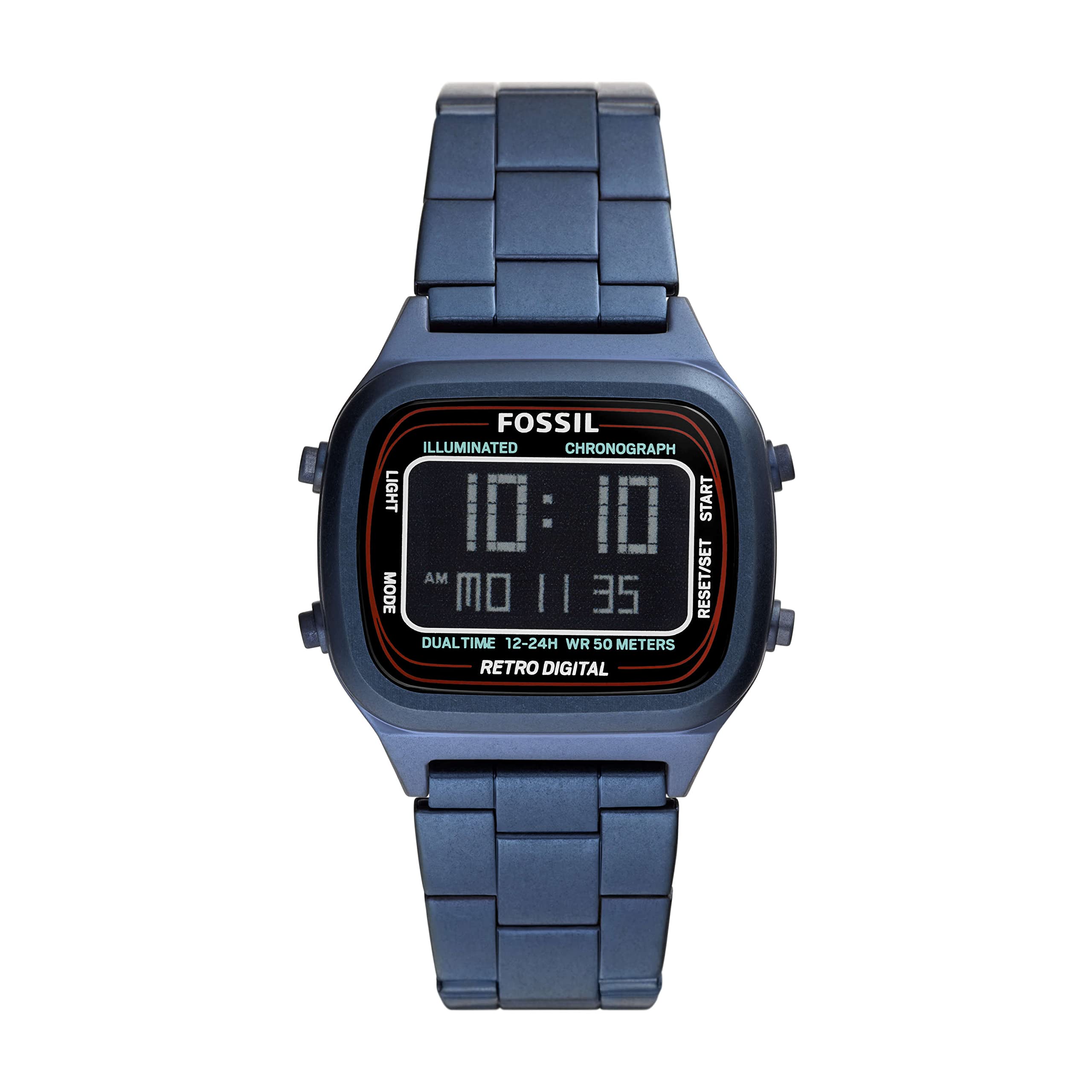
Gambar: Depan view of the Fossil FS5896 Retro Digital Watch, showcasing its negative display and blue stainless steel bracelet.
Pengaturan
1. Inspeksi Awal
Upon unboxing, inspect your watch for any visible damage. Ensure all protective films are removed from the watch face and case back.
2. Mengatur Waktu dan Tanggal
Your Fossil FS5896 watch features a digital LCD display. The watch typically has two or more buttons on the side for setting.
- Identifikasi Tombol: Locate the buttons on the side of the watch case. Typically, one button is for "Mode" and another for "Set" or "Adjust".
- Masuk ke Mode Pengaturan: Press the "Mode" button repeatedly until the time display starts flashing, or a specific setting indicator appears.
- Sesuaikan Waktu: Use the "Set" or "Adjust" button to change the flashing digits (hours, then minutes). Press "Mode" again to switch between hours and minutes.
- Atur tanggal: Continue pressing "Mode" to cycle through date settings (month, day, year) and use the "Set" button to adjust.
- Keluar dari Mode Pengaturan: Once all settings are correct, press the "Mode" button until the display returns to normal timekeeping, or the flashing stops automatically after a period of inactivity.

Gambar: Samping view of the Fossil FS5896 watch, highlighting the control buttons used for setting time and other functions.
3. Penyesuaian Gelang
The stainless steel bracelet comes with a double locking foldover clasp. For proper fit, the bracelet may need to be adjusted by adding or removing links. It is recommended to have this adjustment performed by a qualified jeweler or watch technician to prevent damage to the bracelet or clasp.

Gambar: Belakang view of the Fossil FS5896 watch, showing the stainless steel bracelet and the double locking foldover clasp.
Mengoperasikan Jam Tangan Anda
Pencatatan Waktu Dasar
In its default mode, the watch displays the current time (hours, minutes, seconds) and often the date. The negative display provides a clear readout.
Fungsi Mode
Depending on the specific model, your watch may include additional functions accessible via the "Mode" button. These can include:
- Stopwatch: Untuk mengukur waktu yang berlalu.
- Alarm: To set a daily alarm.
- Lampu latar: To illuminate the display in low-light conditions (often activated by a dedicated button or a long press of a specific button).
Refer to the specific button labels on your watch for precise function activation.
Pemeliharaan
Membersihkan Jam Tangan Anda
- Wipe the watch case and bracelet with a soft, damp kain.
- Avoid using harsh chemicals, solvents, or abrasive cleaners, as these can damage the finish.
- For the stainless steel bracelet, a soft brush can be used to gently clean between links.
Tahan Air
This watch is water resistant up to 50 meters (5 ATM). This means it is suitable for short periods of recreational swimming, but not for diving or snorkeling. Avoid pressing buttons while the watch is wet or submerged to prevent water ingress.
Penggantian Baterai
The watch is powered by one product-specific battery (included). When the display becomes dim or stops functioning, the battery may need replacement. It is highly recommended to have the battery replaced by a professional watch technician to ensure proper sealing and maintain water resistance.
Penyimpanan
Simpan jam tangan Anda di tempat yang sejuk dan kering, jauh dari sinar matahari langsung, suhu ekstrem, dan medan magnet yang kuat saat tidak digunakan.
Penyelesaian Masalah
| Masalah | Kemungkinan Penyebab | Larutan |
|---|---|---|
| Tampilan kosong atau redup. | Baterai lemah atau habis. | Ganti baterai (disarankan menggunakan jasa profesional). |
| Waktunya tidak tepat. | Waktu tidak diatur dengan benar atau tidak sengaja direset. | Refer to the "Setting the Time and Date" section to reset the time. |
| Tombol tidak responsif. | Debris lodged in buttons or internal malfunction. | Gently clean around buttons. If issue persists, contact customer support. |
| Kondensasi di bawah kristal. | Paparan terhadap perubahan suhu ekstrem atau masuknya air. | Stop using the watch immediately and seek professional service to prevent further damage. |
Spesifikasi
| Fitur | Detil |
|---|---|
| Nomor Model | FS5896 |
| Jenis Tampilan | Digital (Negative Display) |
| Perhatikan Jenis Gerakan | Layar LCD |
| Bahan Kasus | Baja tahan karat |
| Diameter Kasus | 40 Milimeter |
| Ketebalan casing | 11 Milimeter |
| Jenis Bahan Pita | Baja tahan karat |
| Warna Pita | Biru |
| Lebar Pita | 22 Milimeter |
| Jenis Jepitan | Gesper Lipat Pengunci Ganda |
| Kedalaman Tahan Air | 50 Metres (5 ATM) |
| Jenis Kristal | Kaca Mineral |
| Baterai | 1 Baterai Khusus Produk (termasuk) |
| Berat Barang | 100 gram |
Garansi dan Dukungan
For information regarding your product's warranty, please refer to the warranty card included with your purchase or visit the official Fossil weblokasi.
If you require further assistance, have questions not covered in this manual, or need to arrange for service, please contact Fossil customer support through their official channels.