
1. Produk Lebihview dan Fitur
The XINMENG K61 60% Gaming Keyboard and Mouse Combo offers a compact and efficient setup for gaming and typing. This combo includes a mini RGB backlit keyboard, a high-precision RGB 6400 DPI honeycomb optical mouse, and a gaming mouse pad. Designed for space-saving and enhanced performance, it provides a comfortable and responsive user experience.

Image: The XINMENG K61 60% Gaming Keyboard and Mouse Combo, showcasinberkat desainnya yang ringkas dan pencahayaan RGB.
Fitur Utama:
- Tata Letak Kompak 60%: Ultra-compact design saves desktop space, ideal for gamers requiring more mouse movement area.
- Lampu Latar RGB: Keyboard and mouse feature customizable RGB backlighting with multiple effects and brightness levels.
- Mechanical Feel Keyboard: Utilizes advanced imitation mechanical technology for a responsive and relatively quiet typing experience.
- Desain Ergonomis: Scientific stair-up keycap design and ergonomic mouse housing ensure maximum comfort during extended use.
- High Precision Mouse: 6400 DPI honeycomb optical mouse with 6 adjustable levels, capable of withstanding 20g acceleration.
- Tutup Tombol Tahan Lama: ABS two-color injection keycaps provide strong light transmittance and clear lighting.
- Kompatibilitas Luas: Compatible with Windows XP, WIN 7/8/10, and MAC OS 2.0.

Image: Diagram illustrating the 60% compact layout of the keyboard, measuring approximately 11.8 inches in width and 4.3 inches in height.

Image: The compact keyboard being easily stored in a backpack, highlighting its portability for travel, office, and home use.
2. Petunjuk Penyiapan
2.1 Menghubungkan Keyboard
- Temukan port USB yang tersedia di komputer Anda.
- Colokkan konektor USB keyboard ke port USB.
- Keyboard ini bersifat plug-and-play dan seharusnya dikenali secara otomatis oleh sistem operasi Anda.
2.2 Menghubungkan Mouse
- Temukan port USB yang tersedia di komputer Anda.
- Colokkan konektor USB mouse ke port USB.
- Mouse ini bersifat plug-and-play dan seharusnya dikenali secara otomatis oleh sistem operasi Anda.
For optimal performance, ensure both devices are connected directly to your computer's USB ports rather than through unpowered USB hubs.
3. Petunjuk Pengoperasian
3.1 Fungsi Keyboard
The 60% keyboard layout utilizes function (Fn) key combinations to access keys typically found on a full-size keyboard.
- Mengetik Standar: Gunakan tombol sesuai label untuk input alfanumerik.
- Kombinasi Tombol FN: Tekan dan tahan tombol Fn key, then press the desired key to activate its secondary function (e.g., F1-F12, arrow keys, Home, End, Delete).
- Shift Key Combinations: Gunakan Menggeser key with other keys to access uppercase letters and symbols.
- Pertukaran Tombol WASD dan Tombol Panah: The keyboard supports swapping WASD keys with arrow keys. Refer to the specific key combination on your keyboard (often Fn + W) to toggle this function.
- Kunci Tombol Windows: To prevent accidental presses during gaming, the Windows key can be locked. Look for a key combination (e.g., Fn + Win) to activate/deactivate this feature.
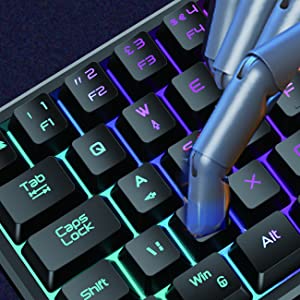
Image: A hand demonstrating key presses on the keyboard, highlighting the ergonomic design.

Image: An icon indicating the Windows key lock feature, useful for uninterrupted gaming.
3.2 Fungsi Mouse
The honeycomb optical mouse provides precise tracking and customizable settings.
- Klik Kiri/Kanan: Tombol mouse standar untuk tindakan utama dan sekunder.
- Roda Gulir: Untuk fungsi pengguliran vertikal dan klik tengah.
- Tombol DPI: Press the DPI button (usually located behind the scroll wheel) to cycle through 6 different DPI levels (up to 6400 DPI). This allows for on-the-fly sensitivity adjustments.
- Tombol Maju/Mundur: Side buttons for navigation in web peramban atau aplikasi lainnya.
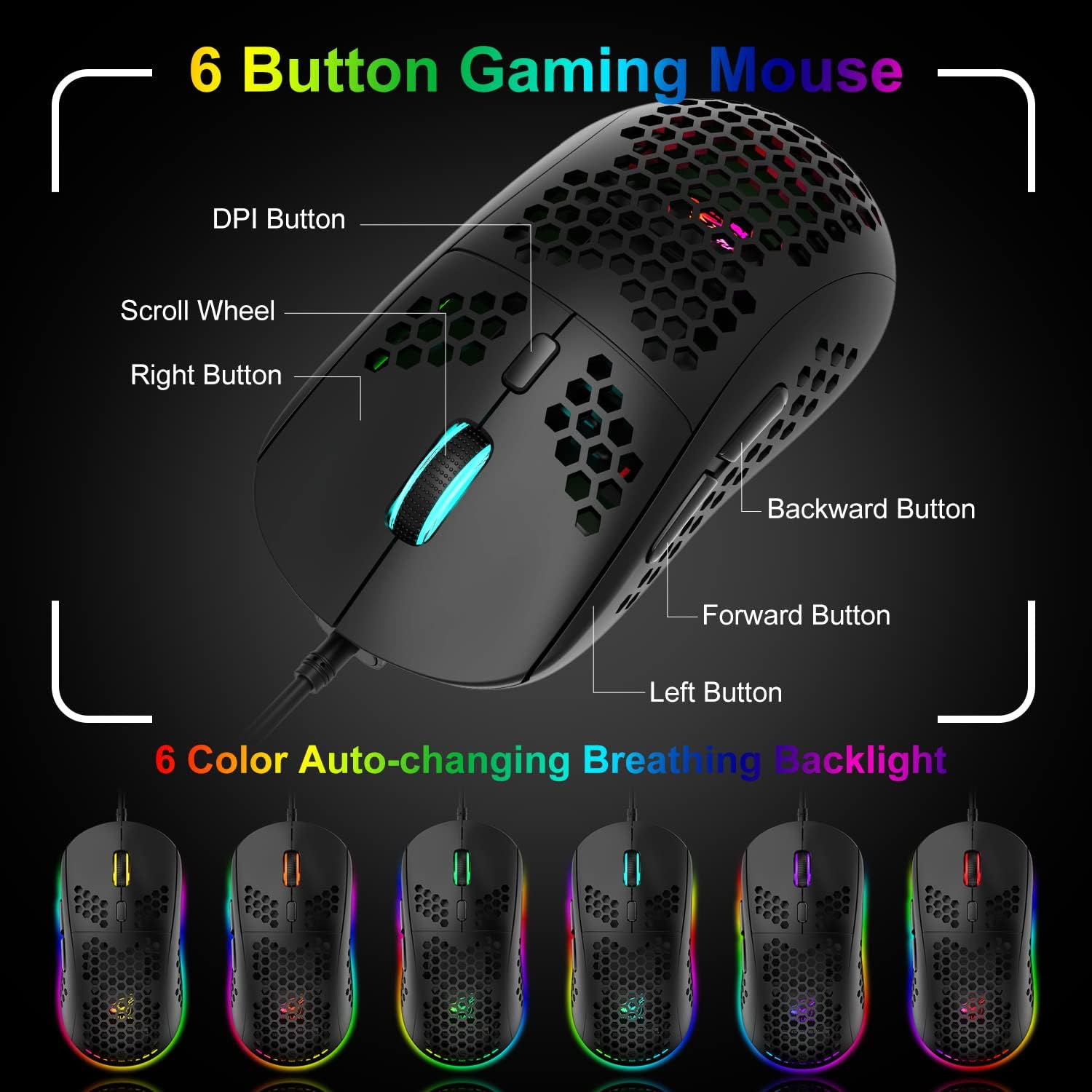
Image: A detailed diagram labeling the 6 buttons on the gaming mouse, including DPI, scroll wheel, left/right, forward, and backward buttons.
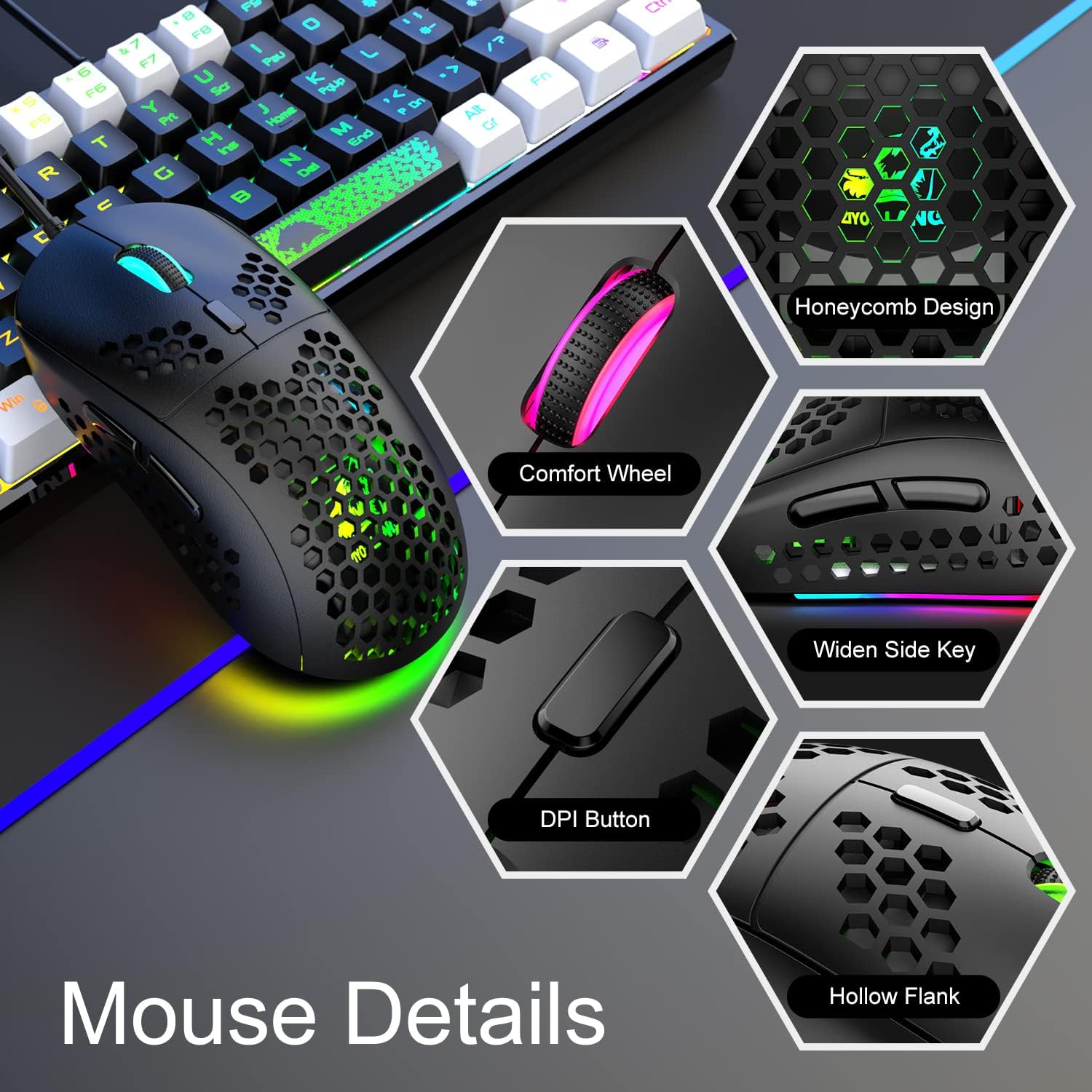
Gambar: Close-up views of the mouse's features, including honeycomb design, comfort wheel, widen side key, DPI button, and hollow flank.
4. Kontrol Pencahayaan RGB
4.1 Keyboard RGB Backlight
The keyboard features dynamic RGB backlighting with various effects.
- Ubah Efek Cahaya: Tekan Fn + P to cycle through different RGB lighting modes and effects.
- Sesuaikan Kecerahan: The keyboard offers 5 levels of brightness. Use specific key combinations (refer to your keyboard's markings, often Fn + Up/Down arrow or similar) to adjust.
- Monochromatic Light Effect: In addition to RGB, the keyboard can display monochromatic light effects.

Image: The keyboard displaying various cool RGB backlit effects, with instructions to press Fn+P to change them.
4.2 Mouse RGB Backlight
The mouse features 6-color auto-changing breathing backlight.
- The mouse's RGB lighting automatically cycles through 6 different colors, creating a breathing effect.
- This lighting enhances the aesthetic appeal and competitive atmosphere during gaming.
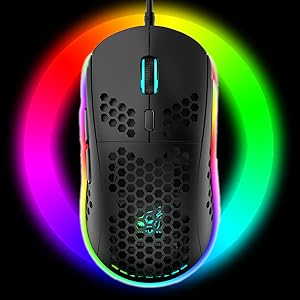
Image: The gaming mouse illuminated with vibrant RGB lighting, showcasindaya tarik estetiknya.
5. Pemeliharaan
5.1 Membersihkan Keyboard
- Lepaskan keyboard dari komputer Anda.
- Use a can of compressed air to blow out dust and debris from between the keys.
- Wipe the keycaps and surface with a soft, slightly damp kain. Hindari kelembapan yang berlebihan.
- For deeper cleaning, keycaps can be carefully removed using a keycap puller (if included) and cleaned separately. Ensure they are completely dry before reattaching.
5.2 Membersihkan Mouse
- Lepaskan mouse dari komputer Anda.
- Gunakan kain lembut dan kering untuk menyeka permukaan mouse.
- For the honeycomb shell, use compressed air to clear any dust.
- Clean the optical sensor on the bottom of the mouse with a cotton swab lightly dampdiakhiri dengan alkohol gosok.
5.3 Perawatan Umum
- Avoid spilling liquids on the keyboard or mouse.
- Do not expose the devices to extreme temperatures or direct sunlight.
- Tangani kabel dengan hati-hati untuk mencegah kerusakan.
6. Penyelesaian masalah
6.1 Keyboard/Mouse Tidak Merespons
- Pastikan kabel USB terpasang dengan benar ke port USB yang berfungsi di komputer Anda.
- Coba colokkan perangkat ke port USB yang berbeda.
- Hidupkan ulang komputer Anda.
- Test the device on another computer to determine if the issue is with the device or your system.
6.2 Lampu RGB Tidak Berfungsi atau Menampilkan Warna yang Tidak Benar
- For the keyboard, ensure it is properly connected. Press Fn + P untuk berganti-ganti mode pencahayaan.
- Check brightness settings using the appropriate Fn key combination.
- For the mouse, ensure it is connected. The mouse lighting is typically automatic.
- If the issue persists, try reconnecting the device or restarting your computer.
6.3 Mouse Tracking Issues or Incorrect DPI
- Pastikan sensor mouse bersih dan bebas dari kotoran.
- Press the DPI button on the mouse to cycle through different sensitivity levels.
- Pastikan Anda menggunakan mouse di permukaan yang sesuai, sebaiknya alas mouse yang disertakan.
7. Spesifikasi
| Merek | XINMENG |
| Model | Bahasa Inggris: K61 |
| Warna | Hitam & Putih |
| Teknologi Konektivitas | Kabel USB |
| Fitur Khusus | Backlit, Ergonomic |
| Perangkat yang Kompatibel | Konsol Game, Komputer Pribadi |
| Deteksi Gerakan (Mouse) | Optik |
| Dukungan Warna Lampu Latar Keyboard | Bahasa Inggris: RGB |
| Baterai Diperlukan | TIDAK |
| Sumber Daya | Listrik Kabel |
| Tata Letak Papan Ketik | Bahasa QWERTY |
| Hand Orientation (Mouse) | Sangat pandai |
| Sistem Operasi | Mac OS, Windows XP, WIN 7/8/10 |
| Jumlah Tombol (Keyboard) | 61 |
| Deskripsi Papan Ketik | Ergonomic, Mechanical Feel |
| DPI tetikus | Hingga 6400 DPI (6 level) |
8. Garansi dan Dukungan
8.1 Informasi Garansi
This XINMENG product comes with a 1-year warranty from the date of purchase, covering manufacturing defects. Please retain your proof of purchase for warranty claims.
8.2 Dukungan Pelanggan
For technical assistance, troubleshooting, or warranty inquiries, please contact XINMENG customer support through the retailer where the product was purchased or visit the official XINMENG websitus untuk informasi kontak.