
ELAMOR M22 Bluetooth Smart Lock
Panduan Pengguna Kunci Pintar Bluetooth ELAMOR M22
Comprehensive guide for installation, operation, maintenance, and troubleshooting of your ELAMOR M22 Smart Lock.
1. Produk Lebihview
The ELAMOR M22 Bluetooth Smart Lock offers convenient keyless entry with multiple unlocking options, including app control, touchscreen keypad, and mechanical keys. Designed for durability and security, it integrates seamlessly into modern homes and offices.

Image: ELAMOR M22 Bluetooth Smart Lock with its accompanying smartphone application interface.
Fitur Utama:
- Berbagai Metode Membuka Kunci: App Unlock, Touchscreen Keypad, Mechanical Keys.
- Konstruksi Tahan Lama: Sturdy zinc alloy and stainless steel frame with IP54 waterproof rating.
- Kontrol Aplikasi Kehidupan Cerdas: Manage user codes, view visitor logs, and unlock remotely via Bluetooth.
- Fitur Kunci Otomatis: Customizable 3-30 second auto-lock for enhanced security.
- Instalasi Mudah: Designed for simple installation with minimal tools.
2. Panduan Pengaturan
2.1 Apa yang Termasuk
Sebelum memulai instalasi, verifikasi bahwa semua komponen ada dalam paket:
- Touch Keypad Assembly (Exterior)
- Perakitan Interior
- Kait gerendel
- Pelat Pukulan Deadbolt
- Kotak Gesper
- Pelat Pemasangan
- Kunci Mekanik (2)
- Various Screws (1-5/32" (33mm) x 2, 3/4" (19mm) x 2, 3/4" (19mm) x 4)

Image: All components included in the ELAMOR M22 Smart Lock package, laid out for verification.
2.2 Persiapan Pintu
Pastikan pintu Anda memenuhi spesifikasi berikut untuk pemasangan yang tepat:
- Latar belakang: 2-3/8" or 2-3/4" (60mm-70mm)
- Hole in Door Edge: 1" (25 mm)
- Ketebalan Pintu: Between 1-3/8" and 2" (35mm and 50mm)

Image: A diagram illustrating the required door dimensions (backset, edge hole, thickness) for installing the smart lock.
2.3 Langkah Instalasi
Follow these steps carefully to install your ELAMOR M22 Smart Lock. A Philips screwdriver is the only tool required.
Video: M22 Bluetooth Smart Lock Installation Guide. This video provides a step-by-step visual walkthrough of the entire installation process.
- Insert Latch Bolt: Insert the latch bolt into the door. Ensure the T-shaped hole is in the bottom position. Twist the latch to adjust the bolt length if necessary, making sure the latch bolt is retracted.
- Instal Serangan: Install the strike plate on the door frame using the provided 3/4" (19mm) screws (2ea) to fix the latch.
- Pasang Rakitan Eksterior: Route the cable through the door. Ensure the tail of the exterior assembly passes through the T-shaped hole and the stud passes through the latch. The key must be pulled out when installing. Push the keypad onto the door.
- Pasang Pelat Pemasangan: Install the mounting plate using the 1-5/32" (33mm) screws (2ea). If the keypad and mounting plate are not placed correctly, loosen the mounting plate screws and make adjustments.
- Pasang Perakitan Interior: Ensure a tight cable connection. Insert the tail of the exterior assembly into the T-shaped hole of the interior assembly. Secure with the 3/4" (19mm) screws (2ea).
- Pasang Baterai: Install 4 AA batteries into the interior assembly.
- Operasi Uji: Test the door lock/unlock process normally. Press the lock key; the latch bolt should extend by itself. Unlock by entering the default user code (123456).
- Hubungkan ke Aplikasi: Connect the lock to the Smart Life App via Bluetooth. Follow the in-app instructions to add the device.

Image: A person using a Philips screwdriver to install the ELAMOR M22 Smart Lock, demonstrating the ease of installation.
3. Petunjuk Pengoperasian
3.1 Metode Pembukaan Kunci
- Papan tombol layar sentuh: Enter your programmed user code on the illuminated keypad to unlock the door.
- Aplikasi Kehidupan Cerdas: Open the Smart Life App on your smartphone. Within Bluetooth range (less than 32.8 ft/10 m), tap the unlock icon to open the door.
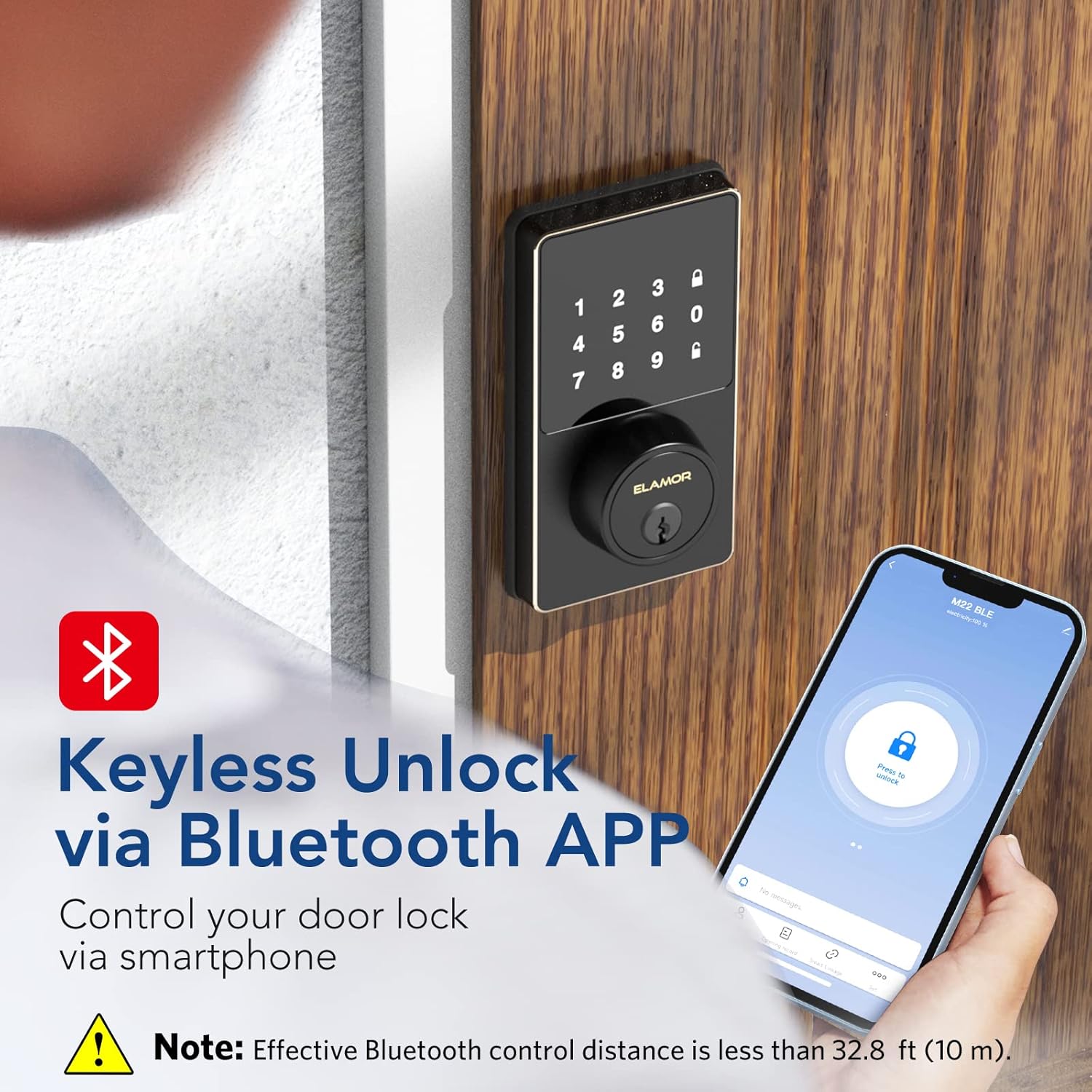
Image: A smartphone screen showing the Smart Life App interface with a prominent "Press to unlock" button for the ELAMOR M22 Smart Lock.
- Kunci Mekanik: Use the provided mechanical keys as a backup for manual unlocking.
3.2 Mengatur Kode Pengguna
The ELAMOR M22 Smart Lock supports up to 50 individual user codes. User codes can be managed and set visually through the Smart Life App. Refer to the app's specific instructions for adding, modifying, or deleting user codes.

Image: A visual representation of the smart lock's capability to store up to 50 individual user codes, suitable for multiple users.
You can also share permanent, temporary, or scheduled password access with friends and family directly from the app.

Image: A user interacting with the Smart Life App to share door access, illustrating the convenience of remote code management.
3.3 Fitur Kunci Otomatis
The auto-lock feature can be customized to automatically lock the door after a set period (3-30 seconds). This provides peace of mind, ensuring your door is secured even if you forget to lock it manually.
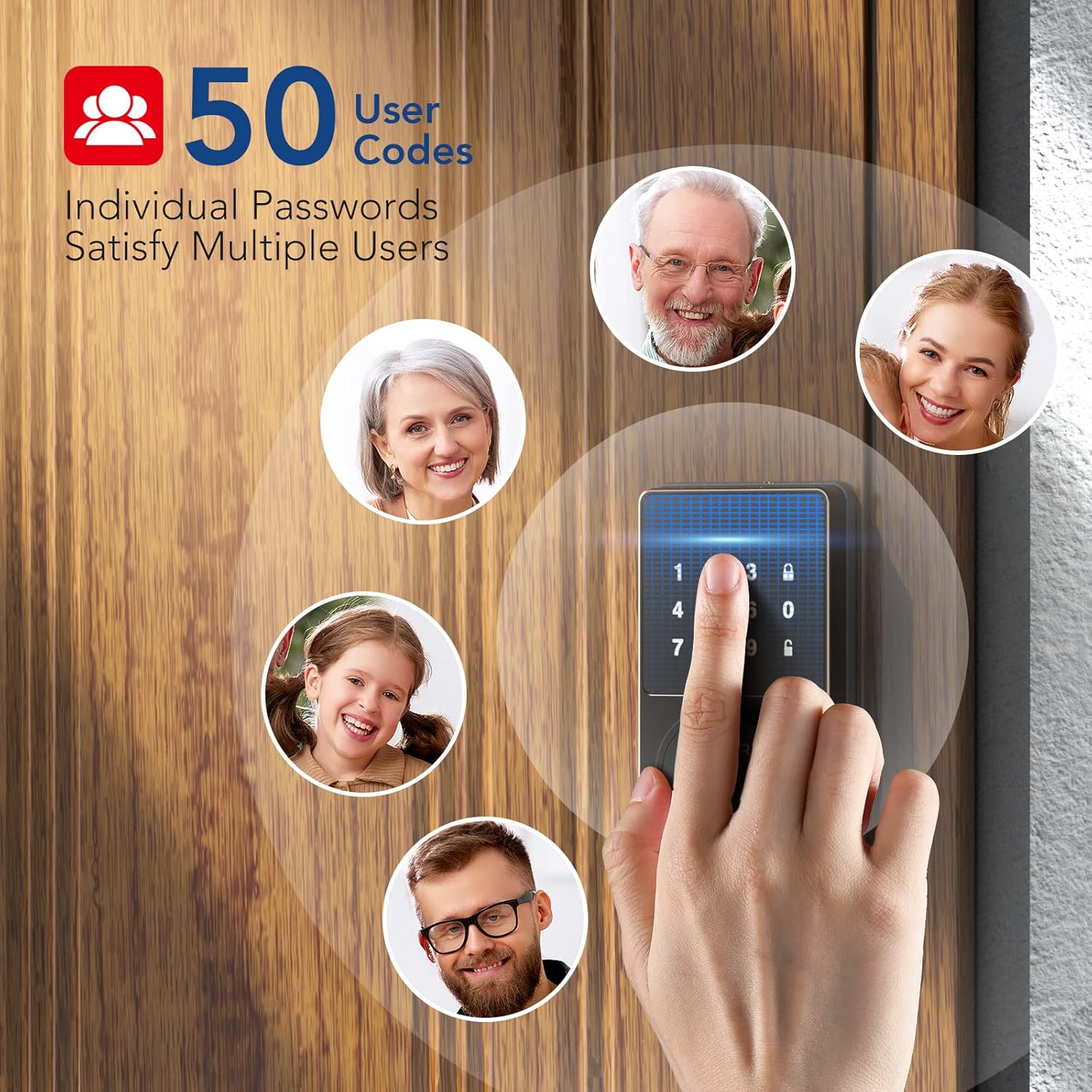
Image: A woman carrying packages, demonstrating the convenience of the auto-lock feature when hands are full.
4. Pemeliharaan
4.1 Pembersihan
To maintain the appearance and functionality of your smart lock, wipe the touchscreen and exterior surfaces with a soft, damp Gunakan kain. Hindari penggunaan pembersih abrasif atau pelarut, karena dapat merusak lapisan akhir dan komponen elektronik.
4.2 Penggantian Baterai
The lock is powered by 4 AA batteries. When the battery level is low, the lock will provide a reminder. Replace all four batteries simultaneously with new, high-quality AA alkaline batteries to ensure optimal performance.

Image: The smart lock's keypad showing a visual indicator for low battery, prompting replacement.
5. Penyelesaian masalah
- Keypad Not Responding or Code Not Working:
- Pastikan baterai terpasang dengan benar dan memiliki daya yang cukup. Ganti jika perlu.
- Verify the code entered is correct.
- If the issue persists, try resetting the lock (refer to app instructions for reset procedure).
- Masalah Konektivitas Aplikasi:
- Ensure Bluetooth is enabled on your smartphone and you are within the effective range (less than 32.8 ft/10 m).
- Mulai ulang aplikasi Smart Life.
- Periksa pembaruan aplikasi.
- If the lock was previously connected to Wi-Fi (for M19 models), ensure your Wi-Fi network is stable.
- Pengurasan Baterai Berlebihan:
- Ensure the door and frame are properly aligned and the deadbolt operates smoothly without resistance. Friction can cause increased motor usage and battery drain.
- Gunakan baterai alkaline berkualitas tinggi.
- Frequent use of the auto-lock feature or repeated locking/unlocking can consume more power.
- Lock Not Responding After Working for a Period:
- Periksa dan ganti baterai.
- Perform a factory reset if other troubleshooting steps fail. Note that this will erase all user codes and settings.
6. Spesifikasi
| Fitur | Detil |
|---|---|
| Merek | ELAMOR |
| Nama Model | M22 Bluetooth Smart Lock |
| Jenis Kunci | Bluetooth Programmable Keypad Door Lock Deadbolt with Key |
| Bahan | Seng |
| Warna | Hitam |
| Dimensi Barang (P x L x T) | 7.51x5.62x4.44 inci |
| Berat Barang | 2.38 pon |
| Sumber Daya | Bertenaga Baterai (4 baterai AA, tidak termasuk) |
| Protokol Konektivitas | Bahasa Indonesia: Bluetooth |
| Metode Kontrol | Aplikasi, Papan Tombol |
| Fitur Khusus | Smart Lock, Waterproof (IP54 rating) |
| Penggunaan yang Direkomendasikan | Front Door, Home Use, Apartment, Office, Hotel, Garage, Wine Cellar, Flats |
| Nomor Identifikasi Perdagangan Global (GTIN) | 06975082590098 |
7. Garansi dan Dukungan
ELAMOR provides a Garansi 12 bulan for the M22 Bluetooth Smart Lock. In case of any issues or inquiries, a 24-hour service team is available to assist you.
For technical support or warranty claims, please refer to the contact information provided with your product packaging or visit the official ELAMOR weblokasi.