
1. Pendahuluan
Thank you for choosing the Awei TC-7 Wired Earphones. These in-ear earphones are designed for clear audio and convenient communication, featuring a Type-C connector for modern devices and an inline microphone with control buttons. Please read this manual carefully to ensure proper use and maintenance of your earphones.
2. Isi Paket
- Awei TC-7 Wired Earphones
- Multiple sizes of Ear Cushions (Small, Medium, Large)

Gambar 2.1: The Awei TC-7 earphones include ear caps in various sizes to ensure a comfortable and secure fit for different users.
3. Produk Lebihview
The Awei TC-7 earphones feature a durable design with a Type-C plug for direct connection to compatible devices. The inline remote control allows for easy management of audio playback and calls.

Gambar 3.1: A close view of the Awei TC-7 earphones, showcasing their in-ear design for optimal sound delivery.

Gambar 3.2: The inline remote control features multi-function buttons for managing audio and calls.

Gambar 3.3: The integrated HD microphone is designed to pick up clear audio, even in noisy environments.
4. Pengaturan
- Pilih Bantalan Telinga: Choose the ear cushion size (Small, Medium, or Large) that provides the most comfortable and secure fit for your ears. A proper fit enhances sound quality and noise isolation.
- Hubungkan ke Perangkat: Insert the USB-C plug of the earphones into the Type-C port of your smartphone, tablet, laptop, or other compatible device.
- Keluaran Audio: Ensure your device's audio output is set to the connected earphones. This is usually automatic upon connection.
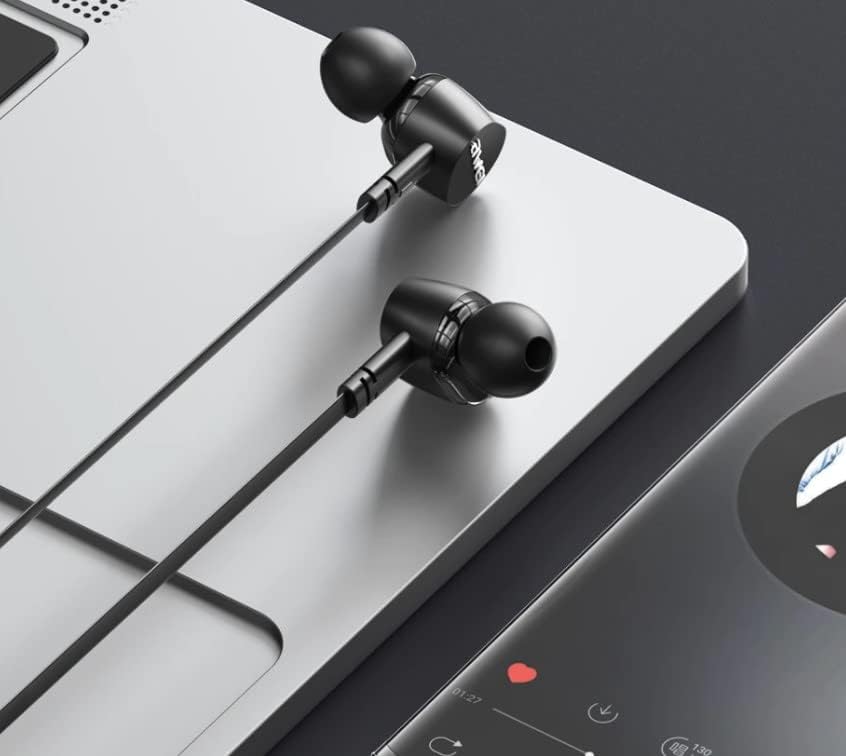
Gambar 4.1: The earphones are compatible with various devices featuring a USB-C port, such as laptops and smartphones.
5. Petunjuk Pengoperasian
The Awei TC-7 earphones feature an inline remote with buttons for convenient control of your audio and calls.
5.1. Kontrol Pemutaran Musik
- Putar/Jeda: Tekan tombol tengah sekali.
- Lagu Berikutnya: Tekan tombol tengah dua kali dengan cepat.
- Lagu Sebelumnya: Tekan tombol tengah tiga kali dengan cepat.
- Volume Naik: Tekan tombol '+'.
- Volume Turun: Tekan tombol '-'.
5.2. Manajemen Panggilan
- Menjawab/Mengakhiri Panggilan: Press the center button once during an incoming call or an active call.
- Tolak Panggilan: Press and hold the center button for approximately 2 seconds during an incoming call.
6. Pemeliharaan
Proper care will extend the lifespan of your Awei TC-7 earphones.
- Membersihkan Bantalan Telinga: Regularly remove the ear cushions and clean them with a soft, damp kain. Pastikan sudah benar-benar kering sebelum dipasang kembali.
- Perawatan Kabel: The cable is designed to be tangle-free. Avoid excessive pulling or sharp bending to prevent internal damage.
- Penyimpanan: When not in use, store the earphones in a clean, dry place, away from extreme temperatures.
- Tahan Air: The earphones are rated as waterproof. However, avoid prolonged submersion and ensure the USB-C port is dry before connecting to a device after exposure to water.
7. Penyelesaian masalah
If you encounter issues with your Awei TC-7 earphones, please refer to the following common solutions:
| Masalah | Kemungkinan Penyebab | Larutan |
|---|---|---|
| Tidak ada suara dari earphone | Earphones not properly connected; device volume too low; incorrect audio output setting on device. | Ensure the USB-C plug is fully inserted. Increase device volume. Check device audio settings to confirm output is set to earphones. |
| Mikrofon tidak berfungsi | Microphone port blocked; incorrect input setting on device; application permissions. | Ensure the microphone area is clear. Check device sound settings for microphone input. Verify application permissions for microphone access. |
| Tombol tidak merespons | Loose connection; device incompatibility; software glitch. | Reconnect the earphones. Test with another compatible device if possible. Restart your device. |
8. Spesifikasi
| Fitur | Detil |
|---|---|
| Nama Model | TC-7 |
| Teknologi Konektivitas | Berkabel |
| Soket Headphone | USB Tipe C |
| Penempatan Telinga | Di Telinga |
| Rentang Frekuensi | 20Hz - 20kHz |
| Fitur Tambahan | Microphone Included, Inline Control |
| Bahan | Plastik |
| Tingkat Tahan Air | Tahan air |
| Fitur Kabel | Bebas kusut |
| Perangkat yang Kompatibel | Smartphones, Laptops, Tablets, Desktops with USB-C |
9. Garansi dan Dukungan
Untuk informasi garansi dan dukungan pelanggan, silakan merujuk ke dokumen yang diberikan pada saat pembelian atau hubungi pengecer Anda. Simpan bukti pembelian Anda untuk klaim garansi apa pun.