
1. Pendahuluan
This manual provides essential information for the safe and efficient operation of your Coocaa 43Y72 4K Ultra HD Smart IPS Google LED TV. Please read it thoroughly before using the television and retain it for future reference. This television features a 108 cm (43 inches) frameless 4K Ultra HD IPS display, powered by Google TV, offering a comprehensive entertainment experience.

Image: The Coocaa 43Y72 TV showcasing its Google TV interface with personalized content and app recommendations.
2. Apa yang ada di dalam kotak
Saat membongkar kemasan, pastikan semua barang berikut ada:
- 1 x Coocaa 43Y72 LED TV
- 1x Kontrol Jarak Jauh
- 1 x Kabel Daya
- 1 x Start Guide
- 1 x Kartu Garansi
- 2 x Baterai AAA (untuk kendali jarak jauh)
- 1 x Set Dudukan Alas
- 4 buah sekrup (untuk dudukan alas)
3. Pengaturan
3.1 Pengaturan Fisik
- Membongkar: Carefully remove the TV from its packaging. It is recommended to have two people for this process.
- Instalasi berdiri: If using the included base stands, align them with the mounting holes on the bottom of the TV. Secure them using the provided screws. Ensure the TV is placed on a stable, flat surface.
- Pemasangan di Dinding (Opsional): If wall mounting, refer to the instructions provided with your wall mount kit. Ensure the wall mount is compatible with VESA standards for your TV model and installed by a qualified professional.
- Sambungan Daya: Connect the power cord to the TV's power input and then to a suitable electrical outlet.
3.2 Penyalaan Awal
- Tekan tombol daya pada TV atau remote control untuk menghidupkan TV.
- Ikuti petunjuk di layar untuk menyelesaikan pengaturan awal, termasuk pemilihan bahasa, koneksi jaringan, dan masuk ke akun Google.
4. Konektivitas
Your Coocaa 43Y72 TV offers multiple connectivity options for various devices.

Gambar: Detail view of the TV's side panel, illustrating the arrangement of USB, Digital Audio, AV, HDMI, and LAN ports.
4.1 Koneksi Kabel
- Port HDMI (3): Hubungkan set-top box, pemutar Blu-ray, konsol game, atau perangkat lain yang mendukung HDMI.
- Port USB (2): Hubungkan hard drive, flash drive USB, atau perangkat USB lainnya untuk pemutaran media.
- Pelabuhan LAN: Untuk koneksi internet kabel yang stabil.
- Keluaran Audio Digital: Connect to external audio systems for enhanced sound.
- Masukan AV: Untuk menghubungkan perangkat lama menggunakan kabel video komposit dan audio stereo.
- Port IR: To control connected devices like DVD/STB players.
4.2 Koneksi Nirkabel
- Wi-Fi (Dual Band): Hubungkan ke jaringan rumah Anda untuk akses internet dan streaming.
- Bluetooth dapat digunakan untuk berbagai keperluan, seperti: Pair with compatible devices such as headphones, speakers, or game controllers.
5. Mengoperasikan TV
5.1 Kontrol Jarak Jauh
The included remote control allows you to navigate the TV's features. It supports voice commands and has dedicated buttons for popular streaming services.

Image: The Coocaa remote control, highlighting its ergonomic design and dedicated buttons for smart features and streaming services.
- Tombol Daya: Menyalakan atau mematikan TV.
- Tombol Asisten Google: Mengaktifkan kontrol suara untuk mencari konten, mengontrol perangkat rumah pintar, dan banyak lagi.
- Papan Navigasi: Gunakan tombol arah dan tombol OK untuk menavigasi menu.
- Tombol Volume/Saluran: Sesuaikan volume dan ganti saluran.
- Tombol Akses Cepat: Direct access to Netflix, Prime Video, and YouTube.
5.2 Antarmuka Google TV
Google TV organizes movies, shows, live TV, and more from your apps and subscriptions into one personalized interface.
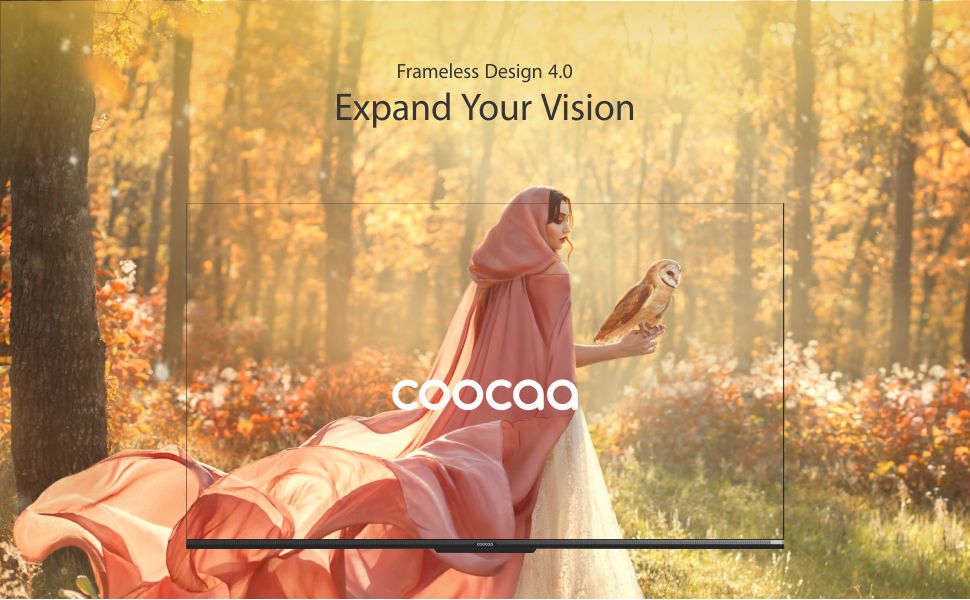
Image: The Google TV home screen, demonstrating personalized content suggestions and easy access to various applications.
- Personalized Homescreen: Content recommendations are tailored to your viewkebiasaan.
- Content Catalog: Access a vast library of movies and TV shows from services like Prime Video, Netflix, Hotstar, Zee5, Sony LIV, YouTube, and more.
- Google Duo Support: Engage in video calls directly from your TV (requires compatible camera, sold separately).
- Swaiot Home Feature: Integrate and control compatible smart home devices.
- Chromecast Bawaan: Tayangkan konten dari ponsel pintar atau tablet Anda langsung ke TV.
- Asisten Suara Google: Use voice commands for navigation, search, and control.
6. Fitur Tampilan dan Audio
6.1 Teknologi Tampilan
- 4K HDR (3840 x 2160) Resolution: Delivers sharp, detailed images with vibrant colors.
- Layar IPS: Menyediakan luas viewing angles (178 degrees), ensuring consistent picture quality from various positions.
- Durable A+ Grade DLED Panel: Ensures reliability and consistent performance.
- Ultra Bright Screen: Maintains picture clarity even in well-lit rooms.
- Desain Tanpa Bingkai: Memaksimalkan ruang layar untuk pengalaman imersif viewpengalaman ing.
- Mesin Gambar Chameleon Extreme 2.0: Enhances picture quality by optimizing color, contrast, and clarity.
- HDR 10 & HLG: Supports high dynamic range content for improved contrast and color accuracy.

Image: The Coocaa TV featuring its frameless design, designed to provide an expansive visual experience.
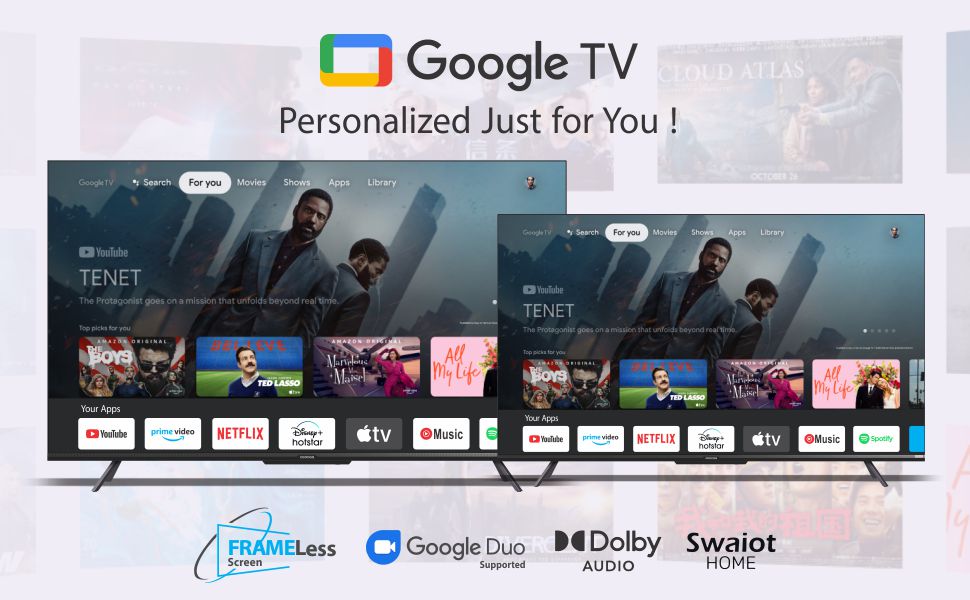
Image: Visual representation of the Chameleon Extreme 2.0 Picture Engine, highlighting its role in bringing out every detail.
6.2 Teknologi Audio
- Keluaran 30 Watt: Memberikan suara yang jernih dan kuat.
- Audio Dolbi: Menghasilkan suara yang kaya, jernih, dan bertenaga untuk pengalaman audio yang mendalam.
- DTS Tru Surround: Enhances audio with virtual surround sound for remarkable sound quality.
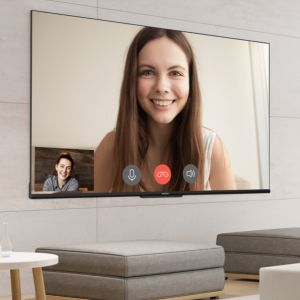
Image: Logos for Dolby Audio and DTS TruSurround, signifying advanced audio processing for superior sound.
7. Spesifikasi
Detailed technical specifications for the Coocaa 43Y72 TV:

Image: Technical drawing illustrating the precise dimensions of the Coocaa 43Y72 TV, including screen size, width, height, and depth.
| Fitur | Detil |
|---|---|
| Model | tahun 43 tahun 72 |
| Ukuran Layar | 108 cm (43 inci) |
| Resolusi | 4K HDR (3840 x 2160) |
| Tingkat Penyegaran | 60Hz |
| Viewsudut ing | 178 Derajat |
| Jenis Tampilan | LED IPS |
| Keluaran Suara | 30 Watt |
| Teknologi Audio | Dolby Audio, DTS Tru Surround |
| Sistem Operasi | Google TV (Android) |
| RAM | 2 GB |
| Penyimpanan | 16 GB |
| Port HDMI | 3 |
| Port USB | 2 |
| Konektivitas Nirkabel | Dual-band Wi-Fi, Bluetooth |
| Dimensi (P x L x T) | Ukuran 95.07x19.09x56.06 cm |
| Berat Barang | 6 kg |
| Sumber Daya | AC 200 Volts, 100 Watts |
8. Penyelesaian masalah
Jika Anda mengalami masalah dengan TV Anda, lihat masalah umum dan solusi berikut:
- Tidak Ada Daya:
- Ensure the power cord is securely connected to both the TV and the electrical outlet.
- Periksa apakah stopkontak berfungsi dengan mencolokkan perangkat lain.
- Tekan tombol daya pada TV itu sendiri, bukan hanya pada remote.
- Tidak ada gambar, tetapi ada suara:
- Verifikasi bahwa sumber masukan yang benar telah dipilih (misalnya, HDMI 1, AV).
- Periksa sambungan kabel antara TV dan perangkat eksternal.
- Tidak ada suara, tetapi ada gambar:
- Naikkan volume.
- Periksa apakah suara TV dimatikan.
- Pastikan kabel audio tersambung dengan benar jika menggunakan speaker eksternal.
- Periksa pengaturan keluaran audio di menu TV.
- Kontrol Jarak Jauh Tidak Berfungsi:
- Replace the batteries (2 AAA batteries).
- Pastikan tidak ada penghalang antara remote dan sensor IR TV.
- Re-pair the Bluetooth remote if it's a smart remote.
- Masalah Koneksi Wi-Fi:
- Mulai ulang router dan modem Anda.
- Periksa kata sandi Wi-Fi.
- Pastikan TV berada dalam jangkauan router Wi-Fi Anda.
For persistent issues, please contact Coocaa customer support.
9. Pemeliharaan
Perawatan yang tepat memastikan umur panjang dan kinerja TV Anda yang optimal:
- Membersihkan Layar: Gunakan kain lembut dan bebas serat yang dirancang khusus untuk elektronik. Jangan gunakan bahan kimia keras atau bahan abrasif. Usap dengan lembut.ampen the cloth with water if necessary, and wipe gently.
- Membersihkan Tubuh: Bersihkan rangka dan dudukan TV dengan kain lembut dan kering.
- Ventilasi: Pastikan aliran udara di sekitar TV memadai. Jangan halangi lubang ventilasi.
- Matikan Saat Tidak Digunakan: Turn off the TV and unplug it during lightning storms or when leaving it unused for extended periods.
10. Garansi dan Dukungan
Your Coocaa 43Y72 TV comes with a standard brand warranty. Please refer to the included Warranty Card for specific terms, conditions, and duration of coverage.
- Cakupan Garansi: Typically covers manufacturing defects and malfunctions under normal use.
- Hubungi Dukungan: For warranty claims, technical assistance, or service requests, please refer to the contact information provided on your Warranty Card or the official Coocaa weblokasi.
- Bukti Pembelian: Always retain your purchase receipt as proof of purchase for warranty validation.