
Perkenalan
Thank you for choosing the SHARE SUNSHINE Wireless Ergonomic Vertical Optical Mouse. This manual provides essential information for setting up, operating, and maintaining your new mouse. Designed for comfort and precision, this vertical mouse aims to reduce wrist strain and enhance your computing experience.


Isi Paket
Silakan periksa paket untuk item berikut:
- 1 x SHARE SUNSHINE Wireless Vertical Ergonomic Optical Mouse
- 1 x 2.4G USB Receiver (stored in the bottom of the mouse)
- 1 x Buku Petunjuk
Note: 2 AAA batteries are not included and must be purchased separately.
Produk Selesaiview
Familiarize yourself with the different parts and functions of your mouse.


Pengaturan
Follow these steps to get your mouse ready for use:
- Pasang Baterai: Open the battery compartment on the bottom of the mouse. Insert two (2) AAA batteries, ensuring correct polarity. Close the compartment securely.
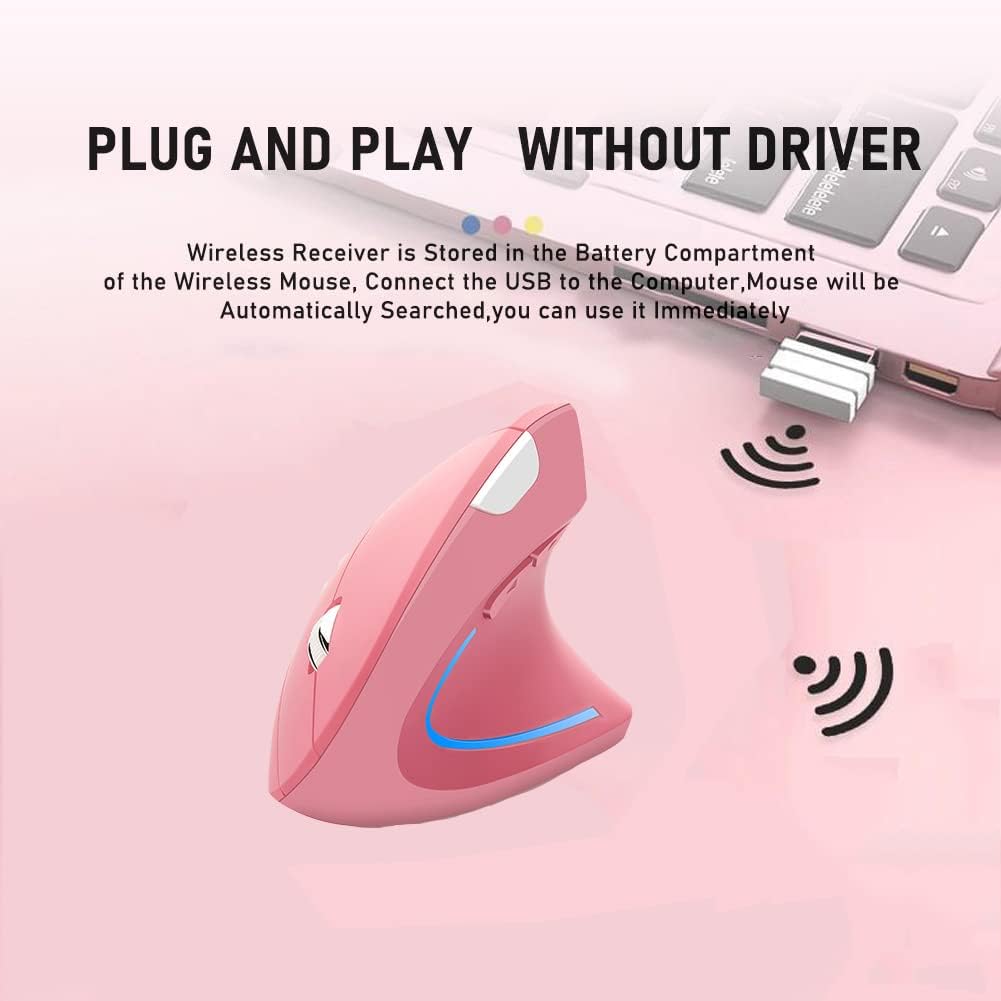
- Ambil Penerima USB: The 2.4G USB receiver is stored in a slot next to the battery compartment on the bottom of the mouse. Gently slide it out.
- Hubungkan Penerima: Plug the USB receiver into an available USB port on your computer (desktop, laptop, Mac, etc.).
- Nyalakan: Turn on the mouse using the Power Switch located on the bottom. The mouse will automatically be searched and connected by your computer. No additional drivers are required for most operating systems.

Petunjuk Pengoperasian
Your SHARE SUNSHINE Vertical Mouse is designed for intuitive use.
- Fungsi Dasar: Use the Left and Right buttons for standard clicking actions. The Scroll Wheel allows for smooth vertical scrolling.
- Penyesuaian DPI: Tekan tombol Tombol Sakelar DPI (located on the top of the mouse, see Figure 3) to cycle through the available DPI settings: 800, 1200, and 1600. Choose the sensitivity that best suits your task, whether for precise work or faster browsing.
- Tombol Samping: Itu Tombol Mundur Dan Tombol Maju (located on the side, see Figure 3) are pre-programmed to navigate web halaman atau dokumen.
- Mode hemat daya: To conserve battery life, the mouse will automatically enter a power-saving mode after 8 minutes of inactivity. To wake it up, simply press any button (left or right click).

Kesesuaian
The SHARE SUNSHINE Vertical Mouse offers broad compatibility with various operating systems and devices:
- Sistem Operasi: Windows 2000/ME/XP (x64)/Vista/7/8/10, Mac OS X (over V10.4)
- Perangkat yang Kompatibel: Desktop PCs, Laptops, Macbooks, and other devices with an available USB port.

Pemeliharaan
Untuk memastikan umur pakai dan kinerja optimal mouse Anda:
- Pembersihan: Gunakan kain lembut dan kering untuk membersihkan mouse. Hindari penggunaan bahan kimia keras atau bahan abrasif.
- Penggantian Baterai: When the mouse performance degrades or the LED light indicates low power, replace the two AAA batteries.
- Penyimpanan: Saat tidak digunakan dalam waktu lama, matikan mouse untuk menghemat daya baterai. Simpan penerima USB di slot yang telah ditentukan di bagian bawah mouse untuk mencegah kehilangan.
- Hindari Kondisi Ekstrim: Jangan biarkan tikus terkena suhu ekstrem, kelembapan, atau sinar matahari langsung.
Penyelesaian Masalah
Jika Anda mengalami masalah, coba solusi berikut:
- Mouse tidak merespons:
- Pastikan mouse dihidupkan.
- Periksa apakah penerima USB terpasang dengan aman ke port USB yang berfungsi.
- Ganti baterai dengan yang baru.
- Coba colokkan penerima USB ke port USB yang berbeda.
- Pergerakan kursor tidak menentu atau lambat:
- Bersihkan sensor optik pada bagian bawah mouse.
- Pastikan Anda menggunakan mouse di permukaan yang sesuai (bukan permukaan yang sangat memantulkan cahaya atau transparan).
- Adjust the DPI setting using the DPI Switch Button.
- Masalah koneksi nirkabel:
- Pastikan mouse berada dalam jangkauan operasional 33 kaki dari penerima.
- Hindari adanya penghalang antara mouse dan penerima.
- Minimalkan gangguan dari perangkat nirkabel lainnya.
Spesifikasi
| Fitur | Detil |
|---|---|
| Merek | BAGIKAN SINAR MATAHARI |
| Nama Model | Mouse Vertikal |
| Warna | Berwarna merah muda |
| Teknologi Konektivitas | Wireless (2.4G USB Receiver) |
| Teknologi Deteksi Gerakan | Optik |
| Resolusi DPI | 800 / 1200 / 1600 DPI (Dapat Disesuaikan) |
| Jumlah Tombol | 6 (Kiri, Kanan, Roda Gulir, Sakelar DPI, Maju, Mundur) |
| Orientasi Tangan | Benar |
| Jangkauan Operasi | Hingga 33 kaki (10 meter) |
| Sumber Daya | 2 x Baterai AAA (tidak termasuk) |
| Hemat Energi | Automatic power-saving mode after 8 minutes idle |
| Fitur Hiasan | Lampu LED |
| Berat Barang | 80 gram |
| Dimensi Barang (P x L) | 4.92"P x 3.23"L |
Garansi dan Dukungan
Your SHARE SUNSHINE Wireless Ergonomic Vertical Optical Mouse comes with a comprehensive warranty and dedicated customer support:
- Jaminan: Enjoy a 12-month warranty from the date of purchase.
- Pengembalian & Penggantian Dana: A 30-day free return and refund policy is available.
- Pelayanan pelanggan: Our customer support team is committed to a 24-hour response time for any issues or inquiries you may have.
For warranty claims or support, please refer to the contact information provided with your purchase or visit the official SHARE SUNSHINE store on Amazon: SHARE SUNSHINE Store.