
1. Pendahuluan
The EC Buying SIM800C USB to GSM Module is a quad-band GSM/GPRS wireless communication module designed for various applications requiring voice, SMS, and data transmission. It integrates a USB to serial port chip, allowing direct connection to a computer for debugging and operation. The module operates on GSM/GPRS frequencies of 850/900/1800/1900MHz, enabling worldwide use. Its compact design and low power consumption make it suitable for a wide range of embedded projects.
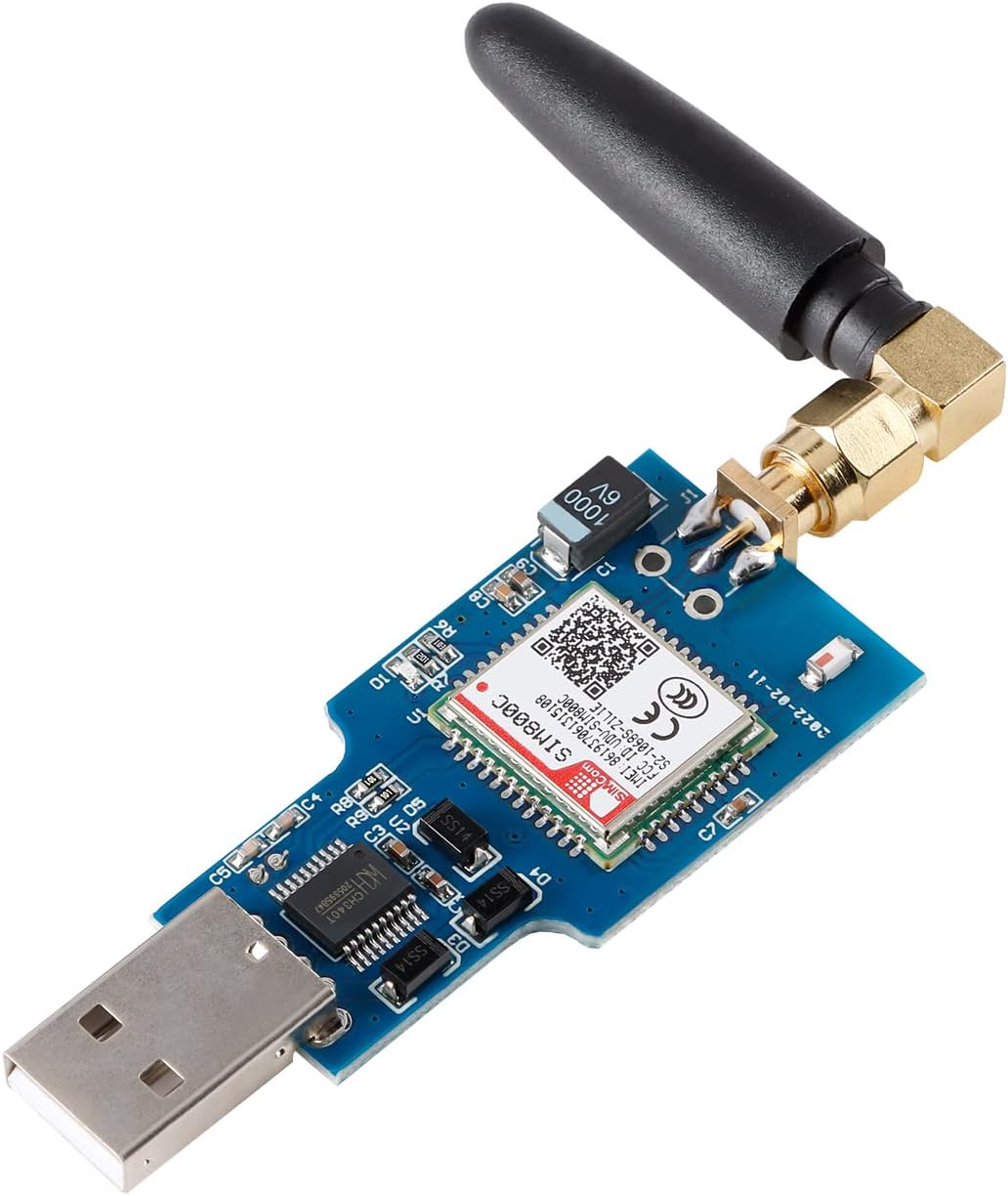
Figure 1: SIM800C USB to GSM Module
2. Fitur Utama
- Integrated original SIM800C GSM/GPRS module.
- Onboard CH340T USB to serial port chip for easy driver installation and high compatibility.
- Self-elastic SIM card slot supporting 2G/3G/4G Micro SIM and Nano cards.
- Automatic startup and network connection upon power-on, eliminating the need for manual startup buttons.
- Supports SMS sending and receiving, with management software and reference host computer source code (C#, VB) provided.
- Supports GPRS data transmission over 2G networks, suitable for applications like mobile meter reading.
- Supports Bluetooth data transmission, adhering to the IEEE802.15 Bluetooth standard at 2.4GHz.
- Adaptive baud rate support.
- Working indicator LED: flashes quickly at 1-second intervals when no network, no SIM card, or SIM card inserted incorrectly; blinks once every 3 seconds when connected to the network.
3. Panduan Pengaturan
3.1 Identifikasi Komponen
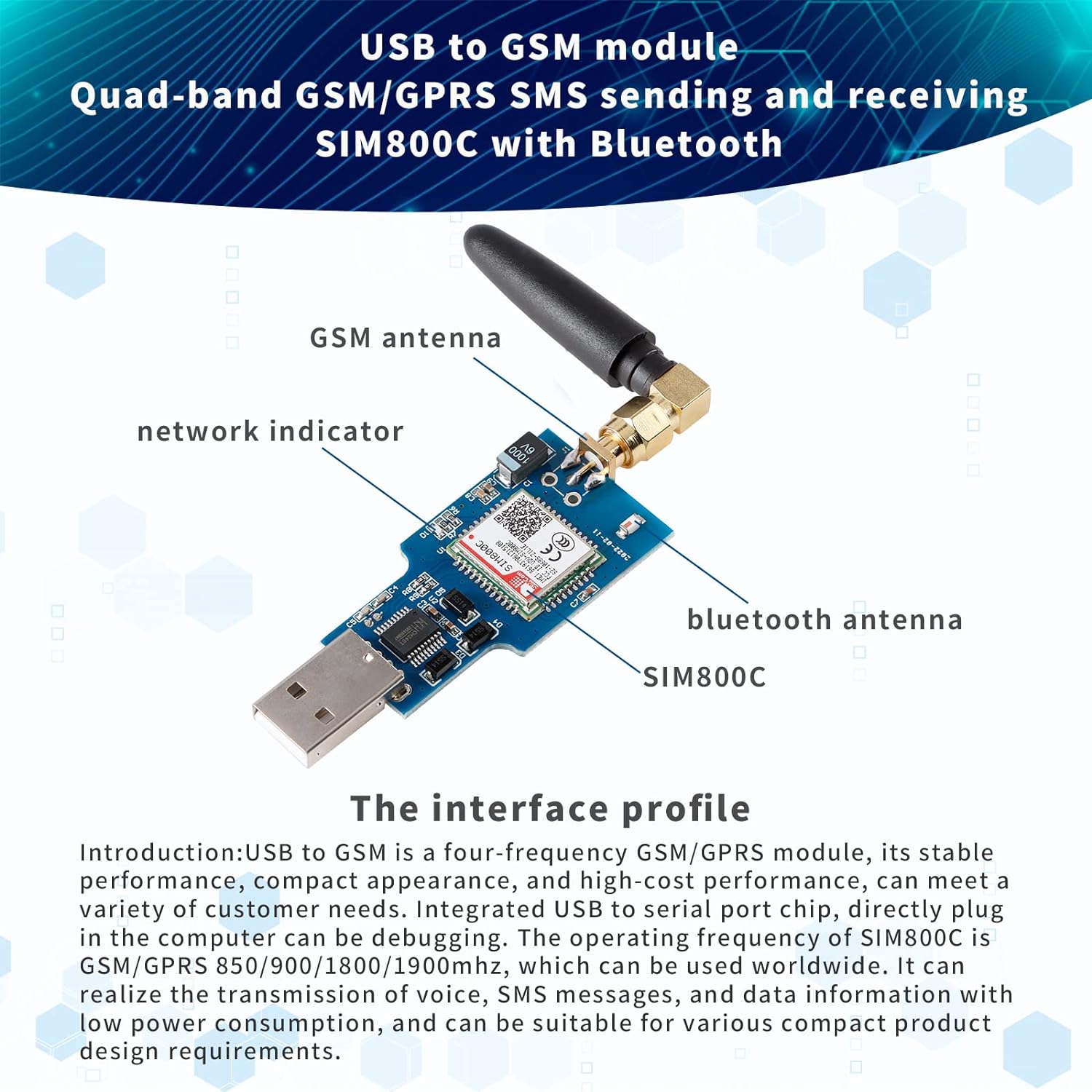
Figure 2: Module Interface Profile
Familiarize yourself with the module's components as shown in Figure 2. Key components include the SIM800C chip, USB connector, SIM card slot, GSM antenna connector, Bluetooth antenna connector, and network indicator LED.
3.2 Pemasangan Kartu SIM
- Ensure the module is disconnected from any power source.
- Locate the self-elastic SIM card slot on the module.
- Insert a Micro SIM or Nano SIM card into the slot. Ensure the card's orientation matches the diagram on the module or in Figure 3. Push the SIM card gently until it clicks into place.
- To remove, gently push the SIM card again until it springs out.

Gambar 3: Detail Slot Kartu SIM
3.3 Koneksi Antena
Connect the provided GSM antenna to the SMA connector on the module. Ensure it is securely fastened. If using Bluetooth, connect the Bluetooth antenna to its dedicated connector.
3.4 Driver Installation (CH340T)
When connecting the module to a computer via USB for the first time, the operating system may automatically install the necessary drivers for the CH340T USB to serial chip. If automatic installation fails, you may need to manually download and install the CH340T driver from a reliable source. Once installed, the module will appear as a virtual COM port in your device manager.
3.5 Power On and Network Connection
Plug the module into a USB port on your computer or a compatible USB power source. The module will automatically power on and attempt to connect to the GSM network. Observe the network indicator LED for status updates:
- Fast Flashing (approx. 1 second interval): No network, no SIM card, or SIM card inserted incorrectly.
- Slow Flashing (approx. 3 second interval): Successfully connected to the network.
4. Petunjuk Pengoperasian
The SIM800C module is controlled using AT commands sent via the serial interface. You can use a serial terminal program (e.g., PuTTY, RealTerm) to communicate with the module.
4.1 Perintah AT Dasar
- DI: Sends an attention command. The module should respond with "OK".
- DI+CSQ: Checks signal quality.
- AT+CREG?: Checks network registration status.
4.2 SMS Sending and Receiving
To send and receive SMS messages, configure the module for text mode using `AT+CMGF=1`. Refer to the SIM800C AT Command Manual for detailed commands such as `AT+CMGS` for sending and `AT+CMGR` or `AT+CMGL` for reading messages.
4.3 GPRS Data Transmission (2G Network)
The module supports GPRS data transmission over 2G networks. Configuration involves setting up an Access Point Name (APN) and initiating a GPRS connection using specific AT commands. Consult the SIM800C AT Command Manual for GPRS setup procedures.
4.4 Bluetooth Data Transmission
The module includes Bluetooth functionality for data transmission, adhering to the IEEE802.15 standard. Bluetooth operations are also controlled via AT commands. Refer to the SIM800C AT Command Manual for Bluetooth pairing, connection, and data transfer commands.
4.5 Management Software and Source Code
EC Buying provides management software and reference host computer source code (C#, VB) to assist with module integration and development. These resources can be obtained from the product's support page or by contacting customer service.

Gambar 4: Contohample Aplikasi
5. Spesifikasi
| Fitur | Keterangan |
|---|---|
| Modul | SIM800C GSM/GPRS Module |
| Chip USB ke Serial | CH340T |
| GSM/GPRS Frequencies | 850/900/1800/1900MHz (Quad-Band) |
| Dukungan Kartu SIM | Micro SIM, Nano SIM (2G/3G/4G compatible slots, module operates on 2G) |
| Transmisi Data | GPRS (2G network), SMS, Bluetooth |
| Standar Bluetooth | IEEE802.15, 2.4GHz |
| Kecepatan Baud | adaptif |
| Indikator | LED Status Jaringan |
| Dimensi (P x L) | 50.7mm x 27mm (1.99 inci x 1.06 inci) |
| Berat Barang | 0.634 ons |
| Antarmuka Perangkat Keras | Bluetooth, USB |
| Perangkat yang Kompatibel | Laptop, Desktop |

Gambar 5: Dimensi Produk
6. Technical Diagram
For advanced users and developers, a detailed circuit diagram is provided below for reference during integration and troubleshooting.

Figure 6: Circuit Diagram
7. Penyelesaian masalah
- Modul tidak dikenali oleh komputer: Ensure CH340T drivers are correctly installed. Check device manager for virtual COM port. Try a different USB port or cable.
- Network indicator LED flashes fast (1-second interval):
- Pastikan kartu SIM terpasang dan diaktifkan dengan benar.
- Check for network coverage in your location.
- Ensure the SIM card is compatible with 2G GSM networks, as the SIM800C module primarily operates on 2G. Some modern carriers may have phased out 2G support.
- Ensure the GSM antenna is securely connected.
- Cannot send/receive SMS or data:
- Confirm the module is registered to the network (slow flashing LED).
- Check AT command syntax and ensure correct parameters are used.
- Verify SIM card has active service and sufficient balance for SMS/data.
- For GPRS, ensure APN settings are correct for your network provider.
- Masalah koneksi Bluetooth: Ensure Bluetooth antenna is connected. Check AT commands for proper Bluetooth initialization and pairing.
8. Pemeliharaan
The SIM800C USB to GSM Module requires minimal maintenance. Keep the module clean and free from dust and moisture. Avoid exposing it to extreme temperatures or direct sunlight. Do not attempt to disassemble the module, as this may void any warranty and cause damage.
9. Garansi dan Dukungan
For warranty information, technical support, or further assistance, please contact EC Buying customer service through the retailer where the product was purchased or visit the official EC Buying websitus. Harap siapkan model produk dan detail pembelian Anda saat menghubungi dukungan.