
1. Pendahuluan
This user manual provides comprehensive instructions for the installation, operation, and maintenance of your ApooDr 9000 BTU Mini Split Air Conditioner. This ductless inverter system offers efficient cooling and heating for spaces up to 400 sq ft, featuring a 17 SEER2 rating and 110V operation. Please read this manual thoroughly before using the appliance to ensure safe and optimal performance.

Figure 1: ApooDr 9000 BTU Mini Split Air Conditioner system components.
2. Fitur Produk
- Teknologi Inverter: Energy efficient 9000 BTU, 16.5 SEER, 110V/60Hz, 9.4 HSPF. Capable of cooling and heating areas up to 400 sq ft. AHRI Certified & UL Certified.
- Operasi Kebisingan Rendah: Operates at a quiet 27.5 dB noise level, ensuring minimal disturbance.
- 5 Mode Operasi: Choose from Auto, Cool, Dry, Heat, and Fan modes for versatile climate control.
- Kisaran Suhu Luas: Cooling to 62°F, Heating to 86°F. Indoor working temperature: Cooling 62°F~90°F / Heating 32°F~86°F. Outdoor working temperature: Cooling 5°F~122°F / Heating 5°F~86°F.
- Fitur Cerdas: Includes LED Display, Self Diagnosis, Intelligent Defrost, and Pre-Heating functions.
- Perawatan Mudah: Equipped with a permanently washable and easy-to-clean air filter.
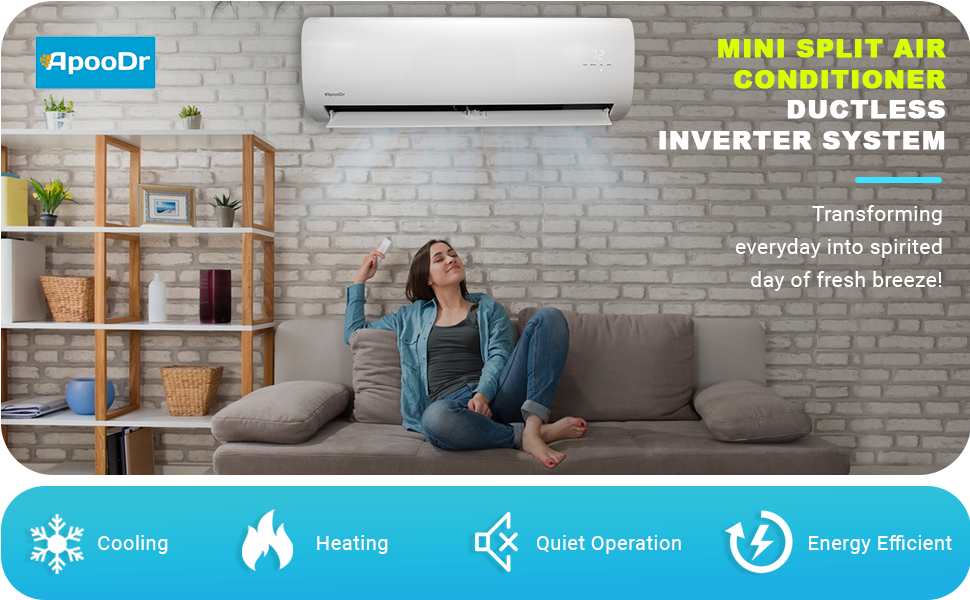
Figure 2: Key features of the ApooDr Mini Split Air Conditioner.
3. Apa yang ada di dalam kotak
Your ApooDr Mini Split Air Conditioner package includes the following components:
- Unit Dalam Ruangan
- Unit Luar Ruangan
- Kontrol Jarak Jauh
- Copper Line Set (approximately 11 FT)
- Kawat Komunikasi

Figure 3: All components included for installation.
4. Pengaturan dan Instalasi
Professional installation is required for this mini split system. For detailed step-by-step instructions, please refer to the official Manual Instalasi (PDF). Key steps generally include:
- Memasang Unit Dalam Ruangan: Select an appropriate location on an interior wall, ensuring proper clearance for air circulation and drainage.
- Memasang Unit Luar Ruangan: Choose a stable, level surface outdoors, away from obstructions and direct sunlight.
- Menghubungkan Saluran Refrigeran: Connect the pre-charged copper line set between the indoor and outdoor units. Ensure proper flaring and tightening to prevent leaks.
- Kabel listrik: Connect the communication wire and power supply according to the wiring diagram in the manual. This unit operates on 110V/60Hz.
- Membersihkan Sistem dengan Vakum: A vacuum pump is required to remove air and moisture from the refrigerant lines before releasing the pre-charged R-410A refrigerant.
- Sambungan Drainase: Pasang saluran pembuangan kondensat dari unit dalam ruangan untuk memastikan pembuangan air yang tepat.

Gambar 4: Lebihview of components for installation.
5. Petunjuk Pengoperasian
The ApooDr Mini Split Air Conditioner is controlled via the included backlit LCD remote. The indoor unit features an LED display showing the current temperature.
5.1 Fungsi Kontrol Jarak Jauh

Figure 5: Backlit LCD Remote Control.
- Tombol ON/OFF: Menyalakan atau mematikan unit.
- Tombol MODE: Cycles through the 5 operating modes:
- Mobil: Automatically selects cooling or heating based on the set temperature and room temperature.
- Dingin: Memberikan pendinginan untuk menurunkan suhu ruangan.
- Kering: Menghilangkan kelembapan udara, mengurangi tingkat kelembapan.
- Panas: Memberikan pemanasan untuk menaikkan suhu ruangan.
- Kipas: Sirkulasikan udara tanpa pendinginan atau pemanasan.
- TEMP Buttons (Up/Down Arrows): Menyesuaikan pengaturan suhu yang diinginkan.
- Tombol KIPAS: Changes the fan speed (Auto, Low, Medium, High).
- Tombol SWING: Controls the vertical oscillation of the air louvers.
- Tombol TIDUR: Activates sleep mode for quiet operation and gradual temperature adjustment overnight.
- Tombol TIMER ON/OFF: Mengatur timer agar unit menyala atau mati secara otomatis.
- Tombol LED: Mengaktifkan dan menonaktifkan tampilan LED pada unit dalam ruangan.

Figure 6: The 5 versatile operating modes.
6. Pemeliharaan
Regular maintenance ensures the longevity and efficiency of your mini split system. The indoor unit features a washable air filter for easy cleaning.
6.1 Membersihkan Filter Udara
The air filter should be cleaned regularly, typically every two weeks, or more frequently depending on usage and air quality.
- Matikan: Pastikan unit dimatikan dan diputuskan sambungan listriknya sebelum dibersihkan.
- Buka Panel Depan: Gently lift the front panel of the indoor unit.
- Hapus Filter: Geser keluar filter udara dengan hati-hati.
- Filter Bersih: Wash the filters with lukewarm water and a mild detergent. Rinse thoroughly and allow them to air dry completely before reinstallation. Do not use hot water or harsh chemicals.
- Pasang kembali filter: Slide the dry filters back into their slots and close the front panel.
Figure 7: The washable air filter for easy maintenance.
6.2 Pembersihan Umum
Usap bagian luar unit dalam dan luar ruangan dengan kain lembut.amp kain. Jangan gunakan pembersih atau pelarut yang bersifat abrasif.
7. Penyelesaian masalah
If you encounter any issues with your ApooDr Mini Split Air Conditioner, please refer to the comprehensive Panduan Pemecahan Masalah (PDF) for solutions to common problems. The unit also features a Self Diagnosis function to help identify potential issues.
Masalah Umum dan Solusinya:
| Masalah | Kemungkinan Penyebab | Larutan |
|---|---|---|
| Unit tidak menyala. | Tidak ada daya, baterai remote lemah, pemutus arus tersandung. | Periksa catu daya, ganti baterai jarak jauh, setel ulang pemutus sirkuit. |
| Pendinginan/pemanasan tidak memadai. | Dirty air filter, blocked outdoor unit, incorrect mode/temperature setting. | Clean air filter, clear obstructions from outdoor unit, verify settings. |
| Kebisingan yang tidak biasa. | Komponen longgar, benda asing, masalah refrigeran. | Inspect unit for loose components, remove foreign objects. If noise persists, contact professional service. |
| Kebocoran air dari unit dalam-ruang. | Pipa pembuangan tersumbat, pemasangan tidak tepat. | Clear drain pipe. If issue persists, professional inspection is needed. |
8. Spesifikasi
Detailed technical specifications for the ApooDr 9000 BTU Mini Split Air Conditioner (Model: ASF16-09H3B):
| Spesifikasi | Nilai |
|---|---|
| Nama Merek | Dokter Apoo |
| Informasi Model | ASF16-09H3B |
| Berat Barang | 80 pon |
| Dimensi Produk | 7.64x28.15x11.22 inci |
| Negara Asal | Cina |
| Efisiensi (PELIHAT) | 16.5 |
| Kapasitas | 9000 BTU (Cooling Power) / 9000 Cubic Feet (Air Volume) |
| Konsumsi Energi Tahunan | 890 Watt |
| Tingkat Kebisingan | 27.5dB |
| Jenis Instalasi | Sistem Split |
| Faktor Bentuk | Mini-Split |
| Fitur Khusus | Kompresor Inverter |
| Warna | Putih |
| Jil.tage | 110 Volt |
| Apatage | 890 watt |
| Komponen yang Termasuk | Remote, Copper line set, Communication wire |
| Cakupan Area Lantai | 400 Kaki Persegi |

Figure 8: EnergyGuide rating for the system.
9. Garansi dan Dukungan
ApooDr provides the following warranty for this product:
- Kompresor: Garansi 5 Tahun
- Bagian: Garansi 2 Tahun
For warranty claims or technical support, please contact the seller, ApooDr, directly. Professional installation is required to maintain warranty validity.