
1. Pendahuluan
Thank you for choosing the fojep Wireless Earbuds BX28. These earbuds are designed to provide a high-quality audio experience with advanced features for daily use and sports activities. This manual will guide you through the setup, operation, and maintenance of your new earbuds.

Figure 1.1: fojep Wireless Earbuds BX28 with charging case. The earbuds feature an ergonomic design with earhooks for a secure fit, and the charging case has an LED digital display.
2. Isi Paket
Harap verifikasi bahwa semua item ada dalam paket Anda:
- fojep Wireless Earbuds (Left and Right)
- Charging Case with LED Digital Display
- Kabel Pengisi Daya USB Type-C
- Ujung telinga (3 ukuran: S, M, L)
- Panduan Pengguna
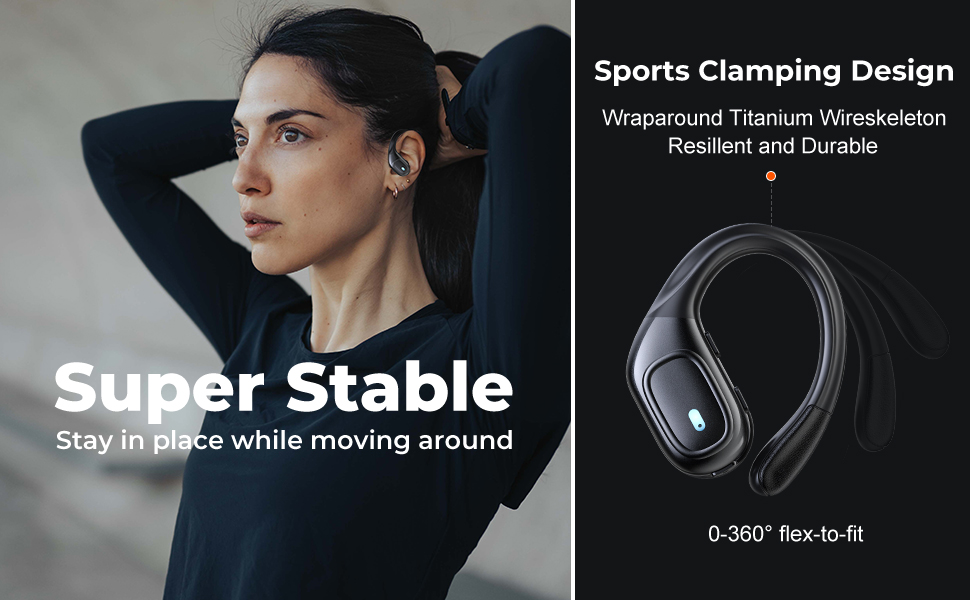
Figure 2.1: Illustration of the items included in the fojep BX28 earbud package, showing the earbuds, charging case, charging cable, and various eartip sizes.
3. Pengaturan
3.1 Mengisi Daya Earbud dan Casing
Before first use, fully charge the earbuds and the charging case. The charging case features an LED digital display that shows the battery percentage of the case and individual battery status bars for each earbud.
- Masukkan kedua earbud ke dalam wadah pengisian daya. Pastikan keduanya terpasang dengan benar; lampu indikator pada earbud akan menyala.
- Hubungkan kabel pengisi daya USB Type-C ke port pengisian daya pada casing dan ujung lainnya ke sumber daya USB (misalnya, adaptor dinding, port USB komputer).
- The LED display on the charging case will show the charging progress. A full charge typically takes approximately 1.5-2 hours.

Figure 3.1: The charging case displays the battery percentage for the case and individual charge levels for the left and right earbuds. The earbuds offer up to 7 hours of playtime, extended to 75 hours with the charging case.
3.2 Memasangkan dengan Perangkat Bluetooth
The fojep BX28 earbuds feature one-step auto pairing for convenience.
- Buka casing pengisi daya. Earbud akan otomatis menyala dan masuk ke mode berpasangan.
- On your device (smartphone, tablet, laptop), activate Bluetooth.
- Pencarian untuk available Bluetooth devices. Select "BX28" dari daftar.
- Setelah terhubung, Anda akan mendengar nada konfirmasi, dan earbud siap digunakan.
The earbuds will automatically reconnect to the last paired device when removed from the case, provided Bluetooth is enabled on the device.
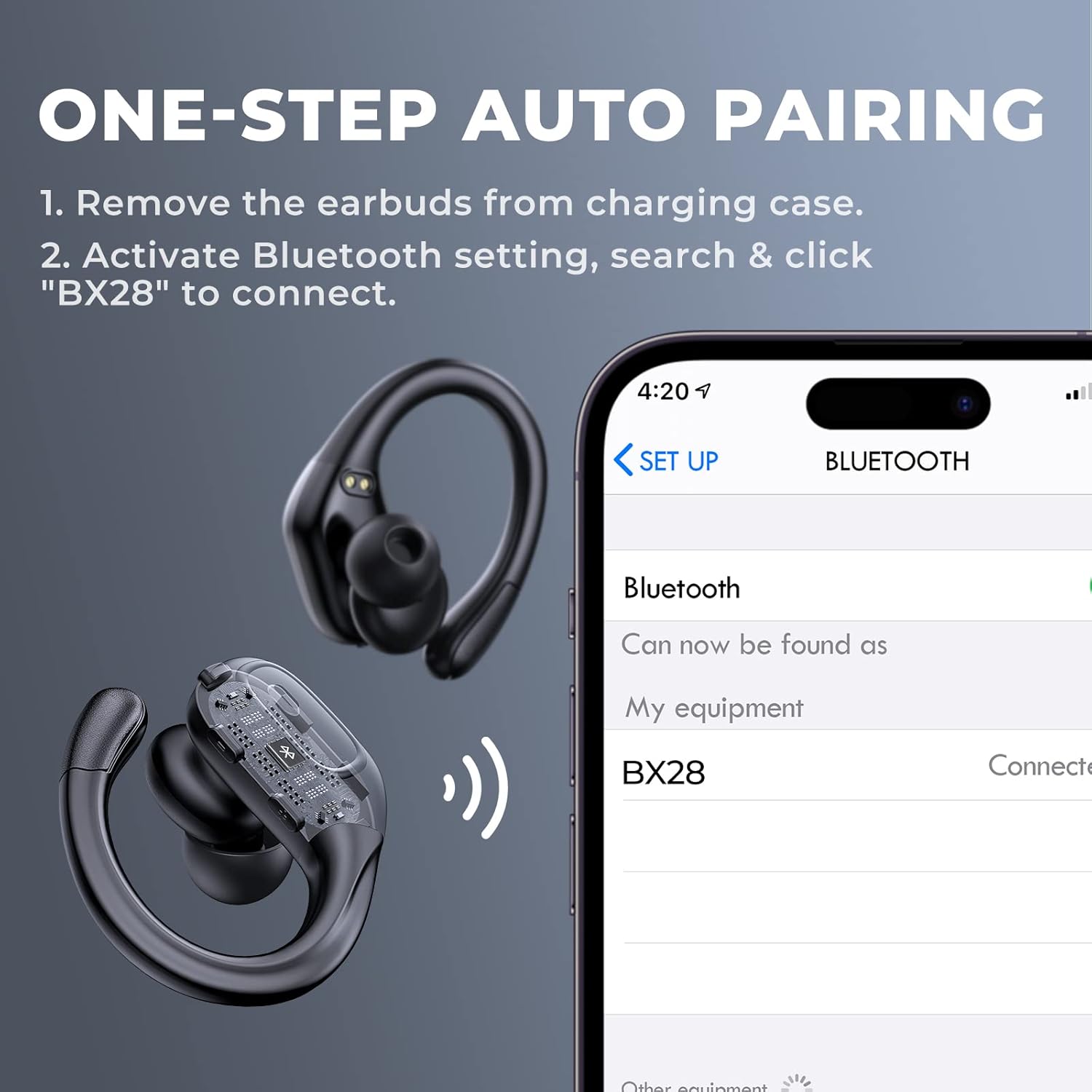
Figure 3.2: Visual guide for the one-step auto pairing process. Simply remove the earbuds from the charging case, and they will appear as "BX28" in your device's Bluetooth settings for connection.
3.3 Mengenakan Earbud
For optimal sound quality and comfort, choose the correct size eartips and adjust the earhooks.
- Select the eartips (S, M, L) that provide a snug and comfortable fit in your ear canal. A good seal enhances bass response and noise isolation.
- Gently place the earbud into your ear, ensuring the earhook wraps securely around the back of your ear. The earhooks are flexible for a customized fit.

Figure 3.3: The ergonomic design of the fojep BX28 earbuds, featuring flexible earhooks and multiple eartip sizes (S/M/L) to ensure a comfortable and secure fit, especially during sports activities.
4. Petunjuk Pengoperasian
The fojep BX28 earbuds feature intuitive touch controls on each earbud. The controls are mirrored on both earbuds, allowing for single-earbud use.
4.1 Kontrol Pemutaran Musik
| Tindakan | Earbud Kiri | Earbud Kanan |
|---|---|---|
| Putar/Jeda | Ketukan Tunggal | Ketukan Tunggal |
| Lagu Berikutnya | Tidak tersedia | Ketuk Dua Kali |
| Lagu Sebelumnya | Ketuk Dua Kali | Tidak tersedia |
| Volume Naik | Tidak tersedia | Ketuk Tiga Kali |
| Volume Turun | Ketuk Tiga Kali | Tidak tersedia |
4.2 Call Management Controls
| Tindakan | Earbud Kiri | Earbud Kanan |
|---|---|---|
| Menjawab Panggilan | Ketukan Tunggal | Ketukan Tunggal |
| Akhiri Panggilan | Ketukan Tunggal | Ketukan Tunggal |
| Tolak Panggilan | Tekan Lama (2 detik) | Tekan Lama (2 detik) |
4.3 Asisten Suara
Activate your device's voice assistant (Siri, Google Assistant, etc.) by performing a specific tap gesture.
| Tindakan | Earbud Kiri | Earbud Kanan |
|---|---|---|
| Aktifkan Asisten Suara | Tekan Lama (2 detik) | Tekan Lama (2 detik) |
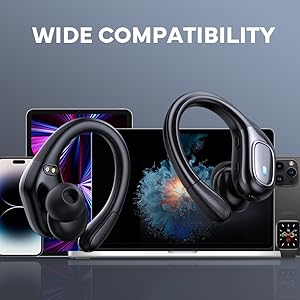
Figure 4.1: Detailed diagram of the touch controls for both left and right fojep BX28 earbuds, illustrating functions for music playback, call management, and voice assistant activation.
5. Pemeliharaan
Proper maintenance ensures the longevity and optimal performance of your fojep Wireless Earbuds BX28.
5.1 Pembersihan
- Bersihkan earbud secara teratur, terutama bagian eartip dan kontak pengisi daya, dengan kain yang lembut, kering, dan tidak berbulu.
- Untuk kotoran membandel, sedikit dampBilas kain dengan air atau pembersih ringan non-abrasif. Hindari kelembapan berlebih.
- Jangan gunakan bahan kimia keras, alkohol, atau bahan abrasif.
- Pastikan earbud benar-benar kering sebelum menaruhnya kembali ke dalam wadah pengisi daya.
5.2 Penyimpanan
- Jika tidak digunakan, simpan earbud dalam wadah pengisi dayanya untuk melindunginya dan menjaganya tetap terisi daya.
- Simpan di tempat sejuk dan kering, jauhkan dari suhu ekstrem dan sinar matahari langsung.
5.3 Tahan Air (IPX7)
The earbuds are rated IPX7 waterproof, meaning they can withstand submersion in up to 1 meter of water for 30 minutes. This makes them suitable for sweat resistance, rain, and splashes.
- Catatan: Casing pengisi daya adalah BUKAN Tahan air. Jangan biarkan wadah pengisi daya terkena air.
- After exposure to water or sweat, ensure the earbuds are completely dry before placing them back into the charging case to prevent damage to the charging contacts.

Figure 5.1: The fojep BX28 earbuds are IPX7 rated, providing protection against rain, sweat, and splashes, making them suitable for various activities.
6. Penyelesaian masalah
If you encounter issues with your fojep Wireless Earbuds BX28, refer to the following common solutions:
| Masalah | Kemungkinan Penyebab | Larutan |
|---|---|---|
| Earbud tidak dapat dipasangkan/dihubungkan | Bluetooth mati, earbud tidak dalam mode pemasangan, gangguan, perangkat yang sebelumnya sudah dipasangkan. |
|
| Hanya satu earbud yang berfungsi | Low battery, not properly paired, earbud not connected to each other. |
|
| Volume rendah atau kualitas suara buruk | Incorrect eartip size, earwax buildup, low device volume, poor connection. |
|
| Casing pengisi daya tidak mengisi daya | Faulty cable, power source issue, dirty charging port. |
|
7. Spesifikasi
| Fitur | Detil |
|---|---|
| Nomor Model | BX28 |
| Versi Bluetooth | Bahasa Indonesia: V5.3 |
| Waktu Bermain Earbud | Hingga 7 jam (sekali pengisian daya) |
| Total Waktu Bermain (dengan wadah pengisian daya) | Hingga 75 jam |
| Peringkat Tahan Air | IPX7 (hanya earbud) |
| Metode Kontrol | Kontrol Sentuh |
| Mikropon | Built-in, CVC Noise Cancelling |
| Port Pengisian Daya | USB Tipe-C |
| Bahan | Plastik |
| Warna | Hitam Pekat |

Figure 7.1: The fojep BX28 earbuds utilize advanced Bluetooth 5.3 technology, offering improved connection stability and efficiency compared to older versions.

Figure 7.2: The fojep BX28 earbuds are widely compatible with various Bluetooth-enabled devices, including smartphones, tablets, laptops, and smartwatches.
8. Garansi & Dukungan
fojep products are designed with quality and reliability in mind. For warranty information and customer support, please refer to the following:
- Jaminan: Specific warranty terms and duration may vary by region and retailer. Please retain your proof of purchase for warranty claims.
- Dukungan Pelanggan: If you experience any issues or have questions not covered in this manual, please contact fojep customer support through the platform where you purchased the product (e.g., Amazon Message Center).
- Sumber Daya Daring: For the latest information, FAQs, and additional support, visit the official fojep store page on Amazon: fojep Amazon Store.
Your satisfaction is important to us. We are committed to providing excellent service and support.