
Perkenalan
This user manual provides essential information for setting up, operating, maintaining, and troubleshooting your MI Xiaomi Notebook Ultra. Please read this manual thoroughly before using your device to ensure proper function and longevity. Keep this manual for future reference.
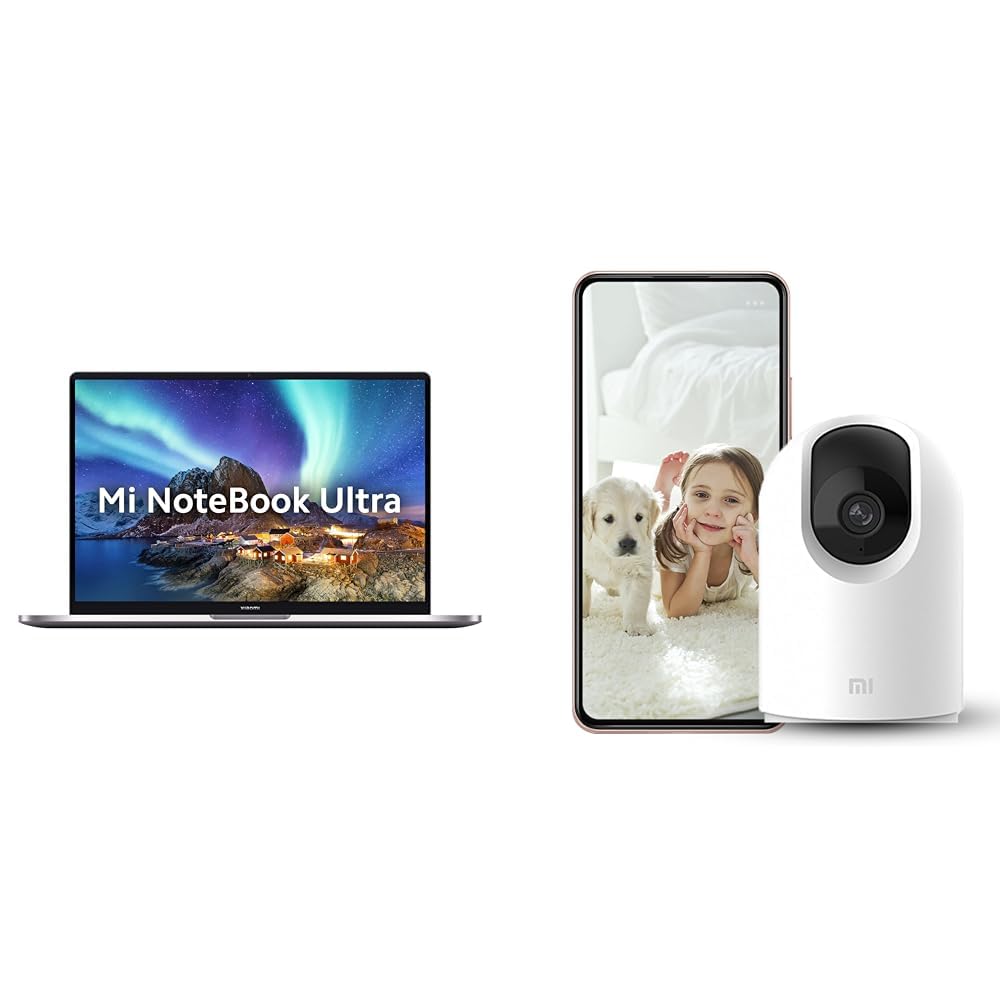
Image: The MI Xiaomi Notebook Ultra laptop, showcasing its display with a scenic wallpaper.
Produk Selesaiview
The MI Xiaomi Notebook Ultra is a thin and light laptop designed for performance and portability. It features an 11th Gen Intel Core i5-11320H processor, a high-resolution 3.2K IPS display, and integrated Intel Iris Xe Graphics. This section details the main components and features of your new laptop.
Fitur Utama:
- Prosesor: 11th Gen Intel Tiger Lake Core i5-11300H processor with speeds up to 4.4 GHz, 4 cores, 8 threads, and 8 MB Cache.
- Menampilkan: 39.62 cm (15.6-inch) IPS 3.2K resolution (3200x2000) with 16:10 aspect ratio, 100% sRGB, 90Hz refresh rate, 241 PPI, 1500:1 contrast ratio, anti-glare, and TUV Low blue light certification.
- Memori & Penyimpanan: 8GB DDR4 3200 MHz RAM and 512GB PCIe NVMe M.2 SSD.
- Operating System & Software: Pre-installed Windows 11 Home and Microsoft Office Home and Student 2021.
- Grafik: Integrated Intel Iris Xe graphics.
- Konektivitas: Dual Band Wi-Fi and Bluetooth.
- Keamanan: Fingerprint Recognition.
- Pelabuhan: Includes Thunderbolt 4 and USB Type-C ports.

Gambar: Sebuah overview of the MI Xiaomi Notebook Ultra's key features, including its 3.2K display, all-metal design, 90Hz refresh rate, 12-hour battery, thin and light profile, Thunderbolt 4, USB Type-C, Intel Core i5/i7 H35 processor, 8/16GB RAM, 512GB SSD, Wi-Fi 6, and fingerprint reader.

Gambar: Sisi profile of the MI Xiaomi Notebook Ultra, highlighting the various ports including Thunderbolt 4 and USB Type-C.
Panduan Pengaturan
1. Membuka Kemasan dan Pemeriksaan Awal:
Carefully remove the laptop and all accessories from the packaging. Check for any visible damage. Ensure all components listed in the packaging are present.
2. Menghubungkan Daya:
- Connect the power adapter to the laptop's USB Type-C charging port.
- Sambungkan kabel daya ke stopkontak di dinding.
- Biarkan laptop mengisi daya setidaknya selama 30 menit sebelum digunakan pertama kali, atau hingga indikator baterai menunjukkan daya yang cukup.
3. Initial Boot and Windows Setup:
- Buka penutup laptop dan tekan tombol daya.
- Ikuti petunjuk di layar untuk menyelesaikan proses pengaturan Windows 11 Home. Ini termasuk memilih wilayah, bahasa, terhubung ke jaringan Wi-Fi, dan membuat akun pengguna.
- Register your Microsoft account if prompted to activate Windows and Microsoft Office Home and Student 2021.
4. Menghubungkan Periferal:
You can connect external displays, wireless keyboards, mice, webcams, and other Bluetooth/Wi-Fi enabled devices. Refer to the device's specific instructions for pairing or connecting.
- Perangkat USB: Use the available USB Type-C or Thunderbolt 4 ports.
- Perangkat Bluetooth: Enable Bluetooth on your laptop via Windows settings and pair with your device.
- Tampilan Eksternal: Connect an external monitor using a compatible cable to the Thunderbolt 4 port (which supports display output).
Petunjuk Pengoperasian
Manajemen daya:
- Nyalakan: Tekan tombol daya yang terletak di bagian atas keyboard.
- Mode tidur: Tutup penutup laptop atau pilih "Tidur" dari menu Mulai Windows.
- Menutup: Pilih "Matikan" dari menu Mulai Windows.
- Mulai ulang: Pilih "Mulai Ulang" dari menu Mulai Windows.
Menggunakan Tampilan:
Your laptop features a 3.2K IPS display with a 90Hz refresh rate. You can adjust display settings (resolution, refresh rate, brightness) through Windows Display Settings. The anti-glare coating helps reduce reflections, and TUV Low blue light certification aims to reduce eye strain.
Pengenalan Sidik Jari:
The integrated fingerprint sensor allows for secure and quick login. To set up, navigate to Windows Settings > Accounts > Sign-in options and follow the instructions to register your fingerprint.
Papan Ketik dan Panel Sentuh:
The laptop includes a full-sized keyboard and a precision touchpad. Customize touchpad gestures and keyboard backlight settings (if available) through Windows Settings.
Suara:
The laptop is equipped with integrated speakers. Adjust volume using the function keys or Windows sound settings.
Webkamera:
Yang terintegrasi webcam can be used for video calls and conferences. Ensure the physical lens shield is open when using the webcam. Manage webcam privacy settings in Windows.
Pemeliharaan
Pembersihan:
- Layar: Gunakan kain yang lembut dan tidak berbulu secara tipis dampBersihkan dengan air atau cairan pembersih layar. Jangan menyemprotkan cairan langsung ke layar.
- Keyboard dan Sasis: Gunakan kain yang lembut dan kering. Untuk kotoran membandel, gunakan sedikit kain kering.amp Kain bisa digunakan. Hindari bahan kimia keras.
- Pelabuhan: Jaga agar port bebas dari debu dan kotoran. Gunakan udara bertekanan jika perlu, tetapi lakukan dengan lembut.
Perawatan Baterai:
- Hindari mengosongkan baterai sepenuhnya secara sering.
- Simpan laptop di tempat yang sejuk dan kering jika tidak digunakan dalam waktu lama, dengan baterai terisi sekitar 50%.
- Gunakan hanya adaptor daya asli yang disertakan dengan laptop.
Pembaruan Perangkat Lunak:
Regularly update Windows, drivers, and other software to ensure optimal performance and security. You can check for updates via Windows Settings.
Penyelesaian Masalah
Bagian ini menyediakan solusi untuk masalah umum yang mungkin Anda temui. Jika masalah berlanjut, hubungi dukungan pelanggan.
No Power / Laptop Not Turning On:
- Pastikan adaptor daya tersambung dengan aman ke laptop dan stopkontak yang berfungsi.
- Periksa apakah stopkontak berfungsi dengan mencolokkan perangkat lain.
- Jika baterai benar-benar habis, biarkan baterai terisi daya setidaknya selama 30 menit sebelum mencoba menghidupkan perangkat.
Masalah Tampilan:
- Layar Kosong: Try connecting an external monitor to check if the laptop is outputting video. If the external monitor works, there might be an issue with the laptop's internal display.
- Redupkan Layar: Adjust brightness using the function keys or Windows Display Settings.
- Resolusi Salah: Adjust the display resolution in Windows Display Settings.
Wi-Fi / Bluetooth Connectivity Problems:
- Ensure Wi-Fi and Bluetooth are enabled in Windows Settings.
- Untuk mengatasi masalah Wi-Fi, coba restart router/modem Anda.
- Untuk Bluetooth, coba putuskan pemasangan (unpair) dan pasangkan kembali perangkat.
- Perbarui driver adaptor jaringan melalui Pengelola Perangkat.
Kinerja Lambat:
- Tutup aplikasi yang tidak diperlukan yang berjalan di latar belakang.
- Periksa dan instal pembaruan Windows yang tertunda.
- Run a disk cleanup and defragmentation (for HDDs, though this laptop has SSD).
- Pindai malware atau virus.
Included Accessory: Mi 360° Home Security Camera 2K Pro
Your MI Xiaomi Notebook Ultra package includes a Mi 360° Home Security Camera 2K Pro. This camera offers enhanced home surveillance with 2K resolution and smart features. Please refer to the separate user manual provided with the camera for detailed setup and operation instructions.
Key Features of the Camera:
- Resolusi: 2K Video Resolution Quality.
- Konektivitas: Wi-Fi pita ganda.
- Keamanan: Physical lens shield.
- Suara: Dual-microphone noise reduction.
- Fitur Cerdas: AI Human Detection, Bluetooth gateway.
- Penyimpanan: Cloud Storage In India.

Image: The Mi 360° Home Security Camera 2K Pro, a white spherical camera with a black lens module.

Image: An illustration of the Mi 360° Home Security Camera 2K Pro's features, including physical shield, dual-microphone noise reduction, dual-band Wi-Fi, Bluetooth gateway, AI Human Detection, and Cloud Storage.

Image: A comparison demonstrating the 2K video resolution quality of the Mi 360° Home Security Camera 2K Pro, showing a clearer image at 1296p compared to 1080p.
Spesifikasi
| Fitur | Detil |
|---|---|
| Merek | MI |
| Nama Model | Xiaomi Notebook Ultra |
| Nomor Model CPU | Intel Core i11-5H Generasi ke-11320 |
| Kecepatan Prosesor | 3.1 GHz (Base) - 4.4 GHz (Max) |
| Inti Prosesor | 4 |
| Ukuran Layar | 39.62 Centimetres (15.6-inch) |
| Resolusi Tampilan | Resolusi 3200x2000 (3.2K) |
| Jenis Tampilan | IPS LED, Anti Glare Coating |
| Tingkat Penyegaran | frekuensi 90Hz |
| Ukuran Memori RAM Terpasang | 8 GB DDR4 3200 MHz |
| Ukuran Hard Disk | SSD PCIe NVMe M.2 512 GB |
| Sistem Operasi | Windows 11 Rumah |
| Koprosesor Grafis | Grafis Intel Iris Xe (Terintegrasi) |
| Teknologi Nirkabel | Bluetooth, Wi-Fi (Dual Band) |
| Keamanan Biometrik | Pengenalan Sidik Jari |
| Berat Barang | 1.7 Kilogram |
| Warna | Metalik |
| Perangkat Lunak yang Termasuk | Microsoft Office Home and Student 2021 |
| Jenis Sel Baterai | Polimer Litium |
Garansi dan Dukungan
For warranty information and customer support, please refer to the warranty card included in your product packaging or visit the official MI support websitus. Simpan struk pembelian dan nomor seri produk Anda saat menghubungi dukungan.
Dukungan online: MI India Support