
1. Lebihview
The Lutron Diva Smart Dimmer Switch Kit for Caséta Lighting offers advanced smart lighting control for your home. This kit includes a Diva smart dimmer switch, a Pico remote, a Pico pedestal, and a Lutron smart hub, providing a comprehensive solution for dimmable lights.
Key features include LED+ advanced dimming technology for superior performance, compatibility with existing wiring (no neutral needed), and the ability to create 3-way switching with a Pico remote. The system connects to a Lutron hub for reliable operation, even without Wi-Fi, and integrates with popular smart home platforms like Apple Home, Ring, Google Home, and Alexa.
The Diva smart dimmer features the well-loved design of Lutron Diva LED+ paddle style dimmers, allowing you to coordinate dimmers throughout your home. It works with up to 150W LED and 600W Incandescent/Halogen bulbs.
2. Apa yang ada di dalam kotak
- (1) Diva smart dimmer switch
- (1) Pico remote
- (1) Pico pedestal
- (1) Lutron smart hub
Please note: Wallplate is NOT INCLUDED and is SOLD SEPARATELY.
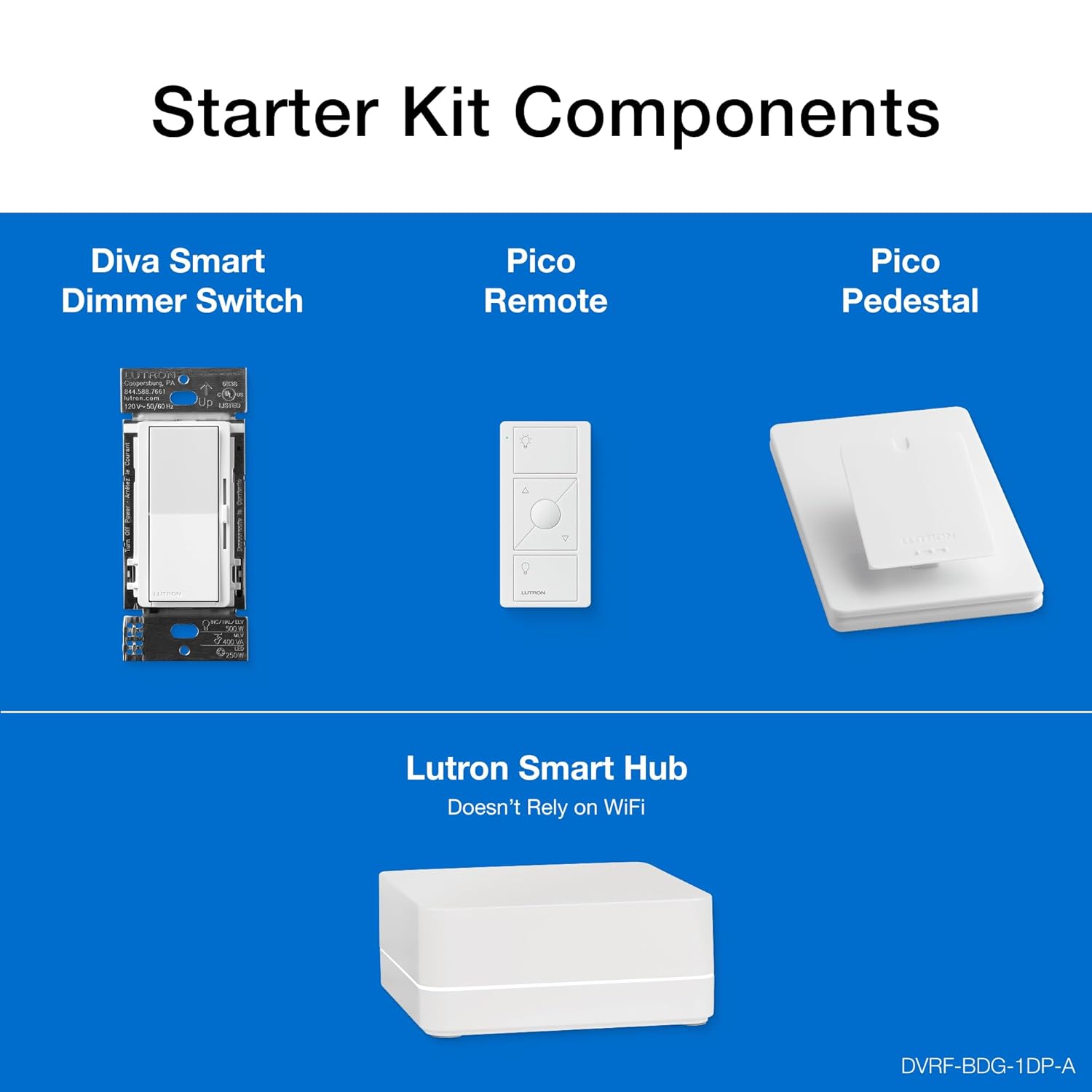
Image: The components included in the Lutron Caséta Diva Smart Dimmer Kit, laid out to show the dimmer switch, Pico remote, Pico pedestal, and the smart hub.
3. Pengaturan (Instalasi)
The Lutron Diva Smart Dimmer is designed for easy installation, typically taking as little as 15 minutes. No neutral wire is required, making it compatible with existing home wiring.
3.1. Instalasi Selesaiview
The system offers flexible installation options for various home setups, including single-pole, 3-way wired, and 3-way wireless configurations using the Pico remote.

Image: A visual guide demonstrating how to add a second switch location wirelessly by pairing a Pico remote with a wired Caséta dimmer and mounting it on any wall surface without cutting holes or running wires.

Image: A close-up of the Lutron Diva Smart Dimmer's wiring, highlighting that no neutral wire is needed for installation, making it suitable for homes of any age.
3.2. Smart Hub Connection
The Caséta smart hub provides a super-fast, ultra-reliable smart lighting connection that works independently of your Wi-Fi, preventing slowdowns on other devices. It connects to your home network via Ethernet.

Image: The Lutron Smart Hub with an Ethernet cable connected, illustrating its reliable, non-Wi-Fi dependent connection for smart lighting.
3.3. Video Instalasi
For detailed step-by-step instructions, please refer to the official installation videos provided by Lutron:
Single-Location Installation
Video: Official guide for installing the Lutron Diva Smart Dimmer in a single-location setup.
Wired 3-Way Installation
Video: Official guide for installing the Lutron Diva Smart Dimmer in a wired 3-way setup.
Pico 3-Way Installation
Video: Official guide for installing the Lutron Diva Smart Dimmer in a 3-way setup using a Pico remote.
4. Operasi
The Diva Smart Dimmer offers multiple ways to control your lighting, combining traditional wall switch functionality with smart home convenience.
4.1. Metode Pengendalian
- From the Wall: Use the paddle switch for direct control.
- Aplikasi Lutron: Control lights from anywhere, set schedules, geofencing, smart-away, and timers.
- Remote Pico: Wirelessly control lights from anywhere in your home (up to 30 feet through walls, 60 feet line of sight).
- Asisten Suara: Integrate with Amazon Alexa, Apple Home, Google Home, Ring, and Sonos for voice control.

Image: An illustration of the various control options for Lutron smart lighting, including the wall-mounted dimmer, the Lutron app, voice assistants, and the portable Pico remote.
4.2. Fungsi Peredupan
The Diva dimmer features a sleek slider for easy and precise dimming. A soft-glow light bar indicates the current light level and helps locate the dimmer in the dark.

Image: A close-up of the Diva Smart Dimmer highlighting its soft-glow light bar, which provides visual feedback on the dimming level and aids in locating the switch in low light.
4.3. Integrasi Rumah Pintar
The Caséta system connects with more leading smart home devices than any other 3-way dimmer switch control brand, offering extensive compatibility for a truly connected home experience.

Image: A collection of smart home devices and logos illustrating the broad compatibility of Lutron Caséta smart lighting with platforms like Amazon Alexa, Apple Home, Google Home, Ring, and Sonos.
Produk Selesaiview Video
Video: Sebuah overview of the Lutron Diva Smart Dimmer for Caséta Smart Lighting, showcasing fitur dan manfaatnya.
5. Pemeliharaan
To ensure optimal performance and longevity of your Lutron Diva Smart Dimmer Kit, follow these general maintenance guidelines:
- Pembersihan: Gently wipe the dimmer and wallplate with a soft, damp kain. Hindari pembersih atau pelarut abrasif.
- Pemeriksaan Koneksi: Periodically ensure all wiring connections are secure. If you notice any flickering or inconsistent behavior, re-check the wiring with the power off at the breaker.
- Pembaruan Firmware: Keep your Lutron app and smart hub firmware updated to ensure compatibility and access to the latest features and improvements.
6. Penyelesaian masalah
If you encounter issues with your Lutron Diva Smart Dimmer Kit, consider the following troubleshooting steps:
- Lampu Tidak Merespons: Ensure the circuit breaker is ON. Check that the dimmer is properly installed and wired according to the instructions.
- Lampu berkedip: Adjust the dimming range using the dimmer's low-end trim setting (refer to installation videos for guidance). Ensure you are using dimmable LED or incandescent/halogen bulbs.
- Masalah Konektivitas Aplikasi: Verify your smart hub is powered on and connected to your router. Restart the Lutron app. If issues persist, power cycle the smart hub by unplugging it for 10 seconds and plugging it back in.
- Pico Remote Not Responding: Ensure the Pico remote is within range of the dimmer or hub. Check the remote's battery life (Pico remotes have a 10-year battery life). Re-pair the Pico remote if necessary (refer to installation instructions).
7. Spesifikasi
| Spesifikasi | Detil |
|---|---|
| Dimensi Produk | 1.44 x 2.94 x 4.69 inci; 1.19 pon |
| Nomor Model Barang | DVRF-BDG-1DP-A |
| Pabrikan | Lutron |
| Mode Operasi | HIDUP-REDUPKAN-MATI |
| Peringkat Saat Ini | 1.25 Amps |
| Volume Operasitage | 120 Volt |
| Jenis Kontak | Sakelar dayung |
| Jenis Konektor | Kabel |
| Jenis Sirkuit | Single Pole, 3-Way with Claro smart accessory switch |
| Jenis Aktuator | Sakelar dayung |

Image: Technical drawing of the Diva Smart Dimmer Switch with key dimensions and control points labeled, including tap functions for on/off and dimming slider.
8. Garansi
For detailed warranty information, please refer to the official Warranty PDF document provided by Lutron:
9. Dukungan
For any technical assistance or support, Lutron offers 24/7 technical support.
Hotline Dukungan Teknis: 1-800-LUTRON1