
Perkenalan
Thank you for choosing the AWEI T61 Wireless Bluetooth Earbuds. This manual provides essential information for setting up, operating, and maintaining your earbuds to ensure optimal performance. The AWEI T61 earbuds feature advanced Bluetooth 5.3 technology, ENC smart noise cancellation for clear calls, high-fidelity stereo sound with 13mm speakers, and an IPX6 waterproof rating, making them suitable for various activities including gaming and exercise.
Apa yang ada di dalam kotak
- AWEI T61 Wireless Bluetooth Earbuds
- Casing Pengisian Daya Nirkabel
- S/M/L Earbud Covers (Ear Tips)
- Kabel Pengisian Daya
- Panduan Pengguna
Produk Selesaiview

Seorang jenderal view of the AWEI T61 wireless earbuds and their compact charging case.
The AWEI T61 earbuds are designed for comfort and performance, featuring a sleek design and a portable charging case. The case not only protects your earbuds but also recharges them on the go, extending your listening time.

This image displays the AWEI T61 earbuds resting in their open charging case, emphasizing the dual Environmental Noise Cancellation (ENC) microphones, 300 hours of standby time, and 6 hours of play time per charge.
Pengaturan
1. Mengisi Daya Earbud dan Casing
- Sebelum penggunaan pertama, isi daya earbud dan casing pengisi daya hingga penuh.
- Hubungkan wadah pengisi daya ke sumber listrik menggunakan kabel USB yang disediakan.
- Lampu indikator pada casing akan menunjukkan status pengisian daya.
- Place the earbuds into the charging case; they will charge automatically.
2. Memasangkan dengan Perangkat Anda
- Pastikan kedua earbud terisi dayanya.
- Open the charging case. The earbuds will automatically enter pairing mode (Hall Switch feature).
- Pada perangkat Anda (ponsel pintar, tablet, dll.), aktifkan Bluetooth.
- Pencarian untuk 'AWEI T61' in the list of available Bluetooth devices and select it to connect.
- Setelah dipasangkan, earbud akan secara otomatis terhubung ke perangkat Anda saat wadahnya dibuka untuk penggunaan selanjutnya.
3. Mengenakan Earbud
- Select the appropriate earbud covers (S/M/L) for a comfortable and secure fit.
- Insert the earbuds into your ears and gently twist until they fit snugly. The ergonomic design ensures a secure fit, ideal for sports and exercise.
Petunjuk Pengoperasian
Kontrol Sentuh
The AWEI T61 earbuds feature intuitive touch controls on each earbud for easy management of music, calls, and voice assistant functions.
- Putar/Jeda: Ketuk satu kali pada salah satu earbud.
- Lagu Berikutnya: Ketuk dua kali earbud kanan.
- Lagu Sebelumnya: Ketuk dua kali earbud kiri.
- Menjawab/Mengakhiri Panggilan: Ketuk satu kali pada salah satu earbud.
- Tolak Panggilan: Tekan dan tahan salah satu earbud selama 2 detik.
- Aktifkan Voice Assistant: Ketuk tiga kali pada salah satu earbud.
- Volume Naik: Tekan dan tahan earbud kanan.
- Volume Turun: Tekan dan tahan earbud kiri.
Mode Ganda Game/Musik
The earbuds support a dual mode for gaming and music. In game mode, the earbuds are optimized to accurately capture in-game sounds like footsteps and gunfire for an enhanced gaming experience. Refer to the product packaging or official website for specific instructions on switching between modes.
ENC Smart Noise Cancellation
The built-in microphone in each earbud utilizes ENC (Environmental Noise Cancellation) technology to ensure clear and realistic sound during calls by reducing ambient noise.
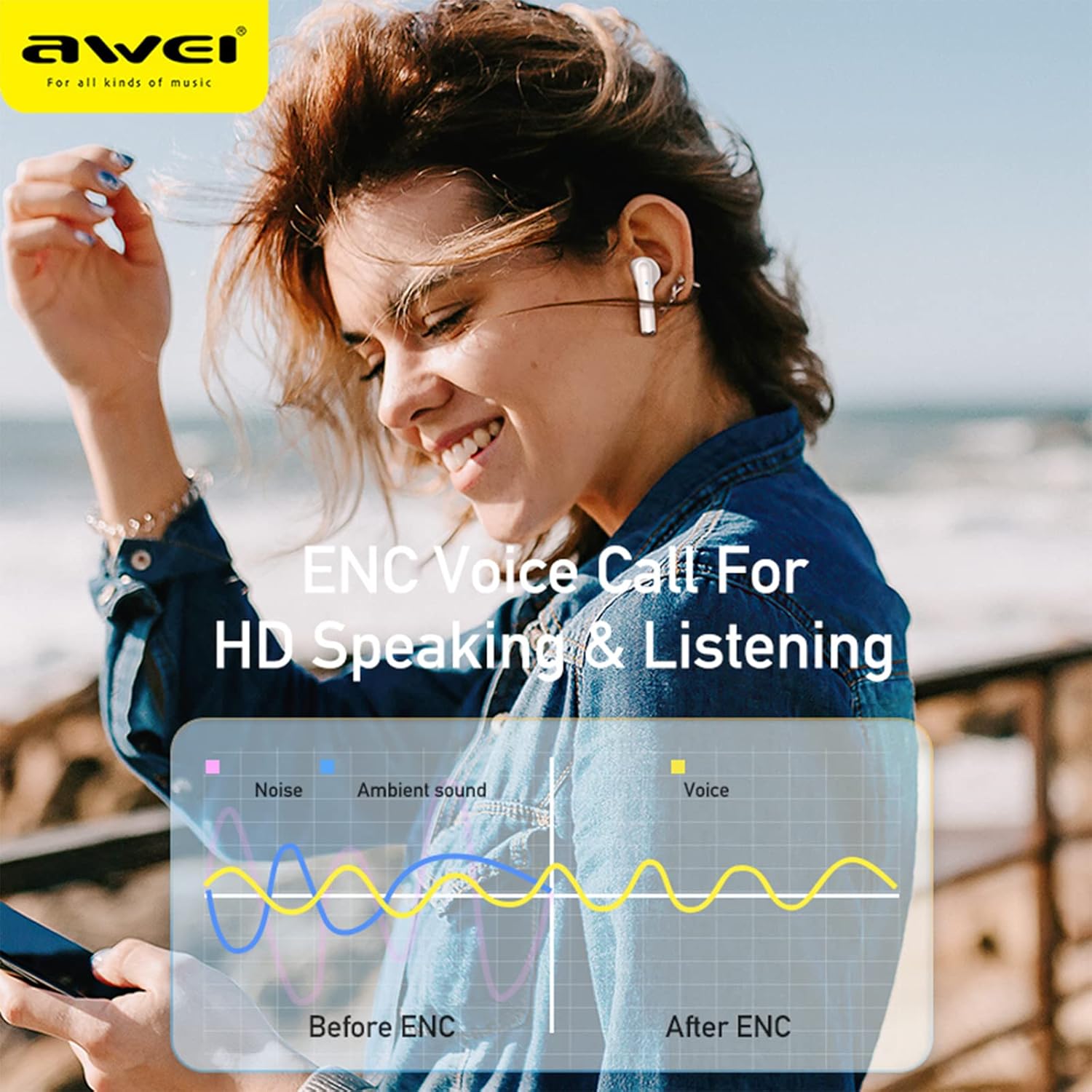
A visual representation of how Environmental Noise Cancellation (ENC) technology works, demonstrating the reduction of ambient noise for clearer voice calls, with 'Before ENC' and 'After ENC' sound wave comparisons.
Tahan Air
The earbuds feature an IPX6 waterproof and anti-sweat nano coating, protecting them from heavy rain or sweat during strenuous exercise. This makes them suitable for various outdoor activities.

The AWEI T61 earbuds are shown with water droplets on their surface, illustrating their IPX6 waterproof and sweatproof capabilities, making them suitable for use in various weather conditions and during exercise.
Konektivitas Bluetooth 5.3
Equipped with advanced Bluetooth 5.3 technology, the AWEI T61 earbuds provide a stable and low-latency connection, ensuring an uninterrupted audio experience.

An image of an AWEI T61 earbud, with a transparent overlay revealing its internal components and highlighting the integration of Bluetooth 5.3 technology for stable and efficient wireless connectivity.
Audio Fidelitas Tinggi
The earbuds feature 13mm dynamic drivers and a composite diaphragm to deliver high-fidelity stereo sound with enhanced bass and clear treble.

A cutaway diagram of an AWEI T61 earbud, showcasing its 13mm dynamic driver, which is responsible for delivering high-fidelity audio and powerful stereo sound.
Pemeliharaan
- Pembersihan: Regularly clean the earbuds and charging case with a soft, dry, lint-free cloth. Do not use harsh chemicals or abrasive materials. Ensure charging contacts are free of debris.
- Penyimpanan: Saat tidak digunakan, simpan earbud di dalam wadah pengisian dayanya untuk melindunginya dari debu dan kerusakan, serta agar tetap terisi daya.
- Perawatan Baterai: To prolong battery life, avoid fully discharging the battery frequently. Charge the earbuds and case regularly, especially if they will not be used for an extended period.
Penyelesaian Masalah
- Earbud tidak dapat dipasangkan:
- Pastikan kedua earbud terisi dayanya.
- Place earbuds back in the case, close the lid, then reopen to re-enter pairing mode.
- Delete 'AWEI T61' from your device's Bluetooth list and try pairing again.
- Pastikan Bluetooth diaktifkan pada perangkat Anda.
- Tidak ada suara dari satu earbud:
- Check battery levels of both earbuds.
- Cobalah untuk mengatur ulang earbud dengan meletakkannya di dalam wadah dan memasangkannya kembali.
- Masalah pengisian daya:
- Pastikan kabel pengisian daya tersambung dengan aman ke casing dan sumber daya.
- Periksa apakah port pengisian daya pada casing bersih dan bebas dari kotoran.
- Coba gunakan kabel pengisi daya atau adaptor daya yang berbeda.
Spesifikasi
| Nama Model | AWEI T61 |
| Teknologi Konektivitas | Nirkabel, Bluetooth 5.3 |
| Kontrol Kebisingan | Sound Isolation, ENC Smart Noise Cancellation |
| Ukuran Driver Audio | 13 Milimeter |
| Masa Pakai Baterai Earbud | 6-8 Jam |
| Total Daya Tahan Baterai (dengan Casing) | Hingga 48 Jam |
| Waktu Siaga | 300 Jam |
| Tingkat Tahan Air | Tahan Air IPX6 |
| Metode Kontrol | Sentuh, Kontrol Suara |
| Perangkat yang Kompatibel | Sebagian besar perangkat berkemampuan Bluetooth |
| Bahan | Akrilonitril Butadiena Stirena (ABS), Logam |
| Dimensi Produk | 3.94x3.94x1.57 inci |
| Berat Barang | 6.3 ons (180 gram) |
Garansi dan Dukungan
Informasi Garansi: Your AWEI T61 Wireless Bluetooth Earbuds are covered by a limited manufacturer's warranty. Please refer to the warranty card included in your product packaging for specific terms and conditions regarding coverage and duration.
Dukungan Pelanggan: For technical assistance, troubleshooting, or warranty claims, please contact AWEI customer support through their official website or the retailer where the product was purchased. Keep your purchase receipt as proof of purchase for any warranty-related inquiries.