
Cayin N7
Panduan Pengguna Pemutar Audio Digital Cayin N7
Model: N7 (SPK-A003)
Merek: Cayin
1. Pendahuluan
This user manual provides comprehensive instructions for the operation and maintenance of your Cayin N7 Digital Audio Player. The Cayin N7 is a high-fidelity portable audio player designed to deliver exceptional sound quality. Please read this manual thoroughly before using the device to ensure proper functionality and to maximize your listening experience.

Gambar: Depan view of the Cayin N7 Digital Audio Player, displaying its screen with music playback interface.
2. Produk Lebihview
2.1. Komponen dan Kontrol
Familiarize yourself with the various components and controls of the Cayin N7.
- Menampilkan: 5-inch TFT multi-point touchscreen (1080 x 1920 resolution).
- Tombol Volume: Located at the top right, for adjusting audio output level.
- Tombol Samping: Power, Play/Pause, Next/Previous Track.
- Pelabuhan: USB-C, 3.5mm single-ended output, 4.4mm balanced output, microSD card slot.

Gambar: Depan view of the Cayin N7, showing the full screen and physical buttons on the side.

Gambar: Belakang view of the Cayin N7, displaying the model number and manufacturer information.

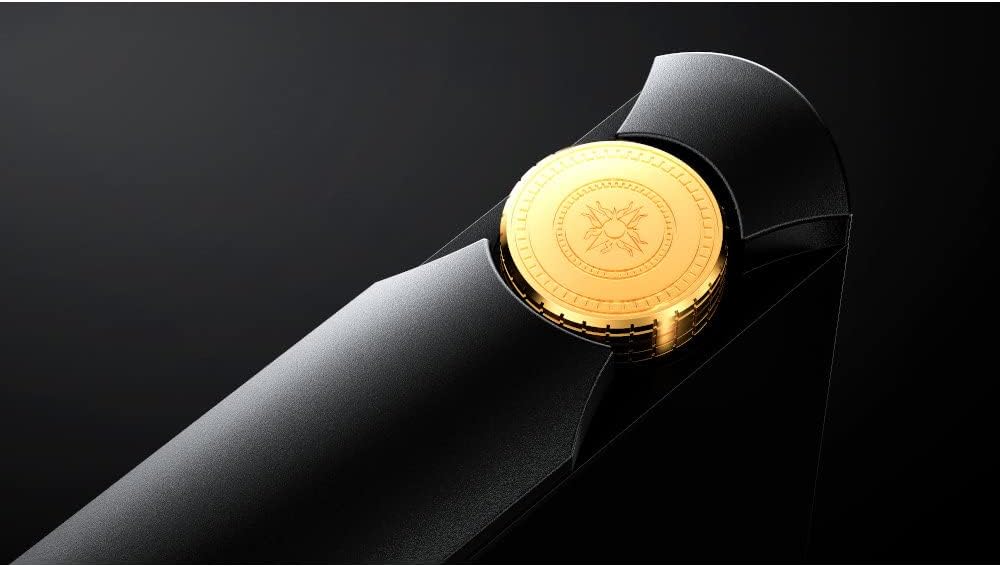
Gambar: Close-up view of the golden volume knob on the top of the Cayin N7.
Gambar: Bawah view of the Cayin N7, showing various audio output and data ports.
3. Pengaturan
3.1. Pengaktifan dan Pengisian Daya Awal
Upon first use, ensure the Cayin N7 is fully charged. Connect the provided USB-C cable to the device and a compatible USB power adapter. The multi-color smart LED will indicate charging status.
3.2. Memasukkan Kartu MicroSD
The Cayin N7 supports microSD cards up to 1TB for expanded storage. Locate the microSD card slot on the device and gently insert the card until it clicks into place.
3.3. Koneksi Jaringan (Wi-Fi)
To access online features, streaming services, or firmware updates, connect the N7 to a Wi-Fi network.
- Swipe down from the top of the screen to access the quick settings panel.
- Ketuk ikon Wi-Fi untuk mengaktifkan Wi-Fi.
- Pergi ke Pengaturan > Jaringan & Internet > Wifi gratis.
- Pilih jaringan yang Anda inginkan dan masukkan kata sandi jika diminta.
4. Petunjuk Pengoperasian
4.1. Navigasi Dasar
The Cayin N7 runs on a customized Android 12 system with Google Play pre-installed. Navigate the interface using the 5-inch touchscreen.
- Tombol Home: The circle icon at the bottom of the screen returns you to the home screen.
- Gerakan Punggung: Geser dari tepi kiri atau kanan layar untuk kembali.
- Laci Aplikasi: Swipe up from the home screen to access all installed applications.
4.2. Pemutaran Musik
The default music players are Cayin Music and HiByMusic (with HiByCast support).
- Open the Cayin Music or HiByMusic application.
- Browse your music library by Title, Folder, Album, or Artist.
- Ketuk lagu untuk memulai pemutaran.
- Use the on-screen controls or physical side buttons for Play/Pause, Next/Previous track.
- Adjust volume using the golden volume knob.

Image: The Cayin N7 screen displaying the music playback interface with album art and track information.

Image: The Cayin N7 screen showing the music library list, categorized by title.
4.3. Multi-Color Smart LED Indicator
The LED indicator changes color to display the sampling rate of the currently playing music, as well as home screen and charging indicators.
5. Konektivitas
5.1. Koneksi Bluetooth
The N7 supports Bluetooth v5.0 with LDAC, UAT, AAC, and SBC codecs. aptX and aptX HD support are planned via future updates.
- Pergi ke Pengaturan > Perangkat yang terhubung > Bahasa Indonesia: Bluetooth.
- Aktifkan Bluetooth.
- Pilih "Pasangkan perangkat baru" dan pilih headphone atau speaker Bluetooth Anda dari daftar.

Image: Screenshot of the Cayin N7's Bluetooth settings interface.
5.2. USB-C Functionality
The USB-C port supports various functions:
- Pengisian daya: For powering the device.
- Transfer Data: Hubungkan ke komputer untuk mentransfer musik. files.
- Keluaran Audio USB: Use the N7 as a digital audio source for an external DAC.
- USB DAC Input: Use the N7 as a DAC for a computer or other digital source.
5.3. Line Out and Pre-Out
The N7 offers both 3.5mm single-ended and 4.4mm balanced outputs, which can be configured as either a fixed-level line out or a variable-level pre-out.

Image: Diagram showing the N7's interface for selecting between line out and pre-out modes.

Image: Table detailing the output specifications for both line out (fixed) and pre-out (variable) modes.
6. Advanced Audio Features
6.1. Pure 1-Bit DSD DAC
The N7 features a fully balanced discrete resistor network pure 1-bit DSD DAC, designed for high-resolution audio playback.

Image: Internal board layout of the Cayin N7, highlighting the discrete 1-Bit DAC, LPF, and headphone amp bagian.

Image: Detailed diagram of the Pure 1-Bit DSD DAC, showing its discrete resistor network.
6.2. Ganda Amp Operation Mode (Class A | Class AB)
The N7 allows users to switch between Class A and Class AB amplifier modes via a pull-down menu, enabling customization of the sound signature to match preferences, music genres, IEMs, or headphones.

Image: Visual representation of the dual amplifier operation modes (Class A and Class AB) and their selectable interface.

Image: Close-up of the discrete amplifier section on the N7's circuit board, highlighting adjustable resistors.
6.3. MQA Support
The Cayin N7 supports MQA (Master Quality Authenticated) technology, allowing for the playback of original master recording quality audio files. It supports 16x MQA decode, enabling playback up to 705.6kHz and 768kHz studio quality.

Image: Diagram illustrating the MQA decoding process on the Cayin N7, from studio mastering to playback.
7. Pemeliharaan
7.1. Pembersihan
To clean the device, use a soft, dry, lint-free cloth. Do not use abrasive cleaners, solvents, or aerosol sprays directly on the device.
7.2. Perawatan Baterai
The Cayin N7 is equipped with a 9000mAh battery. To prolong battery life:
- Hindari suhu ekstrem.
- Jangan sering-sering mengosongkan baterai sepenuhnya.
- If storing for a long period, charge the battery to around 50-60%.

Gambar: Internal view of the Cayin N7, highlighting the large 9000mAh battery.
7.3. Pembaruan Firmware
Periodically check for firmware updates to ensure optimal performance and access to new features. Updates can typically be found in the device's settings menu or on the official Cayin weblokasi.
8. Penyelesaian masalah
| Masalah | Kemungkinan Penyebab | Larutan |
|---|---|---|
| Perangkat tidak menyala. | Baterai lemah; Sistem mengalami kerusakan. | Isi daya perangkat setidaknya selama 30 menit. Tekan dan tahan tombol daya selama 10-15 detik untuk memulai ulang paksa. |
| Tidak ada keluaran suara. | Volume too low; Incorrect output selected; Headphone connection issue. | Increase volume. Check if headphones are properly connected. Verify output settings (e.g., line out vs. headphone out). |
| Tidak dapat terhubung ke Wi-Fi. | Kata sandi salah; Di luar jangkauan; Masalah pada router. | Double-check password. Move closer to the Wi-Fi router. Restart the router. |
| Device freezes or lags. | Too many apps running; Low storage; Software glitch. | Close background applications. Clear cache. Restart the device. Consider a factory reset if issues persist (backup data first). |
9. Spesifikasi
| Fitur | Detil |
|---|---|
| Nama Model | Cayin N7 |
| Nomor Model | SPK-A003 |
| MCU | Snapdragon 665 |
| Sistem Operasi | Customized Android 12 (Google Play pre-installed) |
| Menampilkan | 5" (1080 x 1920) TFT Multi-point Touchscreen |
| Bahasa Indonesia: DAC | Full-balanced Discrete Resistor Network Pure 1-bit DSD DAC |
| RAM | Memori LPDDR4 4GB |
| Penyimpanan Internal | 64 GB |
| Penyimpanan yang Dapat Diperluas | MicroSD 1 slot (up to 1TB) |
| Wifi gratis | 2.4G/5G IEEE 802.11a/b/g/n/ac |
| Bahasa Indonesia: Bluetooth | BTv5.0 with LDAC, UAT, AAC, SBC (aptX/aptX HD via update) |
| Default Players | Cayin Music; HiByMusic (HiByCast supported) |
| Ukuran | Ukuran 142x77.8x22.2 mm |
| Berat | 380 gram |
| Baterai | 9000 mAh |
| Aksesoris yang disertakan | Kabel USB, Panduan Pengguna |
10. Garansi dan Dukungan
For warranty information and technical support, please refer to the official Cayin websitus web atau hubungi distributor lokal Anda. Simpan bukti pembelian untuk klaim garansi.
Official Cayin Weblokasi: www.cayin.cn