
Perkenalan
This manual provides detailed instructions for the installation, operation, and maintenance of your Vortex Q21-5M Wi-Fi TV Light Strip. Please read this manual thoroughly before use to ensure proper functionality and safety.
The Vortex Q21-5M is a 5-meter USB-powered 5050RGBIC LED light strip designed for TV backlighting and ambient room lighting. It features multiple control options including a remote control, Tuya Wi-Fi APP, and voice control compatibility with Amazon Alexa, Google Assistant, and IFTTT. The light strip also includes music synchronization, a timer function, and dimming capabilities.
Apa yang ada di dalam kotak
Verifikasi bahwa semua komponen ada dalam paket:
- 1 x LED Light Strip (5 Meters)
- 1x Kontrol Jarak Jauh
- 1 x Adaptor Daya

Image: The main product image showing the LED light strip coiled, the remote control, the USB controller, and the power adapter, along with the product packaging.
Petunjuk Pengaturan
- Siapkan Permukaan: Ensure the installation surface (e.g., back of TV, wall, ceiling) is clean, dry, and smooth for optimal adhesive performance.
- Hubungkan Komponen:
- Connect the LED light strip to the USB controller. Ensure the arrows on both connectors align for proper connection.
- Connect the USB controller to the power adapter.
- Colokkan adaptor daya ke stopkontak standar.
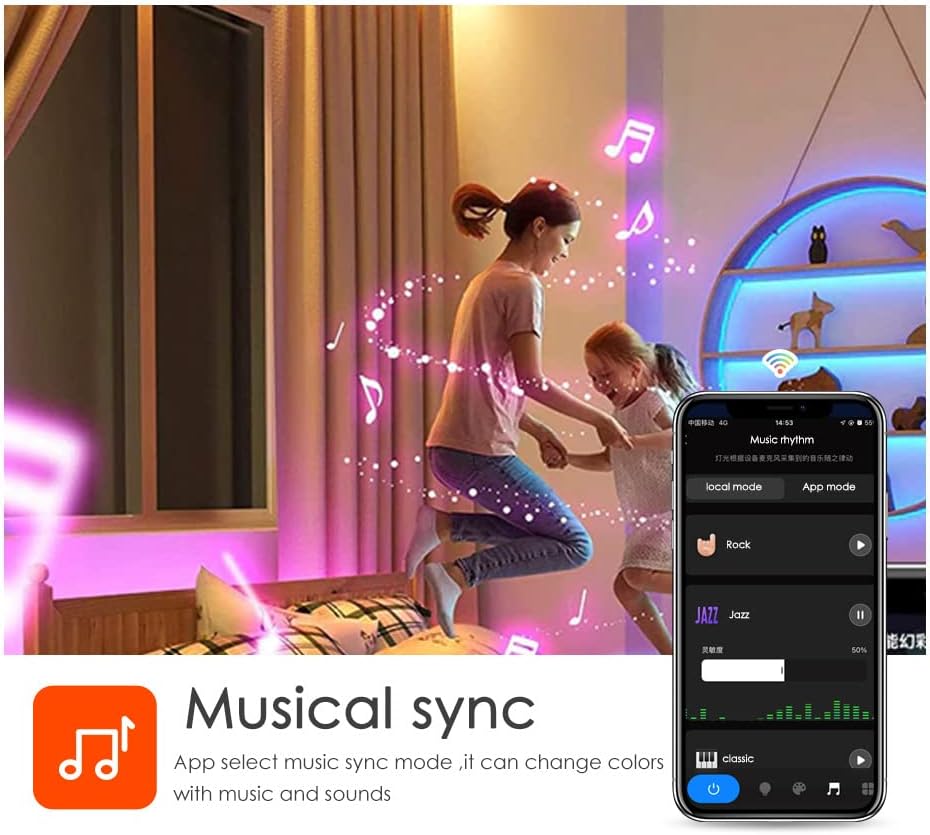
Image: A diagram illustrating the connection process between the LED strip and the USB controller, highlighting the importance of aligning the arrows on the connectors.
- Mount the Light Strip: Remove the adhesive backing from the LED strip and carefully press it onto the desired surface. Apply firm pressure for a few seconds to ensure a secure bond. The strip can be cut to length at designated marks if needed.

Gambar: Detail view of the LED strip highlighting its features: 5050 SMD LEDs for vibrant light, cuttable sections for length customization, a safe resistor for LED protection, an RGB 4PIN connector for the Tuya Wi-Fi controller, and super high adhesive backing.
- Nyalakan: Once connected, the light strip should illuminate.
- Unduh Aplikasi Tuya Smart:
- Pindai kode QR yang terdapat pada kemasan atau kunjungi https://smartapp.tuya.com/tuyasmart to download the Tuya Smart app.
- Daftar atau masuk ke akun Tuya Smart Anda.
- Follow the in-app instructions to add your Vortex Q21-5M Wi-Fi TV Light Strip. Ensure your mobile device is connected to a 2.4GHz Wi-Fi network during the pairing process.
Image: Screenshots of the Tuya Smart app demonstrating various control modes: color adjustment, music synchronization, preset patterns, and timer settings.
Petunjuk Pengoperasian
Metode Pengendalian
- Kontrol Jarak Jauh: Use the included remote control to power on/off, change colors, adjust brightness, and select preset modes. Refer to the remote's button layout for specific functions.
- Aplikasi Tuya Smart: The Tuya Smart app offers comprehensive control over your light strip.
- Kustomisasi Warna: Select from a wide range of colors and adjust saturation.
- Mode Pemandangan: Choose from various pre-programmed scene modes for different ambiances.
- Fungsi Peredupan: Sesuaikan tingkat kecerahan sesuai keinginan Anda.
- Fungsi Pengatur Waktu: Tetapkan jadwal agar lampu menyala atau mati secara otomatis.
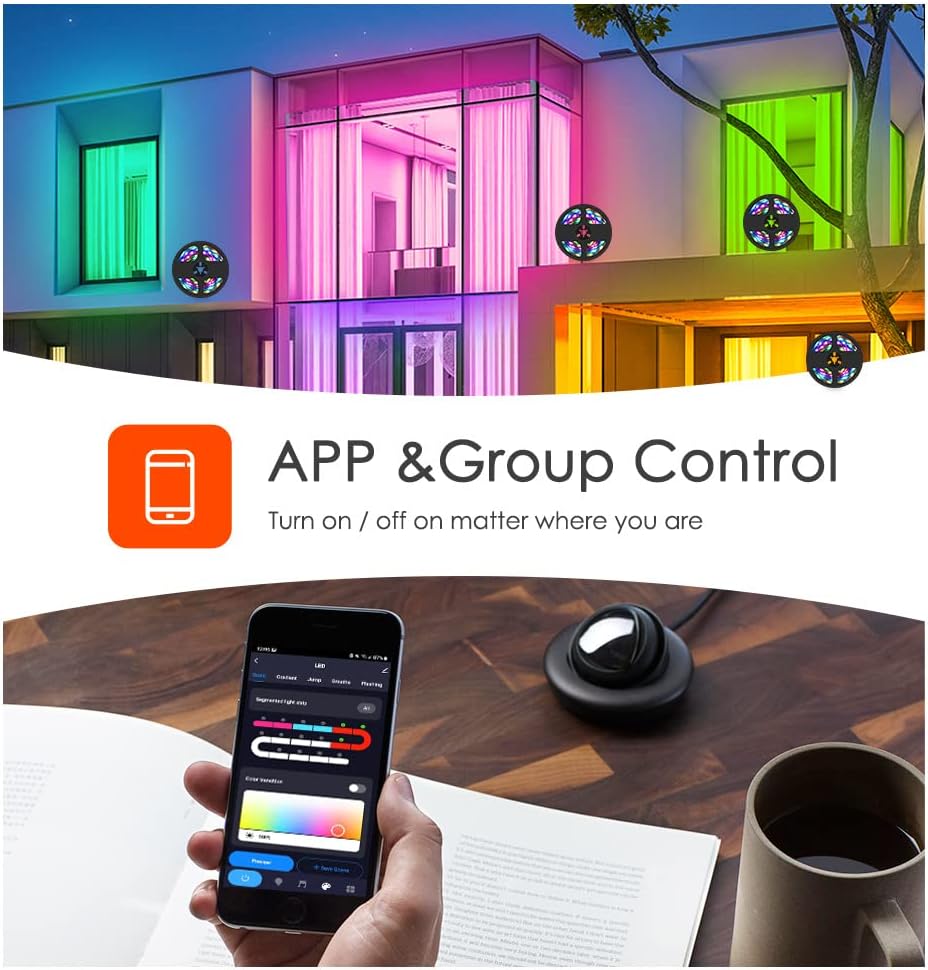
Image: A smartphone displaying the Tuya app, illustrating its capability for app and group control of lighting, allowing users to turn lights on/off remotely.
- Kontrol Suara: Integrate your light strip with smart voice assistants.
- Amazon Alexa: Link your Tuya Smart account to Alexa via the Alexa app. Use commands like "Alexa, turn on the light."
- Asisten Google: Link your Tuya Smart account to Google Assistant via the Google Home app.
- IFTTT: Create custom automations with IFTTT (If This Then That) for advanced control.

Image: A family interacting with an Amazon Alexa device to control the lights, showcasing smart voice control integration with Amazon Alexa, Google Assistant, and IFTTT.
- Sinkronisasi Musik: The built-in microphone allows the light strip to sync with music, creating dynamic light shows that react to audio. This feature can be activated via the Tuya Smart app.

Image: Individuals enjoying a room illuminated by LED strip lights that are synchronizing with music, controlled through a smartphone application.
Pemeliharaan
- Pembersihan: Usap strip LED dengan lembut menggunakan kain kering dan lembut untuk menghilangkan debu. Jangan gunakan cairan pembersih atau bahan abrasif.
- Perekat: If the adhesive weakens over time, use additional mounting clips or double-sided tape to secure the strip.
- Penyimpanan: If storing the light strip, ensure it is coiled loosely and kept in a dry, cool place away from direct sunlight.
Penyelesaian Masalah
| Masalah | Kemungkinan Penyebab | Larutan |
|---|---|---|
| Strip lampu tidak menyala. | Tidak ada daya, koneksi longgar, adaptor daya rusak. | Check power source. Ensure all connections are secure, especially the arrow alignment between the strip and controller. Try a different USB power source. |
| Tidak dapat terhubung ke Wi-Fi/Aplikasi. | Incorrect Wi-Fi band (not 2.4GHz), incorrect password, device too far from router. | Ensure your phone is on a 2.4GHz Wi-Fi network. Verify Wi-Fi password. Move the light strip closer to the router. Reset the light strip and try pairing again. |
| Warna tidak akurat atau tidak konsisten. | Loose connection, app settings. | Check the connection between the strip and controller for proper arrow alignment. Adjust color settings in the Tuya Smart app. |
| Kontrol jarak jauh tidak berfungsi. | Baterai habis, halangan, remote di luar jangkauan. | Ganti baterai remote control. Pastikan tidak ada penghalang antara remote dan penerima strip lampu. Dekati strip lampu. |
Spesifikasi
- Model: Pertanyaan 21
- Panjang: 5 Meter
- Jenis LED: 5050RGBIC
- Sumber Daya: USB Powered, 5V
- Metode Pengendalian: Tuya Wi-Fi APP, Remote Control, Voice Control (Amazon Alexa, Google Assistant, IFTTT)
- Fitur Khusus: Music Sync, Timer Function, Dimming Function, Waterproof (strip only)
- Pemakaian Dalam/Luar Ruangan: Dalam
- Bahan: Plastik
- Berat Barang: 6.3 ons
Video Produk Resmi
Vortex RGB LED LIGHT STRIPS
Video: This video demonstrates the various color modes and effects of the Vortex RGB LED Light Strips, showcasing their dynamic lighting capabilities and how they can enhance different environments.
Vortex Color Light Strips (5m)
Video: A demonstration of the Vortex 5-meter Color Light Strips, highlighting their vibrant color output and ease of use in various settings.
Garansi dan Dukungan
For warranty information and customer support, please refer to the contact details provided in your product packaging or visit the official Vortex weblokasi. Simpan kwitansi pembelian Anda untuk klaim garansi.
Kebijakan Pengembalian: Produk ini berhak mendapatkan pengembalian dana atau penggantian dalam waktu 30 hari sejak tanggal pembelian.
Rencana Perlindungan: Paket perlindungan tambahan tersedia untuk dibeli:
- 3-Year Protection Plan: $5.99 (one-time)
- 4-Year Protection Plan: $7.99 (one-time)
- NEW Complete Protect: $16.99 (monthly, covers all eligible past and future purchases)