
FLYDrone Mini 3 Pro
FLYDrone Airdrop System User Manual
For DJI Mini Series Drones
Perkenalan
Thank you for choosing the FLYDrone Airdrop System. This device is designed to enhance the functionality of your DJI Mini series drone, allowing for precise and controlled payload delivery. Its lightweight design ensures minimal impact on your drone's flight performance.
This manual provides essential information on setting up, operating, and maintaining your airdrop system to ensure safe and effective use.
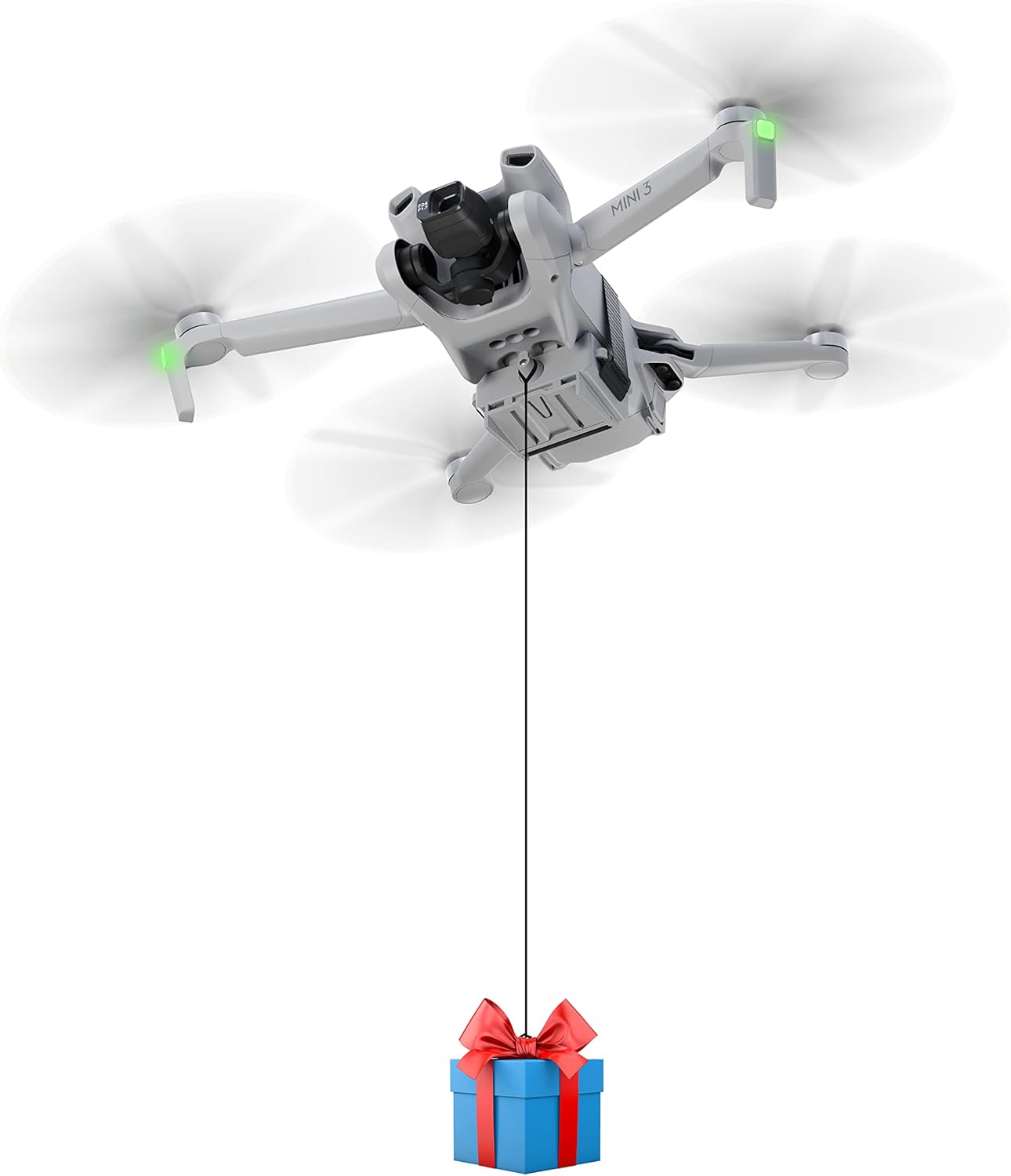
Figure 1: DJI Mini drone equipped with the FLYDrone Airdrop System, demonstrating a payload delivery.
Komponen Produk
The FLYDrone Airdrop System package includes the following components:
- Air-dropping system unit
- Base (for specific drone models)
- Magic tie (Velcro strap)
- Garis rilis
- Kabel Pengisian Daya (USB-C)

Figure 2: All components included in the FLYDrone Airdrop System package.
Pengaturan dan Instalasi
Proper installation is crucial for the safe and effective operation of your airdrop system. Please follow the steps carefully based on your drone model.
Kesesuaian
This airdrop system is compatible with the following DJI Mini series drones:
- DJI Mini 4K
- DJI Mini 4 Pro
- DJI Mini 3 Pro
- DJI Mini 3
- DJI Mini SE
- DJI Mini 2
- DJI Mini 2 SE

Figure 3: Compatibility chart and maximum payload for various DJI Mini drone models.
Metode Instalasi
There are two primary installation methods depending on your specific DJI Mini drone model:
- For Mini 4 Pro / Mini 3 Pro / Mini 3 Installation:
Attach the base to the drone's belly, then slide the air-dropping system unit onto the base. Secure with the magic tie (Velcro strap). - For Mini 2 / Mini 2 SE / Mini SE Installation:
Directly attach the air-dropping system unit to the drone's belly using the magic tie (Velcro strap).

Figure 4: Detailed installation steps for different DJI Mini drone series.
The lightweight design of the airdrop system (approximately 30 grams) ensures that it will not significantly affect the flight dynamics of your quadrotor drone.

Figure 5: The airdrop system's design promotes stable flight and provides landing protection.
Petunjuk Pengoperasian
The FLYDrone Airdrop System operates without the need for an additional remote control, simplifying its use. The delivery distance is limited only by your drone's remote control range.
Kapasitas Muatan
Adhering to the maximum payload limits is critical for safe flight and optimal performance:
- DJI Mini 4 Pro / Mini 3 Pro / Mini 3: Maximum load within 100g. (Using Intelligent Flight Battery: max 80g; Using Intelligent Flight Battery Plus: max 100g).
- DJI Mini 4K / Mini 2 SE / Mini 2 / Mini SE: Maximum load within 60g.
Payload Release Mechanism
The airdrop system is programmed to release its payload by detecting a specific drone maneuver:
- Attach the release line to your payload and then to the hook on the airdrop system.
- Fly your drone to the desired drop location.
- To activate the release, perform a continuous 10-second rotation of the drone in place (e.g., yawing left or right). The built-in high-sensitivity sensor chip will detect this motion and trigger the release.

Figure 6: The airdrop system utilizes a 10-second drone rotation for payload release.
This system eliminates the need for complex APP operations or separate remote controls.

Figure 7: Simplified operation without external controls.
Recommended Flight Practices
For optimal safety and performance when using the airdrop system:
- It is recommended to fly at kecepatan rendah.
- When descending, do so perlahan-lahan.
- Menggunakan N gear (Normal mode) for release.
- Ensure the payload string is not excessively long to prevent instability, especially with smaller drones.
Aplikasi Potensial
The FLYDrone Airdrop System can be used for various purposes:
- Delivering small gifts or engagement rings.
- Casting fishing bait.
- Dropping water balloons or small toys.
- Other creative payload delivery scenarios within safe limits.

Gambar 8: Contohamples of fun and practical applications for the airdrop system.
Pemeliharaan
To ensure the longevity and reliable performance of your FLYDrone Airdrop System, follow these maintenance guidelines:
- Pembersihan: Wipe the unit with a soft, dry cloth after each use to remove dust or debris. Avoid using harsh chemicals or abrasive materials.
- Pengisian Baterai: The system includes a rechargeable battery. Charge it using the provided USB-C cable when the indicator suggests low power. Avoid overcharging or completely draining the battery for extended periods.
- Penyimpanan: Store the airdrop system in a cool, dry place away from direct sunlight and extreme temperatures. Ensure it is clean and fully charged before long-term storage.
- Inspeksi: Periodically inspect the unit for any signs of wear, damage, or loose connections. Do not use if any damage is observed.
Penyelesaian Masalah
If you encounter issues with your FLYDrone Airdrop System, refer to the following common problems and solutions:
| Masalah | Kemungkinan Penyebab | Larutan |
|---|---|---|
| Payload not releasing | Insufficient rotation time; Incorrect rotation maneuver; Device not powered on. | Ensure a continuous 10-second rotation (yaw) of the drone. Verify the device is powered on. |
| Drone instability during flight with payload | Payload exceeds maximum weight; Payload string too long; Rapid flight maneuvers. | Verify payload weight is within specified limits. Shorten the release line if necessary. Fly at low speed and perform smooth maneuvers. |
| Perangkat tidak mengisi daya | Faulty USB-C cable or power source; Charging port obstruction. | Coba kabel USB-C dan adaptor daya lain. Periksa port pengisian daya untuk melihat apakah ada kotoran. |
| Perangkat tidak menyala | Battery depleted; Internal issue. | Charge the device fully. If still unresponsive, contact customer support. |
Spesifikasi
| Fitur | Detil |
|---|---|
| Merek | TERBANGDrone |
| Nama Model | Mini 3 Pro Airdrop System (compatible with various Mini series) |
| Fitur Khusus | Drone Airdrop System |
| Berat Barang | 30 Gram (1.06 ons) |
| Dimensi Produk | 2.16"P x 1.61"L x 1.18"T |
| Jenis Kontrol | Drone Rotation Activated |
| Jenis Baterai | Rechargeable (Lithium Polymer) |
| Teknologi Konektivitas | No external connectivity required |
| Maximum Load (Mini 4 Pro/3 Pro/3) | 100g (80g with Intelligent Flight Battery, 100g with Intelligent Flight Battery Plus) |
| Maximum Load (Mini 4K/2 SE/2/SE) | 60 gram |
Garansi dan Dukungan
For information regarding product warranty, please refer to the warranty card included with your purchase or visit the official FLYDrone websitus. Simpan bukti pembelian Anda untuk klaim garansi apa pun.
For technical support, troubleshooting assistance beyond this manual, or inquiries about replacement parts, please contact FLYDrone customer service through their official channels. Contact information can typically be found on the product packaging or the brand's official weblokasi.
Ask a question about this manual
Ask about setup, troubleshooting, compatibility, parts, safety, or missing instructions. Manuals+ will review the question and use this page’s manual context to help answer it.