
Erssimo EDR
Erssimo Wireless Ear Cuff Earphones User Manual
Model: EDR | Brand: Erssimo
1. Pendahuluan
Thank you for choosing Erssimo Wireless Ear Cuff Earphones. These earphones are designed to provide a unique open-ear listening experience with advanced sound technology and comfortable wear. This manual provides essential information for setting up, operating, and maintaining your earphones.

The Erssimo Wireless Ear Cuff Earphones, featuring a sleek black design, are shown alongside their charging case. The case displays a digital LED battery indicator, and the earphones themselves have a subtle blue light accent.
2. Informasi Keselamatan
- Jangan biarkan earphone atau wadah pengisi daya terkena suhu ekstrem, kelembapan, atau cairan.
- Hindari menjatuhkan, membongkar, atau memodifikasi perangkat.
- Jauhkan dari jangkauan anak-anak dan hewan peliharaan.
- Gunakan hanya kabel pengisi daya yang disediakan dan adaptor daya bersertifikasi.
- Mendengarkan dalam waktu lama pada tingkat volume tinggi dapat menyebabkan kerusakan pendengaran.
- Be aware of your surroundings when using the earphones, especially in traffic or dangerous environments, as they allow ambient sound to be heard.
3. Isi Paket
Harap periksa apakah semua item ada dalam paket Anda:
- Erssimo OWS Bluetooth Earphones (1 pair)
- Kotak Pengisi Daya (1)
- Kabel Pengisian Tipe-C (1)
- User Manual (Japanese, 1) - Note: This document serves as the English version.
4. Produk Lebihview
The Erssimo Wireless Ear Cuff Earphones feature an innovative open-ear design that clips onto your earlobe, providing comfort and awareness of your surroundings. They incorporate advanced audio technology for clear sound and minimal leakage.
Fitur Utama:
- Desain Telinga Terbuka: Sits on the earlobe without entering the ear canal, ensuring comfort and hygiene.
- Transmisi Suara Terarah: Minimizes sound leakage while delivering clear audio directly to your eardrum.
- Bluetooth 5.3: Provides stable and fast wireless connection with low latency.
- Tombol Fisik: Easy control for volume, track skipping, and call management, preventing accidental touches.
- High-Quality Call Performance: Equipped with a high-performance MEMS microphone and noise reduction for clear calls.
- Tampilan LED Digital: Shows battery levels of the charging case and individual earphones.
- Ketahanan Air IPX4: Melindungi dari cipratan dan keringat.


Left: A close-up view of the Erssimo ear cuff earphone securely placed on an ear, demonstrating its ergonomic design. Right: A diagram illustrating Erssimo's directional sound transmission technology, showing how sound is directed towards the eardrum to minimize leakage and enhance audio clarity.
5. Pengaturan
5.1 Pengisian Awal
- Tempatkan kedua earphone ke dalam wadah pengisi daya.
- Sambungkan kabel pengisi daya Type-C ke port pengisian daya pada casing dan colokkan ujung lainnya ke sumber daya USB.
- The digital LED display on the charging case will show the battery percentage. Ensure the earphones and case are fully charged before first use.
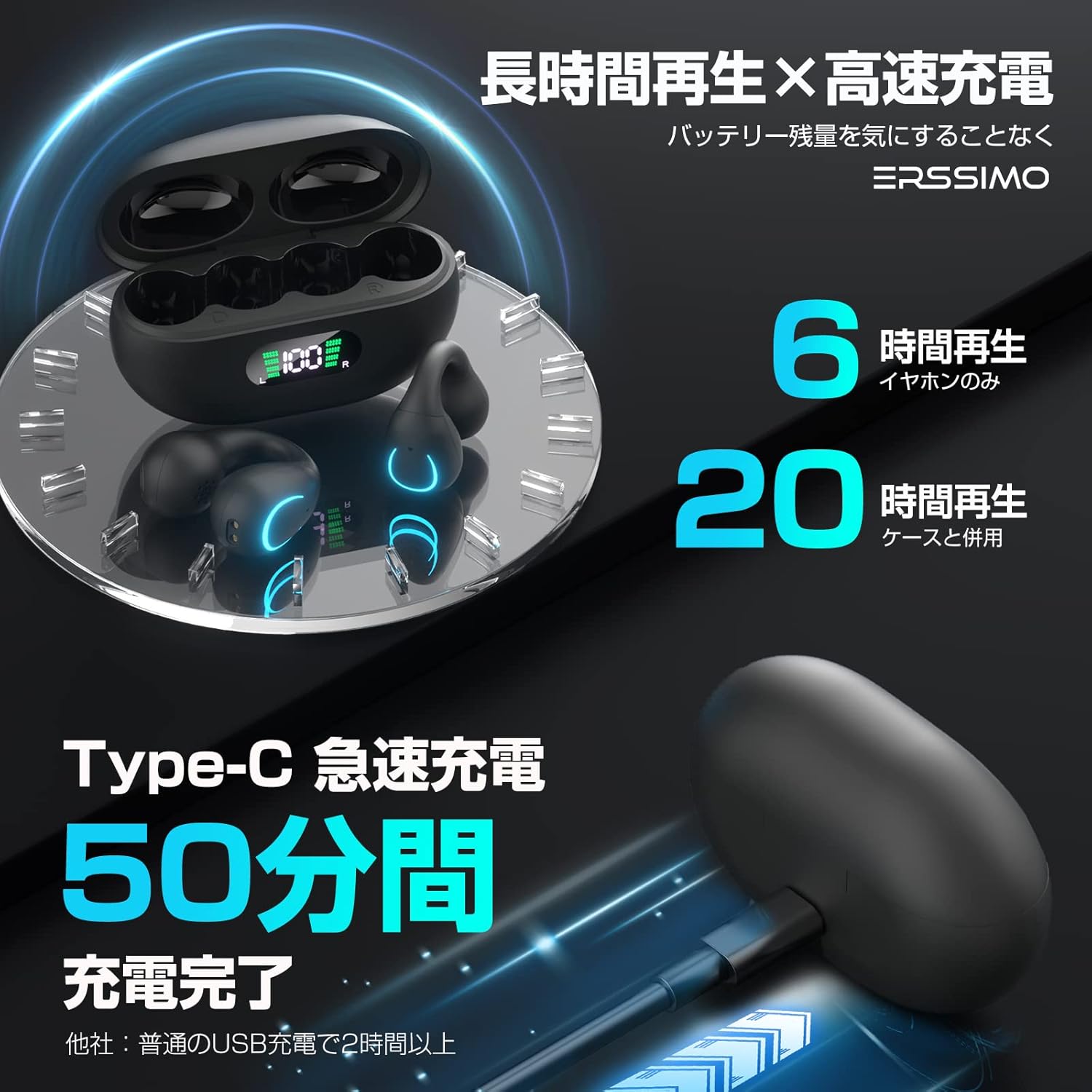
The Erssimo ear cuff earphones in their charging case, illustrating long playback time and rapid charging. It indicates 6 hours of playback for the earphones alone and 20 hours with the charging case. The Type-C rapid charging allows for a full charge in 50 minutes.
5.2 Pemasangan Bluetooth
- Buka casing pengisi daya. Earphone akan otomatis masuk ke mode berpasangan.
- Pada perangkat Anda (ponsel pintar, tablet, dll.), aktifkan Bluetooth.
- Pencarian untuk "EDR" in the list of available Bluetooth devices and select it to connect.
- Setelah terhubung, perintah suara akan mengonfirmasi pemasangan yang berhasil.
- Earphone akan secara otomatis terhubung kembali ke perangkat yang terakhir dipasangkan saat dikeluarkan dari wadahnya, jika Bluetooth diaktifkan pada perangkat tersebut.
6. Petunjuk Pengoperasian
The Erssimo earphones feature physical buttons for easy control.
6.1 Daya Hidup/Mati
- Nyalakan: Take the earphones out of the charging case. They will power on automatically.
- Matikan: Place the earphones back into the charging case. They will power off automatically and begin charging.
6.2 Pemutaran Musik
- Putar/Jeda: Press the physical button on either earphone once.
- Lagu Berikutnya: Press the physical button on the right earphone twice.
- Lagu Sebelumnya: Press the physical button on the left earphone twice.
6.3 Manajemen Panggilan
- Menjawab/Mengakhiri Panggilan: Press the physical button on either earphone once.
- Tolak Panggilan: Press and hold the physical button on either earphone for 2 seconds.
6.4 Kontrol Volume
- Volume Naik: Press the physical button on the right earphone once during a call or music playback.
- Volume Turun: Press the physical button on the left earphone once during a call or music playback.

A woman is shown participating in an online meeting or call while wearing the Erssimo ear cuff earphones. The image highlights the high-quality voice communication, featuring a high-performance MEMS microphone and unique call noise reduction function for clear conversations.
7. Pengisian daya
The charging case is equipped with a digital LED display to show the battery status.
- Pengisian Earphone: Place the earphones into the charging case. The LED display will show charging status for each earphone (L/R) and the case's battery level.
- Pengisian Kasus: Connect the Type-C cable to the charging case and a power source. The LED display will show the case's battery percentagpeningkatanasing.
- Pengisian Cepat: The Type-C port supports rapid charging, allowing the case to be fully charged in approximately 50 minutes.
8. Pemeliharaan
- Pembersihan: Gunakan kain lembut dan kering untuk membersihkan earphone dan wadah pengisi daya. Jangan gunakan pembersih abrasif atau pelarut.
- Penyimpanan: When not in use, store the earphones in their charging case to protect them and keep them charged. Store in a cool, dry place.
- Tahan Air: The earphones are IPX4 water-resistant, meaning they can withstand splashes and sweat. Do not submerge them in water or expose them to heavy rain.
9. Penyelesaian masalah
| Masalah | Kemungkinan Penyebab | Larutan |
|---|---|---|
| Earphone tidak menyala. | Baterai lemah. | Letakkan earphone dalam wadah pengisi daya dan isi daya hingga penuh. |
| Tidak dapat dipasangkan dengan perangkat. | Bluetooth dimatikan di perangkat; earphone tidak dalam mode pemasangan; perangkat terlalu jauh. | Ensure Bluetooth is on, earphones are out of case, and device is within range (10m). Try forgetting the device and re-pairing. |
| Tidak ada suara atau volume rendah. | Volume terlalu rendah; earphone tidak terhubung; media dijeda. | Adjust volume on both earphones and device. Ensure earphones are connected and media is playing. |
| Sound cuts out or unstable connection. | Interference; device too far; low earphone battery. | Dekati perangkat. Hindari area dengan sinyal Wi-Fi atau Bluetooth yang kuat. Isi daya earphone. |
| Mikrofon tidak berfungsi selama panggilan. | Microphone muted on device; earphone not properly positioned. | Check device settings. Ensure earphones are correctly worn. |
10. Spesifikasi
| Fitur | Detil |
|---|---|
| Teknologi Komunikasi Nirkabel | Bahasa Indonesia: Bluetooth |
| Versi Bluetooth | 5.3 |
| Nama Model | EDR |
| Faktor Bentuk Headphone | In-Ear (Ear Cuff Type) |
| Ukuran Pengemudi | Driver Dinamis 15mm |
| Peringkat Tahan Air | Tingkat IPX4 |
| Port Pengisian Daya | Tipe-C |
| Waktu Pemutaran Earphone | Hingga 6 jam |
| Total Waktu Pemutaran (dengan casing) | Hingga 20 jam |
| Dimensi Casing Pengisian Daya | Sekitar 13.1x11.4x3.2 cm |
| Berat | Sekitar 110g |
11. Garansi dan Dukungan
Produk ini dilengkapi dengan Masa garansi 1 tahun sejak tanggal pembelian.
If you encounter any issues or have questions regarding your Erssimo Wireless Ear Cuff Earphones, please contact our customer support. We are committed to providing prompt assistance.

Our customer support team is ready to assist you with any product inquiries or issues.
Ask a question about this manual
Ask about setup, troubleshooting, compatibility, parts, safety, or missing instructions. Manuals+ will review the question and use this page’s manual context to help answer it.