
Zgrmbo DS-6626
Zgrmbo 16-inch Digital Wall Clock User Manual
Model: DS-6626
1. Pendahuluan
Thank you for choosing the Zgrmbo 16-inch Digital Wall Clock. This manual provides detailed instructions for setting up, operating, and maintaining your new clock. Please read this manual thoroughly before use to ensure proper function and longevity of the product.

Image 1.1: Zgrmbo 16-inch Digital Wall Clock with its various display features.
2. Isi Paket
Silakan periksa paket untuk item berikut:
- Zgrmbo 16-inch Digital Wall Clock (Model DS-6626)
- Kontrol Jarak Jauh
- Kabel Daya USB
- Wall Adapter (USB to AC)
- CR2032 Battery (for memory function)
- Mounting Pegs/Screws
- Template Pemasangan
- Panduan Pengguna
3. Fitur Produk
- Layar LED Besar: 16.2-inch screen with 4.25-inch jumbo digits for clear visibility from a distance.
- Tampilan Multi-Fungsi: Shows time, date, indoor temperature, and day of the week.
- Kontrol Jarak Jauh: Conveniently adjust settings, brightness, alarms, and timers.
- Kecerahan yang Dapat Disesuaikan: 10-level manual brightness adjustment and an auto-brightness mode that adapts to ambient light.
- Stopwatch dan Pengatur Waktu: Integrated functions for various timing needs.
- Fungsi Memori: Built-in CR2032 battery preserves time and settings during power outages (display turns off during battery backup).
- Pemasangan Fleksibel: Designed for wall mounting with multiple cable routing options.
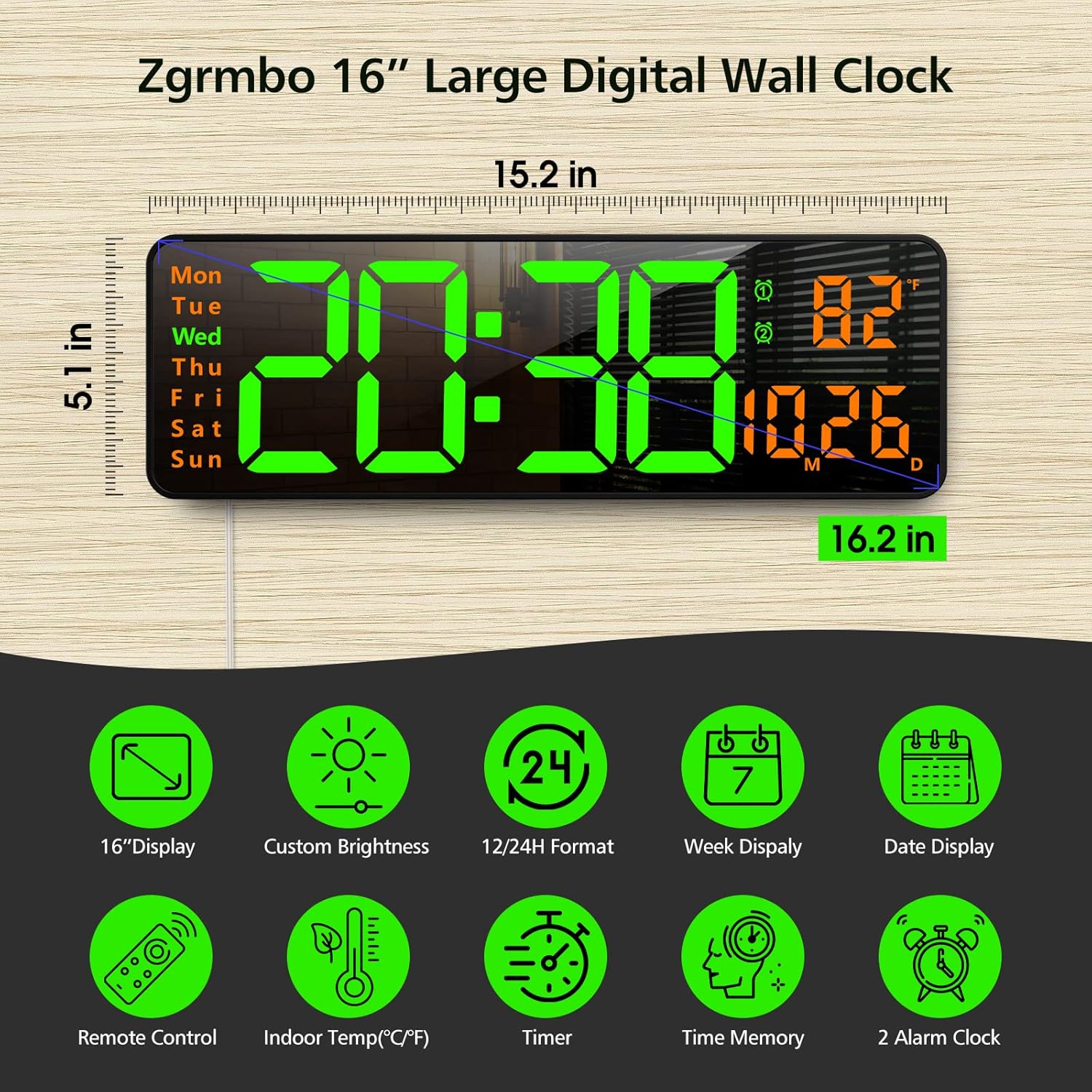
Gambar 3.1: Selesaiview of the clock's dimensions and primary features.
4. Pengaturan
4.1. Koneksi Daya
- Insert the CR2032 battery into the battery compartment on the back of the clock. This battery maintains settings during power interruptions.
- Connect the USB power cable to the clock and then to the provided wall adapter.
- Plug the wall adapter into a standard electrical outlet. The clock display will illuminate.
4.2. Pemasangan di Dinding
The clock can be easily mounted on a wall using the provided template and hardware.
- Select a desired location on the wall.
- Use the mounting template to mark the positions for the mounting pegs/screws.
- Install the mounting pegs/screws into the marked positions.
- Align the keyhole slots on the back of the clock with the installed pegs/screws and slide the clock into place.
- Route the power cable through one of the designated cutouts on the back of the clock to ensure it lies flush against the wall. Excess cable can be wrapped around the designated area on the back of the clock.
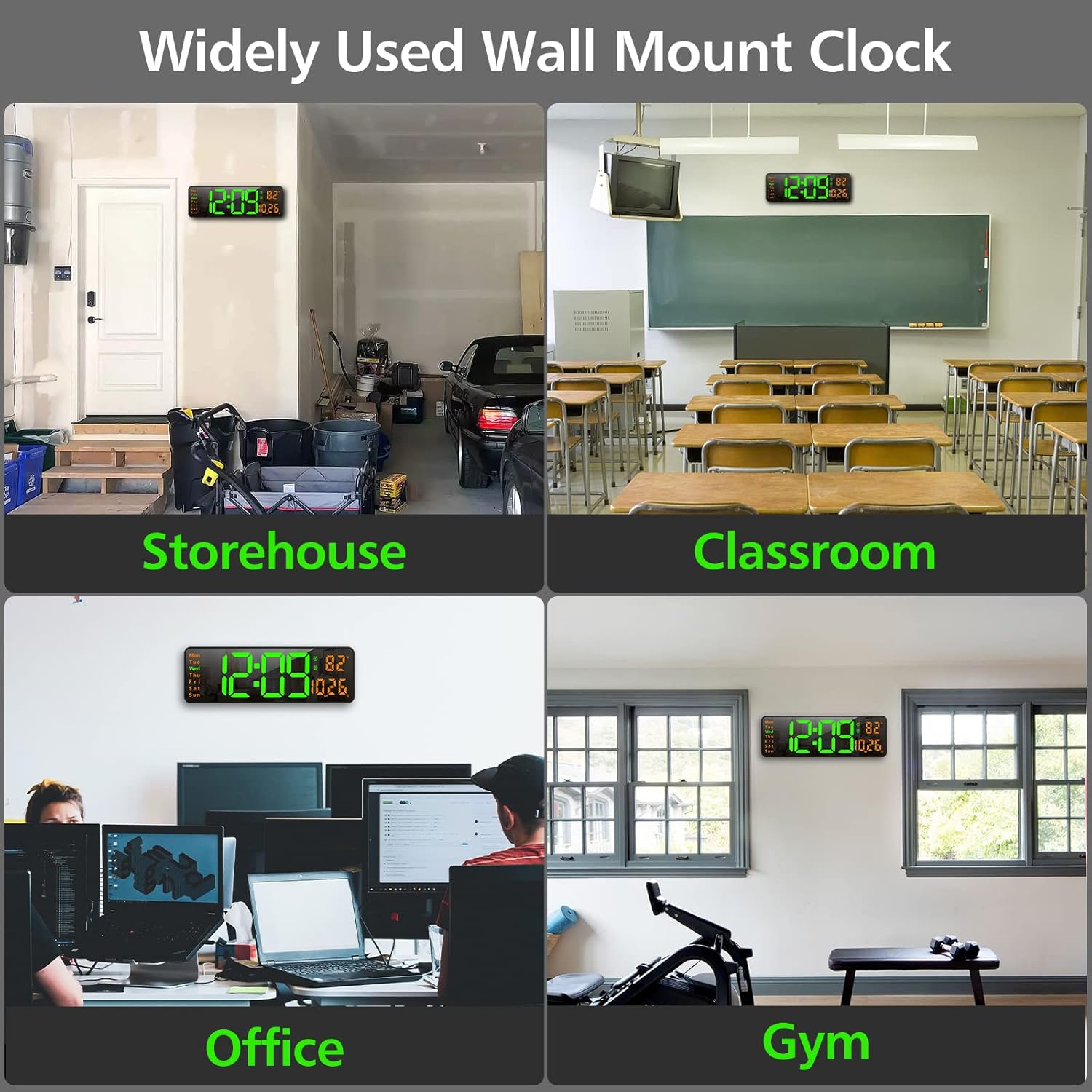
Gambar 4.1: Contohamples of the clock mounted in different environments.
5. Petunjuk Pengoperasian
The clock can be operated using the remote control or the buttons on the back of the unit.
5.1. Kontrol Jarak Jauhview
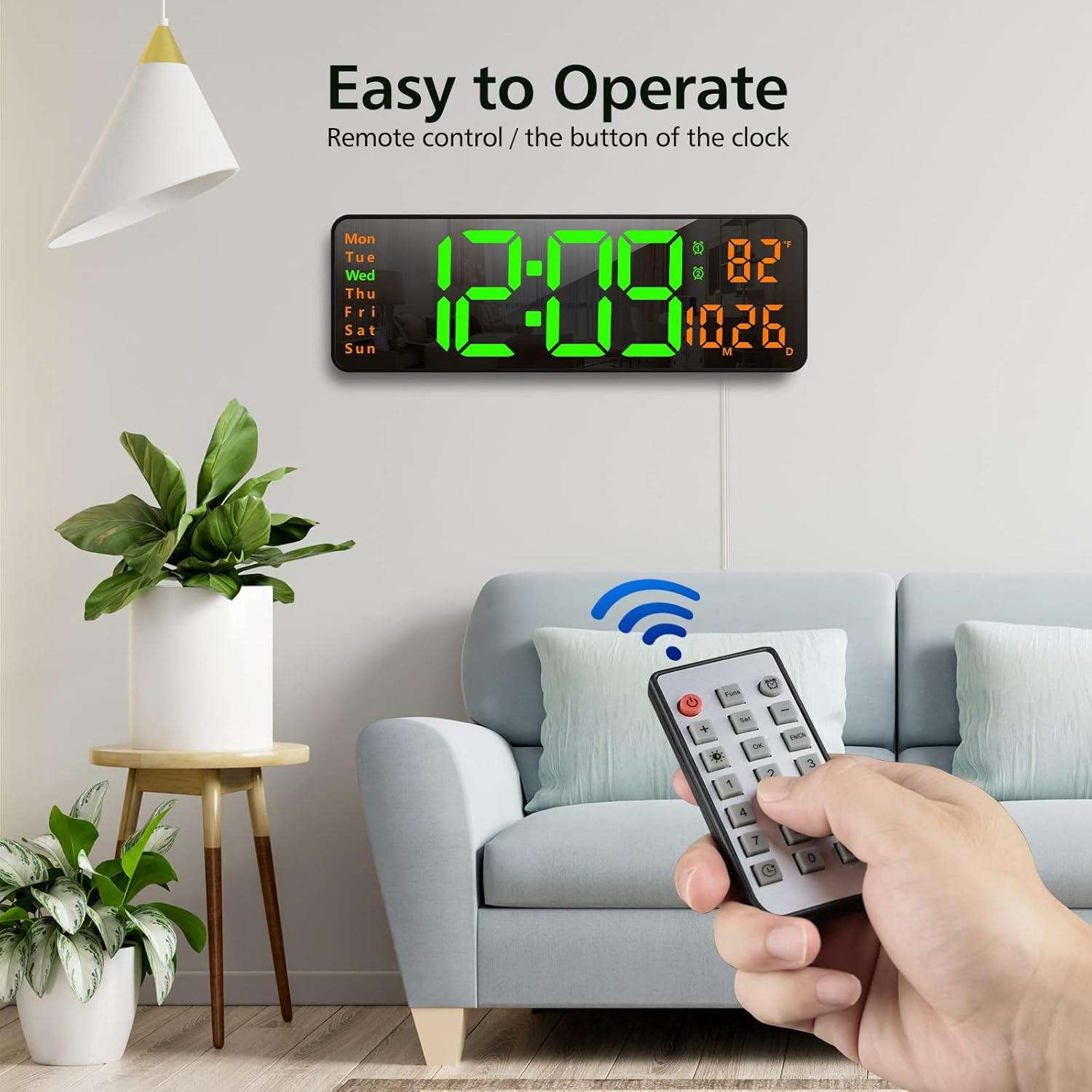
Image 5.1: Using the remote control to operate the clock.
- Tombol Daya: Menghidupkan/mematikan tampilan.
- Funs Button: Cycles through various functions (e.g., time, date, temperature display modes).
- Tombol Alarm: Mengakses pengaturan alarm.
- Atur Tombol: Enters setting mode for time, date, etc.
- +/- Tombol: Adjust values up or down during setting.
- Brightness Button (Lightbulb icon): Cycles through brightness levels or activates auto-brightness.
- Tombol Oke: Konfirmasikan pilihan.
- Tombol Angka (0-9): For direct input of time/date values.
- Timer Buttons (Clock icons): Activates and controls the timer/stopwatch functions.
5.2. Pengaturan Waktu dan Tanggal
- Press the 'Set' button on the remote control. The time display will start flashing.
- Use the '+/-' buttons to adjust the hour. Press 'Set' again to confirm and move to minutes.
- Adjust minutes using '+/-' buttons. Press 'Set' to confirm.
- Lanjutkan proses ini untuk mengatur tahun, bulan, dan tanggal.
- After setting the date, you may be prompted to select 12-hour or 24-hour format. Use '+/-' and 'Set' to choose.
- The clock will automatically exit setting mode after a few seconds of inactivity or by pressing 'OK'.
5.3. Menyesuaikan Kecerahan
The clock offers 10 levels of brightness and an automatic adjustment mode.
- Press the 'Brightness' button (lightbulb icon) on the remote control once to cycle through manual brightness levels (L-01 to L-10).
- Press the 'Brightness' button twice quickly to activate the auto-brightness mode (L-AU). The clock will then adjust its brightness based on ambient light conditions.

Image 5.2: Visual representation of the 10-level brightness adjustment and auto-brightness feature.
5.4. Mengatur Alarm
The clock supports up to two alarms.
- Press the 'Alarm' button (clock icon) on the remote control. The alarm time will flash.
- Use the '+/-' buttons to set the desired alarm hour. Press 'Set' to confirm.
- Use the '+/-' buttons to set the desired alarm minutes. Press 'Set' to confirm.
- Ulangi untuk alarm kedua jika diperlukan.
- To activate/deactivate an alarm, press the 'Alarm' button repeatedly until the alarm indicator (1 or 2) appears/disappears next to the temperature display.
5.5. Using the Timer/Stopwatch
The clock features both a countdown timer and a stopwatch function.
- Timer Hitung Mundur: Press the 'Timer' button (clock with arrow down icon) on the remote. Use the number buttons to input the desired countdown time (e.g., 10 for 10 minutes). Press 'OK' to start. Press 'OK' again to pause/resume. Long press 'Timer' to reset.
- Stopwatch: Press the 'Timer' button (clock with arrow up icon) on the remote. Press 'OK' to start. Press 'OK' again to pause/resume. Long press 'Timer' to reset.

Image 5.3: The digital timer function in use.
6. Pemeliharaan
- Pembersihan: Use a soft, dry cloth to clean the display and body of the clock. Avoid abrasive cleaners or solvents.
- Penggantian Baterai: The CR2032 battery for the memory function should be replaced periodically (e.g., every 1-2 years) to ensure settings are retained during power outagyaitu.
- Penyimpanan: If storing the clock for an extended period, unplug it from power and remove the CR2032 battery. Store in a cool, dry place.
7. Penyelesaian masalah
| Masalah | Kemungkinan Penyebab | Larutan |
|---|---|---|
| Tampilan jam mati. | Tidak ada daya, daya padamtage, or remote control power button pressed. | Ensure power cable is securely plugged in. Check power outlet. Press the power button on the remote. |
| Pengaturan hilang setelah daya matitage. | Baterai memori CR2032 mati atau tidak terpasang. | Install or replace the CR2032 battery. |
| Kontrol jarak jauh tidak berfungsi. | Remote battery is dead or plastic tab not removed. | Remove the plastic tab from the remote battery compartment. Replace the remote control battery. |
| Pembacaan suhu tidak akurat. | Sensor interference or unit not calibrated. | Ensure the clock is not near heat sources or direct sunlight. The temperature sensor is for indoor ambient temperature. |
8. Spesifikasi
- Merek: Zgrmbo
- Model: DS-6626
- Tipe Tampilan: Lampu LED digital
- Ukuran Layar: 16.2 inci (diagonal)
- Tinggi Digit: 4.25 inches (time digits)
- Dimensi Produk: 15.2"L x 5.1"T
- Sumber Daya: Kabel Listrik (USB)
- Baterai Cadangan: 1x CR2032 (for memory function)
- Bahan: Plastik, LED
- Tipe Pemasangan: Dudukan Dinding
- Fitur Khusus: Adjustable Brightness, Alarm, Large Display, Timer, Stopwatch, Date, Week, Temperature.
9. Garansi dan Dukungan
Zgrmbo offers an Garansi 18 bulan for this product, along with a Kebijakan pengembalian 45 hari. For any questions, technical support, or warranty claims, please contact Zgrmbo customer service through your purchase platform or visit the official Zgrmbo store page.
We are committed to providing high-quality products and excellent customer service. Your satisfaction is our priority.
Ask a question about this manual
Ask about setup, troubleshooting, compatibility, parts, safety, or missing instructions. Manuals+ will review the question and use this page’s manual context to help answer it.