
Perkenalan
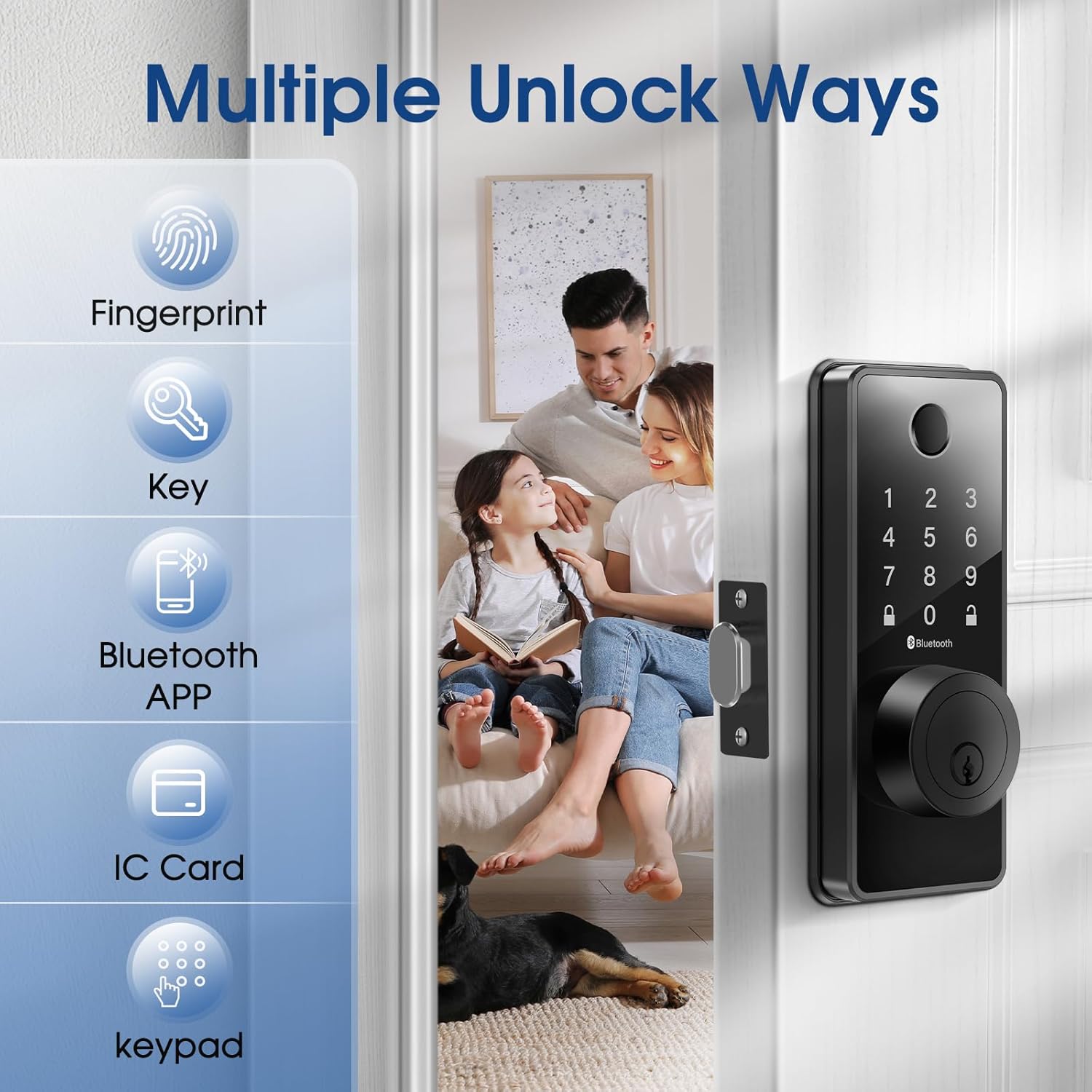
Welcome to the ELAMOR Smart Lock M12 user manual. This guide provides detailed instructions for the installation, operation, and maintenance of your new smart lock. The ELAMOR M12 offers multiple unlocking methods including fingerprint, touchscreen password, physical keys, fobs, dynamic E-keys, and Bluetooth App control, enhancing your home security and convenience.

The ELAMOR Smart Lock M12, shown with its sleek matte black finish, features a numeric keypad, fingerprint scanner, and traditional key entry. Included are two physical keys and two key fobs, along with a view of the mobile application for smart control.
Apa yang ada di dalam kotak
Verifikasi bahwa semua komponen tersedia sebelum memulai instalasi.
- Kunci Masuk
- 3/4"(19mm) Screws (4 pcs)
- 3/4"(19mm) Screws (2 pcs, Preinstalled)
- 1-5/32"(33mm) Screws (2 pcs)
- Kait gerendel
- Pelat Pukulan Deadbolt
- Kotak Gesper
- Perakitan Keypad
- Perakitan Interior
- Mounting Plate (Preinstalled)
A visual representation of all parts included in the ELAMOR Smart Lock M12 package, including the exterior keypad assembly, interior assembly, deadbolt latch, strike plate, mounting plate, physical keys, and key fobs.
Spesifikasi Produk
| Fitur | Detil |
|---|---|
| Merek | ELAMOR |
| Nama Model | Pesawat M12 |
| Warna | Hitam Matte |
| Bahan | Seng |
| Berat Barang | 2.9 pon |
| Dimensi Produk | 7.55x5.59x4.4 inci |
| Jenis Kunci | Biometrik |
| Fitur Khusus | Touchscreen, Fingerprint, Passcode Unlock, Weather Resistant, Auto-Lock |
| Protokol Konektivitas | Bahasa Indonesia: Bluetooth |
| Baterai Diperlukan | Ya (4x AA, tidak termasuk) |
| Tingkat Tahan Air | Tingkat IP54 |
| Kelas ANSI | 3 |

A technical diagram illustrating the precise dimensions of the ELAMOR Smart Lock M12 components and the required door specifications for proper installation, including backset, door edge hole, and door thickness.
Pengaturan & Instalasi
The ELAMOR Smart Lock M12 is designed for easy installation, typically taking about 15 minutes. Follow these steps carefully.
Panduan Video Instalasi
An official installation guide video demonstrating the step-by-step process of setting up the ELAMOR M12 Smart Lock, from preparing the door to securing the components.
Persiapan Pintu
- Pastikan pintu Anda memenuhi spesifikasi berikut:
- Backset: 2-3/8" or 2-3/4" (60 or 70 mm)
- Door Edge Hole: 1" (25 mm)
- Door Thickness: 1-3/8" to 2" (35 mm to 50 mm)
Instalasi Langkah demi Langkah
Langkah 1: Pasang Baut Pengunci
Twist the latch to adjust the bolt length if necessary, ensuring the latch bolt is retracted. Insert the latch bolt into the door, making sure the T-shaped hole is in the bottom position.

A close-up image showing a hand inserting the deadbolt latch into the pre-drilled hole on the door edge, a crucial first step in the smart lock installation process.
Langkah 2: Pasang Rakitan Eksterior
Route the cable through the door. Feed the tail of the exterior assembly through the T-shaped hole and the stud through the latch. Ensure the key is pulled out when installing and gently push the keypad onto the door.
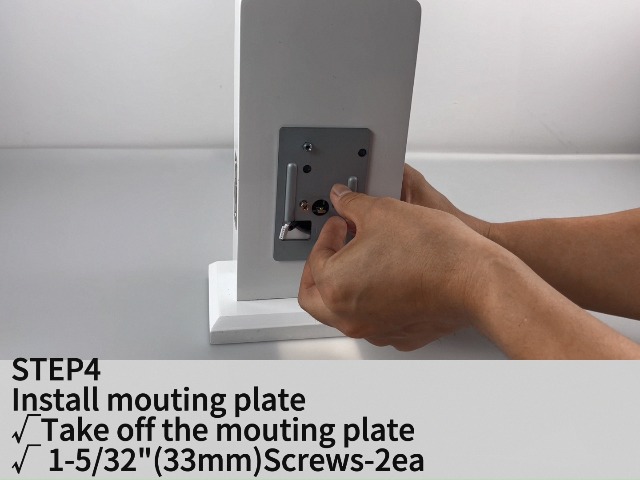
Langkah 3: Pasang Pelat Pemasangan
Take off the mounting plate from the interior assembly. Secure the mounting plate to the door using the provided 1-5/32" (33mm) screws.
Langkah 4: Instal Majelis Interior
Ensure a tight cable connection between the exterior and interior assemblies. Feed the tail of the exterior assembly into the T-shaped hole of the interior assembly. Carefully align and attach the interior assembly to the mounting plate.
Langkah 5: Pasang Baterai
Open the battery cover on the interior assembly. Insert 4 AA batteries, ensuring correct polarity. Close the battery cover.
Langkah 6: Uji Operasi
After installation, test the lock/unlock process. Press the lock key on the keypad; the latch bolt should extend. To unlock, use the default user code (e.g., 123456) or a physical key.
An image depicting the ease of installation for the ELAMOR Smart Lock M12, with a person using a screwdriver to secure the lock components to a door.
Petunjuk Pengoperasian
Metode Pembukaan Kunci
Buka Kunci Sidik Jari
Letakkan jari yang terdaftar di atas sensor sidik jari. Kunci akan terbuka jika sidik jari dikenali.

An illustration showing a finger being placed on the fingerprint sensor of the ELAMOR Smart Lock M12, highlighting the quick identification and unlock times.
Touchscreen Keypad Unlock
Enter your valid passcode on the touchscreen keypad, then press the unlock key.
Buka Kunci Fisik
Masukkan kunci fisik ke dalam lubang kunci dan putar untuk membuka kunci.
Kontrol Aplikasi Bluetooth
Download and install the "Smart Life" app. Pair your lock with the app via Bluetooth. Use the app to remotely lock/unlock, manage users, and view log akses.

A visual representation of the Smart Life app interface, demonstrating various control features for the ELAMOR Smart Lock M12, including keyless entry, member management, temporary passwords, automatic lock settings, unlocking records, and door lock alarms.
Sebuah video menampilkanasing the various functionalities of the ELAMOR M12 Bluetooth Smart Lock, including different unlocking methods and app control features.
Penguncian Otomatis
The lock features an automatic locking function. You can set the auto-lock delay time through the Smart Life App. If the door is left open or unlocked, it will automatically lock after the set time.

An image illustrating the automatic locking feature of the ELAMOR Smart Lock M12, showing the deadbolt extending automatically to secure the door.
Pemeliharaan
Penggantian Baterai
When the battery is low, the lock will provide a low battery alarm. Replace all four AA batteries promptly to ensure continuous operation. In case of complete battery exhaustion, use the emergency charging port (USB-A) to temporarily power the lock.

An image highlighting the long-lasting battery life (10 months standby) and the emergency USB-A charging port of the ELAMOR Smart Lock M12, along with its IP54 waterproof rating and low battery alarm feature.
Pembersihan
Clean the touchscreen and fingerprint sensor regularly with a soft, dry cloth to ensure optimal performance. Avoid using abrasive cleaners or solvents.
Tahan Cuaca
The ELAMOR Smart Lock M12 has an IP54 waterproof rating, providing reliable protection against water damage. However, avoid direct exposure to heavy rain or prolonged submersion.
Penyelesaian Masalah
| Masalah | Kemungkinan Penyebab | Larutan |
|---|---|---|
| Kunci tidak merespons | Baterai lemah | Replace batteries or use emergency charging. |
| Sidik jari tidak dikenali | Dirty sensor/finger, unregistered fingerprint | Clean sensor/finger, re-register fingerprint. |
| Papan tombol tidak merespons | Incorrect code, temporary lockout | Enter correct code, wait for lockout period to end. |
| Auto-lock not working | Feature disabled, incorrect settings | Enable auto-lock in Smart Life App, adjust delay time. |
| Masalah konektivitas aplikasi | Bluetooth off, lock out of range, app glitch | Ensure Bluetooth is on, move closer to lock, restart app. |
| Latch bolt not extending/retracting fully | Misalignment, obstruction | Check alignment of lock components, remove any obstructions. |
For further assistance, please refer to the official user guide PDF or contact customer support.
Garansi & Dukungan
The ELAMOR Smart Lock M12 comes with a 1-year warranty.
Untuk dukungan teknis atau klaim garansi, silakan kunjungi ELAMOR Store atau lihat informasi kontak yang tertera pada kemasan produk Anda.
You can also download the full user manual in PDF format here: ELAMOR Smart Lock User Manual (PDF)

Contact ELAMOR support for assistance.